
When you compare a 12v vs 24v fan, you notice real differences in cooling and energy use. A 24v fan often delivers stronger airflow and runs more efficiently, especially in industrial setups. If you use a 12v vs 24v fan for your PC, electronics, or automotive project, picking the right voltage matters. Choosing the wrong fan can cause performance drops, compatibility headaches, or even safety risks. You see 12v vs 24v fan options everywhere—from PC builds to machinery—so it’s smart to weigh your needs. Research shows a 24v fan can boost cooling by up to 30% and cut electricity costs. In industrial, HVAC, and automotive sectors, a 12v vs 24v fan helps control heat and protect equipment. You want your fan to match your system for the best results.
Key Takeaways
- Choose a 12V fan for small devices like PCs and electronics. It offers easy compatibility and quiet operation.
- Opt for a 24V fan in industrial settings or vehicles. It provides stronger airflow and better energy efficiency.
- Consider your power supply and wiring needs. Matching the fan voltage to your system prevents damage and ensures optimal performance.
- Look for fans with brushless motors for quieter operation and longer lifespan. They require less maintenance and save energy.
- Evaluate your cooling demands carefully. A well-matched fan can enhance performance and reduce running costs significantly.
12v vs 24v fan quick comparison
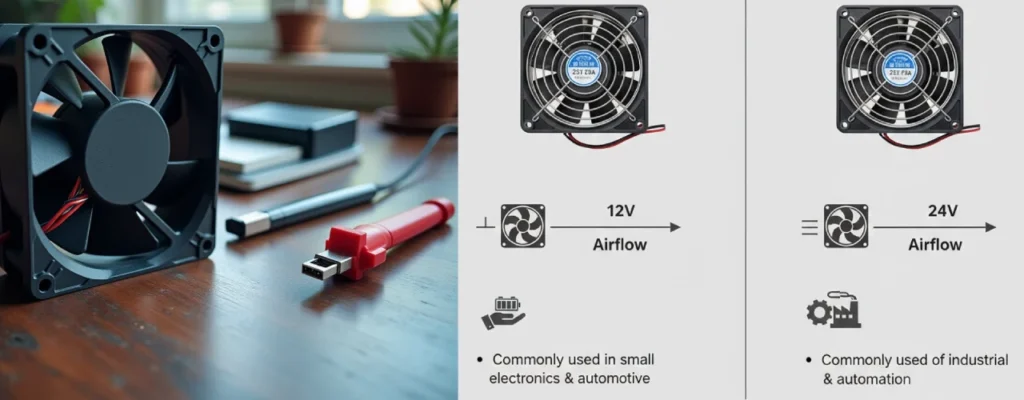
Before you dive into the details, let’s cover the basics. Every fan works by spinning blades to move air, which helps cool down your devices or spaces. You measure a fan’s performance using airflow (CFM), pressure, speed (RPM), noise (dBA), power consumption, and efficiency. Size and interface type also matter when you pick a fan for your project.
Performance summary
You want your fan to deliver strong airflow and reliable cooling. A 12v fan usually fits smaller setups like PCs or electronics. It offers decent airflow and speed, making it a popular choice for consumer devices. A 24v fan steps up the game in industrial and automotive environments. It pushes more air, handles higher heat loads, and keeps systems stable. Here’s a quick comparison:
| Feature | 12V Fan | 24V Fan |
|---|---|---|
| Airflow (CFM) | Moderate | High |
| Speed (RPM) | Up to 8000 | Up to 8000 |
| Noise (dBA) | Low to moderate | Low to moderate |
| Heat Handling | Standard | Superior |
You see both types in fanacdc’s product lineup, so you can match the fan to your cooling needs.
Efficiency summary
Efficiency matters when you want to save energy and cut costs. A 24v fan uses lower current for the same power, which means less wiring loss and better efficiency in large setups. You get more cooling for less energy. A 12v fan works well in smaller systems but may use more current, especially over long wires. Fanacdc’s DC fans and EC fans are designed for high efficiency, so you can trust them to keep your equipment cool and your bills low.
- 12V fan: Good efficiency for small-scale use.
- 24V fan: Higher efficiency, ideal for industrial and automotive systems.
Application overview
You need to pick the right fan for your application. A 12v fan fits PCs, consumer electronics, and small devices. You find them in gaming rigs, home labs, and compact control cabinets. A 24v fan is the go-to for industrial machines, telecom equipment, and vehicles. It’s perfect for setups that demand stable cooling and high reliability.
Tip: Always check your power supply and system requirements before choosing a fan. Fanacdc offers both 12v and 24v options, so you can find the perfect match for your project.
12v vs 24v fan performance analysis
Airflow and speed
You want your fan to move air fast and keep your devices cool. Airflow and speed are the heart of fan performance. When you look at fanacdc’s DC Fan lineup, you see both 12V and 24V models deliver impressive airflow. A 12V fan often reaches speeds around 3500 RPM and pushes up to 11.8 CFM. That’s enough for most PCs, servers, and small electronics. You get steady cooling and reliable operation.
A 24V fan steps up the airflow game. Well-designed models can deliver 12.5 CFM at higher static pressure. This means you get more cooling power, especially in industrial setups or when you need to push air through tight spaces. Some cheaper 24V fans max out at 9.2 CFM and stall under heavy load, so picking a quality fan matters.
Here’s a quick look at typical values:
| Parameter / Metric | Value / Description |
|---|---|
| Rated Voltage | 12 V DC |
| Rated Speed | 3500 RPM |
| Max Airflow | 20 m³/h (11.8 CFM) |
You see that both voltages offer strong airflow and speed, but 24V fans often handle higher demands with less wiring loss. If you need stable cooling for industrial machines or telecom equipment, a 24V fan gives you an edge.
Note: Always check the airflow and speed ratings before you buy. Fanacdc’s DC fans use brushless motors, so you get consistent performance and long service life.
Heat dissipation
Heat dissipation is where fan performance really shows. You want your fan to pull heat away from sensitive components and keep everything running smoothly. A 12V fan works well in PCs, gaming rigs, and small control cabinets. It handles moderate heat loads and fits standard power supplies. You get easy installation and a mature ecosystem.
A 24V fan shines in environments with heavy heat. Industrial machines, 3D printers, and telecom racks need fans that can push more air and handle higher temperatures. The lower current draw of a 24V fan means less voltage drop over long wires. You get stable cooling even when your system stretches across a factory floor.
If you run high-power devices or need reliable cooling in tough conditions, a 24V fan is your best bet. Fanacdc’s DC Fan products are built for these jobs. They use advanced blade designs and smart speed control to maximize heat dissipation.
Tip: Match your fan to your heat load. If your system runs hot, go for a fan with higher airflow and speed. Fanacdc offers custom solutions, so you can get the right fit for your needs.
Noise levels
Noise matters when you want a quiet workspace or need to avoid disturbing sensitive equipment. Both 12V and 24V fans can run quietly, thanks to brushless motors and aerodynamic blades. You find low to moderate noise levels in fanacdc’s DC Fan lineup. Most fans stay below 30 dBA, which is quieter than a normal conversation.
A 12V fan is popular in PCs and home labs because it keeps noise low. You get smooth operation and less vibration. A 24V fan can also stay quiet, even at higher speeds, if you choose a quality model. Fanacdc’s fans use precision-balanced rotors and smart control features to minimize noise.
If you need silent cooling, look for fans with advanced blade designs and PWM speed control. Fanacdc’s products let you adjust speed to balance airflow and noise. You get the best performance without sacrificing comfort.
Callout: Don’t forget to check noise ratings when you shop for a fan. Quiet fans make your workspace more pleasant and protect sensitive electronics.
Energy efficiency and cost
When you look at cooling systems, energy efficiency and cost matter a lot. You want your fan to keep things cool without wasting power or running up your bills. Let’s break down how power consumption, reliability, and running costs play out for 12V and 24V fans. You’ll see why 24V fans often shine in industrial setups and why fanacdc’s DC and EC fans help you save energy and money.
Power consumption
You want your fan to use as little power as possible while still keeping your systems cool. Power consumption depends on the voltage, current, and how hard the fan works. In 12v systems, fans usually draw more current to deliver the same power as a 24V fan. This means more energy gets lost in the wires, especially if your setup covers a large area.
Here’s a quick look at typical power figures:
| Voltage | Rated Current | Input Power |
|---|---|---|
| 12V | 0.08A | 0.96W |
| 12V | 0.12A | 1.44W |
| 24V | 0.05A | 1.68W |
| 24V | 0.11A | 2.64W |
You see that 24V fans use lower current for the same or higher power. This boosts efficiency and cuts down on wiring losses. If you run your cooling systems in a factory or telecom site, you get more reliable performance and less wasted energy. Fanacdc’s DC fans use brushless motors, so you get strong airflow and low power draw. EC fans take efficiency even further, saving up to 75% on power compared to traditional fans.
Tip: If you use a 24v battery in your setup, you can run more fans with less wiring loss. This makes your cooling systems more efficient and keeps your equipment safe.
Longevity and reliability
You want your fan to last as long as possible. Reliability means your systems stay cool and you avoid costly downtime. 24V fans often have an edge here, especially in industrial environments. Lower current means less heat in the wires and connectors. This reduces wear and tear and keeps your cooling systems stable.
Fanacdc’s DC and EC fans are built for long service life. You get up to 70,000 hours of operation with brushless motors and advanced bearings. These fans handle tough conditions, from high temperatures to vibration and humidity. If you use 24v systems in your factory or telecom rack, you get stable cooling and fewer failures. You don’t have to worry about replacing fans often, which saves you money and hassle.
Note: Reliable fans protect your equipment and keep your systems running smoothly. Fanacdc’s products meet UL, CE, and RoHS standards, so you know you’re getting quality.
Running costs
You want to keep your cooling costs low. Running costs include the energy your fan uses, maintenance, and replacement expenses. 24V fans help you save money in big setups because they use lower current and reduce wiring losses. Here’s how wiring losses compare:
| Voltage | Current (for 1200W) | Wiring Loss Implications |
|---|---|---|
| 12V | 100 amps | Higher energy loss over long distances due to higher current. |
| 24V | 50 amps | Lower energy loss, improved efficiency, and reduced heat generation due to lower current. |
If you use a 24v battery in your cooling systems, you cut down on wasted energy and heat. This means your fans run cooler and last longer. You spend less on electricity and maintenance. Fanacdc’s EC fans are especially good for saving energy. They use smart speed control and brushless motors to keep your systems cool with minimal power.
You see 24V fans in industrial equipment, 3D printers, telecom racks, and renewable energy setups. These systems need reliable cooling and low running costs. If you use 12v systems in smaller devices, you get easy compatibility and lower upfront costs. For large-scale or high-demand setups, 24v systems give you better efficiency and reliability.
Callout: Think about your whole system when you choose a fan. Balance performance, cost, and reliability. Fanacdc offers custom solutions for both 12V and 24V fans, so you can match your cooling needs to your power supply and save money in the long run.
Differences between 12v and 24v automotive fans
12v car fan applications
You see 12v car fan models everywhere in passenger vehicles. These fans work with the standard 12v battery system found in most cars, SUVs, and small trucks. You get easy installation and wide compatibility. Common uses of 12v car fans include cooling the cabin, ventilating electronics, and keeping engine compartments from overheating. You can run a 12v car fan directly from your vehicle’s electrical system without extra converters. This makes them a favorite for DIY upgrades and quick replacements.
- You find 12v car fan options in dashboard vents, seat coolers, and portable air circulators.
- These fans deliver stable airflow and low noise, helping you stay comfortable on the road.
- They use thinner wiring, which keeps installation simple and cost-effective.
- You get reliable performance, even in tough driving conditions.
24v fan in vehicles
A 24v car fan is built for bigger jobs. You see these fans in commercial trucks, buses, heavy machinery, and solar-powered sheds. They work with dual-battery or commercial 24v systems, making them ideal for vehicles that need more cooling power. You get higher energy efficiency because a 24v fan draws less current for the same output. This means less wiring loss and better performance over long cable runs.
Here’s a quick comparison:
| Feature | 12V Car Fan | 24V Car Fan |
|---|---|---|
| Typical Use Case | Passenger cars, SUVs, small trucks | Larger trucks, buses, heavy machinery, solar sheds |
| Voltage System Compatibility | Standard 12V vehicle electrical system | Dual-battery or commercial 24V systems |
| Current Draw (for 30W fan) | ~2.5A | ~1.25A |
| Wiring Requirements | Thinner gauge acceptable | Long runs require thicker wire for 12V equivalent loads |
| Solar Efficiency | Needs converter | Direct PV-to-load possible |
| Availability | Widely available | More industrial suppliers |
You notice that 24v car fan models offer durability and low maintenance. They run for thousands of hours, keeping your vehicle’s HVAC system efficient and quiet. You also benefit from reduced fuel use and emissions, which helps your budget and the environment.
Choosing the right voltage
You want to make the best choice for your vehicle. Start by checking your electrical system. If you drive a passenger car, a 12v car fan fits perfectly. For trucks or buses, a 24v car fan gives you more cooling power and efficiency. Think about how to power a 24v fan in a 12v vehicle. You need a DC-DC converter to step up the voltage safely. Running a 12v fan on a 24v system or running a 24v fan on a 12v system can damage the fan or reduce performance, so always match the fan to your battery.
Fanacdc offers both 12v car fan and 24v car fan solutions. You get reliable cooling, stable airflow, and long-lasting operation. Choosing the right fan means you protect your vehicle, save energy, and avoid costly repairs.
Tip: Always check your vehicle’s voltage system before installing a new fan. Matching the fan to your battery ensures safe and efficient cooling.
Practical considerations for installation
Compatibility and wiring
You want your cooling systems to work smoothly. Compatibility is key when you install a fan. If you use a 24V system, you can’t connect 12V appliances directly. You need a DC-DC converter, which causes some energy loss—usually around 4%. The range of devices for 24V systems isn’t as wide as for 12V, so finding replacements can be tricky. Many devices now support 24V, but you should check before buying. Some appliances, like heaters or certain fans, are harder to find in 24V. Always match the fan voltage to your power supply. Fanacdc offers support and custom solutions to help you pick the right fan for your systems.
- Using a 24V system with 12V appliances needs a converter.
- 24V appliances are less common than 12V.
- Check device compatibility before installation.
Tip: If you’re unsure about wiring or compatibility, reach out to fanacdc’s technical team. They can help you design cooling systems that fit your needs.
Maintenance needs
Keeping your cooling systems running well means regular maintenance. You should check and clean your fans often, especially in high-load environments. Brushless motors make maintenance easier and keep operation quiet. Lubricate moving parts if needed. Look for signs of dust buildup or unusual noise. Fanacdc’s fans are built for long life, but a quick check every few months helps prevent problems.
- Clean fans to avoid dust and overheating.
- Inspect wiring for wear or loose connections.
- Lubricate bearings if recommended.
Note: Well-maintained systems last longer and save money. Fanacdc offers guidance and after-sales support for maintenance questions.
System integration
You want your cooling systems to work together for the best performance. Choose fans based on voltage capacity, size, and durability. Opt for brushless motors for easier installation and quieter operation. Pick fans that allow RPM control so you can customize cooling. Mount fans properly to boost efficiency. When you build complex systems, plan for future expansion. Fanacdc provides OEM and ODM services, helping you integrate fans into new or existing systems.
- Select fans that match your system’s voltage and size.
- Use RPM control for flexible cooling.
- Mount fans securely for best airflow.
- Plan for upgrades and expansion.
Callout: System-level thinking helps you balance performance, cost, and reliability. Fanacdc’s customization services make integration easy, whether you’re working on a PC, industrial setup, or special environment.
Pros and cons summary
12V fan advantages
You see 12V fans everywhere, from PCs to small appliances. These fans fit tight spaces and work well in noise-sensitive environments. You can install them easily because they use standardized mounting holes. If you want to save energy, a 12V fan keeps power consumption low. You also find them affordable, making them a smart choice for budget projects or replacing OEM parts in devices like refrigerators.
- Compact size fits small spaces
- Quiet operation suits noise-sensitive rooms
- Low power draw helps conserve energy
- Easy installation with standard mounts
- Cost-effective for repairs and upgrades
You might need to check wiring, though. Sometimes, you run into polarity confusion or need to modify connections. The size can surprise you if you expect a larger fan.
Tip: Always double-check your wiring and fan dimensions before installing.
24V fan advantages
If you work with industrial machines or need reliable cooling over long distances, a 24V fan stands out. These fans use lower current for the same power, so you get less wiring loss and better efficiency. You can run more fans on a single circuit, which helps in factories or telecom setups. 24V fans handle higher heat loads and offer stable performance in demanding environments.
- Higher efficiency with reduced wiring loss
- Strong airflow for heavy-duty cooling
- Reliable operation in industrial and automotive systems
- Supports longer cable runs without voltage drop
- Ideal for multi-voltage and smart system designs
You can integrate 24V fans into advanced setups, like DC-DC converter systems or IoT-enabled cooling networks. Future trends point to even higher efficiency, brushless DC motors, and sustainable designs.
Note: 24V fans make sense when you need robust cooling and want to future-proof your system.
Key takeaways
You want to match your fan to your needs. If you build a PC or work with small electronics, a 12V fan gives you easy compatibility and quiet cooling. For industrial setups, vehicles, or smart systems, a 24V fan delivers stronger performance and saves energy. Think about your power supply, wiring, and cooling demands. Smart fans and IoT integration are changing the game, letting you control speed and monitor performance remotely. You see more brushless DC motors and sustainable designs in new fans.
Callout: System-level thinking helps you balance performance, cost, and reliability. Choose the fan that fits your project, and you’ll get the best results.
Conclusion
You’ve explored the differences between 12V and 24V fans. Now, you can see how each voltage fits specific cooling needs. If you work with PCs, consumer electronics, or small devices, a 12V fan gives you easy compatibility and quiet operation. You get simple installation and a wide range of choices. For industrial setups, vehicles, or large-scale projects, a 24V fan delivers stronger airflow and higher efficiency. You save energy and reduce wiring losses, especially when your system covers long distances.
Let’s break down what matters most:
- Performance: 24V fans handle bigger heat loads and offer stable cooling in demanding environments. 12V fans work well for smaller spaces and sensitive electronics.
- Efficiency: You get better energy savings with 24V fans, especially in factories or telecom racks. 12V fans are efficient for compact setups.
- Cost: 12V fans usually cost less up front. 24V fans help you save money over time with lower running costs and longer service life.
- Reliability: Both voltages offer reliable cooling, but 24V fans shine in tough conditions.
Tip: Always check your power supply and system requirements before you choose a fan. Matching the right voltage to your application keeps your equipment safe and efficient.
You should think about your whole system. Balance performance, cost, and reliability. Smart fans and IoT integration let you control speed and monitor cooling remotely. You see more brushless DC motors and sustainable designs in new fans.
Here are my final recommendations:
- Pick a 12V fan for PCs, home labs, and small electronics.
- Choose a 24V fan for industrial machines, vehicles, and setups with long wiring.
- Reach out to fanacdc for expert advice and custom cooling solutions.
You can make the best choice by considering your cooling needs, power supply, and future plans. If you need help, fanacdc’s team is ready to support you.
You now know that 24V fans usually give you better cooling and higher energy efficiency, especially for industrial or large-scale setups. 12V fans work great for PCs and small electronics because they fit standard systems and cost less up front. Always match your fan’s voltage to your power supply to avoid damage or wasted energy. Here’s a quick summary:
| Voltage | Best For | Key Benefit |
|---|---|---|
| 12V | PCs, small devices | Easy compatibility |
| 24V | Industry, vehicles | Strong cooling, efficiency |
Fanacdc offers both 12V and 24V fans, plus custom solutions. If you want expert help or need a tailored design, reach out to fanacdc’s team for advice.
FAQ
Can you use a 12V fan with a 24V power supply?
No, you shouldn’t connect a 12V fan directly to a 24V supply. Doing so can damage the fan. If you need to use a 12V fan in a 24V system, add a DC-DC converter.
Can you mix 12V and 24V fans in one system?
You can mix them, but you must use separate power circuits or converters. Mixing voltages without proper design causes compatibility issues and risks damaging your equipment.
What happens if you connect a fan to the wrong voltage?
If you connect a 12V fan to 24V, it may overheat or fail. If you connect a 24V fan to 12V, it won’t run properly. Always match fan voltage to your power supply.
How do you measure or calculate your cooling needs?
Check your device’s heat output (watts). Use a fan’s airflow rating (CFM) and compare it to your system’s requirements. You can ask fanacdc for help with calculations and recommendations.
What should you consider when designing a mixed-voltage cooling system?
Plan separate circuits for each voltage. Use converters where needed. Check compatibility for all devices. Balance performance, cost, and reliability. Think about future upgrades and maintenance.
