
You might think fan motors just stop working when they get too hot. That’s not the real story. Overheating is a slow process that damages parts inside the motor layer by layer. If you know what happens to an overheated fan motor, you can spot trouble before it’s too late. With fanacdc’s experience in industrial cooling fans, you get reliable insights to help you make smart decisions.
Key Takeaways
- Overheating causes fan motors to fail in layers, starting with winding insulation and leading to irreversible damage.
- Watch for early signs like electrical fluctuations and increased noise to catch problems before they escalate.
- Regular maintenance and proper installation are crucial to prevent overheating and extend the life of your fan motor.
- Once a fan motor overheats, repairs are often impractical; replacement is usually the best option for reliable performance.
- Invest in quality cooling fans like fanacdc to ensure long-term reliability and reduce unexpected downtime.
What Happens to an Overheated Fan Motor: Failure Process
Contact an Engineer for an Inspection and a Free Proposal (Click Text)Free Consultation
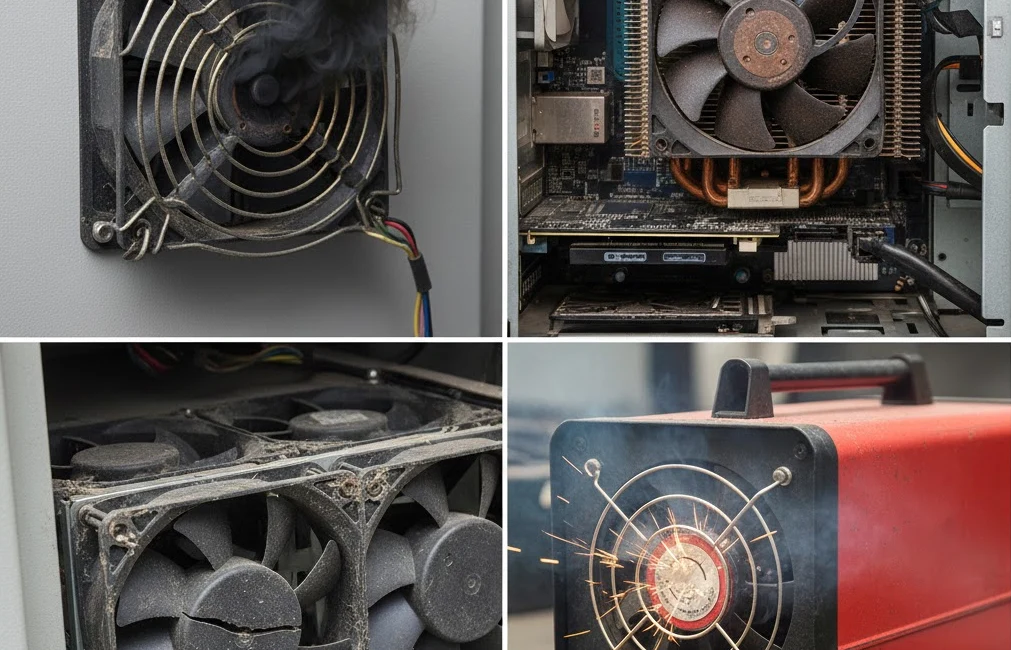
Layered Breakdown of Internal Components
When you look inside a fan motor that has overheated, you see a clear pattern. The damage doesn’t hit everything at once. Instead, it moves through the motor in layers, each one failing in its own way. If you want to understand what happens to an overheated fan motor, you need to know which part fails first and how that leads to the next problem.
Here’s a quick breakdown of the layers:
- Winding insulation: This is the first line of defense. It keeps the electrical windings from shorting out.
- Bearing grease: This keeps the bearings running smoothly and quietly.
- Magnets: In permanent magnet motors, these are critical for torque and speed.
- Impeller and frame: These parts hold everything together and keep the fan balanced.
Each layer has its own failure mode. Once one layer goes, the next is under more stress. That’s why what happens to an overheated fan motor is a chain reaction, not a single event.
Consult an Engineer(Click Text)Free Consultation
Winding Insulation Failure and Short Circuits
The winding insulation is usually the first part to break down when things get too hot. You might not see it from the outside, but inside, the insulation starts to crack and lose its strength. This happens because high temperatures and moisture attack the insulation material. Over time, you get tiny cracks that grow bigger with every heating and cooling cycle.
Here’s what you need to watch for:
- Winding insulation breakdown and bearing wear are the most common causes of motor failure.
- Excessive temperature and moisture are significant contributors to insulation failure.
- Contamination, cycling, flexing, and electrical stresses also lead to insulation breakdown.
Once the insulation fails, you get short circuits between the windings. This causes the current to spike and creates hot spots inside the motor. If you ever wondered what happens to an overheated fan motor at this stage, it’s a silent killer. The damage is often invisible until the motor finally stalls.
Why can’t you just fix it? Rewinding a small fan motor is rarely practical. The insulation is baked into the windings at the factory. Once it’s cracked or burned, you can’t restore it to its original state.
Bearing Grease Degradation and Vibration
Next, the heat attacks the bearing grease. This grease keeps the bearings spinning smoothly. When the temperature rises, the grease starts to evaporate and break down. It turns from a smooth lubricant into a sticky, carbonized mess. The bearings lose their protection and start to grind against each other.
You’ll notice:
| Stage | Vibration Frequency Range (Hz) | Description |
|---|---|---|
| 1 | 20,000 – 60,000 | Small pits appear, normal operation. |
| 2 | 500 – 2,000 | Defects ring at natural frequencies, repairs needed. |
| 3 | Not specified | Defects become apparent, replacement recommended. |
| 4 | Increased noise floor | End of lifespan, imminent failure. |
As the grease fails, vibration and noise go up. The fan may start to rattle or hum. If you ignore these signs, the bearings will eventually seize. Adding new grease won’t help because the bearing surfaces are already damaged. That’s why what happens to an overheated fan motor at this stage is usually permanent.
Magnet Demagnetization and Performance Loss
Permanent magnets inside the motor are sensitive to heat. When the temperature goes above a certain point, the magnets start to lose their strength. This process is called demagnetization, and it’s a one-way street.
Here’s what you’ll see:
- Magnet demagnetization leads to decreased efficiency in permanent magnet motors.
- This decrease in efficiency negatively impacts the torque and speed performance metrics of fan motors.
- The altered magnetic characteristics due to demagnetization affect the feasibility of using these motors in industrial applications.
If you notice the fan running slower or struggling to start, the magnets may have lost their power. You can’t recharge them once they’re demagnetized. That’s a key part of what happens to an overheated fan motor—performance drops, and there’s no easy fix.
Impeller and Frame Deformation
The impeller and frame are the last line of defense. High temperatures can cause plastic parts to warp and metal parts to expand. If the impeller deforms, it can scrape against the frame. This throws off the balance and puts even more stress on the bearings.
You might see:
- Structural deformation introduces imbalances and increases stress on components, which can lead to premature failures in industrial fan motors.
- A manufacturing client faced critical motor and bearing failures due to fan imbalance caused by coolant and exhaust adhesion on blades. This imbalance led to structural deformation, which was identified as the root cause of the failures.
Once the impeller or frame is out of shape, the fan will never run smoothly again. Even if you replace the bearings, the imbalance remains. That’s why what happens to an overheated fan motor often ends with total failure.
Consult an Engineer(Click Text)
Why These Failures Are Irreversible
You might wonder why you can’t just repair an overheated fan motor. The answer comes down to the science of materials and motor design.
| Evidence Description | Key Findings |
|---|---|
| Effects of excessive temperature on insulation materials | Higher temperatures lead to decreased lifespan of insulation materials, halving their life for every 10 °C increase. |
| Impact on permanent magnets | Overheating causes irreversible demagnetization of magnets, affecting motor performance. |
- Overheating of permanent magnets can lead to irreversible demagnetization, which is critical for motor function.
- Increased operating temperature causes aging of bearings and degradation of rotor permanent magnets.
- Motor life is reduced by 50% for every 10 °C above the maximum temperature limit.
- Exceeding critical temperature leads to permanent damage to magnets.
Once the insulation is cracked, the grease is burned, the magnets are demagnetized, or the impeller is warped, you can’t bring the motor back to its original state. That’s why what happens to an overheated fan motor is usually a one-way trip. You can’t reverse the damage, and replacement is the only real option.
Observable Signs and Measurable Indicators
Early-Stage Electrical Fluctuations
You can spot trouble early by watching for electrical changes. When a fan motor starts to overheat, you might see the current fluctuate by about 5%. Impedance imbalance below 3% means the windings are still healthy. If you see imbalance above 8%, winding stress and losses go up fast. These electrical signals show you the first cracks in the insulation. Manufacturers usually give you short-term performance numbers, but you need to monitor these early signs to predict long-term reliability. If you catch these signals, you can act before the damage spreads.
Mid-Stage Noise and Vibration Increase
As the motor heats up, you’ll notice more noise and vibration. The bearings lose their grease and start to grind. You might hear a hum or feel the fan shake. Vibration analysis helps you find the root cause. Check out this table for what you can diagnose:
| Diagnostic Technique | Description |
|---|---|
| Diagnosis of equipment imbalance | Finds uneven weight that can cause overheating. |
| Identification of misalignment condition | Spots misalignment that increases friction and heat. |
| Determining mechanical looseness | Recognizes loose parts that add vibration and heat. |
| Identifying bearing element defects | Detects bearing issues leading to overheating and failure. |
| Gearbox analysis for gear tooth wear | Assesses gear wear that can cause overheating. |
| Determining motor rotor bar problems | Finds rotor issues that cause inefficiency and overheating. |
If you see noise rise by 3–5 dBA or vibration spike, you know the bearings are in trouble.
Late-Stage Speed Drop and Stalling
When the fan motor reaches the late stage, you’ll see the speed drop by 5–10%. The fan may stall or stop and start. This happens because the magnets lose strength or the bearings seize. You can measure these changes with tachometer feedback or speed sensors. If you notice the fan struggling to keep up, it’s a clear sign that what happens to an overheated fan motor is reaching the point of no return.
| Indicator | Impact on Maintenance Scheduling |
|---|---|
| Imbalanced Blades | Strains motors and bearings, leading to failures. |
| Bearing Wear | Causes noise and vibration, signals need for maintenance. |
| Motor Overload | Reduces lifespan, requires checks. |
| Contamination | Blocks airflow, damages parts, needs intervention. |
Data-Driven Replacement Criteria for fanacdc Fans
You don’t have to guess when to replace a fan. fanacdc recommends using clear data to make decisions. Look at total cost of ownership, energy efficiency, maintenance needs, and system efficiency. DC fans from fanacdc can cut power use by up to 70%. Intelligent functions help you predict failures and schedule maintenance before downtime hits. Efficient fans keep airflow steady and equipment cool. Over time, you save money and avoid surprises.
Tip: Use fanacdc’s monitoring features to track electrical signals, vibration, and speed. This gives you a reliable way to decide when a fan needs replacement, not just when it feels hot.
Causes and Contributing Factors
Electrical Overload and Voltage Issues
You might think your fan motor is safe as long as it’s running, but electrical problems can sneak up fast. Overload and voltage issues are some of the biggest reasons motors overheat. When you have a voltage imbalance, even as small as 3%, the motor can trip or overheat. Sometimes, a loose connection is all it takes to cause trouble. Poor power quality, like voltage spikes or harmonics, puts extra stress on the insulation inside your motor. If you pick a motor that’s too small for the job or if something binds up the fan, you’ll see overloads. These problems don’t just make the motor hot—they can start the chain reaction that leads to failure.
- Electrical overload and voltage imbalance often cause fan motor overheating.
- Loose connections or poor wiring can create voltage imbalances.
- Overload can happen if the motor is too small, gears are wrong, or something jams the fan.
- Power quality issues, such as spikes or harmonics, stress the motor’s insulation.
- Dust and poor ventilation make overheating worse.
Tip: Regularly check your connections and power supply. Even a small issue can lead to big problems.
Mechanical Wear and Environmental Stress
Mechanical wear is another silent enemy. As your fan runs, the moving parts slowly wear down. This wear increases friction, which means more heat. If you run your fan in a hot room or somewhere with little airflow, the risk goes up. Dust, dirt, and chemicals in the air can get inside the motor and make things worse. High humidity can also speed up the damage.
- More friction from worn parts leads to overheating.
- High ambient temperature and low ventilation raise the risk.
- Dust, dirt, and chemicals can clog or corrode motor parts.
- Humidity can cause rust and insulation breakdown.
You can’t always control the environment, but you can keep an eye on your equipment and clean it regularly.
Maintenance and Installation Errors
Sometimes, the problem starts before the fan even runs. If you install the motor incorrectly or skip regular maintenance, you set yourself up for trouble. Maybe someone forgets to tighten a bolt or uses the wrong grease. Skipping inspections lets small problems grow into big ones. If you don’t follow the manufacturer’s guidelines, you might miss early warning signs.
- Improper installation can cause misalignment and extra stress.
- Using the wrong lubricant or not enough can ruin bearings.
- Skipping routine checks lets dust and wear go unnoticed.
- Ignoring early warning signs leads to bigger failures.
Note: Good maintenance and careful installation help your fan motor last longer and avoid costly breakdowns.
Consequences of Continued Operation
Escalating Damage and Safety Risks
If you keep running an overheated fan motor, you invite trouble. The damage doesn’t just stay inside the motor. It spreads and creates real safety risks for you and your equipment. You might hear grinding or buzzing sounds. These noises mean the motor is close to mechanical failure. Sometimes, you see frayed power cords or damaged housings. These signs point to electrical issues that can cause short circuits. If you notice a burning smell or see smoke, you face a fire hazard. That’s a warning you can’t ignore.
Here’s a quick look at the main safety risks:
| Safety Risk Type | Description |
|---|---|
| Mechanical Failure | Grinding or buzzing sounds indicating potential failure of the fan motor. |
| Electrical Issues | Frayed power cords or damaged motor housings that can lead to short circuits and overheating. |
| Fire Hazards | Burning odors, smoke, and excessive heat indicating imminent fire risks. |
| Wiring Problems | Compromised wire insulation leading to short circuits and electrical arcing. |
| Power Cord Deterioration | Damage from repeated bending and environmental exposure, increasing the risk of electrical failure. |
| Control Malfunctions | Deterioration of switches leading to excessive heat and potential power surges. |
If you spot any of these signs, you should act fast. Safety comes first.
System Performance and Reliability Impact
Overheating doesn’t just threaten safety. It also hurts your system’s performance and reliability. When the fan motor keeps running hot, you see power output drop. The fan can’t move air as efficiently. You might notice sluggish response or poor cooling. Increased friction and wear make things worse. Oil and grease break down, leading to more mechanical failures. If the damage spreads, other parts in your system can fail too.
Check out how overheating impacts reliability and performance:
| Consequence of Overheating | Impact on Reliability and Performance |
|---|---|
| Blown Head Gasket | Major engine damage due to coolant mixing with oil |
| Warped Cylinder Heads | Loss of compression and reduced engine power |
| Engine Seizure | Vehicle becomes inoperable, leading to costly repairs |
| Reduced Power Output | Sluggish acceleration and poor fuel economy |
| Increased Friction and Wear | Degradation of oil leading to further mechanical failures |
When you let overheating continue, you risk expensive repairs and unexpected downtime.
When Repair Is Not an Option
You might think you can fix an overheated fan motor, but most damage is permanent. Cracked insulation, burned grease, and demagnetized magnets can’t be restored. Even if you replace a few parts, the motor won’t return to its original performance. Once the impeller or frame warps, balance is gone for good. You can’t rewind insulation or recharge magnets. Adding new grease won’t fix damaged bearings.
- If you see repeated stalls, loud noises, or burning smells, replacement is your best choice.
- Trying to repair these failures wastes time and money.
- A new fan motor gives you reliable cooling and peace of mind.
Don’t wait for total failure. When repair isn’t an option, choose replacement to protect your system and keep operations safe.
Immediate Actions and Prevention
Diagnostic Steps for Overheated Motors
You can catch motor problems early if you know what to look for. Start by paying attention to changes in how your fan sounds, smells, and moves. If you notice anything unusual, don’t ignore it. Here’s a quick guide to help you diagnose issues before they turn into big failures:
| Symptoms | Possible Causes | Suggested Solutions |
|---|---|---|
| Reduced airflow | Bearings are not well lubricated | Check and add the lubricant |
| Unusual noises | Dust on fan blades, damaged bearings | Clean the fan’s blades, change the damaged bearings |
| Burning smell | Motor windings overheating | Stop power, check motor windings, replace motor if needed |
| Fan vibration | Unleveled or loose fixing | Reinstall and fix fan to ensure stability |
| Decreased efficiency | Clogged filters, poor ventilation | Clean filters and ducts, improve ventilation |
Tip: Trust your senses. If you hear grinding, smell something burning, or feel extra vibration, take action right away.
What to Do When Warning Signs Appear
When you spot a warning sign, act fast. First, shut down the fan to prevent more damage. Next, inspect the area for dust, loose parts, or signs of overheating. Clean the blades and filters. Tighten any loose screws or mounts. If you find burned smells or melted parts, don’t try to fix it yourself—replace the motor. Always check the bearings and add lubricant if needed. If the fan keeps making noise or runs slow after these steps, it’s time for a new one.
Note: Quick action can save your equipment and keep your system running smoothly.
Long-Term Reliability with fanacdc Cooling Fans
You want your cooling fans to last as long as possible, especially in tough environments. fanacdc designs fans with IP-rated protection and corrosion-resistant materials, so they stand up to dust, humidity, and chemicals. Many industrial AC fans from fanacdc run for over 50,000 hours without trouble. The engineering team keeps improving airflow and efficiency, which means your equipment stays cooler and lasts longer. Proper sealing and protective coatings help these fans work well even in harsh places. When you choose fanacdc, you get peace of mind and fewer breakdowns.
Investing in quality fans now means less downtime and fewer headaches later.
Contact an Engineer for an Inspection and a Free Proposal (Click Text)Free Consultation
Conclusion
You now know that an overheated fan motor does not just quit suddenly. It fails step by step, with each layer inside breaking down in its own way. You have seen how winding insulation cracks, bearing grease burns, magnets lose their power, and impellers warp. Each stage leaves a mark that you cannot undo. That is why you cannot just patch up an overheated motor and expect it to work like new.
If you want to keep your equipment running, you need to spot the warning signs early. Do not wait for a total breakdown. Watch for these measurable clues:
- Electrical current changes by more than 5%
- Noise or vibration goes up by 3–5 dBA
- Fan speed drops by 5–10%
- The fan stalls or stops and starts again
Tip: Trust the data, not just your gut. Use real numbers to decide when to replace a fan motor.
When you use fanacdc cooling fans, you get more than just airflow. You get products built with strong engineering, tested for tough environments, and designed for long life. You also get smart features that help you monitor performance and catch problems before they grow.
Here’s what you gain with fanacdc:
- Reliable cooling for your critical systems
- Fewer unexpected shutdowns
- Clear data to guide your maintenance
- Support from a team that knows industrial fans inside and out
You do not have to guess when a fan is at risk. You can use the right tools and knowledge to make smart choices. That is how you protect your equipment, your budget, and your peace of mind.
You’ve seen how an overheated fan motor fails step by step. Each layer inside breaks down in its own way. If you catch the warning signs early, you can avoid costly downtime. Watch for changes in current, noise, and speed. Use real data, not just your instincts, to decide when to replace a fan.
- Spot problems early with measurable signals
- Trust fanacdc’s engineering for long-term reliability
- Make smart choices to protect your equipment
Stay ahead of failures. Use these insights to keep your systems safe and running strong.
FAQ
What if my fan motor stops, cools down, and starts again—can I keep using it?
You shouldn’t rely on it. This usually means the thermal protection tripped. The damage inside keeps getting worse each time. Replace the fan soon to avoid sudden failure.
How do I know if my fan motor failed from overheating or just reached its normal lifespan?
Look for these signs:
- Burnt smell or discoloration
- Sudden noise increase
- Irregular speed drops
Normal wear is gradual. Overheating causes rapid, obvious changes.
Can I fix a plastic impeller that warped from heat by switching to a metal one?
No, you can’t restore balance or performance by just swapping materials. Warping means the whole assembly lost its precision. You need a full replacement for safe, reliable operation.
Why does adding new grease not fix noisy bearings after overheating?
Once grease burns or carbonizes, the bearing surfaces get damaged. New grease can’t repair that wear. You’ll still hear noise and feel vibration. Replace the bearings or the entire fan.

