
You often ask, do laptop cooling pads work for hot laptops? Many laptops struggle with overheating, which leads to excessive fan noise, hot surfaces, sluggish performance, unexpected shutdowns, and error messages.
| Metric | No Pad | Active Pad | Change |
|---|---|---|---|
| Session Completion Rate | 71% | 89% | +18% |
| Heart Rate Variability (HRV) | Lower | Higher | +22% |
Expert testing shows that matching the right cooling solution improves temperature control and device reliability.
Key Takeaways
- Laptop cooling pads effectively lower temperatures, improving performance and extending the lifespan of your device.
- Choose the right cooling pad by considering your laptop’s size, vent placement, and your specific cooling needs for optimal results.
- Using a cooling pad enhances ergonomics, reducing neck strain and improving typing posture while keeping your laptop quieter.
Do laptop cooling pads work?
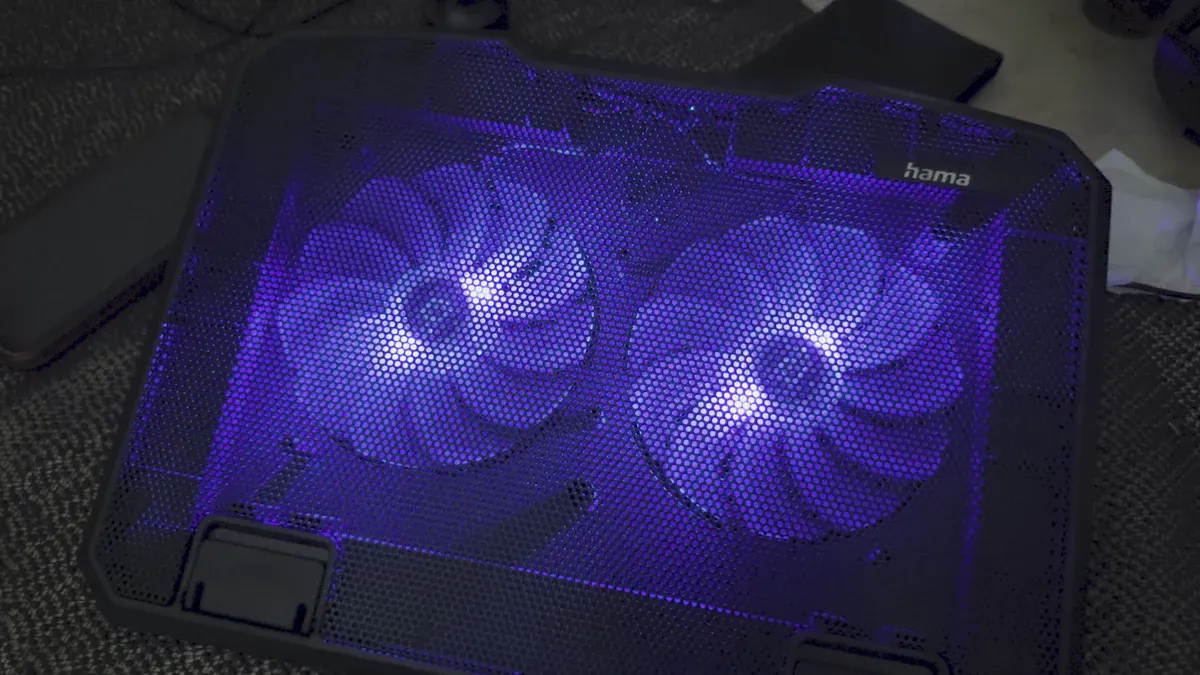
Cooling pad mechanism and types
You see laptops everywhere, from classrooms to factories. In high-load computing scenarios, such as smart manufacturing, energy, telecom, and medical sectors, laptops face intense workloads. These environments demand reliable cooling solutions. Professional-grade cooling technologies, like high-pressure turbo fans, multi-channel exhaust systems, thermoelectric cooling (TEC), and phase-change materials, help manage heat in industrial devices. These systems use principles such as forced convection, advanced heat transfer, and energy-efficient operation. Industrial cooling products often feature high wind pressure, IP68 protection, flexible power supply options, and communication interfaces for remote monitoring. Maintenance cycles are longer, and total cost of ownership drops as failure rates decrease.
For your laptop, cooling pads offer a practical solution. Cooling pads enhance airflow by elevating the laptop and using built-in fans to circulate air underneath. This prevents airflow blockage that occurs when laptops sit on soft surfaces. Cool air enters, hot air escapes, and you achieve a lower temperature inside your device. You reduce wear on internal fans and avoid overheating failures.
Laptop cooling pads supplement your built-in cooling system in several ways:
- Cooling pads provide additional airflow and heat dissipation, preventing overheating during intensive tasks.
- They often include multiple adjustable fans, which improve cooling efficiency.
- Ergonomically designed cooling pads enhance user comfort by offering better typing and viewing angles.
You can choose from several types of laptop cooling pads. The table below shows the main mechanisms:
| Type of Cooler | Mechanism Description |
|---|---|
| Active Coolers | Utilize fans to enhance airflow, aiding in heat convection away from the laptop. |
| Passive Coolers | Rely on thermally conductive materials or elevated design to allow natural airflow without power consumption. |
| Multi-surface Coolers | Allow airflow between the laptop and cooler, suitable for various surfaces without blocking vents. |
| Multipurpose Coolers | Serve as portable workspaces with additional features like card readers and compartments for convenience. |
Active cooling pads use built-in fans for targeted cooling. You get superior thermal performance and precise control with adjustable fan speeds. Passive cooling pads rely on materials and elevation, offering silent operation and extreme reliability. Multi-surface coolers adapt to different environments, while multipurpose coolers add convenience.
The advantages and disadvantages of each type are clear:
| Type of Cooling Pad | Advantages | Disadvantages |
|---|---|---|
| Active Cooling | Built-in fans for targeted cooling. Superior thermal performance for high-performance components. Precise thermal control with adjustable fan speeds. Compact design for tight spaces. | More expensive due to additional functionality. |
| Passive Cooling | Extreme reliability with no moving parts. Zero operational cost and silent operation. Typically lower manufacturing costs. | Minimal cooling effectiveness compared to active solutions. |
Active cooling pads cost more, but you get better cooling and more features. Passive pads are cheaper and silent, but less effective for high-performance laptops.
fanacdc Cooling Pad Fan features and benefits
You want a cooling pad for your laptop that delivers real results. The fanacdc Cooling Pad Fan stands out with advanced technology and flexible options. You can select from multiple sizes, including 60mm, 80mm, and 120mm, to match your laptop. Dual ball bearings ensure durability, and PWM control lets you adjust fan speed for precise cooling. RGB readiness adds customizable lighting effects, making your workspace unique.
The fanacdc Cooling Pad Fan operates on both 5V and 12V power, and the IP68 rating protects against dust and water. High static pressure and airflow make it ideal for gaming and professional use. You benefit from whisper-quiet operation, with noise levels as low as 21 dBA. The fans last up to 50,000 hours, and certifications like ISO9001, RoHS, CE, UL, and TÜV guarantee safety and quality.
You can expect up to 18°C lower temperature for your laptop, which improves performance and extends hardware lifespan. The energy-efficient design reduces power consumption by up to 75%. You enjoy ergonomic benefits, such as better typing angles and reduced wrist strain. The fanacdc Cooling Pad Fan adapts to different laptop sizes and usage patterns, making it a versatile choice.
Real-world effectiveness and expert testing
You may wonder, do laptop cooling pads work in real-world conditions? Expert tests confirm their effectiveness. When you use external laptop cooling pads, you see measurable improvements in temperature and device reliability.
The following table shows average temperature reductions:
| Condition | Average CPU Temperature (C) | Average GPU Temperature (C) |
|---|---|---|
| Without Cooler Pad | 92 | 76 |
| With Cooler Pad | 80 | 70 |
You notice a significant drop in CPU and GPU temperatures. This means your laptop runs cooler, even during demanding tasks like gaming or video editing.
Laptop cooling pads also impact hardware longevity. The table below highlights the benefits:
| Metric | With Cooling Pad | No Cooling Pad |
|---|---|---|
| Avg. CPU Temp (under load) | 72°C | 84°C |
| Battery Capacity After 3 Years | 82% | 73% |
| Thermal Throttling Frequency | Occasional | Frequent |
| Observed Performance Drop (Year 5) | Minor | Noticeable in rendering/gaming |
You see less thermal throttling, higher battery capacity, and minor performance drops after years of use. These improvements translate to lower failure rates and reduced maintenance costs.
Do laptop cooling pads work? Yes, you get real benefits. You lower temperature, prevent overheating, and extend the life of your laptop. Whether you use your device for work, gaming, or study, a cooling pad for my laptop makes a noticeable difference.
Choosing and using laptop cooling pads
Selecting the right cooling pad
You need to match laptop cooling pads to your device and usage. Start by measuring your laptop’s size. Make sure the cooling pad base is slightly larger for full support and proper fan alignment. Check where your laptop’s air intake vents are located. Align these with the cooling pad’s fans to maximize airflow and improve laptop cooling. Choose a stable, non-slip design if you use your laptop on a desk or lap. Set a noise tolerance threshold. If you stream or play games, select models under 35 dB. Review USB requirements to ensure compatibility. Test adjustability by picking a pad with multiple elevation settings if you experience wrist fatigue. Read user reviews for feedback about durability and consistent performance. For ultrabooks, balance fan power and portability.
Additional benefits beyond cooling
Laptop cooling pads offer more than just lower temperature. You gain ergonomic advantages. Raising your laptop screen reduces neck strain and improves spinal alignment. You decrease shoulder tension and support better typing posture. The table below shows key ergonomic benefits:
| Ergonomic Benefit | Description |
|---|---|
| Reduce neck strain | Raises screen closer to eye level |
| Improve spinal alignment | Enhances posture while working |
| Decrease shoulder tension | Supports relaxed shoulder position |
| Support better typing posture | Facilitates comfortable typing angle |
You also enjoy quieter operation. External laptop cooling pads help your laptop run cooler, so internal fans work less and make less noise. Many pads, like the fanacdc Cooling Pad Fan, include USB hubs and adjustable lighting for added convenience.
Limitations and best practices
Laptop cooling pads work best when you follow simple practices. Use a cooling pad or stand to elevate your laptop and prevent overheating. Clean your laptop and cooling pad regularly to remove dust and debris. Monitor your laptop’s temperature with tools like Task Manager. Adjust your habits by closing unnecessary programs and lowering screen brightness. Avoid placing your laptop on soft surfaces, which block airflow. Give your laptop breaks after heavy use. These steps help extend the health of your laptop and make laptop cooling pads worth it.
Conclusion
You now understand that laptop cooling pads make a real difference for hot laptops. Expert testing shows that cooling pads can lower surface and CPU temperatures, especially during heavy workloads. The table below highlights how different laptop models respond to cooling pads:
| Laptop Model | Surface Temp (No Pad) °C | Surface Temp (With Pad) °C | CPU Temp Drop (°C) | Performance Impact |
|---|---|---|---|---|
| ASUS ROG Zephyrus G14 | 48 | 40 | 7 | Reduced throttling by 12% |
| Dell XPS 13 | 45 | 41 | 4 | Negligible change |
| MacBook Air M2 | 38 | 37 | 1 | No measurable gain |
You see that gaming and high-performance laptops benefit most from cooling pads. You experience fewer slowdowns and longer device life.
Sophia Tran, a freelance video editor, shared her experience: “If your laptop is working hard and getting hot, a good cooling pad isn’t magic—but it helps.” You can expect quieter operation and more consistent performance when you use a quality cooling pad.
You should consider the fanacdc Cooling Pad Fan if you want reliable cooling, quiet operation, and flexible features. You get up to 18°C lower temperatures, energy savings, and ergonomic benefits. Before choosing a cooling solution, assess your laptop’s needs and usage patterns. You make a smart investment when you match the right cooling pad to your device.
You see laptop cooling pads lower temperatures and reduce overheating. Expert tests show cooling pads drop laptop heat by 5–10°F. You should check your laptop’s size, vent placement, and cooling needs. The fanacdc Cooling Pad Fan offers quiet, efficient cooling. Review the table below before choosing:
| Criteria | Description |
|---|---|
| Cooling Efficiency | Heat reduction under heavy use |
| Compatibility | Fits your laptop size and vents |
- Thermaltake Massive TM: Dual fans, temperature sensor
- TopMate C11: Detachable phone stand
- IETS GT500: Fast fans for strong cooling
Tip: Align your laptop’s vents with the cooling pad fans for best results.
FAQ
How do laptop cooling pads help prevent overheating?
Laptop cooling pads increase airflow under your laptop. You lower device temperature and reduce the risk of thermal throttling. You protect your laptop from performance loss.
Can laptop cooling pads extend the lifespan of my laptop?
You extend your laptop’s lifespan by using laptop cooling pads. You keep internal components cooler. You reduce hardware failure rates and avoid costly repairs.
Are laptop cooling pads useful for industrial or professional environments?
You use laptop cooling pads in high-load settings like smart manufacturing, telecom, and medical workstations. You maintain stable laptop performance and reduce downtime in demanding environments.

