
Computer fans are almost always DC. AC stands for alternating current, which changes direction in cycles. Direct current flows in one direction only. You need to know the difference because it affects how your computer works. Choosing the right fan impacts compatibility, performance, and safety. DC fans give you energy efficiency, quiet operation, and precise speed control. AC fans are more common in industrial settings. When you ask, “Are Computer Fans Ac or DC,” you see why DC is the standard for computers.
Key Takeaways
- Computer fans are almost always DC, providing energy efficiency and quiet operation.
- DC fans allow precise speed control, helping to manage heat and prevent overheating in computers.
- Choosing the right fan type is crucial for compatibility and performance; DC fans are preferred for most modern systems.
- AC fans are typically used in industrial settings, while DC fans dominate personal computers and gaming consoles.
- Always check your fan type and specifications before purchasing to ensure optimal performance and safety.
Are Computer Fans AC or DC?
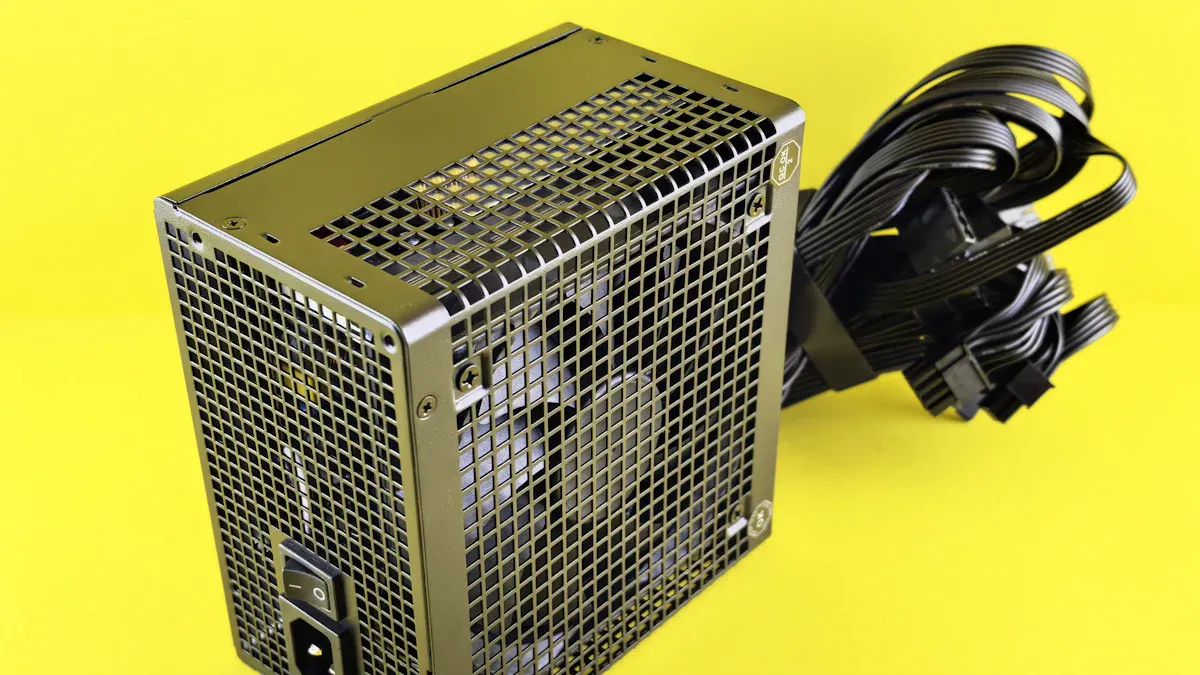
You may wonder, are computer fans ac or dc? The answer is clear. Computer fans use dc almost every time. This choice is not random. It comes from the way computers work and the need for efficient cooling.
AC vs DC Power Explained
You see two types of electrical power: ac and dc. AC stands for alternating current. It means the electricity changes direction many times each second. You find ac in wall outlets, with common voltages like 110V or 220V. DC stands for direct current. It flows in one direction only, like the power from a battery. Computers use dc because their internal circuits need steady voltage.
Tip: Knowing the difference helps you pick the right fan for your system.
Here is a table that shows the main electrical characteristics for fan applications:
| Characteristic | AC Power | DC Power |
|---|---|---|
| Power Supply | Alternating current (e.g., 110V/220V) | Direct current (e.g., 12V, 24V, 48V) |
| Voltage Requirements | Connects directly to standard line power | Requires a dedicated power supply or converter |
| Energy Efficiency | Generally less efficient | More energy-efficient, lower consumption |
| Speed Control Options | Limited options | More flexible speed control options |
You notice that dc fans consume much less power than ac fans. For example, a 25-watt dc fan can produce the same output as a 100-watt ac fan. DC fans also have typical voltage and current requirements. Manufacturers often rate them at 12V, 24V, or 48V. The nominal rated current shows how much power the fan uses at full speed. When the fan starts, it needs a higher current for a short time. This is called startup or inrush current.
Why DC Is Standard in Computers
You ask, are computer fans ac or dc, and why is dc the standard? DC fans play a key role in keeping your computer cool. They manage heat from the CPU, GPU, and other parts. This protects your computer from overheating and keeps it running smoothly.
Here are the main reasons dc fans are standard in computers:
- DC fans give you precise speed control. You can adjust the fan speed to match the cooling needs.
- They operate quietly. This reduces noise in your workspace.
- DC fans are energy efficient. They use less power, which lowers your electricity bill and helps your computer last longer.
You find dc fans in personal computers, gaming consoles, and mini-PCs. They regulate temperatures and prevent thermal throttling. In server racks, dc fans work together to keep everything cool in tight spaces.
Note: DC fans convert electrical energy into mechanical energy. This creates airflow that removes heat from your computer’s critical components.
DC fans use high-efficiency motors. They maintain the same air volume output while consuming less energy. This makes them the preferred choice for modern electronics.
You may see ac fans in industrial settings, but not in computers. Fanacdc specializes in both ac and dc fans for various applications. The company offers reliable cooling solutions for electronics, telecom, and industrial systems. If you need a fan for your computer, you should choose dc for compatibility, performance, and safety.
DC Fans in Computers by fanacdc
How DC Fans Work
You see direct current fans in almost every computer today. These fans use direct current to power a brushless motor. The stator creates an electromagnetic field that spins the rotor and fan blades. This rotation moves air across your computer’s components, keeping them cool. The control circuit uses semiconductor parts to manage the fan’s speed and performance. When you power on your computer, the fan converts electric energy into motion, creating airflow that removes heat from the CPU and GPU. This process keeps your system running smoothly and prevents overheating.
Note: Electronic control, such as Pulse Width Modulation (PWM), lets your computer adjust fan speed based on temperature. This feature saves energy and reduces noise.
Key Benefits of DC Fans
You gain many advantages when you choose direct current fans for your computer. These fans stand out for their energy efficiency and quiet operation. The table below shows how dc fans from fanacdc compare to AC fans:
| Feature | DC Fans (fanacdc) | AC Fans |
|---|---|---|
| Energy Efficiency | Up to 70% less power usage | Standard efficiency |
| Noise Levels | Less than 30dB | Higher noise |
| Motor Technology | Brushless motor | Traditional motor |
| Maintenance | Long-life bearings | More upkeep |
| Cooling Capability | Smart, dynamic cooling | Fixed speed |
| Cost Over Time | Lower long-term costs | Higher long-term costs |
You notice that direct current fans use less electricity and make less noise. They also last longer because of advanced bearings. Intelligent control features, like PWM speed control and tachometer feedback, allow for precise adjustments and real-time monitoring. These features help you save energy, reduce dust buildup, and extend the life of your computer. When you look at the pros and cons of dc fans, you see that the benefits make them the top choice for modern systems.
Applications and Product Examples
You find dc fans in many computer systems, from desktops to servers. These fans handle the heat from powerful CPUs and GPUs, which is critical for performance and reliability. The SA and KA series from fanacdc, for example, offer sizes from 25mm to 200mm and feature steel ball bearings for high efficiency and low noise. The DA series is designed for high-performance needs, such as computer servers and factory equipment. Other series, like SS, VA, RA, and KL, cover a wide range of applications, including robotics, printers, and general electronics.
When you compare the pros and cons of dc fans to other options, you see that direct current fans deliver the best mix of energy savings, quiet operation, and smart control. You can trust fanacdc to provide reliable cooling solutions for your computer and other electronic devices.
AC Fans and Their Uses
What Are AC Fans?
You encounter alternating current fans in many industrial and commercial settings. These fans use alternating current as their power source, which means the electricity changes direction several times each second. AC fans operate at standard voltages like 110V or 220V, making them easy to connect to wall outlets. The motor inside uses an impeller-propeller system to create airflow. You see that alternating current fans are built for durability and can run for thousands of hours without interruption.
Note: AC fans are heavier and noisier than DC fans, but they provide strong airflow and handle tough environments.
Here is a table comparing the defining features of alternating current fans and DC fans:
| Feature | AC Fans | DC Fans |
|---|---|---|
| Power Source | Alternating current (AC) | Direct current (DC) |
| Voltage | 100VAC to 240VAC | 5V, 12V, 24V, etc. |
| Energy Consumption | Higher energy consumption | Up to 70% less energy consumption |
| Efficiency | Less efficient | More efficient |
| Noise Level | Generally noisier | Quieter due to ECM technology |
| Common Usage | Household appliances | Medical instruments, telecom |
Where AC Fans Are Used
You find ac fans in places where reliability and strong airflow matter most. These fans cool control cabinets, automation systems, and industrial machinery. You see them in power electronics, HVAC systems, refrigeration equipment, and air purification devices. AC fans also protect sensitive electronics in telecom base stations, motor drives, welding machines, generators, UPS systems, medical sterilization units, and food processing equipment.
- Industrial environments
- Commercial applications
- High-power electronics
- Medical equipment
- Food processing
- Telecommunications infrastructure
Tip: AC fans are preferred in these sectors because they offer stable airflow, cost-effectiveness, and long design life.
AC Fans from fanacdc
You benefit from fanacdc’s alternating current fans when you need cooling solutions for demanding environments. These fans are engineered for durability, running for over 50,000 hours and handling tough conditions. The reinforced structure prevents deformation from vibration and heat. You install ac fans easily, and they require minimal maintenance. Fanacdc’s ac fans protect sensitive electronics from overheating and ensure stable temperature control in industrial and commercial systems.
Here is a table showing the pros and cons of ac fans compared to DC fans:
| Feature | AC Fans | DC Fans |
|---|---|---|
| Energy Efficiency | Less energy-efficient | More energy-efficient |
| Speed Control | Limited options | Precise control available |
| Weight and Noise | Typically heavier and noisier | Lighter and quieter |
| Best Applications | Industrial machinery, HVAC units | Electronics, computers |
You notice that alternating current fans are not standard in computers. Computers require precise speed control and energy efficiency, which DC fans provide. AC fans excel in industrial sectors, offering reliability and durability for equipment that must run continuously.
Callout: If you need a fan for industrial machinery or commercial systems, alternating current fans from fanacdc deliver robust performance and long-lasting reliability.
AC vs DC Fans: Key Differences
Power, Efficiency, and Control
When you compare ac and dc fans, you notice big differences in how they use power and how much control you have. DC fans use up to 70% less power than ac fans. This means you save energy and reduce your electricity bills. DC fans also give you excellent speed control. You can adjust their speed with features like PWM, which helps your computer stay cool without wasting energy. AC fans, on the other hand, run at a fixed speed and use more power. They work well in places where steady airflow is needed, but they do not offer the same level of control.
Here is a quick comparison:
| Fan Type | Power Consumption | Efficiency | Control Options |
|---|---|---|---|
| DC Fans | Lower | Higher | PWM, variable speed |
| AC Fans | Higher | Lower | Limited, fixed speed |
Tip: If you want to save energy and have more control, dc fans are the better choice for computers.
Noise and Reliability
Noise and reliability matter when you pick a fan. DC fans run much quieter than ac fans. Most dc fans produce less than 50 decibels, while ac fans can reach 60-70 decibels. This makes dc fans perfect for quiet workspaces. DC fans also last longer. Many models have a lifespan of 50,000 to 100,000 hours. AC fans usually last 30,000 to 60,000 hours. Fanacdc’s products stand out because they use brushless motors in dc fans, which reduces wear and keeps noise low. Their ac fans are built for durability and need very little maintenance.
| Fan Type | Typical Noise Level | Lifespan (Hours) | Maintenance |
|---|---|---|---|
| DC Fans | Below 50 dB | 50,000–100,000 | Minimal |
| AC Fans | 60–70 dB | 30,000–60,000 | Minimal |
Note: Fanacdc’s fans are tested for long-term reliability, so you can trust them for both industrial and computer use.
Comparison Table: AC vs DC Fans
You can see the main differences at a glance in the table below:
| Feature | AC Fans | DC Fans |
|---|---|---|
| Power Consumption | 70–100 watts | 20–50 watts |
| Efficiency | Lower | Higher |
| Control | Fixed speed | Variable speed (PWM) |
| Noise Level | Louder | Quieter |
| Lifespan | 30,000–60,000 hours | 50,000–100,000 hours |
| Initial Cost | Lower | Higher |
| Maintenance | Minimal | Minimal |
| Best Use | Industrial, HVAC, machinery | Computers, electronics |
Callout: Fanacdc offers both ac and dc fans that deliver strong performance, long life, and low maintenance. You get reliable cooling for any application.
Special Cases and Other Fan Types
EC Fans Overview
You may have heard about ec fans as a modern solution for cooling. These fans combine the best features of both AC and DC fans. Ec fans use a brushless DC motor with built-in electronics. This design lets them run on AC power while converting it to DC inside the motor. You get precise speed control and high energy efficiency. The electronics inside ec fans allow the fan to adjust its speed based on how much cooling you need. This means you save energy and keep your equipment at the right temperature. Ec fans stand out because they use a brushless permanent magnet motor. This setup gives you the efficiency of DC motors and the convenience of AC power sources. You see ec fans used in advanced computer systems, data centers, and industrial equipment where energy savings and smart control matter most.
Note: Ec fans offer a hybrid approach, making them a top choice for applications that demand both flexibility and efficiency.
Rare Exceptions in Computer Fans
You rarely find AC fans inside computers. Most computers use DC fans for their quiet operation and precise control. In some special cases, like custom-built servers or legacy systems, you might see an AC fan. These situations are not common. AC fans may appear when a system needs to connect directly to an AC power source or when industrial standards require it. However, for almost all modern computers, DC or ec fans remain the standard.
If you need a cooling solution for any application, you can explore the full range of options from fanacdc. The brand offers DC fans, AC fans, ec fans, and even centrifugal fans. You can find a fan that fits your needs, whether you work with computers, industrial machines, or telecom equipment.
Tip: Always check your system’s requirements before choosing a fan. Fanacdc provides expert support and a wide selection to help you make the right choice.
You now know that computer fans are almost always DC. DC fans give you quiet operation, energy savings, and precise speed control. Fanacdc offers advanced DC fans trusted by many industries. If you want reliable cooling, you should explore fanacdc’s solutions.
Tip: Always check your fan type before buying. The right choice keeps your computer safe and running at its best.
FAQ
What is the main difference between AC and DC fans?
You will find that AC fans use alternating current, while DC fans use direct current. DC fans offer better energy efficiency and quieter operation. AC fans work well in industrial settings.
Can you use an AC fan in a computer?
You should not use an AC fan in a standard computer. Most computers supply DC power to fans. AC fans require a different power source and are not compatible with typical computer motherboards.
How do you know if your computer fan is DC?
- Check the fan label for voltage ratings like 12V, 24V, or 48V.
- Look for terms such as “DC” or “brushless.”
- Most computer fans connect to 3-pin or 4-pin headers on the motherboard.
Why do computers prefer DC fans?
You get precise speed control, low noise, and high energy savings with DC fans. These features help protect your computer from overheating and extend its lifespan.

