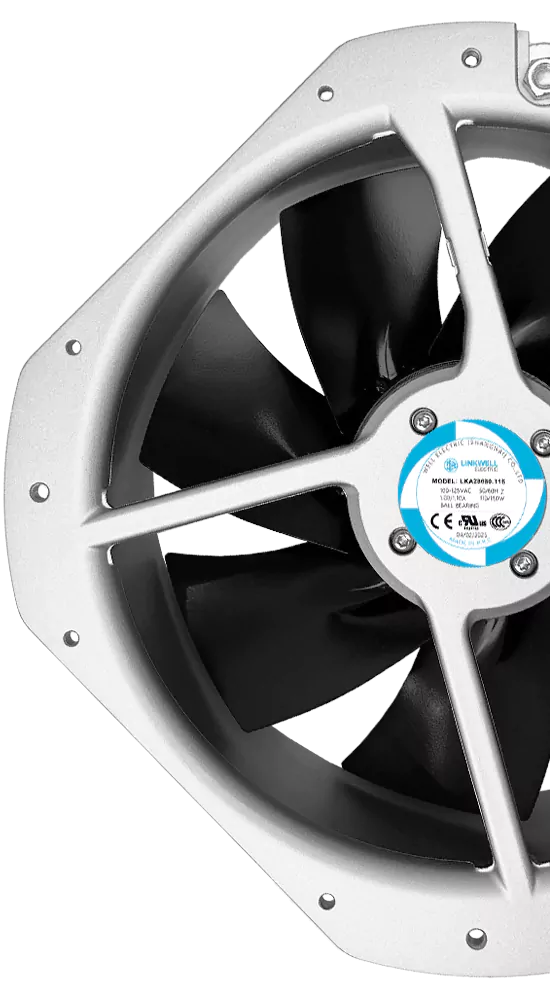
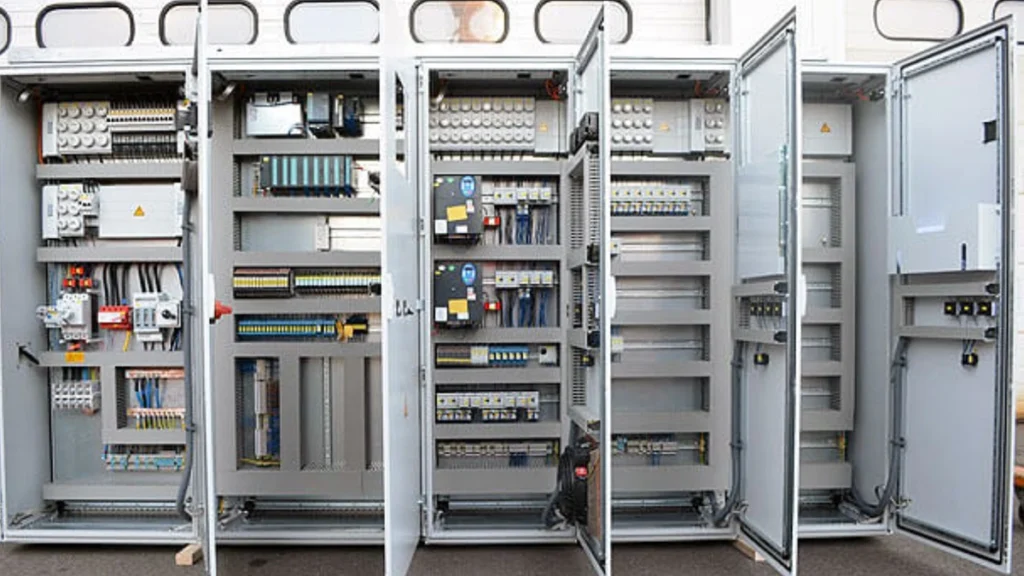
Enclosure temperature control helps keep electrical equipment safe and working well. You can cool electrical cabinets with ventilation grilles, cooling fans, heat sinks, or air conditioning. Here are some easy ways to do this:
- Ventilation grilles and louvers help air move better.
- Heat sinks and cooling fins take heat away from important parts.
- Thermally conductive materials let heat leave faster.
- A good internal layout makes cooling work better inside the enclosure.
Here is a simple look at common cooling methods:
| Cooling Method | Description | Cost Level |
|---|---|---|
| Natural Convection | Works for small amounts of heat; uses airflow and vents at the top and bottom. | Low |
| Forced Convection | Uses fans or blowers; good for places with more air pressure. | Moderate |
| Air Conditioning | Gives exact temperature control; best for tough environments. | High |
If you do not control enclosure temperature, your equipment can stop working. It can also cause insulation to break, short circuits, and safety problems. You need the right cooling method for your enclosure to stop these issues.
Key Takeaways
- Keep electrical cabinets cool to protect the equipment and help it last longer.
- Use ventilation grilles and fans to help air move and lower heat.
- Check often for signs of overheating, like burnt smells or hot surfaces.
- Pick the right cooling method for your cabinet’s size and heat amount.
- Keep the area clean by removing dust and checking humidity often.
- Put in thermostats to watch and control the temperature well.
- Place fans in the right spots to get the best airflow and cooling.
- Do regular maintenance to find small problems before they get worse.
Key Takeaways
Quick Checklist
You want your electrical cabinets to stay cool and safe. Here’s a quick checklist you can use every time you check your enclosure:
- Look for signs of overheating, like burnt smells or dark marks.
- Make sure vents and fans are clear of dust and dirt.
- Check that all cooling methods are working as they should.
- Review the cabinet layout to see if air can move freely.
- Confirm that the temperature and humidity stay in the safe range.
- Test thermostats and sensors to make sure they respond correctly.
- Schedule regular cleaning and maintenance.
Tip: If you spot any problems, fix them right away. Small issues can turn into big ones if you ignore them.
Top Cooling Methods
You have several cooling methods to choose from when you want to protect your electrical cabinets. Picking the right one depends on your setup and how much heat your equipment makes. Here are the top three steps you should follow for effective enclosure temperature control:
- Monitor for signs of overheating. Check for things like charred parts or burning smells. These signs tell you when something is wrong.
- Calculate your cooling needs. Figure out how much heat comes from inside and outside the cabinet. This helps you decide which cooling methods will work best.
- Use active cooling methods. Fans, air conditioners, and heat exchangers can keep your enclosure at a safe temperature.
You can use natural convection, forced convection, or active cooling methods. Natural convection works well for small cabinets with low heat. Forced convection uses fans to move air and works for medium heat loads. Active cooling methods, like air conditioners, handle high heat and tough environments.
Note: Always match your cooling methods to your cabinet’s size, location, and the amount of heat it produces. This keeps your equipment running longer and safer.
Enclosure Temperature Control Basics
What It Means
Enclosure temperature control means keeping the inside of an enclosure safe. The enclosure holds electrical equipment. You want the temperature to stay steady and not get too hot or cold. This helps your equipment work well and last longer. You can use fans, vents, or heaters to move heat in or out. Sometimes, you need to keep things warm to stop freezing or water drops. Other times, you need to cool things down to stop overheating.
Why It Matters
You may wonder why enclosure temperature control is important. If it gets too hot or cold, your equipment can break. Heat can hurt wires, melt insulation, and make metal parts loose. Loose parts can cause even more heat and more problems. Keeping the right temperature helps your equipment last longer and need fewer repairs. Look at this table to see how temperature changes can affect equipment life:
| Evidence Description | Impact on Lifespan |
|---|---|
| Every 10°C increase above the rated temperature can significantly reduce insulation life. | This means you need to keep the enclosure cool to help your equipment last longer. |
| Heat causes metal parts to expand and contract, leading to loose connections. | Loose connections make more heat and can cause failures. |
| Higher operating temperatures increase maintenance needs. | You will need to check and replace parts more often, which costs more and lowers reliability. |
Tip: Keep your enclosure at the right temperature. This easy step can save you time, money, and trouble.
Key Terms
You will see some special words when you read about enclosure temperature control. Here are some common terms and what they mean:
| Key Term | Description |
|---|---|
| Heat Transfer | Moving heat in and out of an enclosure to keep equipment at the right temperature. |
| Enclosure Temperature Control | Managing the inside temperature of an enclosure to stop overheating. |
| Enclosure Heaters | Devices that keep the enclosure warm to stop condensation and freezing. |
| Thermal Management | Ways to control heat transfer in and out of the enclosure. |
| Cabinet Heaters | Heaters made for electrical cabinets. |
| Control Panel Heaters | Heaters for control panels to keep them working right. |
| Box Heaters | Heaters used in enclosures to stop freezing and keep things running. |
You will see these words in manuals, guides, and product labels. Knowing what they mean helps you make better choices for your enclosure.
Causes of Overheating
You may not see what makes an electrical enclosure get hot. But many things can make the temperature rise inside. Let’s look at the main reasons for overheating in an enclosure.
Internal Heat
The first thing to check is the internal heat load. This is the heat made by the equipment inside the enclosure. If you run lots of devices, the internal heat load goes up fast.
Power Supplies
Power supplies make a lot of the internal heat load. When you use a power supply, it turns some energy into heat. If you use more than one power supply, the internal heat load gets higher. This is important if your enclosure is small. Too much internal heat load can make the temperature rise quickly. When you add new devices, think about how they change the internal heat load.
High-Density Components
If you put lots of parts in a small space, the internal heat load increases. High-density components, like circuit boards and relays, give off heat as they work. If you put many of these in one enclosure, the internal heat load can get dangerous. Try to spread out your components if you can. This helps lower the internal heat load and keeps things cooler.
External Heat
The outside world also affects your enclosure. The external heat load comes from things like weather and where you place the enclosure.
Ambient Temperature
Ambient temperature means the air temperature around your enclosure. If the ambient temperature is high, the external heat load goes up. This makes the inside of your enclosure hotter. If the ambient temperature drops too low, you can get condensation inside the enclosure. That can cause rust and even short circuits. You need to know both the internal heat load and the external heat load to keep your enclosure safe.
- High ambient temperatures can make the enclosure hotter and cause overheating.
- Low ambient temperatures can cause condensation, which can lead to rust and electrical shorts.
- Knowing both internal and external heat sources is important for safe and efficient operation.
Sunlight Exposure
If your enclosure sits in direct sunlight, the external heat load rises. Sunlight can heat up the enclosure fast. This makes the internal heat load harder to control. Try to keep your enclosure out of the sun or use a cover. Light-colored paint or shiny surfaces can help lower the external heat load.
Poor Airflow
Airflow is important for every enclosure. If air cannot move, the internal heat load stays trapped. Fans and vents help move hot air out and bring cool air in. If you block the vents or put the enclosure in a tight spot, the internal heat load will build up. Always check that nothing blocks the airflow. Good airflow helps keep the internal heat load at a safe level.
Tip: Try to keep the temperature inside your enclosure between 80°F and 104°F. Humidity should stay below 65%. This helps your equipment last longer and work better.
Dust and Humidity
Dust and humidity can get inside electrical cabinets easily. Even if the cabinet is closed, dust can slip in through small spaces and vents. Dust lands on fans, vents, and circuit boards. It acts like a blanket and keeps heat in. This makes it harder for your cooling system to work. When dust piles up, fans slow down and vents get blocked. Your equipment gets hotter and might overheat.
Humidity brings a different problem. Wet air can cause water drops inside the cabinet. These drops form on wires and circuit boards. Water can make rust and cause short circuits. You want to keep out both dust and humidity. They can make your equipment break sooner.
Check your cabinet often for dust and water. Wipe the inside and outside with a dry cloth. Put filters on vents and fans to stop dust from getting in. If your cabinet is in a wet place, use a dehumidifier or enclosure heater.
Here are some things to remember about temperature and humidity:
- Keeping the temperature and humidity steady helps stop overheating and water drops in electrical enclosures.
- The best relative humidity for electrical enclosures is usually between 70% and 75% to stop water drops.
Tip: If you see water or dust inside your cabinet, clean it right away. Small problems can become big repairs if you do not fix them.
Compact Layout
You may want to fit lots of equipment into your cabinet. A compact layout saves space but can cause problems. When you put devices close together, air cannot move well. Heat builds up fast and your cooling system has a hard time.
A compact enclosure layout can make overheating more likely in electrical cabinets. There is not enough space for air to move and not enough thermal management. When equipment is packed tightly, heat cannot leave easily. This makes the inside temperature go up. If there is not enough ventilation or cooling, heat builds up quickly. This can make equipment fail and not last as long.
Leave space between your devices. This helps air move and lets heat out. If you use fans or vents, make sure nothing blocks them. Move things around if you find hot spots or if equipment feels too hot.
Watch out for these things in a compact layout:
- Equipment makes heat that raises inside temperatures.
- Not enough ventilation lets heat build up.
- Overheating can break equipment and make it not last as long.
Note: If your cabinet is crowded, move some devices to another enclosure. Spacing things out helps your equipment stay cool and last longer.
Cooling Methods for Electrical Cabinets
Picking the right enclosure cooling system keeps equipment safe. There are three main ways to cool your enclosure. These are natural convection, forced convection, and active cooling. Each one works best in different situations. Let’s look at how each method works and what to think about.
Natural Convection
Natural convection cools your enclosure by moving air. Hot air goes up and leaves through vents. Cooler air comes in from the bottom. This works well if your enclosure does not make much heat.
Vents and Grills
You can use vents and grills to help air move. Put vents at the top and bottom of your enclosure. Hot air leaves from the top. Cool air comes in from the bottom. This helps keep the temperature steady inside. You do not need power or moving parts. This makes it simple and cheap.
- Natural convection uses hot air rising to cool enclosures.
- It works best when there is not much heat.
- You often see this with heat sinks for better cooling.
Enclosure Size
The size of your enclosure is important. Bigger enclosures let air move more easily. Small enclosures with lots of equipment may not cool well. If you put too much inside, heat can build up fast. Always check if your enclosure size fits your cooling needs.
Here’s a quick look at the good and bad sides:
| Advantages | Limitations |
|---|---|
| Cheap | Not good for high-power electronics |
| Simple design | Not enough for very hot places |
| Good for low-heat enclosures | Not for places needing strong ventilation |
Tip: Use natural convection for simple setups with little heat. If you see hot spots or rising temperatures, you might need a stronger enclosure cooling system.
Forced Convection
Forced convection uses fans or blowers to move air. This works better than natural convection when you have more heat or a crowded cabinet.
Cooling Fans
Cooling fans help move air and remove heat fast. They work better than just vents, especially with lots of equipment. Fans keep the temperature steady and stop overheating. You can use different fans, like axial or centrifugal, for your needs.
Cooling fans make heat leave faster. They are great for high heat loads. Passive vents may not be enough in these cases. Fans help stop problems and keep your equipment safe.
Fan Placement
Where you put your fans is important. Put intake fans near the bottom to pull in cool air. Put exhaust fans at the top to push out hot air. This makes a steady airflow path. Make sure nothing blocks the fans or vents. Good placement helps your enclosure cooling system work better.
Filter Fans
Filter fans keep dust and dirt out while moving air. Dust can block airflow and trap heat. Filter fans protect your equipment and help your cooling system last longer. Clean or change filters often to keep airflow strong.
- Active cooling systems, like cooling fans, give strong thermal control.
- Passive vents do not work as well in high heat.
Note: Forced convection works well for medium to high heat. If you see dust building up, check your filters and clean them often.
Active Cooling
Active cooling uses powered devices to control temperature. This is best for tough places or when you have a lot of heat.
Air Conditioners
Air conditioners give you exact temperature control. They cool the air inside and remove extra heat. You need to pick the right size air conditioner. First, add up the energy use of all equipment inside (in watts). Next, use a BTUH calculator to find the cooling power you need. Do not guess the size. Pick an air conditioner that fits your enclosure cooling system needs.
| Calculation Step | Description |
|---|---|
| Energy Consumption | Add up the energy use of all equipment inside the enclosure (in watts). |
| BTUH Calculation | Use a BTUH calculator to find the required cooling capacity (in BTUH). |
| Sizing | Make sure the air conditioner fits your cooling demand—not too big or small. |
Heat Exchangers
Heat exchangers move heat from inside to outside. They work well when outside air is cooler than inside. Use air-to-air heat exchangers for these cases. They keep dust and water out, which helps protect your equipment. Heat exchangers are good for closed-loop cooling, where you want to keep inside air separate from outside.
- Electrical devices get hot as they work. If you do not remove this heat, the temperature rises.
- Heat exchangers help keep the temperature safe and steady.
- Closed-loop cooling keeps out dust and water.
Thermostats
Thermostats help you control when your enclosure cooling system turns on or off. Set the thermostat to your target temperature. When it gets too hot inside, the cooling system starts. When it cools down, the system stops. This saves energy and keeps your equipment safe.
Tip: Always set your thermostat to a safe range. Most enclosures work best between 80°F and 104°F.
Comparison Table
Here’s a quick table to help you compare the main cooling methods:
| Cooling Method | Effectiveness | Cost Level | Best Use Case |
|---|---|---|---|
| Natural Convection | Low | Low | Low-heat, simple enclosures |
| Forced Convection | Moderate to High | Moderate | Medium to high heat, crowded enclosures |
| Active Cooling | High | High | High heat, harsh or outdoor environments |
Note: You can lower solar heat by using stainless steel enclosures or painting them light colors. This helps reflect sunlight and keeps your enclosure cooler.
If you want good enclosure cooling, pick the method that matches your heat load, enclosure size, and environment. The right enclosure cooling system will keep your equipment safe and working for years.
Comparison Table
You may not know which cooling method is best for your cabinet. Here is a table that helps you compare each method. It shows how well each one works, how much it costs, how much care it needs, and where it fits best.
| Cooling Method | Effectiveness | Cost Level | Maintenance Needs | Best Use Case | Application Suitability |
|---|---|---|---|---|---|
| Natural Convection | Low | Low | Very Low | Small cabinets, low heat loads | Indoor, clean, dry environments |
| Forced Convection | Moderate to High | Moderate | Low | Medium to high heat, crowded cabinets | Most indoor/outdoor, not for harsh chemicals |
| Active Cooling | High | High | Moderate to High | High heat, harsh or outdoor environments | Extreme heat, dirty, or chemical-prone locations |
| Filtered Fans | Moderate | Low | Very Low | General use, where dust control is needed | Low humidity, no extreme heat, no harsh chemicals |
| Heat Exchangers | High | High | Low to Moderate | Closed-loop, dusty or wet environments | Where you want to keep inside air separate from outside |
| Air Conditioners | Very High | Very High | High | Critical equipment, precise temperature needed | High ambient temps, sensitive electronics |
Filtered fans are cheaper and use less power than air conditioners. They also need less care because they have fewer parts. There are no refrigerants in filtered fans. This makes them a good pick for many cabinets. If you do not have high heat or harsh chemicals, filtered fans work well.
Tip: Want to save money and keep things easy? Try filtered fans or natural convection first. For outdoor cabinets or very hot places, you need active cooling.
Pick your cooling method based on your cabinet’s size, how much heat it makes, and where you put it. Always look at your environment before you choose.
Choosing Cooling Fans
Airflow Calculation
You want your electrical cabinet to stay cool, so you need the right amount of airflow. Start by figuring out how much heat your equipment makes. This helps you pick a fan that can move enough air to keep things safe. You can use different methods to estimate airflow, like measuring with tools or using computer models. Always check how much resistance your system has, because tight spaces or filters can slow down the air.
Here’s a quick table to help you remember what to check:
| Factor | Explanation |
|---|---|
| Heat Dissipation | Figure out how much heat your equipment makes. This tells you how much airflow you need. |
| Airflow Estimation Methods | You can measure airflow, use airflow network calculations, or try computer simulations. |
| System Resistance | Tight spaces or filters make it harder for air to move. Check how much resistance your system has. |
| Fan Placement | Put fans in smart spots to help cooling and keep dust out. Good placement makes a big difference. |
Tip: Place your fans where they can pull in cool air and push out hot air. This helps your cabinet stay cool and clean.
Fan Types: AC, DC, EC
You have three main types of fans to choose from: AC, DC, and EC. Each one works a little differently and has its own strengths.
- AC fans use alternating current. They are tough and simple but can be noisy and use more energy.
- DC fans use direct current. They run quieter and use less power than AC fans. They are a good choice if you want to save energy.
- EC fans use electronic controls. They are the quietest and most efficient. They last the longest and use the least energy.
Here’s a table to help you compare:
| Items | DC Fans | AC Fans | EC Fans |
|---|---|---|---|
| Noise | Quieter than AC, louder than EC | Loudest | Quietest |
| Efficiency | Most efficient | Least efficient | More efficient than AC |
| Lifespan | Longer than AC | Shortest | Longest |
DC fans usually save about 30% more energy than AC fans. EC fans are even better. They use special motors that make them very quiet and efficient. If you need a fan for a place where noise matters, like an office or hospital, EC fans are a smart pick.
Note: If you want a custom fan for your cabinet, many companies offer OEM or ODM options. You can get the right size, voltage, or features for your needs.
Size and Noise
Fan size matters a lot. Bigger fans can move more air and handle crowded cabinets better. If you have a lot of equipment packed in, a larger fan can push air through tight spaces. This keeps everything cool, even when things get busy inside the cabinet.
Noise is also important. Some fans make a lot of sound, which can be a problem in quiet places. DC and EC fans are usually much quieter than AC fans. If you work in a place where noise is a problem, pick a quieter fan.
You need to balance airflow, energy use, and noise. Think about where your cabinet sits and what matters most for your setup. The right fan keeps your equipment cool and your workspace comfortable.
Tip: Always check the fan’s airflow rating (CFM) and noise level (dB) before you buy. This helps you pick the best fan for your cabinet.
IP Rating
When you pick a cooling fan for your electrical cabinet, you need to check the IP rating. IP stands for “Ingress Protection.” This rating tells you how well the fan keeps out dust and water. If your cabinet sits in a tough spot—like outside or in a factory—you want a higher IP rating. Here’s why IP ratings matter:
- IP ratings show how much dust and water the fan can block.
- A higher IP rating means better protection in harsh places.
- Good protection helps your fan work longer and keeps your equipment safe.
- IP and NEMA ratings also help you match the right fan to your site’s needs.
- These ratings are used all over the world, so you can compare fans easily.
If you see a fan with a rating like IP54 or IP65, you know it can handle dust and splashes. For really wet or dirty places, look for IP66 or higher. Always match the IP rating to your environment. This keeps your cabinet running and your equipment safe.
Bearings and Service Life
The type of bearing inside your fan makes a big difference in how long it lasts. Bearings help the fan spin smoothly. Some last longer than others. Here’s a quick guide to the main types:
- Ball Bearings: These are tough and last a long time—about 60,000 to 80,000 hours. They work well in factories and busy places.
- Fluid Dynamic Bearings (FDB): These are super quiet and can last over 100,000 hours. They’re great if you want less noise and more precision.
- Sleeve Bearings: These are simple and cost less. They last about 30,000 to 40,000 hours. They’re good for small jobs or places where you don’t need the fan to run all the time.
- Rifle Bearings: These have better lubrication and stability than sleeve bearings. They last around 50,000 hours and work well for mid-range fans.
Pick the bearing that fits your needs and budget. If you want less maintenance and longer life, go for ball or fluid dynamic bearings.
Installation Tips
You want your cooling fan to work its best. Good installation makes a big difference. Here are some tips to help you get it right:
- Place the fan in the center of open space to help air move everywhere.
- Make sure nothing blocks the airflow. Clear paths mean better cooling.
- Mount the fan tightly to cut down on noise and shaking.
- Use strong connectors and check that all wires are tight.
- Always put the fan in the right direction so it pulls in cool air and pushes out hot air.
- Clean the fan and vents often to stop dust from building up.
- Watch the temperature inside your cabinet. If it gets too hot, you might need a bigger fan or more fans.
- Test the fan after you install it to make sure it runs smoothly.
A well-installed fan can cool your cabinet up to 30% better. Take your time and check your work. Your equipment will thank you!
Comparison Table
You want to pick the best cooling fan for your electrical cabinet, but all the choices can feel overwhelming. Let’s break it down and make things simple. When you compare AC, DC, and EC fans, you should look at a few key things:
- Energy efficiency
- Noise levels
- Control options
- Cost (both up front and over time)
- Lifespan and maintenance
- Where each fan works best
You also want to check these important details:
- Air flow and static pressure. Make sure the fan can handle the heat load and any air resistance in your cabinet.
- Size and installation. The fan should fit your space and mount easily.
- Bearing type. Ball bearings last longer and run quieter than oil-impregnated ones.
- Environmental conditions. Look for the right IP rating and temperature range.
- Control and monitoring. Some fans offer speed control, alarms, or feedback.
- Total cost of ownership. Think about energy use and how often you’ll need to fix or replace the fan.
- Noise requirements. If you need a quiet space, pick a fan with lower speeds.
- Compliance. Check for safety marks and industry standards.
Here’s a handy table to help you compare AC, DC, and EC fans side by side:
| Feature | AC Fan | DC Fan | EC Fan |
|---|---|---|---|
| Energy Efficiency | Low | Medium | High |
| Noise Level | Loudest | Quieter | Quietest |
| Control Options | Basic (on/off) | Speed control possible | Advanced (PWM, alarms, etc.) |
| Initial Cost | Lowest | Medium | Highest |
| Long-Term Savings | Low | Medium | Highest |
| Lifespan | Shortest | Longer | Longest |
| Maintenance | More frequent | Less frequent | Least frequent |
| Best For | Simple, tough jobs | Energy-saving setups | High-tech, quiet, efficient |
| Application | Industrial, basic use | Offices, panels | Hospitals, data centers |
Tip: If you want the quietest and most efficient fan, go with EC. For a simple, low-cost fix, AC fans work well. DC fans give you a nice balance of savings and control.
You can also ask for custom fans (OEM/ODM) if you need a special size, voltage, or feature. Always match your fan to your cabinet’s needs and your work environment. This way, you get the best cooling, the longest life, and the lowest cost.
Best Practices & Mistakes
Fan Placement
You want your enclosure to stay cool and safe. Where you put your fans makes a big difference. Place intake fans near the bottom of the enclosure. This helps pull in cooler air from outside. Put exhaust fans at the top. Hot air rises, so these fans push the warm air out. If you use more than one fan, space them out for even airflow. Don’t let wires or big parts block the fans. Good fan placement keeps your cooling system working well and helps your equipment last longer.
Tip: Use high-efficiency filter fans for your enclosure. These fans remove hot air and keep dust out at the same time.
Airflow Path
You need a clear path for air to move inside your enclosure. If air can’t move, your cooling system won’t work right. Plan your enclosure layout so air flows from the bottom to the top. Leave space between devices. Don’t pack everything too close together. Use vents at both the top and bottom. This helps natural convection and forced cooling work better. If you use heat sinks, put them on the hottest parts. The fans will move the warm air away from these spots.
Here’s a quick checklist for a good airflow path:
- Make sure nothing blocks the airflow inside the enclosure.
- Leave space between devices for air to move.
- Use blanking panels to guide air where you want it.
- Check that vents and fans are not covered by wires or tools.
A smart airflow path helps your cooling system use less energy and keeps your enclosure at a safe temperature.
Dust and Humidity Control
Dust and humidity can cause big problems in your enclosure. Dust blocks vents and fans, making your cooling less effective. Humidity can lead to water drops inside the enclosure. This can cause rust or short circuits. You should check your enclosure often for dust and water. Clean the fans, vents, and inside walls with a dry cloth. Use filter fans to keep dust out. If your enclosure sits in a wet place, add a heater or dehumidifier.
Here’s a table to help you remember what to do:
| Problem | What to Do | Why It Matters |
|---|---|---|
| Dust buildup | Clean fans and vents often | Keeps cooling strong |
| Humidity | Use heaters or dehumidifiers | Stops rust and short circuits |
| Dirty air | Install filter fans | Protects equipment |
Note: If you see dust or water inside your enclosure, clean it right away. Small problems can turn into big repairs if you wait.
You can keep your enclosure safe and your cooling system working well by following these simple steps.
Sealing and Gaskets
You want to keep your electrical cabinet safe from dust, water, and outside air. Sealing and gaskets help you do this. Gaskets are rubber or foam strips that fit around the cabinet doors and panels. They block out dirt and moisture. If you see gaps or cracks, air and water can sneak in. That can cause big problems for your equipment.
Here’s what you should check:
- Look at the door seals. Make sure they are soft and not cracked.
- Press on the gasket. It should bounce back. If it stays flat, you need a new one.
- Check for gaps around cable entries. Use cable glands or extra gaskets to seal these spots.
- Pick the right gasket material. Use silicone or EPDM for hot or outdoor places.
Tip: If you work in a wet or dusty area, use a cabinet with a high IP rating and strong gaskets. This keeps your equipment safe and dry.
Thermostat Use
A thermostat helps you control the temperature inside your enclosure. You set the temperature you want. The thermostat turns fans or coolers on and off to keep things steady. This saves energy and stops your equipment from getting too hot or too cold.
Here’s how you can use thermostats the right way:
- Set the thermostat between 80°F and 104°F. This range works for most electrical cabinets.
- Test the thermostat often. Turn the dial and listen for a click. That means it works.
- Use digital thermostats for better accuracy. They show the exact temperature.
- Place the thermostat away from fans or heaters. This gives you a true reading of the air inside.
| Thermostat Setting | What Happens |
|---|---|
| Too Low | Fans run too much, waste power |
| Too High | Equipment may overheat |
| Just Right | Safe, steady temperature |
Note: If your cabinet sits outside, pick a thermostat that handles wide temperature swings.
Maintenance
Regular maintenance keeps your cooling system working well. You don’t want to wait for a problem to show up. Small checks can stop big failures.
Here’s a simple maintenance checklist:
- Clean fans, vents, and filters every month.
- Check gaskets and seals for cracks or wear.
- Test the thermostat and sensors.
- Listen for strange noises from fans.
- Look for dust or water inside the cabinet.
- Tighten any loose screws or wires.
You can use a calendar or set reminders on your phone. Write down what you check and when. This helps you spot patterns and fix things before they break.
Alert: If you find burnt smells, water drops, or loud noises, fix the problem right away. Quick action saves your equipment and money.
Common Mistakes
You want your electrical cabinet to stay cool and safe. Sometimes, even with the best intentions, you can make mistakes that put your equipment at risk. Let’s look at the most common slip-ups people make with enclosure cooling. If you know what to watch for, you can avoid trouble and keep your system running smoothly.
Here’s a table that shows the top mistakes and what they mean for your enclosure:
| Mistake | Description |
|---|---|
| Choosing an incompatible cooling system | You need to match your cooling system to your environment. If you ignore things like temperature, humidity, or dust, your system might not protect your equipment. |
| Ignoring humidity and corrosion | High humidity can cause water to build up inside. This leads to rust and electrical failures. You need the right air conditioning and anti-corrosion steps. |
| Specifying incorrect cooling capacity | If your cooling system is too weak, heat will build up. You must calculate the heat load from all your devices and pick a system that can handle it. |
Let’s break these down:
- Choosing the wrong cooling system
You might pick a fan or air conditioner that looks good but doesn’t fit your cabinet’s needs. Maybe you forget to check the temperature range or ignore how much dust is in the air. If you choose the wrong system, your equipment can overheat or get damaged. Always check your environment before you buy. - Ignoring humidity and corrosion
You may think only heat matters, but moisture can be just as dangerous. Humidity sneaks in and causes water drops on wires and boards. Over time, this leads to rust and short circuits. If your cabinet sits in a wet or chemical-heavy place, use anti-corrosive coatings and the right air conditioning to keep things dry. - Getting the cooling capacity wrong
Some people guess how much cooling they need. If you pick a system that’s too small, it won’t keep up. Your cabinet gets hot, and your equipment can fail. Always add up the heat from every device and check the outside temperature. Pick a cooling system that can handle a little extra, just in case.
Here are a few more mistakes you should avoid:
- Blocking vents or fans with wires or tools.
- Forgetting to clean filters and fans.
- Setting the thermostat too high or too low.
- Skipping regular checks and maintenance.
Tip: Take your time when you set up your enclosure. Double-check your choices and keep an eye on your system. Small mistakes can lead to big problems, but you can prevent them with a little care.
LINKWELL Solutions
Product Range
If you want your enclosure to stay safe, you need the right cooling fan. LINKWELL has many industrial fans made for enclosure cooling. You can choose from different types, and each one is good for something special. Here’s a simple look at your choices:
| Fan Type | Main Features |
|---|---|
| AC Fans | These fans work well, cost less, and are good for small or medium enclosures. |
| EC Fans | These fans save energy, work efficiently, and let you control speed with PWM signals. |
| DC Fans | These fans are quiet, use little power, and are great for places where you want less noise. |
| Centrifugal Fans | These fans push air through tight spaces and work well if your enclosure has lots of airflow resistance. |
LINKWELL fans give you more good things. You can get them in 12V, 24V, or 48V, so they fit your power needs. These fans move a lot of air, make little noise, and last a long time. They have strong bearings, tough materials, and blades that help keep things quiet. LINKWELL fans also have high IP ratings, up to IP68, so dust and water cannot get in.
Customization
Every enclosure is different, so you might need a fan that fits just right. LINKWELL lets you change many things about your fan. You can pick the voltage, size, and even how much air the fan moves. This helps you get the best cooling for your enclosure. Here’s what you can change with LINKWELL:
| Customization Feature | Description |
|---|---|
| Voltage | You can use 110V or 220V AC input, and smart EC motors work with your enclosure. |
| Diameter | Pick the size and mounting style that fits your enclosure. |
| Airflow Curve | Change the fan to match how much heat your enclosure makes. |
| Performance Customization | Set how much air it moves, how long it lasts, how loud it is, and what certifications you need. |
You can talk to LINKWELL’s team to design a fan that fits your enclosure. If you need a special fan, LINKWELL can make one just for your project.
Need help picking a fan? LINKWELL’s experts can help you choose the best one for your enclosure.
Conclusion
You can keep your electrical cabinets cool and safe by following a few smart steps. Start by understanding how heat moves. Use vents for natural airflow. Add fans for stronger cooling. Try closed-loop systems if your space gets really hot. Remember, regular maintenance matters. It helps you spot problems early, keeps your cooling system working well, and protects your equipment. If you need help picking the right fan, reach out to LINKWELL’s experts.
FAQ
How do I know if my electrical cabinet is overheating?
You might notice a burnt smell, hot surfaces, or warning lights on your equipment. If you see these signs, check the temperature inside your cabinet right away.
What is the best temperature range for electrical enclosures?
Try to keep your enclosure between 80°F and 104°F. This range helps your equipment last longer and work better. Use a thermometer or sensor to check the temperature.
Can I use any fan for my enclosure?
No, you need a fan that matches your enclosure’s size, heat load, and environment. Look for the right airflow (CFM), voltage, and IP rating. Ask an expert if you’re not sure.
How often should I clean the fans and filters?
Clean fans and filters at least once a month. If your cabinet sits in a dusty place, check them more often. Clean parts help your cooling system work its best.
What should I do if I see water inside my cabinet?
Turn off the power first. Dry the inside with a clean cloth. Check for leaks or broken seals. You might need a dehumidifier or better gaskets to keep water out.
Do I need a thermostat in my electrical cabinet?
Yes, a thermostat helps you control the temperature. It turns fans or coolers on and off as needed. This saves energy and protects your equipment from overheating.
Can I paint my enclosure to help with cooling?
Yes! Light-colored or reflective paint can lower heat from sunlight. This simple step helps keep your cabinet cooler, especially if it sits outdoors.