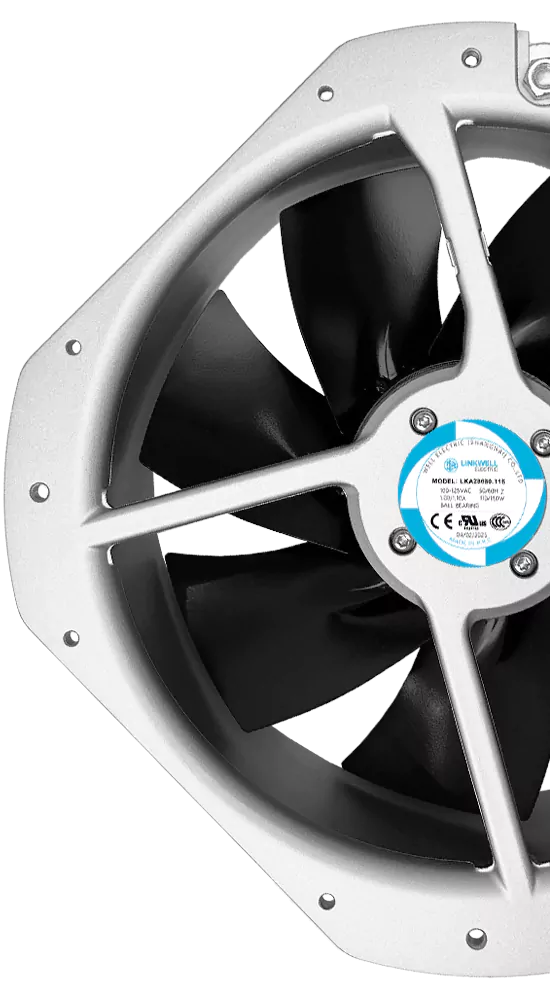
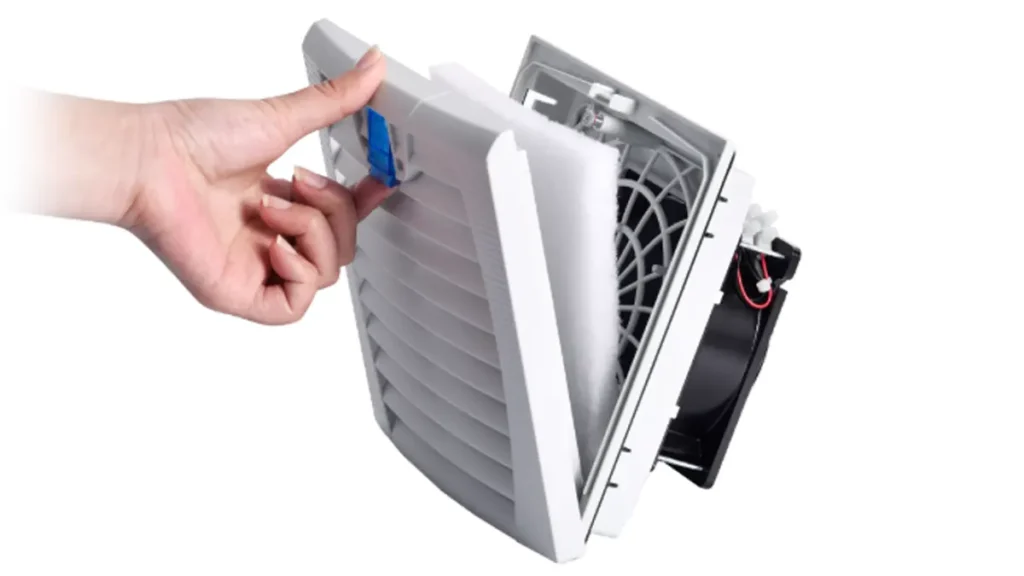
Selecting the proper fans is essential for keeping your equipment safe and cool. Understanding how to size cooling fan for electrical cabinet is key, as every cabinet has unique requirements. You can’t use the same fans for all cabinets. To determine how to size cooling fan for electrical cabinet, assess your power and cooling needs carefully. Accurate information helps suppliers recommend the best fans. LINKWELL specializes in how to size cooling fan for electrical cabinet and understands your needs from start to finish.
Share your needs with experts to learn how to size cooling fan for electrical cabinet and get the right fans.
Key Takeaways
- Choosing the right fan size helps keep your cabinet cool and safe.
- If the fan is too small, things can get too hot.
- This can break your equipment and cost a lot to fix.
- If the fan is too big, it uses too much energy.
- Big fans also make loud sounds and cool unevenly.
- First, figure out how much heat your equipment makes.
- This helps you know how much cooling you need.
- Pick a safe temperature for inside your cabinet.
- This keeps your equipment working well.
- Measure your cabinet so you can pick a fan that fits.
- Use the airflow formula to find the right CFM for cooling.
- Ask experts like LINKWELL for help and good fan choices.
AC Axial Fan and Enclosure Fan Basics
What Is an AC Axial Fan
AC axial fans are found in many electrical cabinets. These fans push air straight through, along the blade’s axis. They move a lot of air, so your cabinet gets plenty of cool air. AC axial fans are small and do not make much noise. You can put them in small spaces easily. They are good for general ventilation and places with low resistance.
Let’s look at how AC axial fans compare to other enclosure fan types. Here is a table:
| Feature | Axial Fan | Centrifugal Fan | Tangential Fan |
|---|---|---|---|
| Airflow Direction | Parallel to axis | Perpendicular to shaft (radial) | Perpendicular to impeller |
| Airflow Rate | High | Moderate | High |
| Static Pressure | Low | High | Low |
| Applications | General ventilation, low resistance | High resistance (ducts, filters), AC systems | Wide air distribution (curtains, HVAC) |
| Advantages | High volume airflow, quiet, compact | Good for overcoming resistance, higher pressure | Wide, even air distribution |
You can see that axial fans give high airflow and low static pressure. Centrifugal fans are better for high resistance and pressure. Tangential fans spread air out wide but are louder.
Enclosure Fan Applications
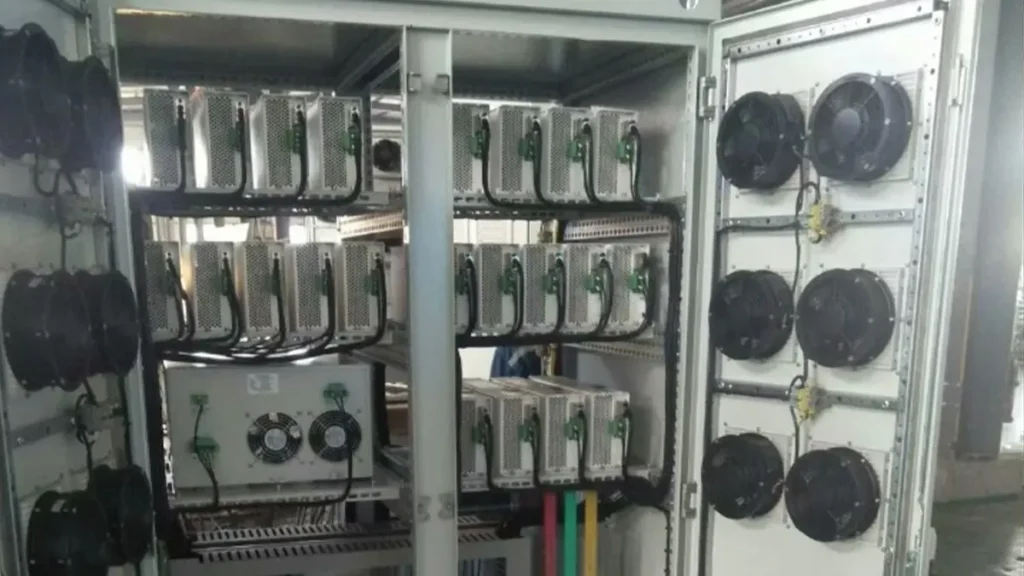
Enclosure fan protect electronics from getting too hot. These fans keep your cabinet cool and stop overheating. You find enclosure fan in control panels, server racks, and machines. Using the right fans helps your equipment last longer. It also lowers the chance of something breaking.
Here are reasons to pick axial fans for your enclosure:
- Axial fans move a lot of air. Most cabinets get good cooling.
- These fans are quieter and smaller than centrifugal fans.
- Tangential fans spread air wide, but use more energy and are louder.
You should pick the fan type that fits your cabinet. If your cabinet has filters or ducts, centrifugal fans may be better. For wide air movement, tangential fans are helpful. Most cabinets work best with axial fans.
LINKWELL Industrial Solutions
LINKWELL helps you pick the right enclosure fan. You get help with sizing, putting in, and taking care of fans. LINKWELL has many fans for different cabinet sizes and cooling needs. You can ask for custom fans if you need something special.
You get good products and quick answers to your questions. LINKWELL helps you find the best fans for your cabinet. You save time and make fewer mistakes. If you need OEM or ODM fans, LINKWELL can help.
Why Correct Sizing Matters
Undersized Fan Risks
You might think a small fan can do the job, but that is not true. If you pick fans that are too small, your cabinet will not get enough cool air. The heat inside will build up fast. Overheating can cause big problems for your electrical equipment. You may see your machines slow down or even stop working. Sometimes, parts can melt or burn out. You could face expensive repairs or lose important data.
Here are some problems you might face with undersized fans:
- Overheating of wires, relays, and circuit boards
- Sudden shutdowns or random errors
- Shorter life for your electrical equipment
- More time and money spent on repairs
You want your equipment to run smoothly. Picking the right size fans helps you avoid these headaches.
Oversized Fan Risks
You may think bigger is always better, but that is not true for fans. If you choose fans that are too large, you can waste energy. Large fans use more power than you need. They can also make your cabinet too noisy. Too much airflow can stir up dust and dirt inside your cabinet. This can clog up filters and block air paths. Your equipment might not cool evenly.
Here is what can happen with oversized fans:
- Higher energy bills
- More noise in your workspace
- Dust and dirt build-up inside the cabinet
- Uneven cooling for your equipment
You want to match the fan size to your cabinet. This keeps your system clean, quiet, and efficient.
Equipment Performance
Getting the right size fans is not just about cooling. It is about keeping your equipment safe and working well. When you size your fans correctly, you help your electrical systems last longer. You also cut down on maintenance and repairs.
Properly sized fans keep your cabinet at the right temperature. This protects your equipment from overheating and damage. You get better performance and fewer problems.
Let’s look at how correct fan sizing helps your equipment:
- You get effective heat removal, so your cabinet stays cool.
- Your equipment works better and lasts longer.
- You avoid costly downtime and repairs.
You want your fans to do their job without wasting energy or causing trouble. Good fan sizing means better performance and peace of mind.
How to Size Cooling Fan for Electrical Cabinet
Determine Heat Load
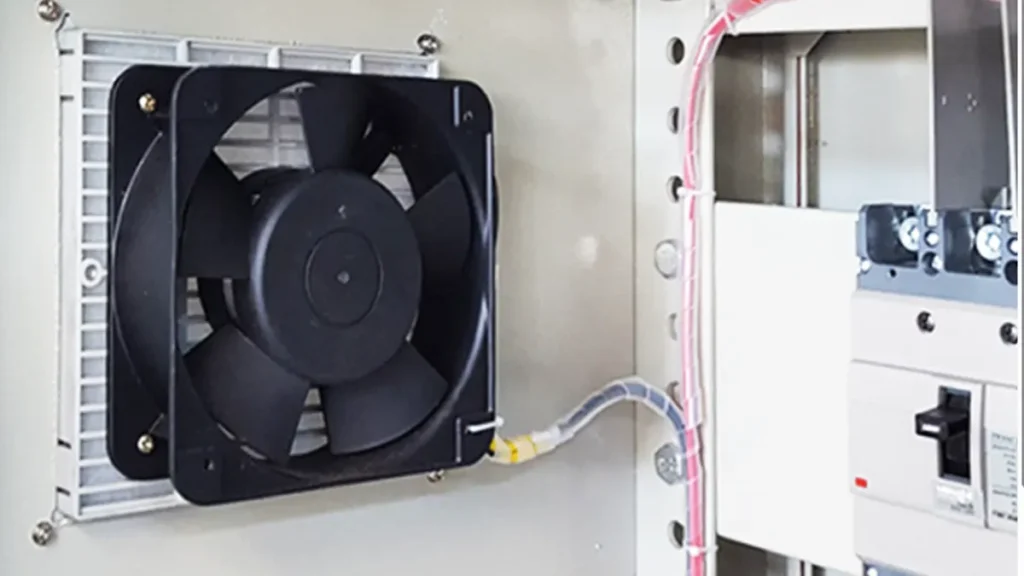
When you want to know how to size cooling fan for electrical cabinet, you need to start with the heat load. This tells you how much heat your equipment makes inside the cabinet. If you skip this step, your fans might not keep things cool enough.
Here’s how you can figure out the heat load:
- List all the devices inside your cabinet. Look at things like power supplies, drives, and transformers.
- Check how much power each device uses. You can find this on the label or in the manual.
- Add up the power for all devices. This gives you the total watts.
- Remember, not all the power turns into heat. Usually, about 3% to 5% of the power becomes heat, unless the manual says something different.
- If your cabinet sits outside or near a hot spot, think about extra heat from the sun or other sources. Dark cabinets can soak up more heat.
Tip: For outdoor cabinets, sunlight can add a lot of heat. You may need to add 30-40 BTU/hr for every square foot of cabinet surface that gets sun.
If your cabinet is high up, like on a mountain, the air is thinner. Cooling does not work as well. Add a little extra to your heat load, maybe 10% to 20%, to be safe.
Set Internal Temperature
Next, you need to decide how warm you want your cabinet to get inside. This is your target internal temperature. Most people pick a number that is safe for their equipment. You can find this in the equipment manual or ask the maker.
- Pick a temperature that is lower than the highest temperature your equipment can handle.
- Many cabinets work well at 95°F (35°C) inside, but check your own needs.
- If you want your equipment to last longer, choose a lower temperature.
Setting the right internal temperature helps you figure out how to size cooling fan for electrical cabinet. If you set it too high, your equipment might get damaged. If you set it too low, you might need bigger fans.
Measure Cabinet and Ambient
Now, you need to measure your cabinet and the air around it. This step is important for how to size cooling fan for electrical cabinet. You want to know how much space you have for fans and what the air is like where your cabinet sits.
- Measure the width and height of the spot where you will put the fans. Do not just look at the blade size. The frame and thickness matter too.
- Check the distance between the mounting holes. This helps you pick fans that fit right.
- Look at the thickness of the fan. Common sizes are 25 mm, 38 mm, and 51 mm. Make sure your cabinet has enough room.
- Find out the highest temperature the air gets around your cabinet. If your cabinet is outside, check local weather records. If it is inside, see if there are other machines nearby that make the air warmer.
- Think about dust, dirt, water, and humidity. These things can affect how well your fans work and how long they last.
Note: Always measure carefully. If you get the size wrong, your fans might not fit or work as planned.
When you know your cabinet size and the ambient temperature, you can move on to the next step. This helps you pick the right airflow rating and make sure your fans can handle the job. Good air management and distribution keep your equipment safe and cool.
If you follow these steps, you will have a strong start on how to size cooling fan for electrical cabinet. You will know your heat load, your target temperature, and the space and conditions for your fans. This makes it much easier to choose the right airflow rating and get the best results.
Calculate Delta T
Now, you need to figure out Delta T. This is the difference between the temperature you want inside your cabinet and the temperature outside. Delta T tells you how hard your fans need to work to keep things cool.
Here’s how you do it:
- Write down your target internal temperature. You picked this in the last step.
- Find the highest temperature around your cabinet. This is the ambient temperature.
- Subtract the ambient temperature from your target internal temperature.
For example, if you want your cabinet to stay at 95°F and the room gets up to 85°F, your Delta T is 10°F.
Tip: If your Delta T is small, you need more airflow to keep things cool. If Delta T is big, you need less airflow.
Always use the highest possible ambient temperature. This gives you a safety margin. Your fans will be ready for hot days.
Find Required Airflow (CFM)
Now, you need to find out how much air your fans must move. This is called airflow. You measure it in cubic feet per minute, or CFM. Getting the right airflow capacity is key for keeping your cabinet safe.
Airflow Formula
You can use a simple formula to find the airflow you need:
Required Airflow (CFM) = (Heat Load in Watts × 3.16) ÷ Delta T (°F)
Let’s break it down:
- Heat Load: The total watts your equipment uses.
- 3.16: This number helps change watts into CFM.
- Delta T: The temperature difference you just calculated.
Here’s an example:
- Heat Load: 200 watts
- Delta T: 10°F
Plug these into the formula:
Required Airflow (CFM) = (200 × 3.16) ÷ 10 = 63.2 CFM
So, you need fans that can move at least 63.2 CFM. This gives you sufficient cfm capacity to keep your cabinet cool.
Note: Always round up to the next standard fan size. This helps you stay safe if your heat load goes up later.
Sizing Methods
You have a few ways to size your fans:
- Manual Calculation: Use the formula above. This works for most cabinets.
- Guidelines: Some equipment makers give you airflow charts or tables. These can help you pick the right fan fast.
- CFD Analysis: For big or tricky cabinets, you can use computer tools. CFD (Computational Fluid Dynamics) shows you how air moves inside your cabinet. This is best for special projects.
Most people use manual calculation or guidelines. CFD is for experts or very large systems.
If you are not sure, ask your fan supplier for help. Companies like LINKWELL can check your numbers and suggest the best fans.
Select Fan Size
You have your airflow number. Now, you need to pick the right fan size. Look at the fan’s label or data sheet. Find the airflow rating in cubic feet per minute. Make sure the fan you choose can handle your heat load.
Here’s what to check:
- Airflow Rating: The fan must meet or beat your required CFM.
- Size and Fit: The fan should fit in your cabinet space.
- Noise Level: Pick a fan that is not too loud for your workspace.
- Safety Margin: Choose a fan with a little extra airflow. This helps if your heat load goes up later.
You can use one big fan or several smaller fans. Just make sure the total airflow adds up to your target. If you need help, LINKWELL offers many fan options. You can find fans with different airflow capacity, sizes, and noise levels.
Remember: Picking the right fan size keeps your equipment safe and your cabinet cool. Don’t guess—use the numbers!
If you follow these steps, you will get the right fans for your cabinet. You will have enough airflow to protect your equipment and keep everything running smoothly.
AC Axial Fan Price Factors
Size and Frame
When you look at cooling fans for your electrical cabinet, size matters a lot. You need to pick a fan that fits your cabinet space. The frame size tells you how big the fan is. Common sizes include 80mm, 120mm, and 172mm. Bigger fans can move more air, but they also cost more. Smaller fans fit tight spaces, but you may need more than one to get enough airflow.
The frame also affects how you mount the fan. Some frames are square, while others are round. You want to check the mounting holes and thickness. If you pick a thicker fan, you get more airflow, but you need more space. Always measure your cabinet before you buy. If you get the wrong size, the fan will not fit, and you waste money.
Voltage Options
Fans come in different voltage options. You can find fans that run on 110V, 220V, or even 240V. Some fans work with both AC and DC power. The voltage you choose depends on your cabinet’s power supply. If you pick the wrong voltage, the fan will not work or could get damaged.
Higher voltage fans can handle bigger jobs. Lower voltage fans use less power and make less noise. You want to match the fan voltage to your equipment. If you are not sure, ask your supplier for help. LINKWELL offers fans with many voltage choices, so you can find the right one for your project.
Airflow and Pressure
Airflow and pressure are two big factors that change the price of fans. Airflow tells you how much air the fan can move. You measure this in cubic feet per minute (CFM). If you need to cool a hot cabinet, you want a fan with high airflow. More airflow usually means a higher price.
Pressure is also important. Some cabinets have filters or tight spaces. You need a fan that can push air through these barriers. Fans with higher pressure cost more, but they work better in tough spots.
Let’s look at a table that shows how different specs can change the price of fans:
| Specification Type | Description | Impact on Pricing |
|---|---|---|
| Blade Design | Forward-curved or backward-curved blades affect airflow and noise | Different designs can vary in cost |
| Material | Mild steel or aluminum changes durability | Material choice influences pricing |
| Airflow Capacity | Higher airflow means more cooling power | Higher capacity often leads to higher prices |
| Application Suitability | Fans for special environments (like high heat) | Specialized fans can be more expensive |
You want to pick fans that match your airflow and pressure needs. If you need help, LINKWELL can guide you. They offer standard and custom fans for all kinds of cabinets.
Tip: Always check the fan’s airflow and pressure ratings before you buy. This helps you get the best value for your money.
Bearing and Motor
You might not think about bearings and motors when you pick fans, but they matter a lot. Bearings help the fan blades spin smoothly. You can choose from two main types: sleeve bearings and ball bearings. Sleeve bearings cost less and work well if you use fans in cool, clean places. Ball bearings last longer and handle heat and dust better. If your cabinet gets hot or runs all day, ball bearings are a smart choice.
The motor inside the fan also changes the price. Some motors use less power and make less noise. Others give you more power for tough jobs. High-quality motors last longer and need less fixing. If you want fans that run for years without trouble, pick ones with good bearings and strong motors.
Tip: Ask your supplier which bearing and motor type fits your cabinet best. LINKWELL can help you compare options.
Material and Structure
The material and structure of fans affect both price and performance. Most fans use plastic or metal for the frame and blades. Plastic fans cost less and weigh less. They work well in dry, indoor spots. Metal fans, like those made from aluminum, last longer and handle heat better. If your cabinet sits outside or in a hot place, metal fans are a better pick.
The structure means how the fan is built. Some fans have extra supports or thicker frames. These features make fans stronger but can raise the price. If you need fans for tough jobs, look for sturdy frames and good materials.
Here’s a quick table to help you compare:
| Material | Best For | Cost |
|---|---|---|
| Plastic | Indoor, dry places | Lower |
| Metal | Outdoor, hot spots | Higher |
You want to match the material and structure to your cabinet’s needs. This helps your fans last longer and work better.
Noise and IP Rating
Noise matters when you use fans in offices or quiet rooms. Some fans make a soft hum, while others get loud. If you want a quiet workspace, look for fans with low noise ratings. The noise level is measured in decibels (dB). Lower numbers mean quieter fans.
IP rating tells you how well fans handle dust and water. IP stands for “Ingress Protection.” A higher IP rating means better protection. For example, IP54 fans keep out most dust and splashes. If your cabinet sits in a dirty or wet place, pick fans with a high IP rating.
Note: Always check the noise and IP rating before you buy. This keeps your equipment safe and your workspace comfortable.
You can ask LINKWELL for fans that meet your noise and IP needs. They offer many choices for different jobs.
Wiring and Certifications
When you pick fans for your electrical cabinet, wiring and certifications matter a lot. You want fans that connect easily to your power supply. Some fans come with simple two-wire setups. Others have three or even four wires for extra features like speed control or alarms. Always check the wiring diagram before you buy. This helps you avoid mistakes during installation.
Certifications show that fans meet safety and quality standards. Look for marks like UL, CE, or RoHS. These labels mean the fans passed tests for safety, energy use, and environmental rules. If your cabinet goes into a factory or public building, you may need fans with special certifications. Some places require fans to meet local codes. Always ask your supplier if you are not sure.
Tip: Certified fans give you peace of mind. You know they are safe and reliable for your equipment.
Here is a quick table to help you compare:
| Certification | What It Means | Why It Matters |
|---|---|---|
| UL | Meets US safety standards | Needed for US markets |
| CE | Meets EU safety standards | Needed for Europe |
| RoHS | Limits hazardous materials | Safer for environment |
Order Quantity and Customization
Order quantity can change the price of fans. If you buy just one or two fans, you pay more for each one. When you order in bulk, the price per fan drops. This is great if you build many cabinets or run a big project. Always ask your supplier about discounts for large orders.
Customization lets you get fans that fit your exact needs. Maybe you want a special size, color, or wiring setup. Some projects need fans with extra features like waterproofing or special connectors. LINKWELL offers OEM and ODM services. This means you can order fans made just for you. You get the right airflow, noise level, and look for your cabinet.
If you need something unique, talk to LINKWELL. They help you design and order custom fans for any job.
Here are some ways you can customize fans:
- Change the frame size or shape
- Pick a special voltage or connector
- Add extra protection like higher IP ratings
- Choose a color that matches your brand
Custom fans may cost more at first, but they save you time and trouble later. You get fans that fit and work right from the start.
Standard vs Custom Enclosure Fans
Standard Fans
Standard fans work for most electrical cabinets. You can find these fans in many sizes and shapes. They fit common mounting holes and use regular voltages. You do not need to wait long for delivery. Most suppliers keep them in stock. These fans cost less and are easy to replace. You can use them in offices, factories, and server rooms. If your cabinet sits in a normal spot, standard fans do the job well.
Tip: Standard fans are a smart choice if you want fast delivery and a good price.
Custom Fans
Sometimes, you need more than a basic fan. Custom fans solve special problems. You can ask for stronger materials, thicker frames, or special motors. For example, you might need a stainless steel fan for a chemical plant. This upgrade costs more because stainless steel is hard to cut and weld. You might also want a fan with a thick double skin and epoxy coating for cold places or noisy rooms. Some fans need explosion-proof motors for safety in paint booths or dusty air.
Here is a table that shows how custom features change the price:
| Customization / Upgrade Factor | Estimated Price Premium | Primary Benefit & Application |
|---|---|---|
| Stainless Steel Casing (SS304/SS316) | +60% to +120% | Stops rust in chemical plants and near the sea |
| Thickened Double Skin & Epoxy | +20% to +35% | Cuts noise and keeps heat out in cold or strict areas |
| Explosion-Proof Motor | +$600 to +$1,500+ | Needed for paint, fumes, or dust |
| Weather-Resistant / Waterproof (IP55+) | +10% to +15% | Protects fans outside in rain or dust |
| Electronically Commutated (EC) Motor | +30% | Saves energy and lowers bills |
When you pick custom fans, you pay more. You get better protection, longer life, or special safety. These fans work in tough spots where standard fans cannot.
Application Comparison
You want to match the right fan to your job. Standard fans fit most indoor cabinets. They cool your equipment and cost less. Custom fans help when you face harsh weather, chemicals, or strict rules. For example, if you need a fan for a food factory or a place near the ocean, you should pick stainless steel. This upgrade costs much more, but it stops rust and damage. If you need to keep noise down or block heat, a thick double skin and epoxy coating help. These features add weight and price, but they protect your equipment.
Note: Custom fans make sense when you need extra safety or long life. Standard fans work for most jobs, but custom fans solve special problems.
You can talk to your supplier about your needs. They can help you choose the best fans for your cabinet.
Buyer Tables: Price Factors & Quotation Info
When you want to buy the right fans for your electrical cabinet, you need clear information. Tables make it easy to compare your options and share your needs with suppliers. Let’s look at two tables that help you get the best fans for your project.
Price Factor Table
You want to know what makes one fan cost more than another. This table shows the main things that change the price of fans. You can use it to compare different models and see what matters most for your cabinet.
| Parameter | Description |
|---|---|
| Size | The dimensions of the fan. This affects how it fits and how much air it moves. |
| Airflow | The amount of air the fan can move. You measure this in cubic feet per minute (CFM). |
| Noise | How loud the fan is when running. You measure this in decibels (dB). |
| Energy Efficiency | How much power the fan uses compared to the airflow it gives you. |
| Power Rating | The electricity the fan needs to work well. |
| Certifications | Safety and quality marks that show the fan meets industry rules. |
Tip: Use this table when you talk to suppliers. You can ask about each parameter to make sure you get the right fans for your needs.
Quotation Info Table
When you ask for a quote, you want to give suppliers all the details they need. This helps you get an accurate price and the right fans for your cabinet. Fill out this table before you send your request.
| Information Needed | What to Provide |
|---|---|
| Cabinet Size | The width, height, and depth of your cabinet. |
| Heat Load | The total watts your equipment uses inside the cabinet. |
| Target Temperature | The highest temperature you want inside the cabinet. |
| Ambient Temperature | The highest temperature around your cabinet. |
| Mounting Space | The space you have for installing fans. |
| Voltage Requirement | The voltage your cabinet uses (like 110V or 220V). |
| Special Features | Any extras you need, like low noise, waterproofing, or alarms. |
Note: The more details you give, the easier it is for suppliers to match you with the best fans.
Tables like these save you time and help you avoid mistakes. You can quickly see what you need and share it with your supplier. This way, you get fans that fit, cool well, and last a long time.
Getting Accurate Fan Quotes
Cabinet Details
You want your electrical cabinet to stay cool and safe. To get the right quote for fans, you need to share some important cabinet details with your supplier. Start by describing the size of your cabinet and where you plan to put the fans. Think about how air will move inside. You can choose to push air in (positive pressure) or pull air out (negative pressure). If you push air in, place the fan at the bottom with a filter. This keeps dust out. If you pull air out, mount the fan at the top. This removes hot air but may let dust sneak in through gaps.
You should also pay attention to where you put the intake and exhaust. If they are too close, air might just loop around and not cool your equipment. Try putting the intake at the bottom and the exhaust at the top corner. This setup helps air move across your cabinet and keeps everything cool. Fans work best when you plan their placement carefully.
Technical Specs
Suppliers need technical specs to match you with the best fans. Here’s a table to help you organize the information:
| Specification | Description |
|---|---|
| Air Flow | How much air the fan moves (CFM). This tells you how well it cools your cabinet. |
| Static Air Pressure | The pressure the fan creates. Higher pressure helps push air through filters or tight spaces. |
| Fan Speed | How fast the fan spins (RPM). Faster fans move more air but can be louder. |
| Heat Generation Within Device | How much heat your equipment makes. This helps pick a fan that can handle the load. |
You can find these details in your equipment manual or by asking your supplier. If you know how much heat your devices make, you can choose fans that keep everything at the right temperature. Always check if your cabinet has filters or needs extra pressure. This helps you avoid picking the wrong fan.
LINKWELL Support
You do not have to figure everything out alone. LINKWELL gives you support at every step. You can ask about the best filter for your environment. If you need help with mounting, LINKWELL will guide you on the right way to install your fans. You can also use smart controls like thermostats or humidity sensors. These tools help your fans run only when needed, saving energy and money.
LINKWELL makes maintenance easy. You can pick fans with filters that are simple to remove and clean. Setting up a regular cleaning schedule keeps your cabinet running smoothly. If you have special needs, LINKWELL can help you find the right solution. You get expert advice and reliable products for your electrical cabinet.
Tip: The more details you share, the better your quote will be. Good planning means your fans will fit, cool well, and last longer.
Why Not Choose Lowest Price
Quality and Reliability
You might feel tempted to pick the cheapest fans for your electrical cabinet. That choice can cost you more in the long run. Low-cost fans often use basic parts and simple bearings. They may work for a while, but they can fail much sooner than you expect. When you choose high-quality fans, you get better performance and peace of mind.
Here’s what you get with premium fans:
- Lifespans of 50,000 hours or more under normal conditions.
- Ball bearings that last longer and work better in tough spots than sleeve bearings.
- High MTBF (Mean Time Between Failures) ratings, sometimes over 70,000 hours.
- Reliable operation even when things get hot or dusty.
Cheap fans can break down when you need them most. You might face sudden shutdowns or even damage to your equipment. Paying a little more for quality means you avoid these headaches.
Long-Term Value
You want your investment to last. The lowest price might look good at first, but it often means higher costs later. Let’s compare the total cost of ownership for different types of fans:
| Aspect | AC Axial Fans | Centrifugal Blowers |
|---|---|---|
| Initial Price | $1,200-$2,500 (10 HP) | $2,000-$4,000 (10 HP) |
| $5,000-$8,000 (50 HP) | $8,000-$12,000 (50 HP) | |
| Energy Costs | 16.5 kWh/hour (20 HP) | 14.9 kWh/hour (20 HP) |
| Maintenance | $150-$300 yearly | $300-$600 yearly |
| Lifespan | 8-12 years | 10-15 years |
You can see that fans with a higher initial price often last longer and need less fixing. They also use energy more efficiently. Over time, you save money on repairs and replacements. You also avoid downtime, which can cost even more.
Tip: Think about the total cost, not just the price tag. A better fan pays for itself by working longer and using less energy.
LINKWELL Advantage
You want fans that meet strict safety and quality standards. LINKWELL offers products with certifications like UL, CE, RoHS, and IP ratings. These marks show that the fans are safe, reliable, and built for your needs.
Here’s a quick look at important certifications:
| Certification | Description |
|---|---|
| UL | Meets U.S. safety standards for electrical parts. |
| CE | Follows EU safety and health rules. |
| RoHS | Free from hazardous materials. |
| IP Ratings | Shows dust and water protection. |
When you choose LINKWELL, you get expert support and a wide range of fans for any job. You can ask for help with sizing, installation, and custom features. LINKWELL helps you avoid mistakes and keeps your equipment running smoothly.
Remember, the lowest price is not always the best deal. Quality fans protect your investment and give you fewer problems down the road.
Conclusion
Sizing cooling fans for your electrical cabinet is simple when you follow these steps:
- Figure out your heat load.
- Pick your cooling method.
- Calculate the airflow you need.
- Choose the right fans for your setup.
You get better results when you share detailed info about your cabinet and needs. Picking the wrong fans can lead to overheating or wasted energy. Expert support helps you select fans that last longer and work better. LINKWELL offers custom fans and reliable OEM/ODM solutions for any project.
| Why Talk to Experts? | What You Get |
|---|---|
| Right fan size | Keeps your equipment safe and efficient |
| Long-lasting performance | Fewer breakdowns and repairs |
| Quality products | Fans that meet strict standards |
FAQ
How do I know if my cabinet needs cooling fans?
If your cabinet feels warm to the touch or your equipment shuts down, you probably need fans. You can also check the equipment manual. Most electronics work best when you keep them cool.
Can I use more than one fan in my cabinet?
Yes, you can use multiple fans. Place one at the bottom for intake and another at the top for exhaust. This setup helps air move through your cabinet and keeps everything cool.
What happens if I pick the wrong size fans?
If you choose fans that are too small, your equipment can overheat. If you pick fans that are too big, you might waste energy and create extra noise. Always size your fans carefully.
How often should I clean or replace my fans?
Check your fans every few months. Dust and dirt can block airflow. Clean the blades and grills with a soft brush. Replace fans if they get noisy or stop spinning smoothly.
Do all fans need filters?
Not all fans need filters. If your cabinet sits in a dusty or dirty place, filters help keep the inside clean. You can ask your supplier if your setup needs filters.
Can I install fans myself?
You can install most fans with basic tools. Follow the instructions from the supplier. If you feel unsure, ask an electrician for help. Safety comes first.
Are there quiet fans for office cabinets?
Yes, you can find quiet fans made for offices. Look for models with low decibel ratings. These fans keep your workspace cool without making much noise.