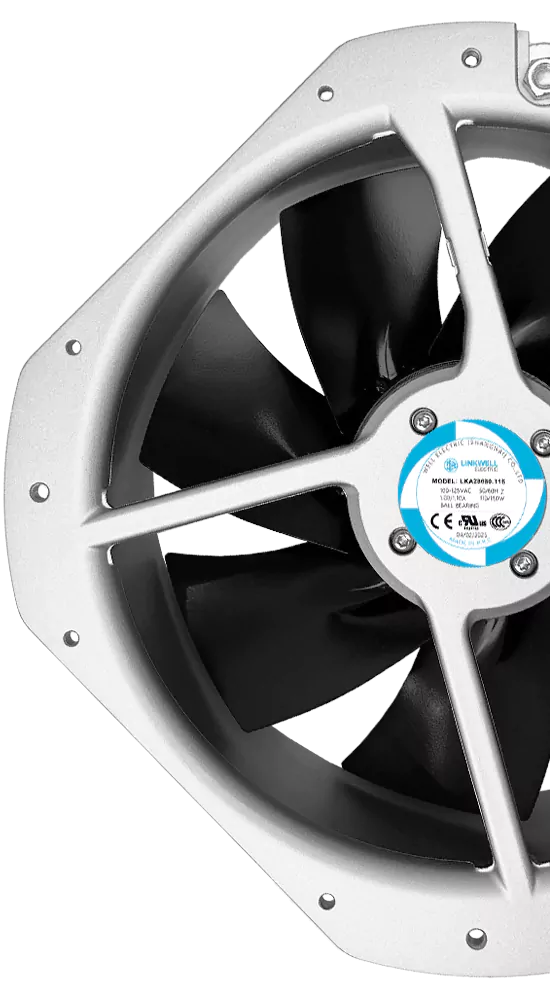
You want to know what drives dc cooling fan price. It often comes down to fan size, materials, production techniques, management costs, design complexity, and technology. Each of these plays a big role in cooling fan price. Prices shift a lot because of these details. If you understand what matters, you make smarter choices for your cooling needs. This helps you get the right solution for your business.
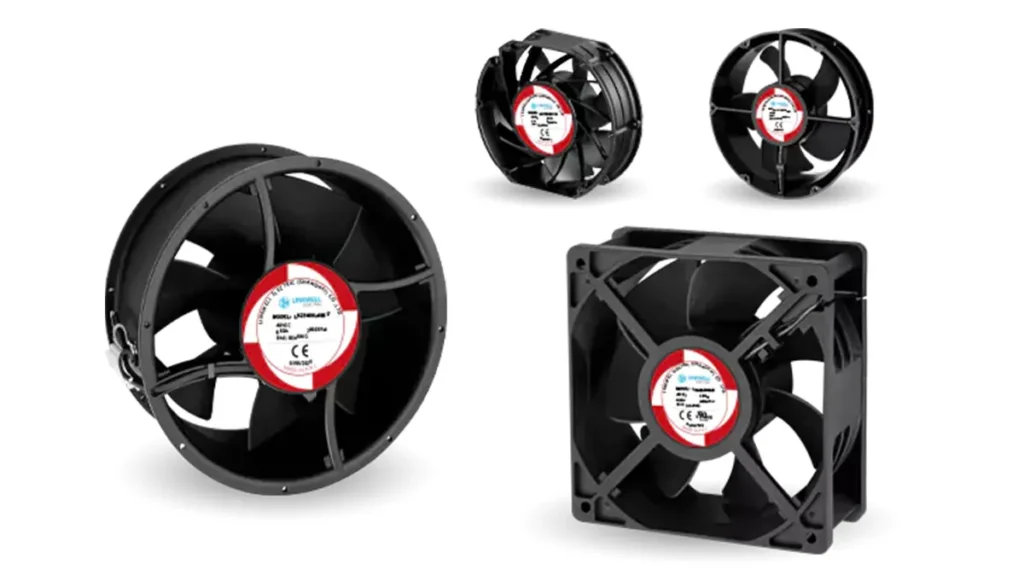
Key Takeaways
- Fan size changes the price and how well it cools. Pick the right size so things do not get too hot or cost too much.
- The material affects how long the fan lasts and its price. Aluminum or copper works better, but plastic costs less and does not last as long.
- How the fan is made changes its quality and price. Using new machines costs more at first but saves money later.
- Management costs are part of the fan price. Suppliers with good support and quality checks may charge more, but you get better value.
- Complicated designs and new technology can make fans cost more. Special features help the fan work better but raise the price.
- Pick the right voltage for what you need. Using the correct voltage saves energy and lowers costs.
- Airflow and static pressure are important for cooling. Balance these to cool well without wasting energy.
- Customizing your fan can cost more but gives you what you need. Think about your needs to get the best fan for your job.
Key Factors in DC Cooling Fan Price
Fan Size and Airflow
Bigger fans usually have a higher price. The size of a DC cooling fan changes how much it costs and how well it cools. Large fans can move more air, so they cool bigger areas or hotter machines. Small fans are good for tight spaces and use less power, but they do not move as much air. When you pick a fan, think about how much air you need to move. If your fan is too small, your equipment might get too hot. If your fan is too big, you could spend more money than needed. Picking the right size helps you save money and get good cooling.
There are many types of fans, and each one moves air in its own way. For example, a bldc cooling fan can move air better than some other fans. This can help you spend less on running costs over time. You should match the fan size and airflow to what you really need. This way, you do not waste money or energy.
Materials and Parts
The materials in a DC cooling fan change the price and how well it works. Some fans are made from plastic, while others use aluminum, copper, steel, or special mixes. Each material has its own good points, and the price can be very different depending on what you pick.
Here’s a quick look at the most common materials and how they affect cooling fan price:
| Material | Advantages | Cost Comparison |
|---|---|---|
| Plastic | Lightweight, cost-effective, corrosion-resistant | Relatively inexpensive |
| Aluminum | High thermal conductivity, lightweight, sturdy | More expensive than plastic |
| Copper | Excellent heat transfer, durable | Heavier and more expensive than aluminum and plastic |
| Steel | Strong, durable, cost-effective | Cheaper than aluminum and copper |
| Composite materials | Customized performance, enhanced durability | Generally more expensive |
If you want a fan that lasts longer and works better, you might pick aluminum or copper. These cost more, but they give you better cooling and quality. Plastic fans are cheaper and lighter, but they may not last as long in tough places. Composite materials have special features, but their prices can change a lot. The type of fan you pick also changes the parts inside, like bearings and motors. Better parts make the price go up, but they also make the fan work better and last longer.
Production Techniques
How a fan is made can change the price a lot. Some fans are made with simple tools, but others need special machines and skilled workers. If a company uses high-tech ways to make fans, the fans are often better and last longer. These fans might cost more at first, but they can save you money later.
For example, a bldc cooling fan uses brushless technology. This kind of fan needs special tools and careful work to put together. The finished fan runs quietly and uses less power. You pay more for this kind of fan, but you get lower running costs and better results.
The price also changes if many fans are made at once. Making lots of fans at the same time usually makes each fan cheaper. Making only a few fans or special designs can make the price go up. When you look at different fans, check how they are made. Good ways of making fans mean better quality and fewer problems later.
Tip: Always ask your supplier about the materials and how the fan is made. This helps you compare price and quality before you buy.
Management and Overhead Costs
You may not think about management and overhead costs. These costs are important for dc cooling fan price. Companies pay for more than just making the fan. They have to pay managers, rent, electricity, and marketing. When you buy a fan, you pay for these things too.
If a company has high overhead, the price goes up. Some companies spend more on quality control and training. They also spend on customer service. This helps you get better products and support. But it makes the fan cost more. Prices can be different because companies have different overhead costs.
Here’s a simple look at what makes up management and overhead costs:
| Overhead Type | Impact on Price | Effect on Quality |
|---|---|---|
| Factory Rent | Higher rent means higher price | No direct effect |
| Staff Salaries | Skilled staff raise price | Better quality |
| Quality Control | Extra checks increase price | Higher quality |
| Customer Service | More support adds to price | Better experience |
| Marketing | Promotion costs raise price | No direct effect |
If you want good support and quality, you may pay more. You can ask suppliers about their overhead costs. This helps you know why prices change and what you get.
Note: Operational cost is not just running the fan. It also means hidden costs from how the company works. For long-term value, look at both the fan price and company overhead.
Design Complexity and Technology
Design complexity and new technology change dc cooling fan price. Simple fans cost less. Fans with special features cost more. If you need a fan for tough jobs, you pay extra for better design.
Here’s how these things affect cost and quality:
- Companies use new technology for the semiconductor industry. This makes the price go up.
- Fans with better performance and energy savings cost more. You get better quality and longer life.
- Market demand changes with semiconductor cycles. High demand means higher prices. High inventory means lower prices.
- New fans help with better thermal management. These cost more but save on operational cost.
- Complex designs need more parts and careful work. This raises both price and quality.
If you want the newest technology, you pay more at first. You get better cooling, less noise, and longer life. There are many types of fans. The most advanced ones cost more because of their design and technology.
Tip: Always check the design and technology before you buy. If you need advanced cooling, do not pick basic types. The right fan gives you better quality and saves money over time.
Technical Specifications and Cost
Voltage Options: 12V, 24V, 48V
There are different voltage choices for DC cooling fans. The most common are 12V, 24V, and 48V. Each voltage is used for different things and changes the price. Lower voltages like 5VDC work for small devices. Most factories and telecom systems use 12VDC. Medical and automation systems often need 24VDC. Big power setups, like data centers, use 48VDC.
Here’s a quick table to help you compare:
| Voltage | Description |
|---|---|
| 5VDC | Used in low-power things like sensors and microcontrollers. |
| 12VDC | Common in cars, factories, and telecom equipment. |
| 24VDC | Found in medical and factory automation systems. |
| 48VDC | Best for high power jobs like servers in data centers. |
Fans with higher voltage usually cost more money. They need stronger parts and better insulation. You pay more for safety and to make sure the fan works well. Picking the right voltage helps you save energy and lower your bills. If you pick the wrong voltage, you waste energy and pay more for power. Always match the voltage to your equipment for the best results.
Airflow, Static Pressure, and Performance
Airflow and static pressure are important for cooling fans. Airflow means how much air the fan moves. Static pressure shows how well the fan pushes air through tight spots or filters. Both change the price and how well the fan works.
- CFM tells you how much air the fan moves. More CFM means better cooling.
- Static pressure matters if you have filters or small vents. It shows how strong the fan is against blockages.
- Fans with high static pressure keep airflow strong, even with filters.
- If you only look at CFM, you might not get good cooling. Wires and filters can block air if static pressure is low.
- High static pressure fans cost more. They use better parts and are made for tough jobs.
You want a fan that balances airflow and static pressure. This gives you good cooling and saves energy. If you need a bldc cooling fan for a server or a machine with filters, pick one with high static pressure. You get better quality and use less electricity.
Bearing Types and Service Life
The bearing inside your fan changes the price and how long it lasts. There are three main types: ball bearings, sleeve bearings, and fluid dynamic bearings.
- Ball bearings last longer and work well in hard jobs. They cost more but are more reliable.
- Fluid dynamic bearings are quiet and last a long time. They are good when you need less noise.
- Sleeve bearings are cheaper but do not last as long. They are not good for heavy cooling.
A good bearing lowers friction. This means the fan runs smoother and uses less energy. If you pick a bad bearing, you get more noise and less airflow. Bad lubrication can make the fan break early. Good lubrication can make bearings last up to 50% longer, says the Electric Power Research Institute. This saves you money on power and new fans.
When you choose a fan, think about the bearing type. Ball and fluid dynamic bearings cost more, but they last longer and work better. You spend less on energy and repairs over time. That’s why many people pick energy-efficient fans with good bearings for their cooling needs.
Speed, Noise, and Efficiency
You want your cooling fan to work well without making too much noise or wasting electricity. The speed of a fan tells you how fast it spins. Faster fans move more air, but they can get loud and use more energy. If you need quiet cooling, you should look for fans with lower speed or special designs that cut down on noise.
There are two main types of fans you can choose from: PWM fans and regular DC fans. PWM fans let you control the speed with precision. This means you can adjust how much cooling you need and save energy when your machines are not working hard. DC fans have limited speed control, so they often run at full speed. This can lead to higher power consumption and more noise.
Check out this table to see how these features compare:
| Feature | PWM Fans | DC Fans |
|---|---|---|
| Speed Control | Offers precise speed adjustment | Limited speed control |
| Energy Efficiency | Lower energy consumption | Higher energy consumption |
| Noise Levels | Quieter during low-load operations | Generally noisier |
| Price | Generally more expensive | Generally less expensive |
If you want better efficiency and less noise, PWM fans are a smart choice. They cost more upfront, but you save money on electricity and get quieter cooling. Regular DC fans are cheaper, but they use more energy and can get loud. When you pick a fan, think about how much noise you can handle and how much you want to spend on electricity.
A bldc cooling fan is another option. It uses brushless technology to give you high quality and low power consumption. These fans last longer and run quietly, but their price is higher. You get better cooling and save on energy bills over time.
IP Rating and Environmental Protection
You need to know where your fan will work. Some places have dust, water, or chemicals. The IP rating tells you how well a fan can handle these tough environments. IP stands for “Ingress Protection.” A higher IP rating means the fan can resist dust and water better.
If you use your fan in a factory or outside, you should pick a fan with a high IP rating. This protects your equipment and keeps your cooling system running. Fans with better environmental protection cost more, but you get higher quality and fewer repairs. You also save money because your fan lasts longer and uses less electricity.
Here are some common types of IP ratings:
- IP20: Basic protection against fingers and small objects.
- IP44: Protects against splashing water and dust.
- IP67: Keeps out dust and can handle being underwater for a short time.
When you choose a fan, match the IP rating to your environment. This helps you avoid downtime and keeps your cooling system working.
Certifications and Compliance
You want your cooling fan to meet safety and quality standards. Certifications like CE, UL, and RoHS show that a fan is safe and reliable. These certifications can raise the price, but they help you avoid problems and lower your total cost.
Here’s why certifications matter:
- You pay more for certified fans, but you get better quality and fewer repairs.
- Certified fans use less electricity and energy, which cuts your bills.
- You avoid downtime and save money on maintenance.
- The total cost includes price, energy, maintenance, and lost time.
If you buy fans for industrial use, look for certifications. This helps you get the best cooling and keeps your machines safe. You spend more at first, but you save money and get better performance.
Tip: Always ask your supplier about certifications and compliance. This helps you get high quality and avoid hidden costs.
Application Environment and Cooling Fan Price
Industrial Use Cases
You see DC cooling fans in many industries. Each place has its own needs for cooling and ventilation. In factories, you need fans that run all day and handle dust. In telecom, you want fans that keep equipment cool and work quietly. Medical devices need fans that do not fail because lives depend on them. Data centers use fans to keep servers from overheating. You pick different types of fans for each job. The right fan gives you better quality and fewer problems.
Harsh Environments and Protection Needs
Some places are tough on fans. You might have dust, water, oil, or even strong vibrations. Fans in these spots need special features to keep working. If you use a regular fan in a harsh place, it may break fast. You end up paying more for repairs and downtime. When you choose a fan, look for the right protection. This can raise the price, but you get better quality and longer life.
Here’s a quick look at fan types and where they work best:
| Fan Type | Description |
|---|---|
| Splash Proof fans | Work well in places with lots of dust or water, like outdoors. |
| Long Life fans | Built to last longer, so you spend less on fixing or replacing them. |
| Oil Proof fans | Great for oily spots, stopping rust and making the fan last. |
| Wide Temperature Range | Keep running in very hot or cold places, like military or outdoor jobs. |
| G-Proof fans | Handle strong shakes and bumps, perfect for machines like CT scanners. |
You want the right fan for your environment. This keeps your cooling and ventilation system running and protects your investment.
Application vs Recommended Features
You need to match your fan to your job. If you pick the wrong features, you may pay more later. Here are some things to look for when you choose a fan for cooling and ventilation:
- Durability helps your fan last longer and lowers repair costs.
- A wide temperature range lets your fan work in hot or cold spots.
- Energy efficiency saves you money on power bills.
- Low noise is important in quiet places like hospitals.
- Customization lets you get a fan made for your needs, but it can cost more.
- A high IP rating, like IP68, keeps out dust and water.
- Good material quality, like aluminum or stainless steel, means your fan lasts longer.
- Vibration resistance is key for fans in machines that shake.
- Speed control gives you more ways to use your fan.
- Low power consumption keeps your costs down.
Here’s a table to help you match your application to the right fan features:
| Application | Recommended DC Fan Features |
|---|---|
| Factory Automation | Long life, oil proof, vibration resistance, IP68, energy efficient |
| Telecom Equipment | Low noise, speed control, durability, wide temperature range |
| Medical Devices | Quiet operation, high quality, splash proof, compact size |
| Outdoor Equipment | Splash proof, wide temperature range, IP68, stainless steel |
| Data Centers | High airflow, energy efficient, long life, speed control |
You get better quality and fewer problems when you match your fan to your job. This helps your cooling and ventilation system work well and saves you money over time.
Standard vs Customized DC Cooling Fans
Price Differences
You might wonder why some DC cooling fans cost more than others. Standard fans come in fixed sizes and features. Manufacturers make these in large batches, so the price stays low. You get a fan that works for most jobs, but you may not get the best fit for your needs.
Customized fans cost more. You pay extra because the factory builds them just for you. Special requests like unique sizes, higher voltage, or tough materials push the price up. If you need a fan for a harsh place or a tricky job, you will see a bigger price tag. Custom fans often use better parts and more advanced designs, so you get higher quality and longer life.
Customization Options and Cost Impact
You can choose many options when you customize a fan. Each choice changes the price and the way your fan works. Here’s a table that shows how different upgrades affect cost and what you get:
| Customization / Upgrade Factor | Estimated Price Premium | Primary Benefit & Application |
|---|---|---|
| Stainless Steel Casing (SS304/SS316) | +60% to +120% | Stops rust in chemical plants and near the sea |
| Thickened Double Skin & Epoxy | +20% to +35% | Cuts noise and keeps heat out in strict areas |
| Explosion-Proof Motor | +$600 to +$1,500+ | Needed for paint, fumes, or dust |
| Weather-Resistant / Waterproof (IP55+) | +10% to +15% | Protects fans outside in rain or dust |
| Electronically Commutated (EC) Motor | +30% | Saves energy and lowers bills |
If you pick stainless steel, you pay more, but your fan lasts longer in tough spots. Upgrades like thickened skins or epoxy help with noise and heat. Explosion-proof motors cost a lot, but you need them for safety in places with fumes or dust. Weather-resistant fans work outside and keep water out. EC motors save energy and cut your bills. Each option boosts quality and makes your fan fit your job better.
When Customization Is Needed
You need customization when your job has special demands. Here are some times when you should ask for a custom fan:
- You have strict operational needs, like high heat or lots of dust.
- Your environment is tough, with chemicals, water, or oil.
- You want your fan to fit into an existing system.
- You need special sizes, materials, or features.
- You want better quality and less downtime.
Custom fans cost more at first, but you save money later. They use less energy and need fewer repairs. You get higher quality and a fan that works exactly how you want. If you work in a factory, a hospital, or outside, you may need special types of fans. Customization helps you get the best cooling and keeps your machines safe.
Tip: Always talk to your supplier about your needs. Custom fans give you better quality and performance, but you should know what you are paying for.
Supplier, Order Quantity, and Cost
Manufacturer vs Trading Company
You have a choice when you buy DC cooling fans. You can buy from cooling fan manufacturers or from a trading company. Each option changes the price and the quality you get. If you work with cooling fan manufacturers, you talk directly to the people who make the fans. This often means you get a better price because there is no middleman. You can also ask for special designs or features. Manufacturers usually control the whole process, so you get better quality and more details about your order.
Trading companies buy fans from different places and sell them to you. They might offer lower prices for small orders, but you may not get the same level of quality control. Sometimes, trading companies cannot answer your technical questions right away. If you want to save on cost and get the best quality, it helps to work with the source.
Tip: Ask your supplier if they are the actual manufacturer. This helps you understand what you are paying for and what kind of support you will get.
Order Quantity and Bulk Pricing
Order quantity changes the price you pay for each fan. If you buy just a few fans, the cost for each one is higher. When you order in bulk, the price per fan drops. This happens because making many fans at once lowers the cost for the factory. You also save on shipping and packaging.
Here’s how it works:
- Small orders have a higher price per fan.
- Large orders get discounts and better deals.
- Factories like big orders because they can plan better and use their machines more.
If you need many fans for your business, try to order as much as you can at one time. This helps you lower your total cost and get better value. You can also ask about special deals for repeat orders.
After-Sales Support and Warranty
After-sales support and warranty matter more than you might think. A reliable supplier gives you help even after you buy the fan. This support can change the total cost of owning a fan. If you get a longer warranty, the price might be higher, but you get peace of mind and better quality.
A good supplier usually offers a warranty of 1 to 2 years. This shows they trust their product. If you see a short warranty, the price may be lower, but you might pay more later for repairs or replacements. Here’s a quick look:
| Warranty Length | Impact on Price |
|---|---|
| 1 year | Higher price due to coverage |
| Less than 1 year | Lower price due to limited coverage |
You also need to think about after-sales service. Here’s what happens:
- Enhanced after-sales services lead to increased product costs.
- Longer delivery times and lack of support can reduce prices.
A supplier who helps you solve problems quickly saves you money on operational cost and keeps your equipment running. You get better quality and fewer headaches. Always ask about warranty and support before you buy. This helps you avoid hidden costs and get the best value for your cooling needs.
Cost of Running a Fan: DC vs AC
Upfront Price Comparison
You may wonder why DC and AC cooling fans cost different amounts. AC fans usually cost less when you buy them. They are simple and easy to set up. DC fans cost more at first because they use better parts and new technology. Look at the table below to see how their prices and energy use compare:
| Fan Type | Upfront Cost | Long-term Costs |
|---|---|---|
| AC Fans | Lower | Higher energy consumption |
| DC Fans | Higher | Lower energy and maintenance costs |
AC fans are good for jobs where cooling needs stay the same. DC fans work better when cooling needs change a lot. You pay more for DC fans at first, but they last longer and cost less to run. AC fans seem cheaper, but you pay more for electricity over time. DC fans help you save money in the long run.
- AC fans cost less at first, so they are good for simple jobs.
- DC fans cost more at first, but you save money later.
- DC fans are best for places where cooling needs go up and down.
Energy Efficiency and Long-Term Savings
DC cooling fans are great at saving energy. They can use up to 70% less power than AC fans. This means your electric bill is lower each month. Even though DC fans cost 20-40% more to buy, you usually get that money back in about a year or so. You will see your monthly costs go down. DC fans use less electricity, so you spend less to keep them running.
- DC motors use up to 70% less energy than AC motors.
- DC cooling fans use about 70% less power than AC fans of the same size.
- These energy savings really help lower your monthly bills.
If you want to use less power and pay less for electricity, DC fans are a smart pick. They give you better cooling and last longer. Over time, you spend less money to run your fan and save more.
Why DC Fans May Cost More Initially
DC fans cost more at first because they have special features and better technology. You pay for parts that last longer and make less heat. This helps the fan work better and last longer. DC fans are great for places that need careful cooling. You pay more at the start, but you save on power and repairs later.
- DC fans cost more at first because of their advanced parts.
- They have bearings that last longer and make less heat.
- DC fans help you spend less on repairs and power over time.
You might see a higher price when you buy a DC fan, but you save money later. Your electricity and repair bills go down. DC fans give you better cooling and are a good choice for saving money.
Tip: If you want to save money every month, pick DC fans. They help lower your electric bills and give you better cooling.
Practical Buying Guide for DC Cooling Fans
Why Cheapest Isn’t Always Best
You might think the lowest price is best. But the cheapest DC cooling fan can have hidden problems. If you only care about price, you may get bad quality. Cheap fans use weak parts and break down fast. They can use more electricity and stop working when you need them. This means you might have to fix things more often. You could lose time and even face safety issues.
Here’s what can happen if you pick the cheapest fan:
| Risk Type | Description |
|---|---|
| Overheating | Can cause bad performance and parts to wear out early. |
| System Malfunction | Not enough airflow can make your whole system stop working. |
| Safety Hazards | There is a bigger chance of fire or other dangers for people. |
You want a fan that works well, saves energy, and keeps your stuff safe. Spending a little more at first can help you save money later. You will have fewer repairs and lower electric bills.
Information Needed for Accurate Quotes
If you want the right price, you must give clear details. Suppliers need more than just the fan size to help you. They look at many things to find the best fan for you. Here’s what you should tell them:
- Fan size
- Voltage
- Air flow
- Lead wire functions
- Connector type
- Fan application
- Accurate descriptions and needs
- Pictures and specifications
- Operation environment temperature
- Fan bearing type
- Cable length
When you share this information, your supplier can pick the right fan. This saves you time and money. You also avoid mistakes that can make your bills go up or your equipment get too hot. Giving all the details helps you get a fair price and better quality.
Tip: Always check your specs before you ask for a quote. This helps you avoid extra costs and wasted power.
How LINKWELL Supports Buyers
You want a partner who makes buying easy and helps you get good value. LINKWELL helps you at every step. They have many DC cooling fans and help you choose the right one. You get expert advice, quick answers, and strong technical support. LINKWELL’s team has over 20 years of experience, so you can trust them.
Here’s what LINKWELL gives you:
| Feature | Details |
|---|---|
| Product Series | LK Series DC Fans |
| Voltage Options | 5/12/24V DC |
| Speed Regulation | Smart speed control with PWM |
| Airflow Range | 20-800 CFM |
| Noise Level | 40-55 dB |
| Fault Detection | Built-in fault detection |
| Technical Support | 20 years of experience, free help picking fans, system design, installation tips, and lifelong support |
You get help with system design, setup, and fixing problems. LINKWELL’s fans use less power and help you save energy. Their support helps you spend less and get high quality every time.
Conclusion
You see many things shape dc cooling fan price. Each brand uses different methods, so cooling fan price can change a lot. You need to look at more than just the first cost. Think about energy use, service life, and the risk of downtime. If you want the best value, share your voltage, size, airflow, environment, and quantity. This helps you get the right cooling fan price and avoid extra cost later. LINKWELL supports you with expert help for industrial fans and custom projects:
| Service Type | Description |
|---|---|
| OEM Services | Custom fan size, voltage, and airflow for your needs |
| ODM Services | Work with you to create exclusive or private-label models |
| Technical Support | Help your team pick the right fan and reach your market goals |
Ready to find the right fan? Reach out for advice and a quote made just for you!
FAQ
What is the main factor that affects DC cooling fan price?
You see fan size, materials, and technology as the biggest drivers. Advanced features and custom designs push the price up. Standard fans cost less.
How do I choose the right voltage for my cooling fan?
You match the voltage to your equipment. Most factories use 12V or 24V. Data centers often need 48V. Ask your supplier if you are unsure.
Can I use a DC cooling fan outdoors?
Yes, you can. Pick a fan with a high IP rating like IP67. This protects against dust and water. Outdoor fans last longer and need less maintenance.
Why do customized fans cost more?
Custom fans use special materials and unique designs. Factories make them in smaller batches. You pay extra for better performance and longer life.
What information should I give for an accurate quote?
You need to share these details:
- Fan size
- Voltage
- Airflow
- Application
- Environment
Clear specs help your supplier find the best fan for you.
How does warranty affect the price?
Longer warranties raise the price. You get peace of mind and better support. Short warranties cost less but may lead to higher repair bills.
Are DC fans more energy efficient than AC fans?
Yes! DC fans use less power. You save money on electricity. They cost more upfront but pay off with lower bills and fewer repairs.
What certifications should I look for?
You want CE, UL, and RoHS certifications. These show the fan meets safety and quality standards. Certified fans protect your equipment and your team.