Just like hot days can make you uncomfortable, electrical enclosures can also suffer when temperatures rise. Excessive heat inside an enclosure can cause components to overheat, fail prematurely, or even create fire hazards. Here are some common risks to consider:
| Risk Type | Description |
|---|---|
| Overheating | Parts can become too hot, wear out faster, or stop working in high heat. |
| Component Failure | Too much heat can cause equipment to break down sooner. |
| Fire Hazards | High temperatures increase the risk of fire. |
| Need for Ventilation | Proper ventilation and cooling systems help reduce these risks. |
If you’re wondering when to use cooling fans electrical enclosure, it’s important to evaluate the heat levels inside your enclosure and how well air circulates. Knowing when to use cooling fans electrical enclosure can help protect your equipment and ensure safe operation.
Key Takeaways
- Cooling fans stop electrical enclosures from getting too hot. This helps equipment work longer.
- Use fans when things inside, like power supplies, make a lot of heat.
- If the enclosure is hotter than the air outside, fans can cool it down.
- Bad airflow keeps heat inside. Fans move air and keep the temperature even.
- When equipment runs all the time, it gets hotter. Fans are needed to keep things cool.
- Hot spots can hurt sensitive parts. Put fans near these spots for better cooling.
- Fans are a cheap way to control heat and save energy.
- Pick the right fan size and type to cool well and protect your equipment.
What Is an Electrical Enclosure Cooling Fan?
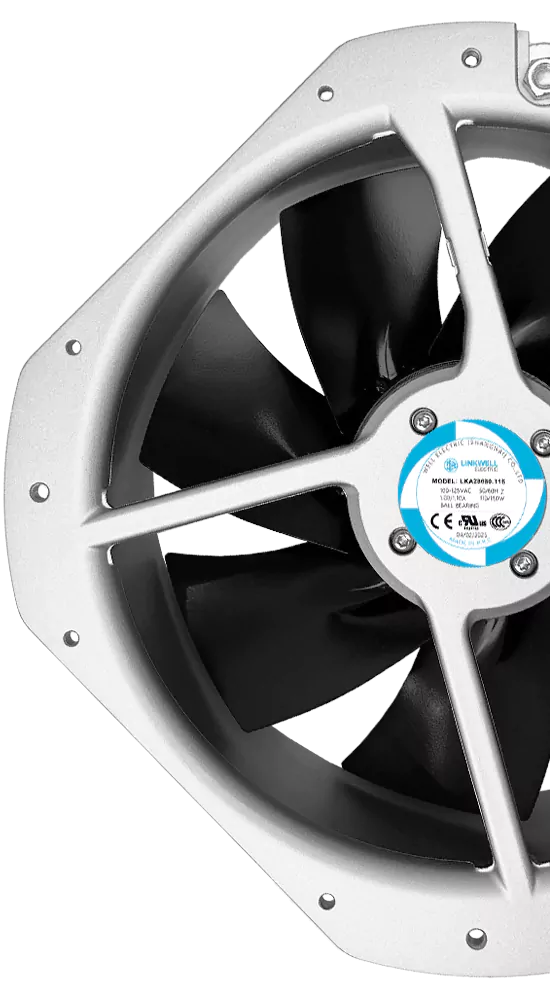
You might ask how a cooling fan is special. In an electrical enclosure, a cooling fan moves air through the cabinet. This helps keep the temperature lower. Most of the time, tube-axial fans are used for this. These fans look like propeller fans. They have a venturi tube around the blades. The venturi tube helps stop air from swirling too much. It also makes the fan work better. You can put these fans inside or outside the enclosure. They are usually at the top, but sometimes on the sides or back. If you have a lot of equipment in one cabinet, one exhaust fan may not be enough. Then, you can use a blower at the bottom to push cool air in. Hot air goes out through vents at the top. This keeps air moving and helps stop dust from getting in through cracks.
Forced Ventilation Explained
Forced ventilation means fans push air in and out of the enclosure. This is not the same as letting air move in by itself. With forced air cooling, you can control where the air goes. You can also control how much heat leaves the enclosure. There are a few main types of forced ventilation systems:
| Type | How It Works | When to Use | Pros | Limitations |
|---|---|---|---|---|
| Filtered Fan Ventilation | Pulls air in and pushes warm air out through a filter. | Moderate heat loads, indoor panels with power electronics. | Improves airflow, cost-effective, easy to add. | Filters need cleaning, depends on outside air temp. |
| Heat Exchangers | Moves heat without mixing inside and outside air. | Dusty or corrosive places, sealed enclosures. | Keeps enclosure sealed, no outside contamination. | Higher cost, less cooling than AC. |
| Enclosure Air Conditioners | Uses refrigeration to cool the inside air. | High heat, outdoor or hot climates, strict temperature needs. | Strong cooling, works in hot areas. | Uses more energy, costs more, needs more space. |
Most people pick filtered fan ventilation for everyday cooling. It is simple and does not cost a lot. You just need to check and clean the filters sometimes.
Benefits for Electrical Enclosures
Fans give your enclosure some big benefits:
- You lower the chance of overheating, so your equipment lasts longer.
- Fans help keep the temperature steady, so devices work better.
- The right fan setup can save money by stopping early equipment failure.
- You can avoid sudden shutdowns or repairs caused by heat.
- Fans also help control dust and lint, especially with filters.
Tip: Always pick the right fan size and type for your enclosure and the heat your equipment makes. This helps your cooling system work its best.
When you choose the right fans and set them up well, you protect your enclosure and everything inside. You also make sure your equipment works well, even when it gets hot.
When to Use Cooling Fans in Electrical Enclosures
Internal Heat Sources
Cooling fans are needed when parts inside make a lot of heat. Some parts get hot while they work. If you do not cool them, problems can happen. Watch for signs like:
- Parts inside look burned or black
- Circuit boards have burn marks
- Substrates have bubbles or peeling
- You smell something burning
Power supplies, transformers, contactors, relays, and lights make heat. Tight spaces with many parts get hotter faster. More parts in a small area means more heat. The enclosure can get hot quickly. Fans help move air and keep things cool.
Temperature Above Ambient
If the enclosure is hotter than the air around it, you may need fans. To check, measure the air temperature far from the enclosure. Take readings at different times, especially when equipment is working hard. Use the highest temperature you find.
In factories, keeping enclosures cool is very important. Too much heat can cause things to break or stop working. It can also be unsafe. To decide if fans are needed, you should:
- Write down how much heat each part makes
- Add up all the heat from inside parts
- Think about the hottest and coolest air near the enclosure
If the inside is much hotter than outside, fans can help. Fans cool things down and protect your equipment.
Poor Natural Ventilation
Sometimes, air does not move well inside the enclosure. This happens if it is sealed tight or in a place with little airflow. Bad ventilation keeps heat trapped inside. Hot spots can hurt parts.
Fans push air around and help cool things. They move hot air out and bring cool air in. This stops heat from building up in one spot. To keep things cool:
- Make sure air can move around all parts
- Design the enclosure for good airflow
- Put fans where air can move easily
Without fans, natural airflow may not be enough. This is true if there is lots of equipment or heat inside. Adding fans is easy and saves money. Fans help keep your enclosure safe.
Tip: Using cooling fans depends on how much heat your equipment makes and how well air moves inside. If you see signs of overheating or bad airflow, add fans.
Continuous Operation
You run your equipment all day. Maybe you never turn it off. This puts a lot of stress on your enclosure. When machines work nonstop, the internal heat load builds up fast. You need to keep the temperature steady. If you ignore this, your electrical enclosure can get too hot. Fans help you manage the cooling capacity. They push out warm air and bring in cooler air. You protect your equipment from overheating.
Think about how often your machines run. If you use them for long hours, you should add fans. You want your enclosure to stay cool. Fans keep the internal heat load from getting out of control. You avoid sudden breakdowns and costly repairs.
Note: Continuous operation means you need reliable cooling. Fans give you peace of mind. You know your equipment stays safe.
Hot Spots
Have you ever noticed some parts feel warmer than others? These are hot spots. They happen when the internal heat load is not spread out. Maybe you have a transformer in one corner. Maybe a power supply sits near the top. These parts make more heat than others. If you do not fix this, hot spots can damage your equipment.
Fans help you move air around the enclosure. You target the hot spots. You keep the temperature even. You protect sensitive parts from overheating. You can use more than one fan if needed. Place fans near the areas with the most internal heat load. This boosts your cooling capacity.
- Look for signs of hot spots:
- Discoloration on panels
- Burn marks on wires
- Odd smells near certain parts
Fans are your best tool for fighting hot spots. You keep your enclosure safe and your equipment running.
Cost-Effective Cooling
You want to save money. You do not want to spend too much on cooling. Fans are a smart choice. They give you good cooling capacity without a big price tag. When to use cooling fans electrical enclosure? You use them when you need to control internal heat load and keep costs low.
Fans use less energy than air conditioners. You install them easily. You do not need special tools. Fans help you manage the internal heat load and keep the enclosure cool. You avoid expensive downtime. You protect your investment.
Tip: Fans are the most cost-effective cooling solution for most electrical enclosure needs. You get reliable cooling and save money.
When to use cooling fans electrical enclosure? You use them for continuous operation, hot spots, and cost-effective cooling. Fans help you manage heat, protect your equipment, and keep your enclosure safe.
Table: Situations vs Cooling Fan Use
You may ask if your enclosure needs fans. Sometimes, it is hard to know. This table shows when fans are a good idea. It matches common problems with the best cooling choice. You can use it as a quick guide for your setup.
| Situation | Description | Should You Use Fans? | Why or Why Not? |
|---|---|---|---|
| High Internal Heat Load | Lots of devices or power supplies inside | Yes | Fans boost airflow and remove extra heat. |
| Temperature Inside Above Ambient | Inside air feels much warmer than outside | Yes | Fans help lower the temperature closer to ambient. |
| Poor Natural Ventilation | No vents or airflow, sealed or crowded enclosure | Yes | Fans keep air moving and stop heat from getting trapped. |
| Continuous Operation | Equipment runs all day or night | Yes | Fans maintain steady cooling and prevent overheating during long use. |
| Hot Spots | Some areas or components get much hotter than others | Yes | Fans target hot spots and spread cool air evenly. |
| Mild Heat, Good Natural Airflow | Only a few low-power parts, open vents, cool room | Maybe | Fans might not be needed if heat is low and air moves well on its own. |
| Outdoor or Dirty Environment | Lots of dust, moisture, or harsh weather | No (use sealed cooling) | Fans can pull in dirt or water; use sealed cooling or heat exchangers instead. |
| High Ambient Temperature | Room or area around enclosure is already hot | No (use AC or exchanger) | Fans can’t cool below outside temperature; use air conditioner or heat exchanger. |
Tip: If you notice hot surfaces or odd smells, check your cooling. Fans are often the best way to cool most indoor enclosures. They give good cooling and do not cost too much.
Use this table when you wonder about cooling fans. It helps you pick the right answer for your problem. Fans are great when you need more cooling but want to save money. They move air, protect your equipment, and help things work well.
When Cooling Fans Are Not Enough
High Ambient Temperature
You might think fans can fix every problem. But sometimes, the air outside is too hot. Fans only move air around. They cannot make the air cooler than what is already there. If your cabinet is outside or in a hot factory, fans will not cool it enough. You need something else to help.
Here are some times when fans do not work well:
- Outdoor enclosures get hot from the sun and high heat.
- Indoor cabinets are in rooms with bad air conditioning or near heat.
- High-density setups have many devices close together, making more heat.
If you need to cool below the air outside, try other ways. Look at this table for different cooling choices:
| Cooling Method | Description |
|---|---|
| Liquid Cooling | Uses a liquid to take heat away from parts. It works well for strong cooling needs. |
| Air Conditioning | Takes out heat and keeps the inside cool, even if it is hot outside. |
| Vapor Compression | Uses a special cycle with compressors to cool the enclosure. |
Tip: If your enclosure is in a hot spot, fans will not be enough. Try air conditioning or liquid cooling for better cooling.
Sealed or Harsh Environments
Sometimes, you must keep dust, water, or chemicals out of your enclosure. In these tough places, normal fans can break fast. The IP rating shows how well a fan blocks dust and water. Higher IP ratings, like IP55 or IP67, give better protection. These fans last longer and do not rust as easily.
Sometimes, you need more than a fan. Thermoelectric coolers work well in sealed boxes. They have no moving parts and can cool below the air outside. These coolers are good for places with lots of shaking or rough conditions.
NEMA ratings help you pick the right box for your area. NEMA 12 is for inside use. NEMA 3R and NEMA 4 are better for outside or wet places. If you pick the wrong cooling, your equipment might break early.
Note: Always check the IP and NEMA ratings before picking a fan. If your enclosure is in a tough place, use sealed cooling.
Excessive Heat Load
Sometimes, your enclosure has too much heat for fans. Maybe you have many power supplies or strong devices. Fans cannot keep up with all the heat. You need a stronger way to cool things.
Here are some choices for heavy cooling:
- Air-to-air heat exchangers move heat from inside to outside air. They work well if the air is clean.
- Air-to-water heat exchangers use water to cool the box. They handle lots of heat and work when the air is hot.
- Active cooling systems use machines to control the temperature. They are best for places with lots of heat and need to save energy.
- Filter fans and vents are good for light cooling and small budgets.
Tip: If your box stays hot even with fans, switch to a heat exchanger or active cooling. This keeps your equipment safe and working.
Dust, Moisture, or Corrosive Atmospheres
You might think a fan will solve all your cooling problems, but that’s not always true. If your electrical enclosure sits in a place with lots of dust, moisture, or chemicals, you need to be extra careful. Regular cooling fans can actually make things worse in these tough environments.
When you use a standard fan, it pulls air from outside into your enclosure. If the air has dust, water, or harsh chemicals, these things get inside too. Dust can build up on your circuit boards and cause short circuits. Moisture can lead to rust or even electrical shocks. Corrosive gases can eat away at metal parts and wires. Your equipment might fail much sooner than you expect.
Here are some signs your enclosure faces these risks:
- You see dust collecting on surfaces or inside the box.
- The area feels damp or you notice water droplets.
- You smell strong chemicals or see signs of rust.
Tip: If you spot any of these warning signs, stop and check your cooling setup. Fans may not be the best choice.
So, what should you do instead? You have a few better options:
- Sealed Heat Exchangers: These keep the inside air separate from the outside. Heat exchangers move heat out without letting dust or water in.
- Enclosure Air Conditioners: These cool the air inside the box and keep it sealed tight. They work well in places with lots of moisture or chemicals.
- Filtered Fans with High IP Ratings: If you must use a fan, pick one with a high IP rating (like IP54 or IP65). These fans have special seals and filters to block dust and water.
Here’s a quick table to help you choose:
| Environment Type | Best Cooling Option | Why It Works |
|---|---|---|
| Dusty | Sealed heat exchanger, IP fan | Stops dust from entering |
| Moist or Wet | Air conditioner, IP fan | Blocks water, prevents rust |
| Corrosive/Chemical | Sealed cooling, AC | Keeps chemicals out, protects parts |
Alert: Never use a regular fan in a harsh environment. You risk damaging your equipment and losing money on repairs.
If you want your enclosure to last, match your cooling method to your environment. Take time to check the area around your cabinet. Pick a solution that keeps out dust, water, and chemicals. Your equipment will thank you!
Calculating Heat Load and Airflow
When you want to keep your electrical enclosure cool, you need to know how much heat your equipment makes and how much airflow you need. Let’s break it down step by step.
Determining Heat Load (Watts)
First, you need to figure out the total heat load transfer inside your enclosure. This tells you how much heat your equipment gives off. You can use a simple method to get this number. Write down the power (in watts) for each device inside your enclosure. Add them all together. That’s your total heat load transfer.
You also need to know the surface area of your enclosure. This helps you see how well the enclosure can get rid of heat. Here’s a handy table to help you:
| Variable | Description | Formula |
|---|---|---|
| A | Enclosure surface area (sq. feet) | A = 2((H × L) + (H × W) + (L × W)) / 144 |
| P | Total heat load (watts) | Heat Density = P / A |
If you have a big enclosure, the heat load transfer spreads out more. If your enclosure is small, the heat load transfer builds up fast. Always check your numbers before you pick a fan.
Sizing the Fan: Airflow (CFM)
Now, let’s talk about airflow. You need enough airflow to move the heat out of your enclosure. The required airflow depends on your heat load transfer and the temperature difference you want to keep.
Here’s a simple formula you can use:
- CFM = (3.17 × Pwatts) / Delta T °F
Where:
- Pwatts is your total heat load transfer in watts.
- Delta T is the difference between the highest temperature you want inside and the hottest air outside.
Let’s say your equipment makes 200 watts of heat load transfer, and you want the inside to stay 20°F cooler than outside. Plug those numbers into the formula to get your required airflow.
You want to make sure your fan can handle the airflow you need. If you pick a fan that’s too small, you won’t get enough airflow. If you pick one that’s too big, you might waste energy.
Tip: Always check the airflow rating on the fan label. Make sure it matches your required airflow.
Using Sizing Software
You don’t have to do all the math by hand. Many companies offer free tools to help you. One popular tool is Rittal’s RiTherm. This software gives you smart recommendations for airflow and cooling. It checks your enclosure size, heat load transfer, and even the altitude of your location.
Here’s what makes RiTherm helpful:
- It works for single enclosures and big systems.
- It follows important safety standards.
- It shows you how to save energy and cut costs.
- It gives you tips for better heat load transfer and heat dissipation.
You just enter your numbers, and the tool does the rest. You get the right airflow for your setup. This makes your job easier and keeps your equipment safe.
Note: Using sizing software helps you avoid mistakes and pick the best fan for your enclosure.
Choosing the Largest Suitable Fan
You’ve calculated your heat load transfer and figured out the required airflow for your electrical enclosure. Now comes the fun part—picking the right fan. You might think any fan will do, but choosing the largest suitable fan makes a big difference. Let’s walk through how you can make the best choice.
First, look at the airflow rating on each fan. Manufacturers list airflow in cubic feet per minute (CFM). You want a fan that meets or slightly exceeds your required airflow. If you pick a fan that’s too small, your enclosure stays hot. If you pick a fan that’s way too big, you waste energy and might create noisy drafts.
Here’s a simple checklist to help you:
- Check your heat load transfer numbers.
- Find the required airflow for your enclosure.
- Compare fan models and their airflow ratings.
- Pick the largest fan that fits your enclosure and matches your airflow needs.
You don’t want to squeeze a huge fan into a tiny space. Make sure the fan fits well and leaves room for other parts. Sometimes, you can use two smaller fans instead of one big fan. This helps spread airflow and cool hot spots.
Tip: Always check the airflow path inside your enclosure. Place fans where they can move air across all components. Don’t block the airflow with wires or panels.
Let’s look at a quick table to compare fan choices:
| Fan Size | Airflow (CFM) | Fits Enclosure? | Good for Heat Load Transfer? | Noise Level |
|---|---|---|---|---|
| Small | 50 | Yes | Maybe | Low |
| Medium | 100 | Yes | Yes | Medium |
| Large | 200 | Maybe | Yes | High |
You want to balance airflow, fit, and noise. Medium fans often work best for most enclosures. They give enough airflow for your heat load transfer and don’t get too loud.
If your enclosure has tricky hot spots or high heat load transfer, you might need the largest fan that fits. Don’t forget to check the fan’s power rating and make sure it matches your enclosure’s voltage.
Note: If you’re not sure which fan to pick, ask your supplier for help. They can recommend fans with the right airflow for your setup.
Choosing the largest suitable fan keeps your equipment safe and cool. You avoid overheating and extend the life of your electrical enclosure. Remember, airflow is your best friend when fighting heat. Make sure you get enough airflow to handle your heat load transfer, and your enclosure will thank you.
Selecting an Enclosure Fan
Enclosure Size and Heat Load
When you pick a fan, look at your enclosure size. Check how much heat your equipment makes. Small enclosures with lots of electronics get hot fast. Big enclosures spread out the heat load transfer more. But you still need to check how much heat your devices make.
Add up the wattage for all your parts. Power supplies, relays, and PLCs can make a lot of heat. High-performance CPUs or power supplies might make 10–30 watts each. If you put many devices in one box, the heat load transfer can rise quickly.
To pick the right fan size, find out how much heat you need to remove (in watts). You also need to know the Delta T. This is the highest inside temperature minus the highest outside temperature.
CFM = (3.17 x Pwatts) / Delta T °F
The airflow rating (CFM) is very important. You need to know how much airflow keeps your enclosure cool. If you pick a fan with low airflow, your equipment can get too hot. If you pick a fan with more airflow, you have extra room for changes later.
- The airflow rating (CFM) shows if the fan is strong enough.
- You need to know the airflow needed for your heat load transfer.
- The total wattage of your parts decides the fan size.
- A bigger fan does not always mean more airflow. Always check the CFM.
- Picking a stronger fan gives you room for upgrades.
If your enclosure is packed tight, you may need a stronger cooling solution. Always check your numbers before you choose a fan.
Fan Voltage: AC, DC, EC
You can pick from different fan voltages. Each type has good and bad points. Here are the main choices:
| Fan Type | Voltage Type | Advantages | Disadvantages |
|---|---|---|---|
| AC | Alternating Current | High mechanical efficiency, stable torque, widely used in industrial applications | Higher electricity consumption, more noise |
| DC | Direct Current | Energy efficient, good low-speed performance, smaller size | Requires a controller, lower output power |
| EC | Electronic Commutation | High efficiency, precise control, low noise | Higher manufacturing cost |
AC fans work well in most factories. They are easy to find and give steady performance. DC fans use less energy and fit in small spaces. EC fans save the most energy and let you control speed and noise, but they cost more.
When you pick a fan voltage, think about your power supply. Also think about what matters most—saving energy, quiet noise, or low cost. If you want quiet and control, EC fans are a smart pick. If you want something simple, AC fans are a good choice.
Axial vs Centrifugal Fans
You also need to pick between axial and centrifugal fans. Each one moves airflow in a different way and fits different jobs.
| Feature | Axial Fan | Centrifugal Fan |
|---|---|---|
| Airflow direction | Parallel to shaft | 90 degree radial discharge |
| Typical static pressure range | Up to 500-1,000 Pa | 500 Pa to 25,000 Pa+ |
| Peak airflow volume | Very high (up to 830,000 m3/h) | High (up to 500,000 m3/h) |
| Efficiency in low-pressure systems | High | Lower (overspecified for the job) |
| Efficiency in high-pressure systems | Low (performance drops sharply) | High |
| Best for | Open ventilation, equipment cooling | Ducted systems, exhaust, dust collection |
| Noise profile | Higher broadband noise at speed | Can be quieter in many ducted installations |
| Initial cost | Lower | Higher |
| Maintenance complexity | Simpler (fewer components) | More involved (impeller, housing, bearings) |
Axial fans push airflow straight through the enclosure. They are best for open ventilation and cooling electronics. You get high airflow and easy setup. Centrifugal fans move airflow at a 90-degree angle. They work well in ducted systems or places with resistance, like dust collection.
- Axial fans are great for open ventilation and electronics.
- Centrifugal fans are better for ducted systems and tough airflow jobs.
If you want easy care and lower cost, pick axial fans. If your enclosure needs strong airflow against resistance, pick centrifugal fans. Think about your enclosure and cooling needs before you choose.
Tip: Always match the fan type to your enclosure and airflow path. The right fan keeps your equipment safe and cool.
IP Rating and Filters
When you look at fans for your enclosure, you need to check the IP rating. IP stands for “Ingress Protection.” This rating tells you how well the fan keeps out dust and water. If your enclosure sits in a clean office, you can use a fan with a lower IP rating. If your enclosure is in a factory or outside, you need a higher IP rating.
Here’s a quick guide:
| IP Rating | What It Protects Against | Where To Use It |
|---|---|---|
| IP20 | Basic protection, no water | Indoor, clean areas |
| IP44 | Dust and splashing water | Light industrial, indoor |
| IP54 | Dust and water spray | Factories, workshops |
| IP65 | Dust-tight, water jets | Outdoor, harsh places |
You also need to think about filters. Filters stop dust and dirt from getting inside your enclosure. If you use a fan without a filter, dust can build up on your electronics. This can cause problems and make your equipment fail sooner.
- Always check the IP rating before you buy a fan.
- Use filters if your enclosure is in a dusty or dirty place.
- Clean or replace filters often to keep airflow strong.
Tip: If you see dust inside your enclosure, check your filters right away. Clean filters help your fan work better and keep your equipment safe.
Noise and Installation
Noise matters when you pick a fan. Some fans make a loud hum or whir. If your enclosure sits in a quiet office, you want a fan that runs quietly. If your enclosure is in a noisy factory, you can use a louder fan.
You also need to think about how you install the fan. Some fans mount on the outside of the enclosure. Others fit inside. You need to make sure the fan fits in the space you have. Look at the mounting holes and brackets. Make sure you can reach the fan to clean or fix it.
Here are some things to check:
- Look at the noise rating (dB) on the fan label.
- Pick a fan that fits your enclosure and leaves room for wires.
- Make sure you can get to the fan for cleaning and repairs.
- Use rubber mounts if you want less vibration and noise.
Note: If you want a quiet workspace, pick a fan with a low noise rating. If you need easy maintenance, choose a fan you can reach without tools.
Air Inlet and Outlet Design
Air needs a clear path to move through your enclosure. You want cool air to come in and warm air to go out. If you block the airflow, your fan cannot cool your equipment.
You need to plan where you put the air inlets and outlets. Most people put the inlet near the bottom and the outlet near the top. This lets cool air flow in and hot air rise out. You can use vents, louvers, or grilles to help air move.
Here’s a simple checklist:
- Place the air inlet low on the enclosure.
- Put the air outlet high, near the top.
- Make sure nothing blocks the airflow inside.
- Use vents or grilles to help air move.
- Check for hot spots and add extra outlets if needed.
Tip: When selecting an enclosure fan, always plan the airflow path. Good air inlet and outlet design keeps your equipment cool and safe.
Table: Selection Factors Checklist
Picking the right enclosure fan can seem hard at first. But you can make it easy if you use a checklist. The table below helps you compare your choices and remember what matters most:
| Selection Factor | What to Check | Why It Matters | Quick Tip |
|---|---|---|---|
| Enclosure Size | Measure height, width, depth | Bigger boxes need more airflow | Use a tape measure for accuracy |
| Heat Load (Watts) | Add up all device wattages | More heat means you need a stronger fan | Write down each device’s power |
| Airflow (CFM) | Match fan CFM to your heat load | Right airflow keeps things cool | Use the CFM formula for best results |
| Voltage Type | AC, DC, or EC | Must match your power supply | Check your enclosure’s voltage first |
| Fan Type | Axial or centrifugal | Each type fits different airflow needs | Axial for open, centrifugal for ducts |
| IP Rating | Look for dust and water protection | Higher IP for harsh or outdoor spots | IP54+ for factories or outdoors |
| Filter Needed | Yes or No | Filters block dust and dirt | Always use filters in dusty places |
| Noise Level (dB) | Check manufacturer’s specs | Lower noise for quiet areas | Under 50 dB for offices |
| Installation Space | Check available mounting area | Fan must fit without blocking components | Measure twice before buying |
| Air Path Design | Plan inlet and outlet locations | Good airflow path prevents hot spots | Inlet low, outlet high works best |
| Maintenance Access | Easy to reach for cleaning | You need to clean or replace fans and filters | Leave space for your hands and tools |
Tip: Print this checklist and keep it with you when you look for fans. Check off each thing as you go. This helps you remember everything and get the best cooling for your enclosure.
You can also ask yourself some quick questions. Does your fan use the same voltage as your cabinet? Will the fan fit in the space you have? Do you need extra protection from dust or water? Can you reach the fan to clean it?
If you say “yes” to all these, you are doing great! Picking the right fan keeps your equipment safe, cool, and working well.
Cooling Fans vs Other Methods
Filter Fans
You might wonder if filter fans are different from regular cooling fans. They work in a similar way. Filter fans pull air into your enclosure and push warm air out. The big difference is the filter. This filter blocks dust and small particles from getting inside. If you have a non-sealed enclosure in a clean area, filter fans do a great job. They keep your electronics cool and help stop dirt from building up.
Filter fans cost less than other options. You can install them quickly. You do not need special tools. If you want a simple way to move air and keep out dust, filter fans are a smart pick. Just remember to clean or change the filter often. A dirty filter can block airflow and make your equipment hot.
Tip: Use filter fans for indoor enclosures where you want to save money and keep things simple.
Heat Exchangers
Sometimes, you need more protection for your equipment. Maybe your enclosure sits in a dusty factory or outside in the rain. Heat exchangers can help. They move heat from inside the box to the outside without mixing the air. This means dust, water, or chemicals stay out. Your electronics stay safe and dry.
Heat exchangers work well for sealed enclosures. You see them in places with NEMA 4, 4X, or 12 ratings. These ratings mean the box is built to keep out water and dust. Heat exchangers cost more than filter fans. They also use more energy. But they give you closed-loop cooling, which means the inside air never touches the outside air.
If you need to keep your equipment safe from harsh weather or dirty air, heat exchangers are a good choice. They protect your investment and keep things running.
Enclosure Air Conditioners
What if you need to keep your enclosure cooler than the air outside? Regular fans and heat exchangers cannot do that. You need an enclosure air conditioner. These units use a compressor and refrigerant, just like the AC in your house. They cool the air inside the box, even if it is very hot outside.
Enclosure air conditioners work best for outdoor cabinets or places with high heat. They cost more to buy and run. You also need to install them carefully. But they give you the most control over temperature. If your equipment must stay cool all the time, air conditioners are the top choice.
Here’s a quick look at how these methods compare:
- Cooling fans and filter fans: Low cost, easy to use, best for mild conditions.
- Heat exchangers: Good for sealed boxes, higher cost, protect against dust and water.
- Air conditioners: Highest cost, best for extreme heat, keep inside cooler than outside.
Note: Always match your cooling method to your environment and equipment needs. This keeps your enclosure safe and your electronics working longer.
Comparison Table
You might see many cooling choices for your electrical enclosure. It can feel confusing. This table helps you compare cooling fans, filter fans, heat exchangers, and enclosure air conditioners. You can use it to find what works best for you.
| Feature | Cooling Fans | Filter Fans | Heat Exchangers | Enclosure Air Conditioners |
|---|---|---|---|---|
| How It Works | Moves air through enclosure | Moves filtered air through enclosure | Transfers heat without mixing air | Cools air inside using refrigeration |
| Best For | Mild indoor heat, good air quality | Indoor, light dust | Sealed, dusty, or harsh areas | High heat, outdoor, strict temp control |
| Protection Level | Low | Medium (with filter) | High (sealed) | Very high (sealed) |
| Initial Cost | Low | Low | Medium to High | High |
| Energy Use | Low | Low | Medium | High |
| Maintenance | Easy | Clean/replace filter | Occasional cleaning | Regular service needed |
| Installation | Simple | Simple | Moderate | Complex |
| Cooling Power | Basic | Basic | Moderate | Strong |
| Keeps Out Dust/Water | No | Some | Yes | Yes |
| Noise Level | Low to Medium | Low to Medium | Low | Medium to High |
Tip: If you want something simple and cheap, try a cooling fan or filter fan first. If you need to block dust or water, pick heat exchangers or air conditioners.
How to Use This Table
- Check your environment: Is it clean, dusty, or wet?
- Think about your heat load: Do you have lots of hot equipment?
- Decide on your budget: Do you want a cheap fix or a long-lasting solution?
- Consider maintenance: Can you clean it yourself, or do you need help?
Cooling fans and filter fans are good for most indoor jobs. They cost less and are easy to install. If your enclosure is outside or in a factory, you may need a heat exchanger or air conditioner. These cost more but give better cooling and protection.
Note: Always pick a cooling method that fits your enclosure’s needs. The right choice keeps your equipment safe and working longer.
If you still feel confused, ask a cooling expert for advice. They can check your setup and help you choose the best option.
Common Mistakes to Avoid
Ignoring Airflow Path
You might think just adding fans will solve your problems, but airflow matters a lot. If you ignore the airflow path, you can end up with hot spots inside your enclosure. Air needs a clear way to move in, pass over your equipment, and then exit. When you block vents or place wires in front of the fan, you stop the air from reaching all the parts that need to stay cool. This mistake can lead to heat building up in certain areas, even if your fans are running.
Here’s a quick look at some common mistakes and how they affect your setup:
| Mistake | Description |
|---|---|
| Improper fan selection | Choosing a fan that does not meet the cooling requirements can lead to overheating. |
| Neglecting environmental conditions | Failing to consider factors like humidity and dust can affect fan performance. |
| Inadequate installation | Poor installation can result in airflow issues, reducing cooling efficiency. |
Tip: Always plan your airflow path before you install fans. Make sure nothing blocks the air from moving across all your equipment.
Wrong Fan Size
Picking the wrong size fan is another mistake you want to avoid. If your fan is too small, it won’t move enough air to keep things cool. If your fan is too big, it might use more power than you need and make too much noise. Both problems can lead to trouble. Too little airflow means heat stays trapped inside. Too much airflow can stir up dust or even stress your equipment.
You should always match the fan size to the amount of heat your equipment makes. Underestimating your cooling needs can cause sensitive parts to overheat. Overestimating can waste energy and money.
Here are some things that can go wrong:
- You pick a fan that’s too weak, and your enclosure gets hot.
- You choose a fan that’s too strong, and it creates noise or airflow problems.
- You forget to check the airflow rating (CFM) and just guess.
Note: Always calculate your heat load and check the fan’s airflow rating before you buy.
No Filter in Dusty Areas
If your enclosure sits in a dusty place, you need to use filters with your fans. Skipping the filter is a big mistake. Dust can get inside and settle on your electronics. Over time, this dust can cause short circuits, block airflow, and make your equipment fail early. Fans without filters pull in all the dirt from the outside.
Here’s what can happen if you don’t use filters:
- Dust builds up on circuit boards and wires.
- Airflow gets blocked, so heat can’t escape.
- Your equipment might stop working or need repairs.
Alert: Always add a filter to your fans if you see dust in your workspace. Clean or replace the filter often to keep your cooling system working well.
Let’s sum up the most common mistakes people make with fans in electrical enclosures:
- Underestimating cooling requirements can lead to overheating of sensitive components.
- Failing to account for specific environmental conditions can hinder fan performance.
- Neglecting proper installation can cause airflow issues, leading to inadequate cooling.
If you avoid these mistakes, your fans will keep your enclosure cool and your equipment safe.
Overlooking Ambient Temperature
You might think your enclosure is safe just because you have a fan running. But have you checked the temperature around your cabinet? Many people forget to look at the air outside the enclosure. This is a big mistake. If the room or area is already hot, your fan can only do so much. Fans move air, but they cannot make it cooler than the air outside.
Let’s say your enclosure sits in a factory near machines that give off heat. Or maybe it’s outside in the sun. In both cases, the air around your box gets hot. If you ignore this, your equipment can still overheat, even with a fan. You need to know the highest temperature your enclosure will face during the day.
Here are some signs you might be overlooking ambient temperature:
- The fan runs all the time, but the inside still feels warm.
- You notice equipment shutting down or acting strange in the afternoon.
- The outside of the enclosure feels hot to the touch.
Tip: Always measure the air temperature near your enclosure at different times of the day. Write down the highest reading. Use this number when you pick your fan or cooling system.
If you find that the ambient temperature is high, you may need more than just a fan. You might need a heat exchanger or even an air conditioner for your enclosure. Fans work best when the air outside is cooler than the inside. If not, you risk overheating your equipment.
Skipping IP Rating
Have you ever picked a fan just because it looked good or fit your budget? Many people skip checking the IP rating. This rating tells you how well the fan keeps out dust and water. If you ignore the IP rating, you could let dirt, water, or even bugs get inside your enclosure.
Here’s a quick table to help you understand IP ratings:
| IP Rating | What It Blocks | Where To Use It |
|---|---|---|
| IP20 | Fingers, some dust | Clean, indoor places |
| IP54 | Dust, water spray | Workshops, factories |
| IP65 | Dust-tight, water jets | Outdoors, harsh spots |
If your enclosure sits in a dusty shop or outside, you need a higher IP rating. A low rating works only in clean, dry rooms. Skipping this step can lead to broken fans, dirty electronics, or even short circuits.
Alert: Always check the IP rating before you buy a fan. Pick the right level for your environment. This small step can save you money and trouble later.
When you pay attention to both ambient temperature and IP rating, you protect your equipment and make your cooling system last longer.
Buyer Information for Fan Selection
Cabinet Size and Heat Source
You want your electrical enclosure to stay cool and safe. Start by looking at the size of your cabinet. Measure the height, width, and depth. Write these numbers down. A small enclosure can get hot quickly if you pack it with electronics. A large enclosure spreads out the heat, but you still need to check how much heat your devices make.
Think about what is inside your enclosure. Power supplies, relays, and transformers all make heat. If you have many devices, the heat adds up fast. You should list every device and check how much heat each one gives off. Add up the numbers. This total tells you how much cooling you need.
Tip: If you see burn marks or feel hot spots inside your enclosure, you may need a bigger fan or more airflow.
Voltage and Location
Next, check the voltage for your fan. Fans come in different types, like AC, DC, or EC. Look at your power supply. Make sure the fan matches the voltage you have. If you pick the wrong voltage, the fan will not work or could break.
Now, think about where you will put your enclosure. Is it inside a clean office or out in a dusty shop? Will it sit near machines that make a lot of heat? The location changes what kind of fan you need. If your enclosure is outside or in a wet place, you need a fan with a high IP rating. This keeps out dust and water.
Here’s a quick table to help you:
| Location | What to Check | Best Fan Type |
|---|---|---|
| Indoor, clean | Basic protection | Standard fan |
| Factory floor | Dust, heat, vibration | Filtered, high IP |
| Outdoor/wet | Rain, dust, temperature | Sealed, high IP |
Note: Always match your fan to both the voltage and the location for the best results.
Airflow and Protection Needs
You need the right airflow to keep your enclosure cool. Check the airflow rating on the fan. This is usually in CFM (cubic feet per minute). The more heat your devices make, the more airflow you need. If you are not sure, ask your supplier or use a sizing tool.
Protection matters too. If your enclosure sits in a dusty or wet place, pick a fan with a filter and a high IP rating. This keeps out dirt and water. Clean the filter often so your fan works well.
Here’s a checklist for you:
- Measure your enclosure size.
- List all heat sources inside.
- Check your power supply voltage.
- Think about where you will put the enclosure.
- Pick the right airflow and protection level.
If you follow these steps, you will pick a fan that keeps your equipment safe and cool.
Order Quantity
When you pick cooling fans for your electrical enclosures, you also need to think about how many to order. Order quantity might sound simple, but it can make a big difference in your project’s cost, delivery time, and even the quality of your setup.
You might ask, “How many fans should I buy?” The answer depends on your needs. Here are some things to think about:
- Number of Enclosures: Count how many cabinets or panels you need to cool. Each one usually needs at least one fan. Some bigger enclosures need two or more.
- Backup Fans: It’s smart to order a few extra fans. Fans can wear out or fail over time. If you have spares on hand, you can swap them quickly and avoid downtime.
- Project Size: For a big project, you might need dozens or even hundreds of fans. For a small job, you may only need a few.
- Future Expansion: Are you planning to add more enclosures later? If yes, order extra fans now. This saves you time and money later.
Tip: Always talk to your supplier about bulk discounts. Many companies offer lower prices if you order more fans at once.
Here’s a quick table to help you decide how many fans to order:
| Project Type | Number of Enclosures | Fans per Enclosure | Suggested Order Quantity |
|---|---|---|---|
| Small (Home/DIY) | 1–2 | 1–2 | 2–4 |
| Medium (Workshop) | 3–10 | 1–2 | 5–20 |
| Large (Factory) | 10+ | 2–4 | 25+ |
You should also think about lead time. Sometimes, fans take weeks to arrive, especially if you order special types or large quantities. If you order too few, you might have to wait for more to arrive. If you order too many, you might spend more money than you need.
- Ask your supplier about delivery times.
- Check if the fans you want are in stock.
- Plan ahead for big projects or urgent repairs.
Note: If you’re not sure how many fans to order, ask your supplier for advice. They can help you figure out the best quantity for your project.
Ordering the right number of fans keeps your project on track. You avoid delays, save money, and make sure your enclosures stay cool and safe. Always plan ahead and think about your future needs. That way, you’re ready for anything!
Conclusion
Choosing the right cooling fan for an electrical enclosure is not only about moving air. It is about protecting sensitive components, controlling heat, and keeping the whole system running safely and reliably. Before selecting a fan, always check the enclosure size, internal heat sources, ambient temperature, airflow path, installation position, and protection requirements.
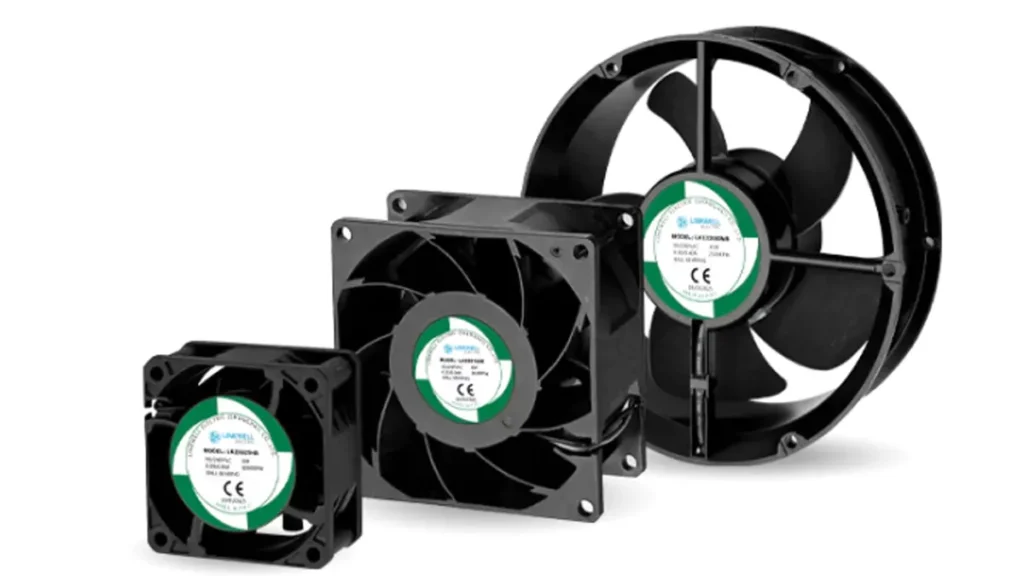
At LINKWELL, we manufacture AC fans, DC cooling fans, EC fans, axial fans, and centrifugal fans for electrical enclosures and industrial cooling applications. Share your enclosure size, voltage, working environment, heat source, and airflow needs with our team. We can help you choose a suitable cooling fan solution for your project.
FAQ
How do I know if my enclosure needs a cooling fan?
You should check for heat inside your enclosure. If it feels warm or you see hot spots, you probably need a fan. Fans help keep your equipment safe and cool.
Can I use any fan for my electrical enclosure?
No, you need a fan made for enclosures. These fans handle dust, moisture, and heat better. Always check the fan’s IP rating and airflow before you buy.
How often should I clean or replace fan filters?
You should check filters every month. Clean or replace them if you see dust or dirt. Clean filters help your fan work better and last longer.
What happens if I use the wrong fan size?
If your fan is too small, your equipment can overheat. If it’s too big, you might waste energy and make too much noise. Always match the fan size to your heat load.
Do I need a fan if my enclosure is outside?
You might need more than a fan. Outdoor enclosures face sun, rain, and dust. You should use sealed fans or air conditioners for the best protection.
Can I install more than one fan in an enclosure?
Yes! You can use two or more fans. This helps move air better and cools hot spots. Place fans at different spots for the best airflow.
What is an IP rating, and why does it matter?
IP rating shows how well a fan blocks dust and water. Higher numbers mean better protection. Pick a fan with the right IP rating for your environment.