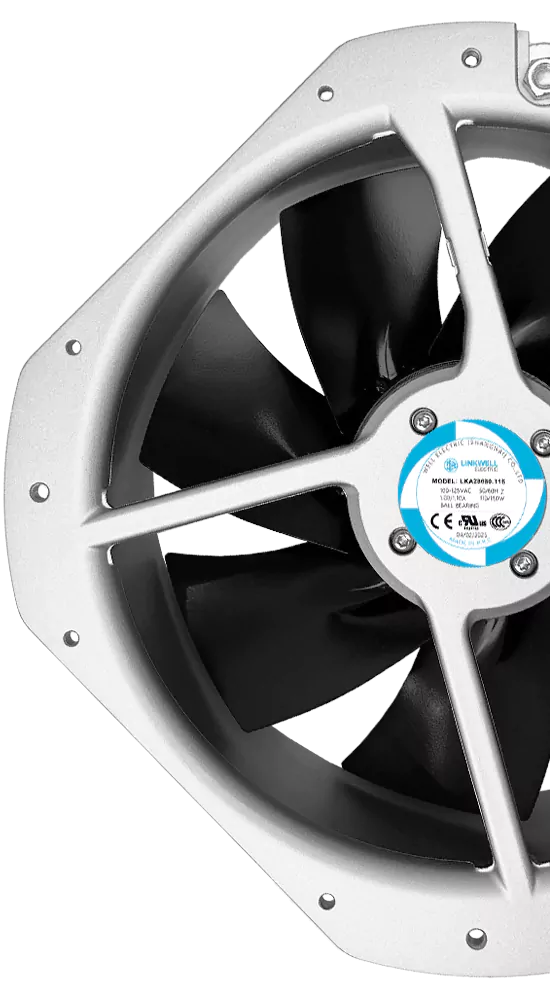
You may see that dc brushless fan price changes often. The price depends on many things like fan size and materials. It also depends on how the fan is made and the voltage it uses. Airflow, static pressure, and motor quality matter too. Protection level, customization, order amount, and brand are important. Where you use the fans also affects the price. A dc brushless fan has a dc motor that moves air. It helps keep machines cool. These cooling fan units stop machines from getting too hot in factories. So, what makes dc brushless fan price go up or down? You should look at how dc fans are made and what features they have. You also need to check how well they work. Think about energy use, how much care they need, and how often they might break.
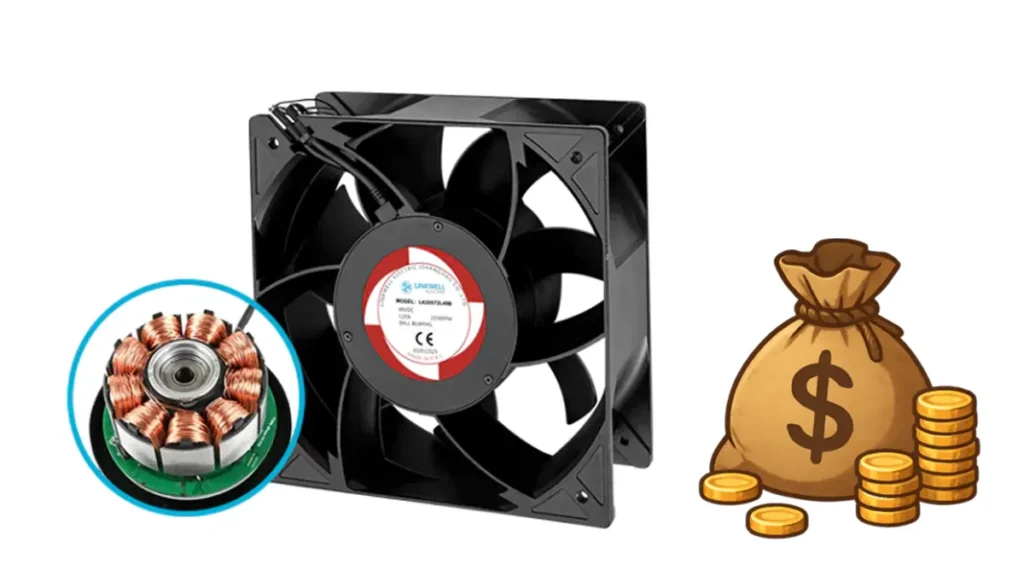
Tip: Picking the right dc cooling fans can help you spend less on repairs and energy costs.
Key Takeaways
- Fan size changes the price a lot. Bigger fans move more air but cost more money. Pick the right size for your needs to save money.
- The materials used to make the fan change how long it lasts and how much it costs. Plastic fans are cheaper. Aluminum and copper fans work better but cost more.
- Special ways of making fans can make them cost more. Fans with extra features or special coatings may cost more but last longer.
- Control options like PWM and RD help fans work better. These features save energy and make fans quieter, but they cost more.
- Protection features like IP ratings help fans last longer. Fans that keep out dust and water cost more but can save you money on repairs.
- Energy efficiency helps you save money over time. DC fans use less power than AC fans, so your electric bill is lower.
- Brand reputation is important. Famous brands may cost more, but they give better quality and support.
- Custom fans can fit special needs but usually cost more. If regular fans work for you, they can save you money and time.
DC Brushless Fan Price Factors
Fan Size
Dimensions And Airflow
When you look at dc fans, size matters a lot. Bigger fans move more air, but they also cost more. If you need a small fan for a tight space, you might pay less. Large dc fans can cool bigger machines or rooms. They push more air, which helps keep everything at the right temperature. You should always check the airflow rating. This number tells you how much air the fan can move in one minute. If you need strong airflow, you may need a larger or more powerful cooling fan. That means the price goes up. Small dc fans use less material and energy, so they usually cost less. When you pick the right size, you get the best value for your money.
Materials And Build
Housing And Blade Material
The materials used in dc fans change the price a lot. You will see fans made from plastic, aluminum, copper, steel, or even special composite materials. Each one has its own benefits and price point. Here’s a quick look at how different materials affect cost and performance:
| Material | Advantages | Cost Comparison |
|---|---|---|
| Plastic | Lightweight, cost-effective, corrosion-resistant | Relatively inexpensive |
| Aluminum | High thermal conductivity, lightweight, sturdy | More expensive than plastic |
| Copper | Excellent heat transfer, durable | Heavier and more expensive than aluminum and plastic |
| Steel | Strong, durable, cost-effective | Cheaper than aluminum and copper |
| Composite materials | Customized performance, enhanced durability | Generally more expensive |
If you want a lightweight and affordable fan, plastic works well. Aluminum gives you better heat control and lasts longer, but you pay more. Copper is great for heat but costs the most. Steel is strong and cheap, but it’s heavier. Composite materials are for special jobs and usually cost the most. When you choose the right material, you balance price, strength, and how long the fan will last.
Bearing Type
Bearings help the fan spin smoothly. You will find sleeve bearings, ball bearings, and sometimes fluid bearings in dc fans. Sleeve bearings are quiet and cheap, but they don’t last as long. Ball bearings last longer and work better in hot places, but they cost more. Fluid bearings are rare and usually found in high-end dc cooling fans. If you need a fan for a tough job, you might want to pay more for better bearings. Good bearings mean less noise and a longer life for your fan.
Production And Design
Manufacturing Techniques
How companies make dc fans also changes the price. Simple fans need less work and cost less. If a fan uses advanced technology, like special molding or automated assembly, the price goes up. Some fans need extra steps, like coating for rust protection or balancing for less vibration. These steps add to the cost. When you buy a fan with better manufacturing, you get more reliable performance.
Design Complexity
Some dc fans have simple shapes and basic features. Others use advanced fan technologies and smart designs. If you want a fan with special blades, extra safety features, or built-in sensors, you will pay more. Complex designs need more time and skill to make. They also use better technology. If you need a fan for a special job, you might need a custom design. Custom dc fans cost more, but they give you exactly what you need. Simple fans work for basic jobs and cost less.
Note: When you compare dc fans, always check the size, material, and design. These things change the price and how well the fan works for you.
Technology And Features
Control Options (PWM, FG, RD)
You have many choices when it comes to controlling dc fans. The most common options are PWM (Pulse Width Modulation), FG (Frequency Generator), and RD (Rotation Detection). These features help you get the best performance from your fans.
- PWM lets you adjust the speed of dc fans easily. You can slow them down or speed them up based on how much cooling you need. This control helps you save energy and lower noise. If you want quiet fans, you can reduce the speed by 25%. That makes a big difference in sound.
- FG gives you feedback about how fast the fan spins. You can use this information to check if your fans work right.
- RD tells you if the fan stops or slows down. This feature helps you spot problems before they get worse.
Fans with these control options cost more. They use advanced technology and need extra parts. If you want the best cooling and quiet operation, you should look for dc fans with PWM and other smart features.
Protection Features
You want your dc fans to last a long time. Protection features help with that. Some fans have coatings that keep out dust and water. Others have sensors that watch the temperature. If the fan gets too hot, it can slow down or stop to protect itself.
Many dc fans come with weather-resistant coatings. These coatings keep the fan safe in tough places. Some fans have special ratings, like IP54 or IP68. These ratings show how well the fan can handle dust and water. Fans with high protection levels cost more. They need better materials and more steps during production. If you use fans in dirty or wet places, you should pick models with strong protection.
Tip: Fans with advanced protection last longer and need less maintenance. You save money over time.
Performance Specs
Voltage Options
Dc fans come in different voltage options. You can find fans that run on 5V, 12V, 24V, or even higher. The voltage you pick depends on your equipment. Higher voltage fans can move more air and work in bigger machines. Lower voltage fans use less power and fit small devices. Fans with special voltage needs may cost more. They need custom parts and extra testing.
Speed And Noise
Speed and noise matter when you choose dc fans. Fast fans move more air but make more noise. If you want quiet fans, you can pick models with speed control functions. These let you slow down the fan when you do not need full power. Less speed means less noise. Some fans use intelligent motion control to keep noise low and performance high. If you need silent operation, look for fans with these features. They may cost more, but you get a better user experience.
Airflow And Static Pressure
Airflow shows how much air the fan moves. You measure it in CFM (Cubic Feet per Minute). More airflow means better cooling. Static pressure tells you how well the fan pushes air through tight spaces, like filters or vents. If you need fans for tough jobs, you want high static pressure. These fans use better parts and advanced fan technologies. They cost more, but they work better in hard conditions.
Here is a quick look at how specs affect price:
| Spec | What It Means | Price Impact |
|---|---|---|
| High Airflow (CFM) | Moves more air, cools better | Higher |
| High Static Pressure | Pushes air through obstacles | Higher |
| Low Noise | Quieter operation | Higher (with features) |
| Speed Control | Adjusts speed for needs | Higher |
Operating Environment
Temperature And Humidity
Where you use your dc fans changes what you need. Hot or humid places can wear out fans faster. If you use fans in these spots, you need models that handle heat and moisture. Some fans have sensors that adjust speed based on temperature. This is called intelligent motion control. It helps fans last longer and use less energy.
IP Rating
IP rating tells you how well a fan keeps out dust and water. You see ratings like IP54 or IP68 on dc fans. A higher number means better protection. Fans with high IP ratings cost more. They need special seals and coatings. If you use fans outdoors or in dirty places, you should pick a high IP rating. This keeps your machines safe and your fans running longer.
Note: Picking the right dc fans for your environment saves you money on repairs and downtime.
Brand And Model Impact
Brand Reputation
When you shop for dc fans, you will notice that some brands cost more than others. Well-known brands often charge higher prices. They have a strong reputation for quality and reliability. You might pay more for these fans, but you get peace of mind. These brands test their dc fans carefully. They use better materials and offer good support if you have problems. If you want fans that last longer and work better, you may want to choose a trusted brand. Sometimes, lesser-known brands offer lower prices. You need to check if their dc fans meet your needs before you buy.
Tip: A famous brand can give you better service and support for your dc fans.
Model Differences
Not all dc fans are the same, even from the same brand. You will see many models with different features. Some models use advanced brushless technology. These fans cost more at first because they need special tools and skilled workers to make them. However, you save money later because these dc fans use less energy and last longer. Other models might use basic designs and simple materials. These fans cost less, but they may not work as well or last as long.
You should look at the size, materials, and design of each model. For example, a small dc fan with a simple design will cost less than a large fan with smart features. If you need fans for tough jobs, you might want to pay more for a model with better performance. Always compare the models before you decide.
Certification And Compliance
When you buy dc fans, you may see labels like CE, UL, or CCC. These certifications show that the fans meet safety and quality rules in different countries. Getting these certifications costs money. The price of dc fans can go up because of this. Certified fans give you extra safety and can work in more places.
Here is a table that shows how certifications affect the price of dc fans in different regions:
| Region | Certification Required | Impact on Pricing |
|---|---|---|
| European Union | CE, RoHS | Ensures safety and energy efficiency, potentially increasing production costs reflected in prices. |
| United States | UL, FCC | Compliance ensures safety and electromagnetic compatibility, which can lead to higher production costs. |
| China | CCC | While not mandatory for all fans, obtaining this certification can enhance market recognition and pricing. |
If you need dc fans for use in Europe or the United States, you should check for these certifications. Certified fans may cost more, but they help you avoid problems with safety and rules.
Note: Certified dc fans can give you more value and help you meet local laws.
Long-Term Cost Considerations
Energy Efficiency
When you look at the long-term cost of dc fans, energy efficiency stands out. These fans use less power than old-style AC fans. You can save a lot of money on your electric bill over time. Here are some facts you should know:
- dc fans are 40-70% more energy efficient than traditional AC motor fans.
- Most dc fans pay for themselves in 3-5 years because of energy savings.
- The lifespan of dc fans is about 15-20 years, while AC fans last only 10-15 years.
- Even if you pay $100-300 at first, you save more later because of lower running costs and longer life.
If you want to cut down on your energy bills, pick dc fans with high efficiency. You will notice the savings add up year after year.
Tip: Choosing energy efficient dc fans means you spend less on power and get more years of use.
Maintenance And Reliability
You want your fans to run smoothly with little trouble. dc fans help you do that. They use special bearings that last longer. This means you do not have to fix or replace them as often. Here is what makes dc fans a smart choice for reliability:
- Longer-lasting bearings give dc fans a longer working life.
- These fans make less heat inside the motor, so they need less care.
- Many dc fans have a high Mean Time Between Failures (MTBF), often over 80,000 hours. This means you do not have to stop your machines for repairs very often.
- Some dc fans come with smart features. They can check for problems like high temperature or strange currents. This helps you spot issues before they turn into big problems.
If you want less downtime and fewer repairs, dc fans are a great pick. You can trust them to keep working when you need them most.
Failure Rates
No one wants to deal with broken fans. High failure rates mean more money spent on replacements and lost time. dc fans have a good track record here. They last longer and break down less often than many other types. When you use dc fans, you get:
- Fewer breakdowns, thanks to better parts and smart design.
- Less money spent on new fans and repairs.
- More time with your machines running and less time waiting for fixes.
If you want peace of mind, choose dc fans with a high MTBF rating. You will see fewer failures and enjoy steady performance for years.
Note: Picking the right dc fans helps you save money, avoid headaches, and keep your equipment running strong.
DC Fans: Standard Vs Custom
Standard Features
When you look at dc fans, you’ll see that most come with a set of standard features. These features make the fans easy to use and install. For example, many dc fans work with different motherboard brands. This means you don’t have to worry about special connectors or extra training for your team. You just plug them in, and they work.
Standard dc fans usually offer a good balance of airflow, noise level, and durability. You can find fans with different airflow ratings, so you get the cooling you need. Some fans are quieter, which is nice if you want less noise in your workspace. The type of bearing inside the fan matters too. Sleeve bearings cost less but don’t last as long. Ball bearings last longer and work better in tough places, but they cost more.
You might also see fans with different IP ratings. This rating tells you how well the fan can handle dust and water. A higher IP rating means the fan will last longer in dirty or wet spots, but it can also make the fan more expensive.
Here’s a quick table to show how these features affect price:
| Feature | Description | Impact on Price |
|---|---|---|
| Airflow | Moves more air for better cooling | Higher airflow costs more |
| Static Pressure | Pushes air through tight spaces | Higher pressure costs more |
| Noise Level | Quieter fans use advanced tech | Lower noise costs more |
| Bearing Type | Ball bearings last longer | Better bearings cost more |
| IP Rating | Protects against dust and water | Higher rating costs more |
Tip: Standard dc fans give you reliable performance and are ready to use right away.
Custom Requirements
Sometimes, you need dc fans that do more than the basics. Maybe your machines need special sizes, unique connectors, or extra-strong protection. Custom fans let you pick the exact features you want. You can ask for special blades, smart controls, or even fans that work in extreme heat or cold.
When you order custom dc fans, you get a product made just for your needs. This is great if you have a tricky job or want to stand out from your competition. You can also order fans in large batches with your company’s logo or special colors.
Custom orders take more time to make. Standard dc fans are ready in about 7 to 14 days. Custom fans can take 21 to 30 days because the factory needs to design and test them. If you order a lot of fans—like 1,000 or more—you can save money on each one.
- Custom fans fit your exact needs.
- You can choose special features or colors.
- Larger orders can lower the price per fan.
- Custom orders take longer to deliver.
Cost Impact
Choosing between standard and custom dc fans affects your budget. Standard fans usually cost less because they are made in big batches. You get them fast, and they work for most jobs. If you need something special, custom fans cost more. You pay for the extra design, testing, and special parts.
If you order a lot of custom fans, the price for each fan can drop by up to 30%. This helps if you need many fans for a big project. But if you only need a few, custom fans will cost more than standard ones.
Note: Think about what you really need. If standard dc fans do the job, you save money and get them quickly. If your project needs something unique, custom fans are worth the extra cost and wait.
Application Environments For DC Fans
Electrical Enclosures
DC fans are used in electrical enclosures. These boxes keep electronics safe from dust and heat. They also protect from moisture. DC fans help cool the equipment inside. They move air and keep the temperature down. When picking fans, look for energy efficiency. Quiet fans are good for workspaces. Speed control lets you change how much air moves. These features help you save money and keep things comfortable.
Here’s a table showing how features matter for electrical enclosures:
| Feature | Description | Cost Implication |
|---|---|---|
| Energy Efficiency | Uses less power than AC fans | Lowers your energy bill over time |
| Precise Speed Control | Lets you adjust airflow as needed | Reduces wear and maintenance costs |
| Lower Noise Levels | Runs quietly | Makes your environment more pleasant |
You may pay more for these fans at first. But you save money on energy and repairs later. Over five to eight years, you spend less because you need fewer spare parts.
Tip: Always check the total cost, not just the price, when choosing fans for electrical enclosures.
Telecom Equipment
Telecom equipment needs cooling to work well. If switches or routers get too hot, they can stop working. DC fans help keep these devices cool. You need to match the fan’s airflow to the equipment. Pressure matters too. Sometimes, engineers pick fans by looking at datasheets. This can cause problems if the fan does not fit the real enclosure.
When picking dc fans for telecom, think about these things:
- How much air your equipment needs to stay cool
- The resistance inside the enclosure, like filters or tight spaces
- The environment, such as dust or humidity
If you pick the right fans, your telecom gear lasts longer. You avoid outages and save money. Picking the wrong fans means more repairs and higher costs.
Power Supplies
Power supplies make a lot of heat. DC fans help keep them safe. You want fans that use less power and last longer. DC fans may cost more at first. But they save money because they use less electricity. AC fans seem cheaper, but they use more power.
Here’s a table to compare:
| Cost Factor | DC Fans | AC Fans |
|---|---|---|
| Initial Costs | Higher, but pays off in the long run | Lower upfront, but less efficient |
| Operational Costs | Lower, thanks to energy savings | Higher, due to more power use |
If you want to save money and keep power supplies cool, dc fans are smart. Always think about your cooling needs and where you use the fans. This helps you get the best value for your application.
HVAC And Automation
You can find dc fans in many HVAC and automation systems. These fans help move air in smart buildings, factories, and offices. When you choose fans for these jobs, you need to think about more than just airflow. The right features can make your system safer and smarter. They also help your system use less energy.
Modern HVAC systems use dc fans because they have advanced controls. These fans help save energy. Many buildings use automation to lower costs and keep people comfortable. You want fans that can change speed and connect to building networks. Quiet fans are also important. Here are some features to look for:
- Inrush current protection helps fans start safely. This feature slowly gives power to the fan. It stops sudden power surges.
- Auto start means the fan will restart if something blocks it. You get steady airflow without checking the fan all the time.
- DC voltage signal control lets you change fan speed with a signal. You can match airflow to what your building needs.
- Automatic temperature control keeps fans running only when needed. This saves energy and keeps things cool.
The market for smart buildings is growing fast. Many companies want to save money and keep tenants happy. Over two million buildings now use automation in their HVAC systems. This means more people want dc fans with smart features. You may pay more for these fans at first, but you save money later. You spend less on energy and repairs.
When you pick fans for HVAC and automation, think about the environment. Dust, heat, and humidity can change what you need. Fans with better protection and smart controls cost more. But they last longer and work better in tough places.
Here’s a quick table to help you match the right features to your job:
| Application | Recommended Fan Features | Price Impact |
|---|---|---|
| HVAC Systems | Speed control, auto start, temp sensors, network-ready | Higher at first, lower later |
| Factory Automation | Inrush protection, dust resistance, remote monitoring | Higher for smart features |
Tip: Smart dc fans help you save money and keep your building working well.
Medical And Machinery
Dc fans are important in medical equipment and machines. You need fans that are quiet, reliable, and safe for these jobs. Hospitals and labs want fans that do not make much noise. This helps keep things calm for patients and workers.
When you pick dc fans for medical and machinery use, think about these things:
- Customization matters. You may need fans made for special machines or strict rules.
- Energy efficiency is important. Fans that use less power help you save money and keep machines cool.
- Low noise is a must in medical gear. Quiet fans help patients feel better.
- Durability is key. Fans must handle shaking, heat, and long hours of work.
- Value-added services like custom engineering and testing can raise the price. But you get fans that fit your needs.
In medical and machinery jobs, you often need fans that pass tough tests. These fans may cost more because they use better parts and go through extra checks. You also get longer life and fewer breakdowns. If you need fans for a special job, custom options are worth the higher price.
Here’s a table to show what matters most for these jobs:
| Application | Key Fan Requirements | Price Impact |
|---|---|---|
| Medical Equipment | Low noise, high reliability, custom | Higher for quiet and custom fans |
| Industrial Machinery | Durability, energy efficiency | Higher for strong and efficient fans |
Note: Picking the right dc fans for your job means better performance and fewer problems later.
Price Factor Vs Cost Table
Factor Vs Cost
You might ask how each feature changes the price. Some things make DC brushless fans cost more. Other things help you save money over time. If you know what you need, you can make smart choices. You do not have to pay for things you will not use.
Here is a table that shows how different things affect cost:
| Price Factor | Impact on Cost | Why It Matters |
|---|---|---|
| Fan Size | ⬆️ Larger = Higher | Bigger fans use more material and move more air. |
| Materials | ⬆️ Premium = Higher | Aluminum, copper, and composites last longer but cost more. |
| Bearing Type | ⬆️ Ball/Fluid = Higher | Better bearings mean longer life and less noise. |
| Manufacturing Technique | ⬆️ Advanced = Higher | Special processes add reliability and durability. |
| Design Complexity | ⬆️ Custom = Higher | Unique shapes or features need extra work. |
| Control Options | ⬆️ Smart = Higher | PWM, FG, RD features give you more control. |
| Protection Features | ⬆️ Strong = Higher | IP ratings and coatings protect against dust and water. |
| Voltage | ⬆️ Special = Higher | Unusual voltage needs custom parts. |
| Airflow/Static Pressure | ⬆️ High = Higher | Powerful fans cool better but cost more. |
| Brand | ⬆️ Famous = Higher | Trusted brands offer quality and support. |
| Certification | ⬆️ Certified = Higher | Safety and compliance add value. |
| Order Quantity | ⬇️ Bulk = Lower | Buying more fans drops the price per unit. |
| Customization | ⬆️ Custom = Higher | Special requests raise the price. |
| Operating Environment | ⬆️ Tough = Higher | Fans for harsh places need extra features. |
Note: Pick fans with only the features you need. This way, you save money. Do not pay for extras unless you really need them.
Let’s look at some examples:
- A small fan with basic materials and no smart controls costs less.
- A fan for a hot, dusty factory costs more. It needs strong protection and better bearings.
- If you buy 500 fans at once, each fan costs less.
You can use this table to compare your choices. Ask yourself, “Do I need this feature?” If not, skip it and save money. If your job needs special features, it is worth paying more for safety and reliability.
Tip: Always check where and how you will use the fan. The right fan saves you money on energy and repairs.
If you want a price, list the features you must have. This helps suppliers give you the best deal. You get a fan that fits your job and your budget.
Cheapest DC Brushless Fan: Risks
Choosing the cheapest DC brushless fan might look like a smart way to save money. But you need to know what you’re really getting. Low prices can bring hidden risks. Let’s break down what you should watch out for.
Energy Use
You might think all DC brushless fans use the same amount of energy. That’s not true. Low-cost DC brushless fans usually use less energy than high-priced AC fans. They draw about 28 to 32 watts at full speed. Premium brushless DC fans, though, are built for top efficiency. These models can save you up to 65% or even 70% on energy. They use smart designs and better parts to cut down your power bill.
- Cheap DC fans: 28–32 watts at full speed
- Premium DC fans: Save 65–70% energy compared to AC fans
- High-priced AC fans: 75–100 watts at full speed
If you want the lowest electric bill, you should look for fans made for high efficiency. Cheap fans might use less energy than AC fans, but they can’t match the savings of premium DC models.
Tip: Spending a little more on a premium DC fan can pay off in lower energy bills every month.
Lifespan
You want your fan to last a long time. Cheap DC brushless fans often use basic materials and simple bearings. These parts wear out faster. You might need to replace your fan sooner than you think. Premium fans use better bearings and stronger materials. They can run for years without trouble.
A short lifespan means you spend more time and money replacing fans. You also risk your machines overheating if a fan fails. If you use your fans every day, a longer-lasting model is a better deal.
Note: A fan that lasts twice as long saves you money and keeps your equipment safe.
Maintenance
Maintenance is another thing to think about. Low-cost DC fans, especially brushed types, need regular care. You might have to change brushes every 500 to 1,000 hours. Each time you do this, you could spend $20 to $50. That adds up fast if you have many fans.
High-quality brushless DC fans don’t need this kind of maintenance. They use advanced motors that run smoothly for years. You save time and money because you don’t have to stop your machines for repairs.
- Cheap fans: Regular brush changes, higher maintenance costs
- Premium brushless fans: No brush changes, lower long-term costs
If you want less hassle and fewer repair bills, pick a fan that needs little maintenance.
Tip: Paying a bit more for a brushless DC fan means you spend less time fixing and more time working.
In the end, the cheapest DC brushless fan might cost you more over time. Think about energy use, how long the fan will last, and how much work it takes to keep it running. A smart choice now can save you money and stress later.
Buyer Information For Quotes
When you want a quote for DC brushless fans, you need to give suppliers the right information. This helps you get an accurate price and makes the process much faster. Let’s break down what you should prepare.
Required Specs
You should always start with the key specifications. These details tell the supplier what kind of fan you need. If you skip any, you might get the wrong product or a quote that doesn’t fit your needs. Here’s a handy table to help you remember the most important specs:
| Specification | Why It Matters |
|---|---|
| Voltage | Makes sure the fan works with your system’s power. |
| Airflow | Shows how much air the fan can move. |
| Static Pressure | Important if you have tight spaces or filters in your setup. |
| Bearing Type | Affects how long the fan lasts and how much noise it makes. |
| Noise Level | Key for quiet rooms or sensitive equipment. |
| Operating Life | Tells you how long the fan should run before you need a replacement. |
If you give these specs, you help the supplier match the right fan to your job. You also avoid delays and extra questions.
Tip: Write down your specs before you ask for a quote. This saves time and helps you get the best match.
Customization Needs
Sometimes, you need more than a standard fan. Maybe you want a special size, a unique connector, or a certain color. You might need extra protection for dust or water. If your project has special requirements, tell the supplier right away.
Here are some things you might want to customize:
- Fan size or shape
- Wire length or connector type
- Special coatings for harsh environments
- Custom labels or branding
Suppliers can make fans that fit your exact needs, but they need to know what you want. The more details you give, the better your quote will be.
Note: Custom features can change the price and delivery time. Be clear about what matters most to you.
Order Quantity
How many fans do you need? This question matters a lot. If you buy more fans at once, you usually get a better price for each one. Here’s a quick look at how the unit price drops as your order grows:
| Order Quantity | Unit Price (SG$) |
|---|---|
| 100 – 999 pieces | 6.12 |
| 1,000 – 4,999 pieces | 5.47 |
| 5,000 pieces or more | 5.21 |
If you plan a big project, try to order in bulk. You save money and make your budget go further. Even if you only need a few fans now, ask the supplier if you can get a discount for a larger order.
Tip: Always ask about price breaks for bigger orders. You might be surprised at how much you can save!
When you give clear specs, share your custom needs, and know your order size, you make the quoting process smooth and fast. You also get the best value for your project.
LINKWELL Industrial Cooling Solutions
Product Range
You want a cooling solution that fits your needs. LINKWELL gives you a wide range of DC brushless fans. You can find fans for many jobs, from small electronics to big machines. LINKWELL designs fans for different industries. You can use them in telecom, automation, HVAC, medical devices, and more.
Here’s what you get with LINKWELL’s product range:
- Multiple Sizes: You can pick from compact fans for tight spaces or large fans for heavy-duty cooling.
- Different Voltages: LINKWELL offers fans in 5V, 12V, 24V, and other options.
- Smart Features: You can choose fans with PWM speed control, FG signal output, or auto-restart.
- Protection Levels: LINKWELL has fans with IP54, IP68, and other ratings for dust and water resistance.
- Custom Solutions: Need something special? LINKWELL can make custom fans for your project.
You can see the variety in this table:
| Application | Recommended LINKWELL Fan Type | Key Feature |
|---|---|---|
| Telecom Equipment | High airflow, low noise | PWM, FG, IP54 |
| Automation | Durable, smart control | Ball bearing, auto-restart |
| Medical Devices | Ultra-quiet, reliable | Low noise, compact size |
| Power Supplies | High static pressure | IP68, long life |
Note: You can always ask LINKWELL for advice if you are not sure which fan fits your job.
Support And Quotation
You want help when you pick a fan. LINKWELL’s team gives you support from start to finish. You can ask questions about specs, features, or custom options. The support team listens to your needs and helps you choose the right fan.
Getting a quote is easy. You just need to share your requirements. Tell LINKWELL the voltage, airflow, size, and any special features you want. You can use email, phone, or the online form. The team replies fast and gives you a clear price.
Here’s how you can get started:
- Write down your specs and needs.
- Contact LINKWELL by email, phone, or website.
- Get expert advice and a quick quote.
- Review your options and place your order.
Tip: The more details you give, the better LINKWELL can match a fan to your project.
You get more than just a fan. You get a partner who helps you solve cooling problems. LINKWELL supports you before and after your purchase. You can count on them for technical help, fast answers, and reliable products.
Conclusion
You’ve seen what affects DC brushless fan prices—size, materials, features, and brand all matter. Don’t just look at the price tag. Think about energy savings and how long the fan will last. Here’s how you can make a smart choice:
- Compare specs and features side by side.
- Ask for quotes with your exact needs.
- Check for certifications and support.
Need help? Contact LINKWELL with your specs and job details. Their team will guide you to the best fan for your project!
FAQ
What makes DC brushless fans cost more than AC fans?
You pay more for DC brushless fans because they use better motors and smart controls. These fans last longer and save energy. Over time, you spend less on power and repairs.
How do I pick the right fan size for my project?
Check your cooling needs. Look at airflow and space. Bigger fans move more air. Small fans fit tight spots. Ask your supplier for help if you’re not sure.
Can I use DC brushless fans outdoors?
Yes, you can use them outside. Pick fans with high IP ratings like IP54 or IP68. These fans resist dust and water. They last longer in tough weather.
Do DC brushless fans need much maintenance?
No, you don’t need much maintenance. Brushless fans use strong bearings and motors. You rarely have to fix or replace parts. This saves you time and money.
What’s the best way to lower fan costs?
Order in bulk. Choose only the features you need. Standard fans cost less than custom ones. Ask for discounts if you buy many fans.
Are custom DC fans worth the extra price?
Custom fans fit your exact needs. You pay more, but you get better performance and longer life. If your job needs special features, custom fans are a smart choice.
How do I get a quote for DC brushless fans?
Write down your specs. Include voltage, airflow, size, and any special needs. Send this info to your supplier. You get a fast and accurate quote.
Why should I care about certifications like CE or UL?
Certifications show the fan meets safety rules. You avoid problems with local laws. Certified fans may cost more, but you get peace of mind and better quality.