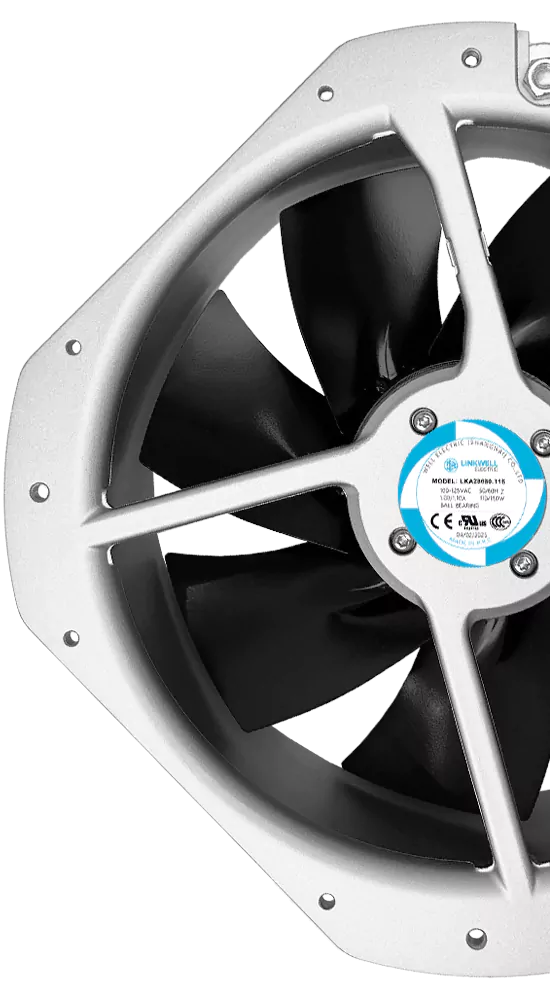
You want your ac axial fan wiring to be safe and last long. If you miss important steps, you could face real dangers. Look at some common risks in the table below:
| Risk Description | Consequence |
|---|---|
| Incorrect electrical connections | Equipment might break or not work right |
| Improper installation and securing of the fan | Someone could get hurt or parts could fall and break |
| Damaged lead wires from pulling or pinching | Equipment could stop working or someone could get shocked |
| Lack of safety measures like finger guards | Someone could get hurt or the fan could break |
| Use of non-genuine parts | The fan might not work well or could break |
You can avoid these problems by following clear steps and using the right tools. This guide will help you feel sure, even if you are new to wiring.
Key Takeaways
- Always turn off the power before you start wiring. This helps stop electric shocks.
- Check the fan’s voltage and current needs. Make sure they match the power supply. This keeps the fan safe to use.
- Ground your fan the right way. Use the green or yellow-green wire. This protects you from electrical problems.
- Use parallel wiring for more than one fan. This lets fans keep running if one stops. It also helps lower noise.
- Gather all tools and materials before you begin. This keeps your workspace neat and helps you work faster.
- Check all connections and make them tight. Loose wires can cause problems or fires.
- Keep your work area clean and safe. This lowers risks and helps you install things easily.
- Clean your fan often to stop dust from building up. Dust can block airflow and make the fan less efficient.
AC Axial Fan Wiring Basics
Power Circuit Matching
You want your fan to work well and be safe. First, check if your power supply fits what the fan needs. Each fan has a label that tells you the voltage and current. If you use the wrong power supply, your fan could break or even start a fire. Always look at the numbers twice before you start wiring.
Tip: If you do not know the voltage, use a multimeter to check your power supply before you hook up anything.
Grounding Importance
Grounding helps keep you safe. It lets electricity go away safely if there is a problem. Without grounding, you could get shocked or your equipment could break. Most AC axial fans have a green or yellow-green wire for grounding. Connect this wire to the ground terminal in your power supply box. Never skip grounding, even if you are in a rush.
Note: Good grounding also helps your fan last longer because it protects against power surges.
Parallel vs. Series Wiring
You may want to connect more than one fan. You can use parallel or series wiring. Each way has good and bad points. Look at the table below to see how they are different:
| Configuration | Safety | Efficiency |
|---|---|---|
| Series | More noise because of higher pressure and air speed; best for systems with lots of resistance | Works better for systems that need to beat high resistance |
| Parallel | Less noise; if one fan stops, the others keep working | Moves more air without much more pressure; good for systems with low resistance |
If you want your fans to keep running if one fails, use parallel wiring. This way is also quieter. Series wiring is good if you need to push air through something hard, but it can be loud.
Remember: For most home or workshop jobs, parallel wiring is safer and easier to use.
Now you know the basics of ac axial fan wiring. Always match your power supply, ground your fan, and choose the right wiring method for your setup.
Tools and Materials for Install Axial Fans
Before you start wiring, get all your tools ready. This makes your work easier and safer. You want to stop mistakes and keep your fan working well. Here is what you need.
Essential Tools
You need some basic tools to put in axial fans. Get your tools before you open the fan housing. This saves time and keeps you organized.
Screwdrivers
Screwdrivers help you open and close the fan housing. Pick the right size for each screw. A good grip helps you work faster and stops slips.
Wire Strippers
Wire strippers help you take off wire insulation. You need to remove the cover but not hurt the metal inside. This tool keeps your wire connections strong.
Multimeter
A multimeter checks voltage and current. Use it to test the power supply and your wiring. This tool helps you find problems before you close the fan.
Required Materials
You need good materials for a safe and strong install. Cheap parts can make your fan break or not work well.
Electrical Wire
Pick wires that match the fan’s voltage and current. Wires with thick insulation are best. This stops leaks and keeps you safe.
Wire Connectors
Wire connectors join wires together. They keep wires tight and stop them from coming loose. Use them after stripping wires and before closing the fan.
Mounting Hardware
Mounting hardware holds the fan in place. You need brackets and screws that fit your fan. Strong hardware keeps the fan from moving or falling.
Quality is important! Certified tools and materials help your fan work better and last longer.
Here is a table that shows why certifications matter:
| Certification Type | Importance |
|---|---|
| AMCA | Makes sure the fan works as it should |
| UL | Shows the fan is safe to use |
| ISO | Proves the fan is made with good quality |
When you put in axial fans, always check for these certifications. They show your tools and materials are safe and good quality.
You can stop problems by getting the right tools and using certified materials. Open the fan housing carefully, strip wires neatly, and close the fan when done. If you do these steps, your fan will work safely and last a long time.
Safety Precautions for AC Axial Fan Wiring
Power Off Steps
You always want to start with the right safety precautions. Before you touch any wiring, make sure the fan and the area around it are safe to access. You do not want to work near moving parts or exposed wires. The first step is to shut off the power supply to the fan. Find the local disconnect switch or use lock-out-tag-out (LOTO) at the breaker. This stops accidental start-ups while you inspect or work on the fan. If you skip this step, you could get shocked or damage the equipment.
Tip: Double-check that the power supply is off by using a multimeter. This gives you peace of mind before you begin ac axial fan wiring.
Personal Protective Equipment
You need to protect yourself when working with wiring. Wear insulated gloves to keep your hands safe from electric shock. Safety glasses help shield your eyes from dust or flying debris. Closed-toe shoes protect your feet if you drop tools or hardware. These safety measures are simple but important. You do not want to risk injury during proper installation.
Wearing the right gear makes you feel confident and keeps you safe. If you ever feel unsure, ask a trained technician for help.
Safe Work Area
Set up your workspace before you start wiring. Clear away any clutter or obstacles. Make sure you have good lighting so you can see all connections. Keep tools and materials organized. This helps you avoid mistakes and makes proper installation easier. If you try to service an AC unit yourself without the right setup, you could cause serious damage. Sometimes, mistakes lead to complete system replacement. If you feel uncomfortable working around electrical components, it is best to call a professional.
- Clean the area around the fan.
- Check for water or moisture near the power supply.
- Keep children and pets away from the workspace.
A safe work area helps you focus on wiring and follow all safety precautions. You reduce risks and make sure your ac axial fan wiring goes smoothly.
Double-Check Connections
You want your AC axial fan to run safely and smoothly. Before you finish the job, take a few minutes to double-check every connection. This step can save you from headaches later. Even if you feel sure, a second look can catch small mistakes.
Here’s what you should do before you close up the fan or turn the power back on:
- Disconnect the power again. You might have turned it off before, but check one more time. Safety comes first.
- Look at each wire. Make sure you do not see any exposed metal that could touch other parts or wires. Exposed conductors can cause shorts or shocks.
- Use heat-shrink tubing or cable ties to keep wires neat and secure. This stops wires from moving around or getting pinched when you close the fan housing.
- Check that all connectors are tight. Loose wires can cause the fan to stop working or even start a fire.
- Take anti-static steps if you handle sensitive parts. Static can damage the fan’s electronics.
- If you feel unsure about any step, ask an experienced technician for help. It’s better to ask than to guess.
Tip: Shine a flashlight on your work. Good lighting helps you spot problems you might miss in dim light.
You can use this quick checklist to help you remember:
| Step | Why It Matters |
|---|---|
| Power off | Stops shocks and accidents |
| No exposed wires | Prevents shorts and shocks |
| Secure with tubing/ties | Keeps wires safe and tidy |
| Tight connectors | Stops loose connections |
| Anti-static precautions | Protects electronics |
| Ask for help if unsure | Keeps you and your fan safe |
You do not want to rush this part. Take your time and check each connection. When you double-check, you help your fan last longer and keep everyone safe.
Step-by-Step: Connect an Inline Axial Fan
Prepare Fan and Area
You want to start your ac axial fan wiring with a clean and safe workspace. Follow these sequential steps to get ready:
- Check the spot where you plan to install the fan. Make sure there is enough space for airflow and easy maintenance.
- Plan the layout. Avoid sharp bends or tight spots in the ductwork near the fan. This helps the fan work better and last longer.
- Gather your tools. You need screwdrivers, wrenches, a torque wrench, a multimeter, and protective gear like gloves and goggles.
- Read the manufacturer’s instructions. Every fan is a little different, so check the guide for handling and wiring tips.
- Put on your protective gloves and goggles. You want to keep your hands and eyes safe from sharp edges or dust.
- Disconnect the power supply. Never start wiring with the power on. This step keeps you safe from electric shock.
If you prepare well, you make connecting the inline axial fan much easier and safer.
Mount Axial Fan
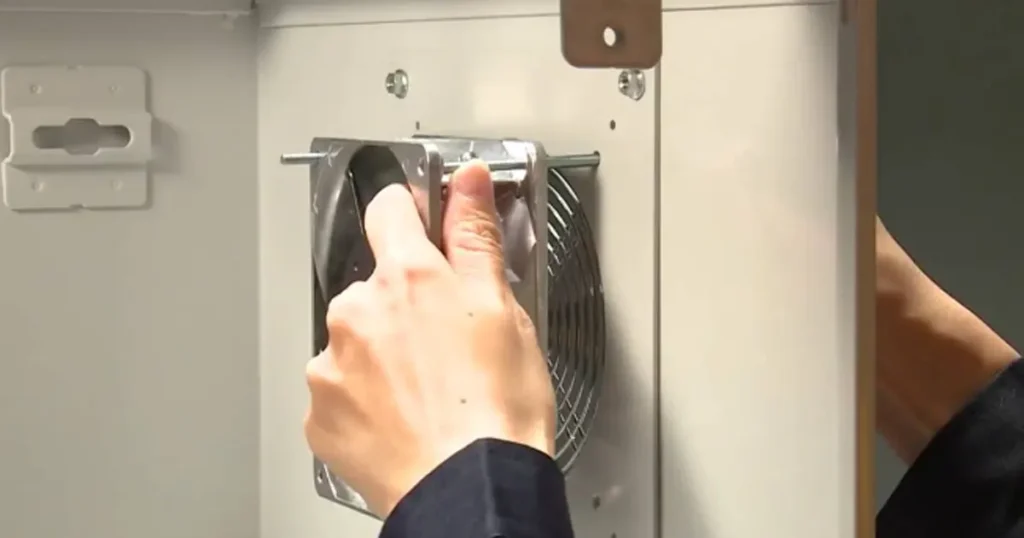
Now you can mount the fan. Pick up the fan and place it in the planned spot. Use the mounting hardware that came with your fan. Secure the fan with brackets and screws. Tighten everything with a torque wrench so the fan does not move or vibrate. Make sure the fan sits straight and lines up with the ductwork. If you see gaps, adjust the fan until it fits snugly.
Good mounting stops noise and keeps the fan from falling. You want the fan to stay in place for years.
Wire Main and Auxiliary Windings
You are ready to start wiring. This part is important for ac axial fan wiring. You need to identify the wires and connect the wires in the right order.
Color Coding (Blue, Black, Capacitor)
Look at the wires coming from your fan. Most fans use color coding to help you. Usually, blue is for the main winding, black is for the auxiliary winding, and you may see a wire for the capacitor. Check the manufacturer’s guide to confirm the colors. If you use the wrong wire, the fan may not work or could get damaged.
Here is a simple table to help you remember:
| Wire Color | Function |
|---|---|
| Blue | Main winding |
| Black | Auxiliary winding |
| White | Capacitor (if present) |
Always double-check the color coding before you connect the wires. If you are not sure, ask a technician.
Secure Connections
After you connect the wires, you need to secure them. Use wire connectors to keep the wires tight. Make sure there are no exposed metal parts. You can use heat-shrink tubing or cable ties to keep everything neat. If you see loose wires, fix them before you close the fan housing.
Secure connections help the fan run smoothly and prevent shorts or shocks.
When you finish wiring, you can test the fan. Use a multimeter to check your connections. If everything looks good, you are ready to move on and test the fan again after powering up.
Test Installation
Now that you have wired and mounted your axial fan, it’s time to test your work. This step helps you catch any mistakes before you finish up. You want your fan to run smoothly and safely, so don’t skip this part!
1. Double-Check Everything
Before you turn on the power, look over your work one more time. Ask yourself these questions:
- Did you connect all wires to the right terminals?
- Are all wire connectors tight and secure?
- Is the fan mounted firmly with no loose screws?
- Did you use the right color wires for each connection?
- Is the capacitor in the correct spot if your fan uses one?
Tip: Use a flashlight to check for any loose wires or exposed metal. Good lighting helps you spot small problems.
2. Use a Multimeter to Confirm Connections
A multimeter is your best friend here. You can use it to check for safe and correct wiring. Here’s how you do it:
- Set your multimeter to the continuity or resistance setting.
- Touch the probes to each end of a wire connection.
- Listen for a beep or look for a low resistance reading. This means the connection is good.
- Check the ground wire too. Make sure it connects to the ground terminal.
If you see a high resistance or no reading, you may have a loose or broken connection. Fix it before you move on.
3. Power On and Observe
When you feel sure about your wiring, you can turn the power back on. Stand clear of the fan blades and keep your hands away from moving parts. Watch and listen as the fan starts up.
- Does the fan spin smoothly?
- Do you hear any strange noises like rattling or buzzing?
- Is there any vibration or movement in the mounting?
- Does the airflow feel strong and steady?
If you notice anything odd, turn off the power right away. Check your wiring and mounting again.
4. Test Airflow and Safety Features
You want to make sure your fan does its job. Hold a piece of paper near the fan’s intake. The paper should move toward the fan if the airflow is correct. If your fan has a finger guard or safety grill, check that it stays in place and does not touch the blades.
Here’s a quick checklist to help you remember what to look for:
| Test Step | What to Check For |
|---|---|
| Wiring connections | Tight, correct, no exposed metal |
| Mounting | Firm, no wobble or vibration |
| Fan operation | Smooth, quiet, steady airflow |
| Safety features | Guards in place, no contact |
Note: If you feel unsure at any point, stop and ask a professional for help. Safety always comes first.
5. Final Touches
Once your fan passes all tests, you can close up the housing and clean up your workspace. Put away your tools and throw out any wire scraps. Your fan is now ready to keep your space cool and comfortable!
Great job! You just finished installing and testing your AC axial fan. Take pride in your safe and careful work.
Troubleshooting and Common Mistakes
Incorrect Connections
You might think wiring is easy, but mistakes happen fast. If you connect wires to the wrong terminals, your fan could stop working or even get damaged. Sometimes, you see sparks or hear strange noises. You want to avoid these problems, so always check the color codes and labels before you connect anything.
Here’s what you can do to catch wiring errors:
- Look at the fan’s manual. Find the wiring diagram and follow it step by step.
- Use a multimeter to test each connection before you turn on the power.
- Double-check that the ground wire goes to the right spot.
- Make sure wire connectors are tight and secure.
If you feel unsure, ask a technician for help. It’s better to pause than to risk a mistake.
Series Wiring Issues
You might want to connect more than one fan in a series. This setup can cause problems if you don’t do it right. In a series circuit, all fans share the same current. If one fan fails, the others stop working too. You also get more noise and higher air pressure, which can make your system less efficient.
Here’s a quick list of what can go wrong with series wiring:
- Fans run at different speeds if the load isn’t balanced.
- Increased noise makes your workspace uncomfortable.
- If one fan fails, the whole system shuts down.
- Harder to troubleshoot because you must check each fan.
For most jobs, parallel wiring works better. It keeps each fan running even if one fails and makes your system quieter.
Obstructed Airflow
You want your fan to move air smoothly. If something blocks the airflow, your fan can’t do its job. Obstructions like dust, debris, or tight duct bends cause big drops in performance. Sometimes, you notice weak airflow or hear the fan working harder than usual.
Let’s look at how blocked airflow affects your fan:
| Condition | Impact on Performance | Safety Risks |
|---|---|---|
| Obstructed Airflow | Causes drop in airflow delivery and efficiency | Increased fire risks and equipment failures |
| Operating Beyond Design Limits | Performance collapse and increased noise levels | Potential for equipment damage |
You want to keep your fan safe and efficient. Here are some signs and tips:
- Performance collapse happens if static pressure goes above 400–500 Pa. Your fan might slow down or stop.
- Sensitive inlet conditions mean even small obstructions can cause unpredictable drops in performance.
- If you operate your fan beyond its design limits, you waste energy and risk damaging the equipment.
Clean the area around your fan often. Check for dust, debris, or anything blocking the airflow. If you see weak airflow, inspect the ductwork and fan blades.
You can avoid most problems by checking connections, choosing the right wiring method, and keeping airflow clear. If you spot trouble, fix it early to keep your fan running strong.
DIY Installation Risks
Thinking about installing your AC axial fan by yourself? You might save money, but you could face some real risks if you skip important steps. Let’s talk about what can go wrong and how you can keep things safe and simple.
Many people jump into DIY projects without planning. You might feel excited to get started, but it’s easy to overlook key details. One big mistake is not thinking about airflow. If you don’t check the airflow needs for your space, your fan might not work well. You could end up with hot spots, weak cooling, or even higher energy bills. Fans need the right amount of space and clear paths to move air. If you guess or just “eyeball it,” you might waste money and time.
Another risk comes from ignoring the maintenance schedule. You might think, “I’ll clean it later,” but dust and dirt build up fast. If you skip regular checks, your fan can wear out early. You might hear strange noises or notice the fan slows down. Sometimes, a fan that doesn’t get cleaned can even break for good. Repairs cost more than a little cleaning now and then.
You also need to follow the manufacturer’s instructions. Every fan is a bit different. The manual tells you how to wire, mount, and test your fan. If you skip steps or use the wrong parts, you could damage the fan or even cause a fire. Some people try to use old wires or cheap connectors. This can lead to loose connections and safety hazards.
Here’s a quick list of common DIY mistakes:
- Skipping airflow calculations
- Forgetting regular maintenance
- Not reading the manual
- Using the wrong tools or parts
- Rushing through wiring steps
Tip: Always read the instructions before you start. Take your time and double-check each step. If you feel unsure, ask for help from a pro.
You want your fan to last and work well. Plan your project, keep up with cleaning, and follow the guide that comes with your fan. These simple steps help you avoid trouble and keep your space cool and safe. If you ever feel stuck, it’s smart to call a technician. Safety matters more than speed.
Final Safety Checks Before Powering On
Before you flip the switch and start your fan, you want to make sure everything is safe. These last checks help you avoid problems and keep your AC axial fan wiring in top shape. Take your time with these steps. A few extra minutes now can save you from headaches later.
Inspect Connections
Start by looking at every wire and connector. You want to check the connections for tightness and security. Loose wires can cause your fan to stop working or even create a fire risk. Make sure you see no exposed metal. If you spot any, cover it with heat-shrink tubing or electrical tape. Look at the color codes again. Each wire should go to the right terminal. If you used a wire connector, give it a gentle tug to see if it holds.
Tip: If you feel unsure, ask someone else to check the connections with you. Two sets of eyes are better than one.
Verify Mounting
Now, check that your fan sits firmly in place. You want to make sure the fan will not move or vibrate when it runs. Here’s a quick checklist to help you:
- Secure the fan to a stable base.
- Use vibration-dampening mounts or rubber grommets to keep noise and shaking low.
- Make sure the fan sits level. A tilted fan can strain the housing or blades.
- Tighten all mounting bolts evenly. This keeps the fan aligned and stops warping.
- Always use the right bolts, like M4 bolts, for mounting.
- Follow the recommended tightening torque. For example, use 0.44 N・m for R87[] and 0.78 N・m for R89F.
If you see any gaps or loose parts, fix them before you move on. You also want to check the fan blades for any obstructions or signs of damage. Clean away dust or debris that could block airflow.
Use Multimeter
You want to check the power supply before you turn anything on. Grab your multimeter and set it to the right setting for voltage or continuity. Touch the probes to the terminals where you connected the wires. You should see the correct voltage for your fan. If the numbers look wrong, stop and check your wiring again.
A multimeter also helps you find hidden problems. You can test for shorts or broken wires. If you hear a beep or see a low resistance, your connection is good. If not, fix the problem before you power up.
Using a multimeter gives you peace of mind. You know your fan is ready and safe to use.
When you finish these checks, you can feel confident about your work. You have checked the power supply, made sure the fan is mounted right, and tested every connection. Now, you are ready to enjoy a cool and safe space.
Conclusion
You want your AC axial fan to work safely and last for years. Here are some easy tips to help you:
- Turn off the power before you begin any work.
- Use tools with insulation and work where there is no static.
- Make sure the Line and Neutral wires match the fan’s voltage.
- Hold wires in place with cable ties and follow local safety rules.
Check all your connections again before turning on the power. If you need help or want good fans, our company makes AC axial fans. You can count on us for safe and dependable products.
FAQ
How do you know which wire goes where?
You can check the fan’s manual for a wiring diagram. Look at the color codes on the wires. If you feel unsure, use a multimeter to test each wire before connecting.
Can you wire an AC axial fan without grounding?
No, you should never skip grounding. Grounding keeps you safe from electric shocks. Always connect the green or yellow-green wire to the ground terminal.
What tools do you need for wiring?
You need screwdrivers, wire strippers, and a multimeter. You also want wire connectors and mounting hardware. Good tools help you work faster and safer.
Why does my fan make noise after wiring?
Loose mounting or incorrect wiring can cause noise. Check all screws and wire connections. Make sure nothing blocks the airflow. Tighten everything and test again.
Is parallel wiring better than series wiring?
Parallel wiring works best for most jobs. If one fan stops, the others keep running. You get quieter operation and more airflow. Series wiring can be noisy and stops if one fan fails.
What should you do if the fan doesn’t start?
First, check the power supply. Look at all wire connections. Use a multimeter to test for voltage. If you still have trouble, ask a technician for help.
How often should you clean your axial fan?
You want to clean your fan every few months. Dust and debris can block airflow and make the fan work harder. Regular cleaning helps your fan last longer.
Can you install an AC axial fan by yourself?
You can install the fan if you follow the instructions and use the right tools. If you feel unsure or see complex wiring, ask a professional for help. Safety comes first!