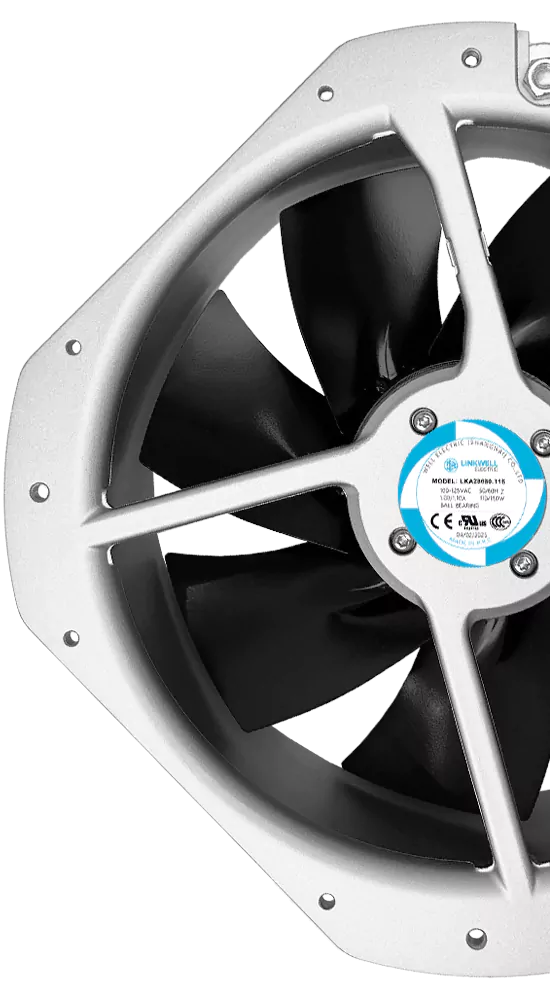
Wondering what size AC axial fan you need? Start by checking your installation space and airflow needs. If you work with electronics, you’ll often see 80mm or 120mm fans. Larger jobs, like industrial ventilation, might use sizes up to 280mm or more. Here’s a quick look at common ac axial fan sizes:
| Fan Size | Typical Airflow Rating (CFM) |
|---|---|
| 80mm | Varies based on model |
| 92mm | Varies based on model |
| 120mm | Varies based on model |
| 172mm | Varies based on model |
| 280mm | Varies based on model |
Always match the fan’s size to your available space and mounting type. This helps your system run smoothly and keeps things efficient.
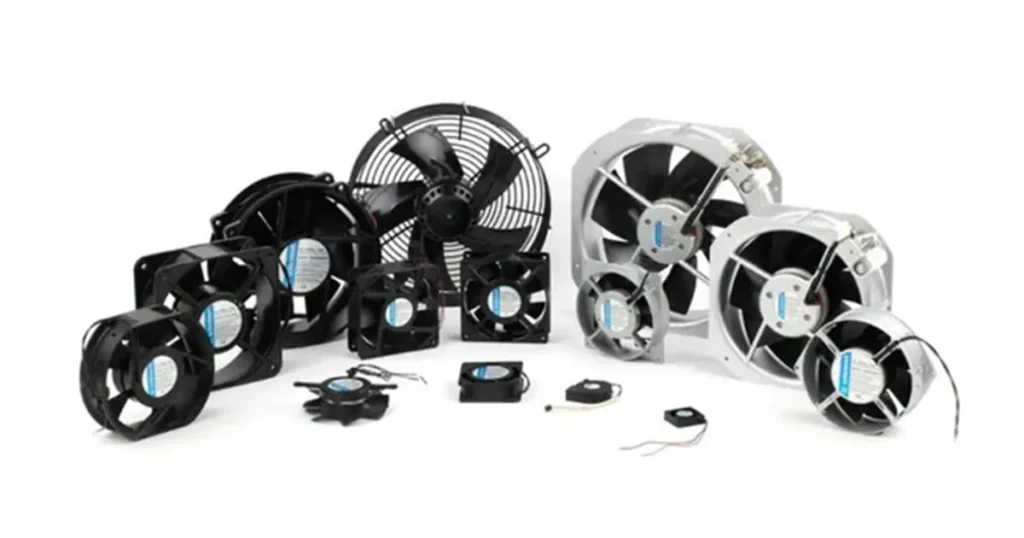
Key Takeaways
- First, measure your space to make sure the fan will fit.
- Think about how much airflow you need for your project.
- Pick the right fan size for what you are using it for. Some fans are for small electronics. Others are for big industrial systems.
- Look at the fan’s frame size, thickness, and where the mounting holes are. This helps you avoid problems when installing.
- Try to balance noise and power use. Quiet fans work well in offices. Bigger fans might be needed for factories.
- Always check the fan’s specifications for airflow and efficiency. This helps you get the best performance.
- Plan ahead for future needs. Choose a fan that can handle more if your setup grows.
- Ask experts or manufacturers for help if you are not sure which fan to pick.
AC Axial Fan Sizes Overview
When you start looking at ac axial fan sizes, you’ll notice there’s a wide range to choose from. Picking the right size can feel overwhelming, but it gets easier once you know what’s out there and what matters most for your setup.
Common Sizes
AC axial fan sizes come in three main groups. Each group fits different needs, from tiny electronics to massive industrial systems.
Small (40mm–92mm)
You’ll find small fans in computers, power supplies, and other compact electronics. These fans fit tight spaces and help keep sensitive parts cool.
- Typical uses: Laptops, routers, small enclosures
- Popular sizes: 40mm, 60mm, 80mm, 92mm
Medium (120mm–172mm)
Medium fans work well in larger electronics, control panels, and some HVAC units. They move more air than small fans but still fit in many cabinets.
- Typical uses: Desktop PCs, server racks, vending machines
- Popular sizes: 120mm, 150mm, 172mm
Large (200mm–1400mm)
Large ac axial fan sizes handle big jobs. You’ll see them in industrial ventilation, HVAC systems, and places where you need to move a lot of air.
- Typical uses: Industrial cooling, air handling units, large enclosures
- Popular sizes: 200mm, 250mm, 280mm, 400mm, up to 1400mm
Tip: Always check your available space before picking a fan. Bigger isn’t always better if it doesn’t fit!
Here’s a quick reference table of standard sizes you’ll see most often:
| Size Range | Standard Sizes | Typical Applications |
|---|---|---|
| 40mm–92mm | 40mm, 60mm, 80mm, 92mm | Electronics, small devices |
| 120mm–172mm | 120mm, 150mm, 172mm | PCs, panels, HVAC modules |
| 200mm–1400mm | 200mm, 250mm, 280mm, 400mm+ | Industrial, HVAC, ventilation |
Size Determination Factors
You might think ac axial fan sizes are just about the width or diameter, but there’s more to it. Three main factors decide the actual size you need.
Frame Size
The frame size is the outside measurement of the fan, usually in millimeters. For example, a 120mm fan has a frame that measures 120mm across. The frame shape can be square or round, and this affects how you mount the fan. Always measure your installation area to make sure the frame fits.
Thickness
Thickness is how deep the fan is from front to back. Thicker fans can move more air, but they need more space. For example, a 120mm x 38mm fan is thicker and usually more powerful than a 120mm x 25mm fan. If you have limited space, pay close attention to this number.
Mounting Holes
Mounting holes are where you screw the fan into place. Even if two fans have the same frame size, the mounting hole positions might be different. Always check the mounting configuration so you don’t end up with a fan that won’t fit your equipment.
- The frame size and thickness tell you if the fan will physically fit.
- The mounting holes make sure you can actually secure the fan in place.
- If you skip these checks, you might get a fan that doesn’t work for your project.
In many HVAC modules and industrial setups, the fit of the fan is just as important as how much air it moves. If the frame, thickness, or mounting holes don’t match your design, the fan won’t work—even if it has the right airflow.
When you look at ac axial fan sizes, remember to check all three factors. This way, you’ll avoid surprises and get a fan that fits and works perfectly for your needs.
Choosing Fan Size
Airflow Needs
You want your system to stay cool and work well. To do this, you need to think about airflow first. Airflow means how much air moves through your equipment. If you choose the wrong airflow, your devices can get too hot or not work as well.
Different jobs need different airflow levels. Here is a table to help you match the right ac axial fans to your needs:
| Fan Model | Application | Airflow Requirement |
|---|---|---|
| A7B | Industrial control panels, power supplies, heavy-duty enclosures | High-performance cooling |
| A2B | Rack-mounted electronics, telecom cabinets, small enclosures | Reliable cooling in tight spaces |
| A2S | Audio-visual setups, office electronics, temperature-controlled displays | Effective airflow with minimal noise |
If you use heavy-duty enclosures, you need strong cooling. For small electronics, you want good airflow but not too much noise. Always check the airflow rating when you pick ac axial fans. This helps you choose the right fan size for your project.
Tip: If you don’t know how much airflow you need, look at your equipment’s manual or ask the manufacturer.
Installation Space
You can’t use a fan that does not fit. Before you buy, measure the space where you want to put your fan. The size of ac axial fans depends a lot on your space. Bigger fans move more air and are often quieter. But if your cabinet or box is small, you need a smaller fan.
Think about how you will mount the fan, too. Some places have special brackets or holes for mounting. If you pick a fan that is too big, it will not fit. If you pick one that is too small, it might not move enough air.
You should always balance airflow and space. Sometimes, a medium-sized fan is best. It fits your space and keeps things cool.
Application Type
Not all ac axial fans work for every job. The type of job decides which fan size you need. Here is a table to help you match your use to the right fan:
| Application Category | Specific Use Cases | Typical Fan Type | Key Requirement |
|---|---|---|---|
| Electronics Cooling | Server racks, laptop/desktop CPU cooling, telecom base station cabinets, power supply units, LED lighting thermal management | Small DC axial (40–120mm) | Low noise, PWM speed control, long service life (50,000+ hours) |
| HVAC & Building Ventilation | Air handling units, duct boosting, bathroom/kitchen exhaust, parking garage ventilation, atrium air circulation | Tube-axial, vane-axial (200–1,000mm) | Moderate static pressure, fire/smoke rating where required, energy efficiency |
| Industrial Process | Spray booth exhaust, welding fume extraction, oven exhaust, cooling tunnel airflow, material drying lines | Tube-axial, vane-axial, large propeller (300mm–2m+) | High-temperature tolerance, corrosion resistance, spark-proof construction where applicable |
| Data Center Cooling | Hot aisle/cold aisle containment, CRAC unit airflow, server cabinet door fans | Vane-axial, EC axial (200–630mm) | High efficiency (EC motor preferred), redundant operation, low vibration |
| Agriculture & Horticulture | Greenhouse circulation, livestock barn ventilation, grain drying, poultry house cooling | Large propeller, tube-axial (24–60 inches) | High airflow at low pressure, corrosion resistance (humidity/ammonia), energy efficiency for continuous operation |
| Power & Energy | Transformer cooling, inverter/VFD cabinet ventilation, battery storage thermal management, solar inverter cooling | DC/EC axial, tube-axial (80–250mm) | High-temperature rating, IP55+ protection, wide voltage range |
| Transportation | Engine cooling fans, locomotive traction motor cooling, bus HVAC, marine engine room ventilation | Heavy-duty axial (custom sizes) | Shock/vibration resistance, wide temperature range, compliance with vehicle standards |
If you work with electronics, you will probably use smaller ac axial fans. For HVAC or industrial jobs, you need bigger fans. Always match the fan size to your job. This keeps your system safe and working well.
Note: When you pick ac axial fans, think about where and how you will use them. The right fan size helps your system work better and last longer.
Noise & Power
When you pick an AC axial fan, you need to think about noise and power. These two factors can make a big difference in how your system works and how comfortable your space feels.
Noise is what you hear when the fan runs. Some fans sound quiet, while others make a loud hum. If you work in an office or a quiet room, you want a fan that does not disturb you. In factories or big spaces, noise might not matter as much, but it can still affect comfort and safety.
Power is how much energy the fan uses. If you choose a fan that uses too much power, your electricity bill goes up. If you pick a fan that uses less power, you save money and help the environment.
Let’s look at how noise and power change with different fan sizes and conditions:
| Condition | Axial Fan Noise Level (dB(A)) | Blower Noise Level (dB(A)) | Axial Fan Power Consumption (Watts) | Blower Power Consumption (Watts) |
|---|---|---|---|---|
| Free Air Operation | 35-45 | N/A | 14 | 38 |
| High Pressure Operation | >65 | 55-62 | 40 | 22 |
- Free Air Operation means the fan moves air without much resistance. You hear less noise, usually between 35 and 45 decibels. The fan uses less power, around 14 watts. This works well for cooling electronics or small rooms.
- High Pressure Operation happens when the fan pushes air through filters or tight spaces. The noise jumps above 65 decibels. The fan uses more power, up to 40 watts. You see this in industrial setups or places with lots of airflow needs.
Tip: If you want a quiet fan, look for lower decibel ratings. If you need strong airflow, expect higher noise and power.
You should always check the noise level before you buy. Manufacturers list noise in decibels (dB). A fan with 35 dB is quiet. A fan with 65 dB is loud. If you use the fan in a bedroom or office, pick a quiet model.
Power matters, too. Smaller fans use less power. Bigger fans use more. If you run many fans, the power adds up fast. Always check the watt rating. You can find it on the fan’s label or in the manual.
Here’s what you can do:
- Make a list of places where you need quiet fans.
- Check the watt rating for each fan.
- Compare noise and power for different models.
If you balance noise and power, your system works better and costs less to run. You get the airflow you need without extra noise or high bills.
Note: Sometimes, you can use a bigger fan at a lower speed. This gives you good airflow with less noise and power. Try different options to find what works best for you.
Fan Size by Application
Electronics Cooling
Electronics need to stay cool so they last longer. Picking the right AC axial fan helps a lot. For electronics cooling, smaller fans are common. Sizes usually go from 40mm to 120mm. These fans fit inside computers and other small devices.
- Medium or high pressure gives good airflow.
- Most fans use shaded-pole or capacitor motors. These motors work well and cost less.
- IP20 is standard protection, but IP65 is safer.
Here are some usual fan sizes for electronics cooling:
- 40mm: Good for tiny spaces like routers or mini PCs.
- 60mm: Fits in power supplies and small boxes.
- 80mm and 92mm: Used in desktop computers and network gear.
- 120mm: Found in bigger cases or server racks.
Tip: Always check airflow and protection class before picking a fan.
HVAC Systems
HVAC systems need lots of air movement. The right fan size keeps rooms comfy and saves energy. Most HVAC setups use medium or large AC axial fans. Sizes start at 150mm and can go up to 630mm or more.
Choosing the right size fan is important. If the fan is too small, you get overheating and bad air. If it is too big, you waste energy and money. Match the airflow needs of your system. This keeps things running well and stops problems.
Axial fans in HVAC systems move lots of air efficiently. You see them in air handling units, duct boosters, and exhaust systems. When picking a fan, think about airflow and efficiency. The right size gives good performance without wasting power.
Industrial Ventilation
Industrial spaces need strong airflow. Large AC axial fans are common here, sometimes up to 1400mm. These fans handle big jobs like factory ventilation and warehouse cooling.
You need to think about fan power by size in these places. Bigger fans move more air but use more power. The right size gives strong airflow and saves energy. If the fan is too big, you waste power. If it is too small, you get bad ventilation.
Industrial fans often have special features. You might need corrosion resistance, spark-proof parts, or high-temperature tolerance. Always check the specs for your job.
Note: For industrial jobs, balance airflow, power, and special needs. This keeps your system safe and efficient.
High Flow Applications
Do you need to move a huge amount of air in your space? High flow applications call for big power. You see these needs in places like greenhouses, warehouses, gymnasiums, and factories. When you want to keep air fresh and temperatures steady, you need the right AC axial fan size.
High flow means you want to move a lot of air quickly. Small fans just can’t do the job. You need large AC axial fans, usually starting at 250mm and going all the way up to 1400mm. These fans push air across big rooms or through long ducts. They help control temperature, remove fumes, and keep people comfortable.
Here’s a quick table to show you common fan sizes for high flow jobs:
| Application | Typical Fan Size Range | Example Use Case |
|---|---|---|
| Greenhouses | 400mm–1000mm | Plant cooling, humidity control |
| Warehouses | 500mm–1400mm | Air circulation, dust removal |
| Gymnasiums | 400mm–800mm | Temperature balance |
| Factory Ventilation | 630mm–1400mm | Fume extraction, heat removal |
| Livestock Barns | 500mm–1200mm | Odor control, animal comfort |
You might wonder, “Why not just use a bunch of small fans?” Large fans move more air with less energy. They also make less noise for the same airflow. You get better results and save money on power bills.
When you pick a fan for high flow, check these things:
- Airflow rating (CFM): Look for fans with high cubic feet per minute (CFM) numbers. The higher the CFM, the more air the fan moves.
- Mounting options: Big fans need strong support. Make sure your wall, ceiling, or duct can hold the fan.
- Motor type: For long hours, pick fans with heavy-duty motors. These last longer and need less fixing.
- Weather protection: If you use fans outdoors or in wet places, choose models with high IP ratings.
Tip: Always measure your space before you buy. A fan that’s too big can waste energy. A fan that’s too small won’t move enough air.
You can also use variable speed controls. This lets you turn the fan up or down as needed. You save energy on cool days and get max airflow on hot days.
If you need help, ask an expert or check with the manufacturer. They can help you pick the perfect size for your high flow application. The right fan keeps your space safe, cool, and comfortable.
Step-by-Step Selection Guide
Assess Needs
Before you pick an AC axial fan, you need to know what your system really needs. Start by thinking about what you want the fan to do. Here’s a simple way to break it down:
- Figure out your application requirements. Ask yourself: What do I need to cool or ventilate? How much air do I need to move? This is usually measured in cubic feet per minute (CFM).
- Look at fan performance curves. These are called PQ curves. They show how much air a fan can move at different pressures. You want a fan that matches your system’s needs.
- Think about the fan type and design. Axial fans work best when you need to move a lot of air with low pressure. Make sure this fits your job.
- Plan for good installation. A fan works better if you install it the right way. Make sure nothing blocks the airflow.
- Keep up with maintenance. Clean your fan and check it often. This helps it last longer and work better.
Tip: Write down your answers to these steps. It makes the next choices much easier.
Calculate Airflow
Now, let’s figure out how much airflow you need. This step helps you pick a fan that keeps your equipment cool and safe.
- Understand airflow and heat. The more heat your system makes, the more air you need to move.
- Use this simple formula:
Airflow (CFM) = Power (Watts) / (Density × Specific Heat × Temperature Rise)- Power is how much heat your equipment makes.
- Density and specific heat are properties of air.
- Temperature rise is how much hotter you let your equipment get.
- Plug in your numbers. If you know your equipment’s power and the temperature rise you want, you can find the airflow you need.
- Check the pressure. If your fan has to push air through filters or tight spaces, you need to know the pressure. This helps you pick a fan that can handle it.
Note: If you’re not sure about the numbers, ask your equipment maker or a fan expert for help.
Measure Space
You don’t want to buy a fan that doesn’t fit. Take a few minutes to measure your space the right way:
- Frame size: Measure the width and height of the spot where the fan will go. If your fan is a special shape, check both directions.
- Thickness: Find out how deep the space is. Some fans are thick, so make sure you have enough room.
- Mounting holes: Measure the distance from the center of one mounting hole to the next. This helps you avoid mistakes when replacing an old fan.
- Airflow direction: Check which way you want the air to move. Make sure the fan will blow air the right way once installed.
Tip: Write down all your measurements before you shop. This saves time and helps you find the perfect fit.
Compare Options
Now that you know your needs, airflow, and space, it’s time to compare your AC axial fan options. This step helps you find the best match for your project. You want a fan that fits, works well, and lasts a long time.
Start by looking at the main things that make fans different. Here’s a handy table to help you see what matters most:
| Key Factor | What to Check |
|---|---|
| Mechanical Fit | Size, thickness, mounting hole distance, frame shape, airflow direction |
| Electrical Match | Voltage, current, wire length, connector type, polarity, signal functions |
| Performance Needs | Airflow (CFM), static pressure, RPM, noise level |
| Sample Testing | Try a sample fan in your setup before buying many |
| Application Needs | Special features for your job (like cooling, ventilation, or dust protection) |
Let’s break these down so you know what to look for:
- Mechanical Fit:
Measure your space again. Make sure the fan’s size, thickness, and mounting holes match your spot. Check the frame shape. Some fans are square, some are round. Also, look at which way the air will blow. You want the air to move in the right direction for your setup. - Electrical Match:
Check the voltage and current your system uses. Make sure the fan’s wires are long enough. Look at the connector type. Some fans use simple wires, others have special plugs. Double-check the polarity and any signal wires if you need speed control or alarms. - Performance Needs:
Compare the airflow (CFM), static pressure, and RPM. If you need a quiet fan, check the noise level in decibels (dB). Pick the fan that gives you the airflow you need without making too much noise. - Sample Testing:
If you can, get a sample fan and try it in your system. This test shows you how the fan works in real life. You can see if it fits, if it’s quiet enough, and if it moves enough air. - Application Needs:
Think about your job. Do you need a fan that can handle dust, water, or high heat? Some fans have special coatings or seals. Others are made for certain uses, like electronics cooling or HVAC.
Tip: Make a checklist with these factors. As you look at different fans, check off what matches your needs. This makes it easier to compare and pick the best one.
You don’t have to pick the first fan you see. Take your time and compare a few models. Ask for datasheets or help from the manufacturer if you get stuck. When you compare your options carefully, you get a fan that fits, works well, and lasts longer.
Remember, the right fan makes your system safer, quieter, and more reliable. Take this step seriously, and you’ll save time and money in the long run.
Mistakes & Misconceptions
Oversizing
You might think that picking a bigger AC axial fan is always better. It feels safe, right? Actually, oversizing your fan can cause more problems than you expect. When you use a fan that is too large for your system, you move away from the fan’s Best Efficiency Point (BEP). This means your fan does not work as well as it should. Here’s what can happen if you oversize:
- The fan runs at lower efficiency, sometimes dropping to 50-70% instead of the ideal 88%.
- You hear more noise and feel more vibration.
- The fan wastes energy, which can cost you 25-40% more over its working life.
- The chance of mechanical failure goes up.
If you want your system to last and save money, always match the fan size to your real needs. Bigger is not always better!
Undersizing
Choosing a fan that is too small can be just as risky. When your fan cannot move enough air, your equipment might overheat or break down. Sometimes, the problem is not just the fan size, but also how you install it. Take a look at this table to see what can go wrong:
| Installation Mistake | Aerodynamic Consequence | Mechanical Result |
|---|---|---|
| Blocked or tight intake clearance | Uneven air velocity profile, starvation | Vibration, reduced CFM, higher noise |
| Sharp duct elbows at discharge | Massive spike in static pressure | Aerodynamic stall, motor overheating |
| Oversized wire safety guards | Airflow restriction and surface drag | 10-15% drop in total efficiency |
If you do not give your fan enough space or use the wrong guards, you lose airflow and efficiency. Your fan works harder, gets louder, and might even overheat. Always check the setup, not just the fan size.
Ignoring Constraints
You need to think about more than just the numbers on a fan’s label. Sometimes, you pick a fan that looks perfect on paper, but it does not fit well in your space. If you mount a fan too close to walls or other parts, its airflow drops before it even starts. This can lead to poor cooling and higher risks for your equipment.
Even if the fan is the right size, blocked airflow from guards or nearby structures can cause overheating. You might wonder why your system still gets hot, even with a new fan. The answer often lies in how you install it. If you ignore airflow paths and space constraints, your fan cannot do its job. Always plan for proper integration in your system design. This way, you get the cooling you expect and avoid disappointing results.
Remember, a well-chosen fan only works if you install it the right way. Pay attention to space, airflow, and mounting for the best results.
Airflow Misunderstandings
You might think airflow is simple. You see a big number for CFM (cubic feet per minute) and believe more is always better. That’s not true. Many people get confused about what airflow really means for AC axial fans. Let’s clear up some common misunderstandings so you can make a smart choice.
1. CFM Isn’t Everything
You may look at the CFM rating and pick the fan with the highest number. This seems like a good idea, but it can backfire. CFM tells you how much air the fan moves with no resistance. In real life, your fan will face obstacles like filters, grills, or tight spaces. These things lower the actual airflow.
Tip: Always check the fan’s performance curve. This shows how airflow drops when you add resistance. Don’t just trust the CFM on the box.
2. Ignoring Static Pressure
Static pressure is the force the fan needs to push air through your system. If you have a lot of filters or long ducts, you need a fan that handles higher static pressure. Some fans move a lot of air in open space but struggle when you add resistance.
Here’s a quick table to help you match your setup:
| Situation | What You Need |
|---|---|
| Open space, no filters | High CFM, low pressure |
| Tight ducts, many filters | Lower CFM, high pressure |
If you ignore static pressure, your fan might not move enough air where you need it.
3. More Airflow Isn’t Always Better
You might think, “I’ll just get the biggest fan for max airflow.” This can cause problems. Too much airflow can make your equipment dusty, noisy, or even cool things too much. Some electronics need steady, gentle airflow.
4. Direction Matters
Fans can blow air in or out. If you install your fan the wrong way, you might pull hot air into your system instead of pushing it out. Always check the airflow direction before you mount the fan.
5. Airflow Isn’t Just About the Fan
Your whole setup affects airflow. Cables, boards, and other parts can block air. Even a great fan can’t fix a crowded or messy space.
Note: Plan your layout. Keep air paths clear. Test your system after you install the fan.
When you understand airflow, you pick the right fan for your job. You get better cooling, less noise, and longer life for your equipment. Don’t let these common misunderstandings trip you up!
Buyer Tips for AC Axial Fans
Check Specifications
You want your AC axial fan to work well and last a long time. Before you buy, always check the key specifications. These details help you pick a fan that fits your needs and space. Here’s a handy table to guide you:
| Specification | Description |
|---|---|
| Size | Make sure the fan size matches your room or equipment for good air movement. |
| Airflow (CFM) | Higher CFM means more air moves through, which keeps things cooler. |
| Noise Level | Look for quiet fans, especially if you use them in bedrooms or offices. |
| Energy Efficiency | Fans with high efficiency ratings save money on power bills and help the environment. |
| Speed Settings | Multiple speeds let you control how much air the fan moves. |
| Control Options | Remote controls or timers make fans easier to use. |
| Certifications | Check for safety marks like AMCA, UL, or ISO to make sure the fan meets industry standards. |
You can also use this quick checklist when you shop:
- Match the fan size to your space.
- Check the airflow rating (CFM) for cooling power.
- Pick a fan with low noise for quiet areas.
- Choose energy-efficient models to save money.
- Look for fans with different speed settings.
- Consider control options for extra convenience.
- Make sure the fan has safety certifications.
Tip: Always read the product label or datasheet. This helps you avoid surprises after installation.
Plan for Expansion
Think about the future before you buy your fan. Maybe your needs will change. You might add more equipment or expand your space. If you plan ahead, you can avoid buying a new fan later.
Ask yourself a few questions:
- Will you add more devices or machines soon?
- Do you plan to grow your workspace or production area?
- Could your cooling needs increase in the next year?
If you answer yes to any of these, pick a fan that can handle a bit more than you need right now. You don’t want to replace your fan every time your setup grows. A little planning saves time and money.
Note: It’s better to have a fan that can handle extra work than one that struggles to keep up.
Seek Expert Advice
Choosing the right AC axial fan can feel tricky. You don’t have to do it alone. Experts can help you find the perfect fit for your project. They know all about airflow, noise, and installation.
You can talk to:
- Fan manufacturers
- HVAC professionals
- Electrical engineers
Bring your measurements and a list of your needs. Ask questions about airflow, noise, and energy use. Experts can suggest the best models and even help with custom solutions.
Tip: Don’t guess. A quick chat with an expert can save you from costly mistakes and keep your system running smoothly.
Conclusion
Picking the right AC axial fan size helps your system work well. It keeps air moving and uses your space in the best way. Follow the step-by-step guide and look at the tables to compare choices. Always read the manufacturer’s specs for airflow, noise, and efficiency. If you are not sure what to pick, ask an expert for help. We can make custom fans for any project:
| Service Type | Description |
|---|---|
| OEM | Custom sizes and features for your needs |
| ODM | Advanced options like waterproofing and heat resistance |
| OBM | Full support from design to delivery |
Let us help you choose the best fan for your needs!
FAQ
What does “AC axial fan size” mean?
You measure the size by the fan’s frame width, usually in millimeters. For example, a 120mm fan is 120 millimeters wide. You also need to check the thickness and mounting hole positions.
How do I know what size fan I need?
Start by measuring your available space. Check your airflow needs in CFM. Match these numbers to the fan’s specs. If you’re not sure, ask your equipment maker or a fan expert.
Can I use a bigger fan for better cooling?
Not always! A bigger fan may not fit or could make more noise. You want a fan that matches your space and airflow needs. Bigger isn’t always better.
What happens if my fan is too small?
A small fan might not move enough air. Your equipment could overheat or shut down. Always pick a fan that meets your airflow needs.
Are AC axial fans noisy?
Noise depends on the fan size and speed. Small fans can be quiet. Large fans may get loud, especially at high speeds. Check the decibel (dB) rating before you buy.
How do I install an AC axial fan?
You use screws or brackets to mount the fan. Make sure the airflow direction is correct. Always follow the instructions in your equipment manual.
Can I use one fan for different applications?
Sometimes you can, but not always. Each job has its own airflow and space needs. Check the fan’s specs and your system’s requirements before you swap fans.