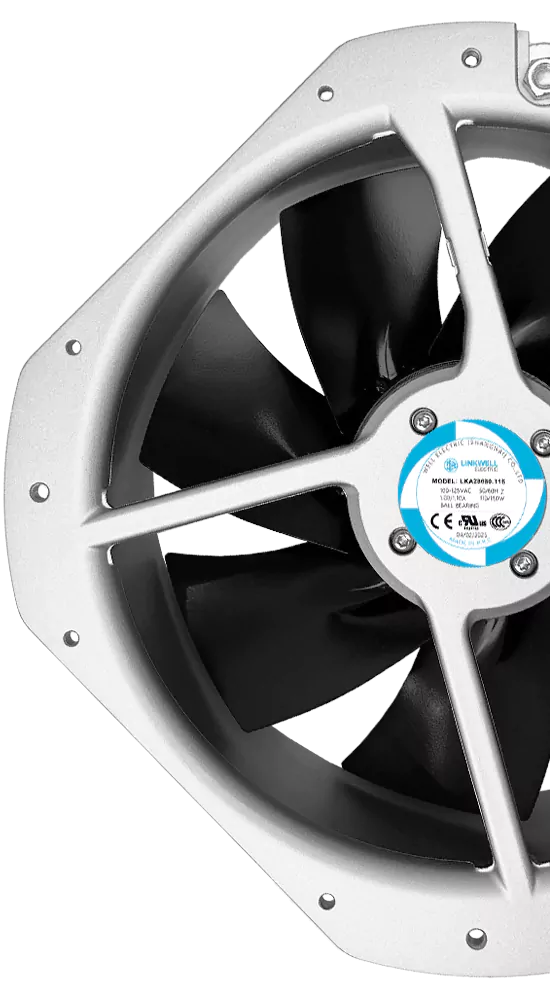
Cabinet fan price can be different at each supplier. Technical details and business reasons both matter. If you buy many fans, knowing what changes the price helps you choose better. Look at energy efficiency and delivery fees, not just the first price. Want a good deal? Look for sales and compare brands.
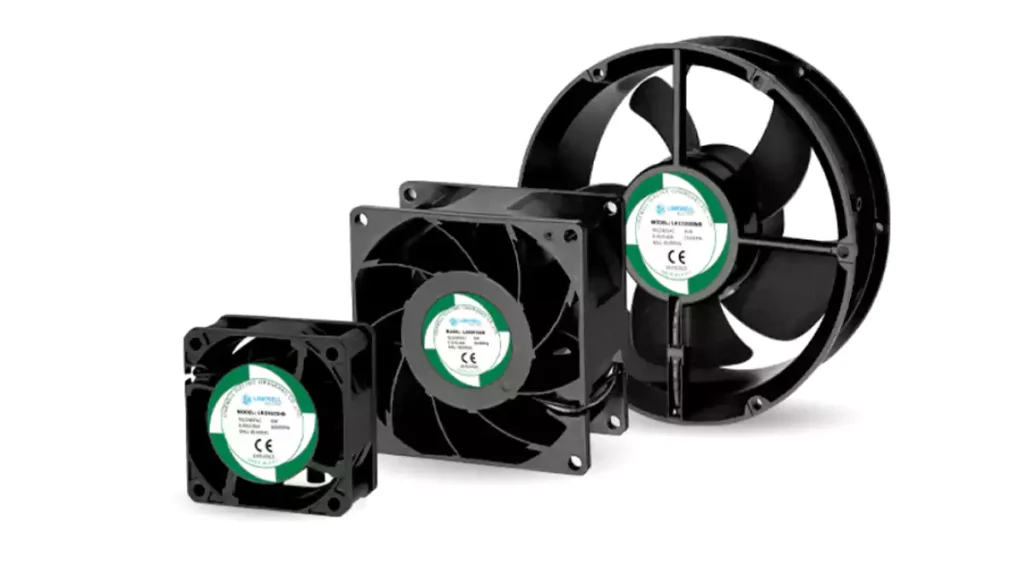
Tip: Always look for extra costs before you order.
Key Takeaways
- Cabinet fan prices change depending on the supplier. Always check prices and search for deals to save money.
- Important things that change fan prices are size, airflow, noise, and voltage. Pick what fits your needs best.
- Buying many fans at once can help you spend less. Suppliers usually give discounts for big orders.
- Think about where you will use the fan. Tough places may need stronger fans.
- Always look at the full cost, like energy and upkeep, not just the first price.
- Find fans with the right IP rating to keep out dust and water, depending on where your cabinet is.
- Ask suppliers for clear price quotes. Tell them what you need so you do not get extra costs.
- Pick the best fan type (AC, DC, or EC) for your energy use and budget to save money over time.
What Is an Electrical Cabinet Cooling Fan?
Definition and Use
You might ask what an electrical cabinet cooling fan does. It is a device that helps keep the temperature safe inside cabinets. These cabinets hold electrical parts or telecom equipment. The fan is part of a cooling system. It protects sensitive electronics and helps them work well, even in hard places.
A cooling fan uses forced convection to move air. It pulls air from outside and pushes it through the cabinet. This air takes heat away and lets it escape through vents. The process helps hot air rise and leave the cabinet. This keeps your equipment cool. You can think of the fan as a helper that moves air so electronics do not get too hot.
Note: Cooling fans are very important for cabinets with electronics. They keep the temperature steady and stop heat from causing damage.
Applications in Industry
Cooling fans are used in many places. You can find them in factories, data centers, and telecom rooms. These fans help machines and systems work without problems. Here are some ways they help:
- Cooling fans push out hot air and bring in cooler air. This keeps electrical parts at a safe temperature.
- They stop parts like capacitors and resistors from wearing out too soon.
- Fans lower the chance of fire by controlling heat inside cabinets.
- Good cooling makes electrical parts last longer. This is very important in factories.
- Fans help systems work better. When things stay cool, everything runs smoother.
If you work with lots of machines, you know cooling is important. Cooling fans help your equipment last longer and stay safe.
Importance for Enclosures
Cooling fans are needed for electrical enclosures. Without fans, equipment can get too hot and break. Overheating is a big reason why machines stop working. Cooling fans keep the temperature below 35 °C (95 °F). This helps sensitive parts last longer.
Fans also keep out dust and moisture. This is important if you use sealed cabinets. High-efficiency fans use less energy, so you save money on power. Many fans can run for up to 70,000 hours. This means they work well and need less fixing.
- Cooling fans stop overheating and cut down on downtime.
- They help keep the best temperature and make parts last longer.
- Fans help sealed cabinets keep out dust and moisture.
- Efficient fans use less energy and lower costs.
Tip: If you want your electrical systems to work well, always pick the right cooling fan for your enclosure.
Why Cabinet Fan Price Varies
Project and Custom Needs
You might notice that not every cooling fan costs the same. One big reason is custom project needs. When you ask for a fan that fits your special cabinet or has a unique design, the price can change. Some projects need fans made from certain materials or built to handle tough jobs. If you want a fan with a special size, shape, or color, the factory has to adjust their process. This takes extra time and resources.
- Custom materials can cost more than standard ones.
- Special design features, like extra-quiet blades or heavy-duty frames, add to the price.
- Fans built for a certain application, like outdoor cabinets or high-heat areas, may need extra protection.
When you order a fan that matches your exact needs, you get better performance. You also pay a bit more for that fit.
Application Demands
The job your fan needs to do also affects the price. Some fans work in clean, cool rooms. Others must run in hot, dusty, or wet places. If your cabinet sits in a factory or outside, you need a fan that can handle tough conditions. These fans often use stronger bearings or better seals.
- Fans with high airflow or pressure cost more because they use better parts.
- If you need a fan that runs quietly, you might pay extra for special blades or motors.
- Some fans come with long-life bearings or extra safety features.
Manufacturers also use different ways to make fans. Some balance the fan blades to cut down on vibration. This makes the fan last longer and run smoother, but it adds to the cost. The type of bearing inside the fan matters too. Some brands use top-quality bearings, which can raise the price.
You also pay for the service you get. If a company offers strong support or a long warranty, the price may be higher. Good service can save you trouble later.
Market and Supply Chain
The market and supply chain play a big part in cabinet fan price. Sometimes, the parts needed to build fans are hard to find. If a factory has trouble getting special materials, prices can go up. Things like world events or shipping delays can make it even harder.
- When many people want fans, but there are not enough parts, prices rise.
- If the cost of raw materials goes up, so does the price of the fan.
- Some countries have rules that make it tough to get certain parts or technology.
The way companies manage their business also matters. Some have big teams for research or quality checks. These teams help make better fans, but they add to the cost. If you buy from a company with great service and support, you might pay a little more, but you get peace of mind.
Tip: Always ask your supplier about lead times and possible delays. This helps you plan and avoid surprises.
Cabinet Fan Price Factors
Fan Size and Dimensions
When you pick a cooling fan for your cabinet, size matters a lot. The size of the fan decides how much air it can move. Small fans, like 80mm or 92mm, fit in tight spaces. They work well for small control boxes or compact panels. Large fans, such as 120mm or 200mm, push more air. You need these for cabinets that get very hot or hold lots of equipment.
If you choose a fan that is too small, your cabinet might overheat. If you pick one that is too big, you might waste energy and money. The right size helps you balance cooling and cost. Bigger fans usually cost more, but they can cool better and last longer because they do not have to spin as fast.
Tip: Always measure your cabinet space before you order. This helps you avoid buying a fan that does not fit.
Airflow and Pressure
Airflow tells you how much air the fan can move in one minute. You will see this number as CFM, which means cubic feet per minute. Higher CFM means more cooling power. If your cabinet has lots of hot parts, you need a fan with high airflow.
Pressure is also important. Some cabinets have filters or tight spaces that block air. In these cases, you need a fan that can push air with more force. Fans with higher pressure ratings work better when air has to move through filters or small vents.
If you pick a fan with low airflow, your equipment might get too hot. If you choose one with high airflow and pressure, you pay more, but your system stays safe. You should match the airflow and pressure to your cabinet’s needs. This helps you get the best value for your money.
- Low airflow fans cost less but may not cool enough.
- High airflow and high-pressure fans cost more but protect your equipment better.
- Always check the CFM and pressure ratings before you buy.
AC, DC, EC Fan Types
You will see three main types of fans: AC, DC, and EC. Each type has its own price and performance features. Let’s break them down so you can see which one fits your needs.
| Fan Type | Cost Characteristics | Performance Characteristics |
|---|---|---|
| AC | Inexpensive, simple | Good for basic jobs. No speed control. Easy to use. |
| DC | Moderate cost | Saves energy. Easy to control speed. Great for low-voltage systems. |
| EC | Higher initial cost | Very efficient. Full speed control. Saves energy over time. |
AC fans are the most common and usually have the lowest price. They work well if you just need simple cooling. DC fans cost a bit more, but they use less power and let you control the speed. This makes them a smart choice for places where you want to save energy. EC fans cost the most at first, but they are the most efficient. They give you full control and can save you money on your power bill in the long run.
If you want to lower your cabinet fan price, you might pick an AC fan for simple jobs. If you care about energy savings and control, a DC or EC fan could be worth the extra cost.
Note: EC fans can pay for themselves in less than a year if you use them all the time.
Choosing the right fan size, airflow, and type helps you get the best cooling and value. Always match the fan to your cabinet’s needs. This way, you avoid problems and save money over time.
Voltage and Power
You need to check the voltage and power ratings before you buy a cabinet cooling fan. These numbers tell you if the fan will work with your system. If you pick the wrong voltage, the fan might not run or could even break.
Most cabinet fans come in AC or DC versions. AC fans usually use 110V or 220V. DC fans often use 12V or 24V. Some fans can handle both, but you should always double-check.
Here’s a quick table to help you compare:
| Fan Type | Common Voltage | Power Range (Watts) | Where to Use |
|---|---|---|---|
| AC | 110V, 220V | 10–40W | Standard cabinets, factories |
| DC | 12V, 24V | 5–30W | Battery systems, telecom, mobile units |
| EC | 110V–240V | 8–35W | Energy-saving projects, smart controls |
If your cabinet has sensitive electronics, you might want a DC fan. DC fans use less power and make less heat. AC fans work well for simple jobs and are easy to install.
Tip: Always match the fan voltage to your cabinet’s power supply. If you’re not sure, ask your supplier for help.
You should also look at the power rating. Fans with higher wattage move more air but use more energy. If you want to save money on your power bill, pick a fan with the right balance of airflow and power.
Bearing and Service Life
The bearing inside your fan decides how long it will last. You have two main choices: sleeve bearings and ball bearings. Each type has its own price and benefits.
- Sleeve bearings cost less. They work well in quiet places and for short runs. You might use them in office cabinets or small panels.
- Ball bearings last longer. They handle heat and dust better. You should pick ball bearings for factories or places with lots of vibration.
Here’s a simple comparison:
| Bearing Type | Service Life (Hours) | Best For | Price Impact |
|---|---|---|---|
| Sleeve | 20,000–30,000 | Quiet, low-heat areas | Lower |
| Ball | 40,000–70,000 | Hot, dusty, busy places | Higher |
If you want your fan to run for years, ball bearings are the best choice. They cost more, but you save money on repairs and downtime.
Note: Always ask about the bearing type and service life before you order. This helps you plan for maintenance and replacement.
IP Rating and Protection
IP rating tells you how well your fan can handle dust and water. You see numbers like IP20, IP44, or IP54. The first number shows dust protection. The second number shows water protection.
If your cabinet sits in a clean room, you can use a fan with a low IP rating. If you work in a factory or outside, you need a fan with a high IP rating.
- IP20: Basic protection. Good for indoor, dry places.
- IP44: Protects against splashes and dust. Works in most factories.
- IP54: Handles heavy dust and water spray. Best for tough jobs.
Here’s a quick guide:
| IP Rating | Dust Protection | Water Protection | Where to Use | Price Impact |
|---|---|---|---|---|
| IP20 | Low | None | Indoor, clean rooms | Lowest |
| IP44 | Medium | Splash | Standard factories | Moderate |
| IP54 | High | Spray | Outdoor, harsh areas | Highest |
Tip: Pick the right IP rating for your cabinet’s location. If you choose a fan with too low protection, your equipment could fail.
Fans with higher IP ratings cost more. They use better seals and materials. You pay extra, but your equipment stays safe.
Material and Housing
When you look at cabinet cooling fans, the material and housing play a big role in price and performance. You might see fans made from plastic, aluminum, or steel. Each material has its own strengths and weaknesses.
Plastic fans cost less. They work well in dry, clean rooms. You can use them in offices or light-duty cabinets. Plastic is lightweight, so it makes installation easy. If you need a fan for a basic job, plastic is a good choice.
Aluminum fans cost more. They handle heat better. Aluminum resists corrosion and lasts longer. You might pick aluminum for factories or places with high temperatures. Aluminum fans also look sleek and modern.
Steel fans are the toughest. They stand up to harsh environments. Steel resists impacts and protects the fan from damage. You see steel fans in outdoor cabinets or heavy-duty industrial sites. Steel costs the most, but you get extra durability.
Here’s a quick table to help you compare:
| Material | Durability | Weight | Best Use | Price Impact |
|---|---|---|---|---|
| Plastic | Medium | Light | Offices, clean rooms | Lowest |
| Aluminum | High | Medium | Factories, hot areas | Moderate |
| Steel | Very High | Heavy | Outdoor, tough sites | Highest |
You should also check the housing design. Some fans have grills or filters. These features keep dust and debris out. If you work in a dirty area, pick a fan with a filter. Filters add to the price, but they protect your equipment.
Tip: Always match the fan material and housing to your cabinet’s environment. If you choose the wrong material, your fan might wear out too soon.
Noise Level
Noise matters when you pick a cabinet cooling fan. You don’t want a loud fan in a quiet office. You might not care about noise in a busy factory, but it can still affect comfort and safety.
Fan noise comes from the motor, blades, and airflow. You measure noise in decibels (dB). Lower numbers mean quieter fans. Most cabinet fans range from 25 dB to 50 dB.
If you need a fan for a quiet room, look for low-noise models. These fans use special blades and motors. They cost more, but they keep your space peaceful. High-noise fans work well in places where sound doesn’t matter.
Here’s a simple list to help you decide:
- 25–30 dB: Very quiet. Good for offices and homes.
- 31–40 dB: Moderate noise. Works for labs and telecom rooms.
- 41–50 dB: Loud. Best for factories and outdoor cabinets.
You can also check if the fan has vibration dampers. These parts cut down on noise and make the fan last longer.
Note: Always ask about the noise level before you buy. If you ignore noise, you might end up with a fan that disturbs your work.
Certifications
Certifications show that your cabinet cooling fan meets safety and quality standards. You might see marks like CE, UL, or RoHS. These labels mean the fan passed tests for safety, performance, and environmental rules.
- CE: This mark means the fan meets European safety standards.
- UL: UL shows the fan passed American safety tests.
- RoHS: RoHS means the fan does not use harmful chemicals.
If you buy fans for a factory or public building, you need certified products. Certifications protect you from legal trouble and help you trust the fan’s quality.
Here’s a quick table of common certifications:
| Certification | What It Means | Where Required | Price Impact |
|---|---|---|---|
| CE | European safety | EU, global exports | Moderate |
| UL | American safety | USA, Canada | Moderate |
| RoHS | No harmful chemicals | EU, eco projects | Low |
Tip: Always check for certifications before you order. Certified fans cost a bit more, but they keep your equipment safe and legal.
Cable and Connector Options
You might think cables and connectors are just small parts, but they can change the price of your cabinet cooling fan. When you buy fans, you need to check what kind of cable comes with each model. Some fans have short cables. Others have long cables. You might need a special connector to fit your cabinet or system.
If you pick the wrong cable or connector, you could waste time during installation. You might even need to buy extra parts. That adds to your total cost. Let’s look at the main options:
- Cable Length: Short cables cost less. Long cables cost more. If your cabinet is big or you need to reach far, ask for longer cables.
- Connector Type: You can choose from bare wires, terminal blocks, or plug-and-play connectors. Plug-and-play connectors make installation easy, but they cost more.
- Shielded Cables: If your cabinet sits near strong electrical equipment, you might need shielded cables. These cables stop interference and keep your system safe. Shielded cables add to the price.
- Custom Connectors: Some projects need special connectors. If you ask for custom connectors, the factory needs to change their process. That increases the price.
Here’s a quick table to help you compare cable and connector options:
| Option | Benefit | Price Impact |
|---|---|---|
| Short cable | Easy install, low cost | Lowest |
| Long cable | Flexible placement | Moderate |
| Plug-and-play | Fast install, safe | Higher |
| Shielded cable | Stops interference | Higher |
| Custom connector | Fits special needs | Highest |
Tip: Always check the cable length and connector type before you order. If you need a special connector, tell your supplier early. That helps you avoid delays and extra costs.
You can save money if you pick standard cables and connectors. If your project needs something special, plan for a higher price. Ask your supplier for advice if you’re not sure what you need.
Table: Price Factors and Cost Impact
When you shop for cooling fans, you might wonder why prices can be so different. Many things can change how much you pay. Some features make a fan cost more, while others help you save money. If you know what affects the price, you can pick the best fan for your needs and budget.
Let’s look at the main factors that change cabinet fan price. The table below shows each factor, what it means, and how much it can change the cost. Use this table as a quick guide when you compare fans.
| Price Factor | What It Means | Cost Impact | What You Should Know |
|---|---|---|---|
| Fan Size | How big the fan is | Low to High | Bigger fans move more air but cost more. Small fans fit tight spaces. |
| Airflow (CFM) | How much air the fan moves | Low to High | High airflow fans cool better but use more power. |
| Fan Type (AC/DC/EC) | The kind of motor inside | Low to High | EC fans save energy but cost more at first. AC fans are cheapest. |
| Voltage | The power the fan needs | Low to Medium | Special voltages may cost more. Match your system. |
| Bearing Type | The part that helps the fan spin | Low to High | Ball bearings last longer but cost more. |
| IP Rating | How well the fan blocks dust and water | Low to High | Higher IP means better protection and higher price. |
| Material/Housing | What the fan is made of | Low to High | Steel and aluminum last longer but cost more than plastic. |
| Noise Level | How loud the fan is | Low to Medium | Quiet fans use special parts and cost more. |
| Certifications | Safety and quality marks | Low to Medium | Certified fans are safer and may be required for some jobs. |
| Cable/Connector | Type and length of wires and plugs | Low to High | Custom cables or connectors add to the price. |
| Order Quantity | How many fans you buy at once | Lowers Price | Buying in bulk usually gets you a better deal. |
| Custom Features | Special colors, shapes, or controls | Medium to High | Custom fans fit your needs but cost more. |
Tip: Always check which features you really need. Sometimes, you can save money by skipping extras that do not help your project.
If you want to get the best value, focus on the features that matter most for your job. For example, if your cabinet sits in a clean office, you might not need a high IP rating or a steel frame. If you need a fan for a factory, you should pay more for strong materials and good protection.
Remember, the lowest price is not always the best choice. Think about how long the fan will last and how much energy it will use. A fan that costs a little more up front can save you money over time.
Use this table when you talk to suppliers or compare brands. It will help you spot what makes one fan more expensive than another. You can also use it to explain your needs when you ask for a quote.
AC, DC, and EC Fan Comparison
AC Fan Overview
You probably see AC fans everywhere. These fans use alternating current, which is the same power you get from wall outlets. AC fans are simple and reliable. You just plug them in, and they start working. You don’t need extra parts or special wiring.
AC fans work well in most cabinets. They handle basic cooling jobs in factories, offices, and homes. You can find them in sizes from small to large. AC fans usually cost less than other types. If you want a fan that’s easy to install and doesn’t need much attention, AC is a good choice.
Here are some quick facts about AC fans:
- They run on 110V or 220V power.
- They have a simple design.
- They last a long time with basic maintenance.
- They don’t offer speed control.
Tip: If you need a fan for a standard cabinet and want to save money, AC fans are a smart pick.
DC Fan Overview
DC fans use direct current. You see DC fans in battery-powered systems, telecom cabinets, and places where you need energy savings. DC fans are more flexible than AC fans. You can control their speed with simple electronics. This lets you adjust cooling based on your needs.
DC fans use less power. They help you lower your energy bill. You can connect them to solar panels or backup batteries. DC fans are quieter and safer for sensitive equipment.
Check out these features of DC fans:
- They run on 12V or 24V power.
- They let you control speed easily.
- They use less energy.
- They work well in mobile or remote setups.
Note: If you want to save energy or need speed control, DC fans are a great option.
EC Fan Overview
EC fans are the newest type. EC stands for “electronically commutated.” These fans mix AC and DC technology. You get the best of both worlds. EC fans use smart electronics to control speed and power. They are super efficient and help you save money over time.
EC fans cost more at first, but they pay you back with energy savings. You can set their speed to match your cabinet’s needs. EC fans are quiet and last a long time. They work well in places where you want top performance and low power use.
Here’s what makes EC fans special:
- They run on wide voltage ranges (110V–240V).
- They offer full speed control.
- They use up to 50% less energy than AC fans.
- They are perfect for smart cabinets and green projects.
Tip: If you want the best efficiency and control, EC fans are worth the investment.
Cost and Application
When you look at cabinet cooling fans, you probably wonder how much each type costs and where you should use them. Let’s break it down so you can make the best choice for your project.
AC Fans
AC fans usually have the lowest price. You can buy them for simple jobs where you don’t need fancy features. If you want to cool a basic cabinet in an office or a factory, AC fans work well. You don’t pay much up front, and you get reliable cooling. AC fans don’t offer speed control, but you don’t need that for most standard setups.
DC Fans
DC fans cost a bit more than AC fans. You pay extra because DC fans save energy and let you control the speed. If you need to adjust airflow or want to lower your power bill, DC fans are a smart pick. You see DC fans in telecom cabinets, battery-powered systems, and places where you need quiet operation. DC fans fit projects that need flexibility and energy savings.
EC Fans
EC fans have the highest price at first. You pay more because EC fans use advanced technology. They save the most energy and give you full speed control. If you run your fans all day, EC fans can pay for themselves in less than a year. You find EC fans in smart cabinets, green buildings, and places where you want top performance. EC fans help you cut energy costs and reduce maintenance.
Here’s a quick table to help you compare:
| Fan Type | Upfront Cost | Energy Savings | Best Application |
|---|---|---|---|
| AC | Low | Low | Basic cabinets, offices, factories |
| DC | Medium | Medium | Telecom, battery, mobile units |
| EC | High | High | Smart cabinets, green projects |
Tip: If you want to save money over time, look at energy savings, not just the first price.
You should also think about how often you use your fans. If your cabinet runs all day, EC fans can save you a lot on your power bill. If you only need cooling sometimes, AC fans might be enough. DC fans give you a good balance if you want some control and savings.
- AC fans fit simple jobs and tight budgets.
- DC fans work well for flexible setups and moderate energy savings.
- EC fans shine in high-use, energy-conscious projects.
Ask yourself what matters most for your project. Do you want the lowest price? Do you care about energy savings? Do you need speed control? Your answers will help you pick the right fan.
Note: Always check your cabinet’s needs before you buy. The right fan saves you money and keeps your equipment safe.
Table: AC vs. DC vs. EC Fans
Choosing the right cabinet fan can feel tricky. You see AC, DC, and EC fans everywhere. Each type has its own strengths, price, and best place to use. Let’s break it down so you can pick the best one for your project.
Here’s a handy table to help you compare:
| Feature | AC Fan | DC Fan | EC Fan |
|---|---|---|---|
| Motor Technology | Simple induction motor | Brushless motor | AC input + DC brushless motor |
| Control | On/Off only | Speed control (voltage or PWM) | Full speed control, alarms, Modbus |
| Energy Efficiency | Low to medium | Medium to high | Very high (up to 90%) |
| Noise Level | Moderate | Low to moderate | Very low |
| Price | Lowest | Medium | Highest (but saves energy) |
| Best Use | Factories, old panels, simple jobs | Telecom, solar, battery systems | Data centers, smart cabinets, 24/7 use |
| Voltage | 110V/230V AC | 12V/24V/48V DC | 110V–240V AC (wide range) |
| Lifespan | Long | Long | Longest |
| Extra Features | None | Basic speed control | Smart alarms, remote monitoring |
Tip: If you want the lowest price and simple cooling, AC fans are your best bet. If you need speed control or use batteries, go with DC fans. For top energy savings and smart features, EC fans are the way to go.
Let’s talk about what this means for you:
- AC fans use old-school motors. You just turn them on or off. They work great in factories or places where you don’t need fancy controls. You pay the least for these fans.
- DC fans use brushless motors. You can change their speed. They use less power and make less noise. You see these fans in telecom cabinets, solar setups, and battery-powered systems. The price is a bit higher, but you get more control.
- EC fans mix AC and DC technology. They are the smartest and most efficient. You can control their speed exactly. They have alarms and can even talk to your computer system. EC fans cost the most at first, but they use up to 50% less electricity than AC fans. Over time, you save money on your power bill.
Note: If you run your fans all day, EC fans can pay for themselves in less than a year. They are perfect for data centers and smart buildings.
You don’t have to guess which fan is right. Just think about your cabinet’s needs, your budget, and how much you want to save on energy. Use the table above to compare your options. If you still have questions, ask your supplier for advice. The right fan will keep your equipment cool and your wallet happy.
Getting Accurate Bulk Quotes
Buyer Information Needed
If you want the best price for cabinet cooling fans, you need to give suppliers the right details. The more information you share, the more accurate your quote will be. Here’s what you should prepare:
- Airflow Needs: Tell the supplier how much air your cabinet needs to move. This helps them pick the right fan size and power.
- Product Quality: Share your requirements for materials, bearing types, and any certifications you need. This ensures the fans last longer and meet safety rules.
- Customization: Let them know if you need special features, like a certain voltage, frame size, or color. Custom requests can change the price.
- Order Quantity: Say how many fans you want. Bulk orders often get better prices.
- Delivery Timeline: Tell them when you need the fans. This helps avoid delays.
- Support and Warranty: Ask about after-sales support and warranty terms. These can affect your total cost.
- References: If you want extra peace of mind, request case studies or references from other buyers.
Tip: The more details you give, the fewer surprises you’ll face later.
Quotation Process
Getting a bulk quote is not hard, but you need to follow a few steps. Here’s how it usually works:
- Step 1: Send Your Requirements
You contact the supplier and share all your needs. This includes technical specs, quantity, and delivery time. - Step 2: Supplier Review
The supplier checks your details. They may ask questions to make sure they understand your project. - Step 3: Quote Preparation
The supplier prepares a quote. This will show the price per unit, total cost, lead time, and any extra fees. - Step 4: Review and Negotiate
You look over the quote. If something doesn’t fit, you can ask for changes or negotiate the price. - Step 5: Confirm and Order
Once you agree, you confirm the order. The supplier starts production and arranges delivery.
Note: Always double-check the quote for hidden costs, like shipping or taxes.
Manufacturer and Distributor Roles
You can buy cabinet fans from manufacturers or distributors. Each plays a different role in the process.
- Manufacturers make the fans. They can offer custom options and better prices for large orders. If you need special features or want to save money, go straight to the manufacturer.
- Distributors keep stock and handle smaller orders. They can deliver faster and offer more brands. If you need fans quickly or want to compare brands, a distributor is a good choice.
Both can help you with technical advice and support. Good suppliers will guide you through the process, help you pick the right fan, and make sure you get what you need on time.
Tip: Ask about lead times and logistics before you order. Reliable suppliers will give you clear answers and help you plan your project.
Comparing Cabinet Fan Price in Bulk
Requesting Quotes
When you want to buy a lot of cabinet fans, you need to get quotes from different suppliers. Start by making a list of what you need. Write down the model number, frame size, voltage, current, airflow, and connector type. This helps you compare fans side by side. You can use filters on supplier websites to narrow down your options. This saves you time and keeps you focused on the right products.
After you have your list, send it to several suppliers. Ask them for their best price and delivery time. Make sure you give them all the details. If you leave something out, you might get the wrong quote. Always double-check the quote for extra fees like shipping or taxes.
Tip: The more details you share, the more accurate your quote will be.
Volume Price Breaks
Buying in bulk usually means you get a better deal. Suppliers often give discounts when you order more fans. These are called volume price breaks. For example, you might pay less per fan if you buy 100 instead of 10. Some suppliers show these price breaks on their website. Others will tell you when you ask for a quote.
Here’s a simple table to show how volume price breaks work:
| Quantity Ordered | Price per Fan ($) |
|---|---|
| 10 | 15.00 |
| 50 | 13.50 |
| 100 | 12.00 |
| 500 | 10.50 |
You can see that the more you buy, the lower the price per fan. Always ask your supplier about these breaks. Sometimes, ordering just a few more fans can save you a lot of money.
Total Cost of Ownership
When you compare cabinet fan price, don’t just look at the first number. Think about the total cost of ownership. This means you look at everything you will spend over the fan’s life. Start with the price you pay up front. Then add the cost of running the fan, like how much energy it uses. Think about how often you will need to replace it or fix it.
Some fans cost less at first but use more power. Others cost more but last longer and save energy. You should also think about maintenance. Fans with better bearings or higher IP ratings might cost more, but they break down less often.
- Check the warranty. A longer warranty can save you money on repairs.
- Look at energy ratings. Efficient fans lower your power bill.
- Ask about replacement parts. Easy-to-find parts make repairs cheaper.
Note: The best deal is not always the lowest price. Think about how much you will spend over time.
By looking at all these things, you can make a smart choice and get the best value for your money.
Hidden Costs
When you compare cabinet fan prices in bulk, you might focus on the numbers you see in the quote. But there are hidden costs that can sneak up on you. If you don’t pay attention, these extra charges can turn a good deal into a headache. Let’s look at what you should watch out for.
1. Shipping and Freight Fees
You might think the price per fan is all you need to pay. But suppliers often add shipping or freight charges. If your fans come from overseas, these fees can get expensive. Sometimes, the quote says “EXW” or “FOB.” These terms show who pays for shipping. Always ask if the price includes delivery to your location.
2. Taxes and Duties
If you import fans, you may need to pay customs duties or local taxes. These costs depend on your country and the supplier’s location. You should check with your customs office or ask your supplier about possible taxes. If you skip this step, you might get a surprise bill.
3. Installation and Setup
Some fans need special tools or extra parts for installation. If you don’t have the right cables or connectors, you may need to buy them separately. You might also need to pay for labor if you hire someone to install the fans. Ask your supplier if the fans come ready to install or if you need extra accessories.
4. Maintenance and Replacement Parts
Fans with cheaper bearings or lower IP ratings may break down faster. If you need to replace parts or do repairs, your costs go up. You should ask about the expected service life and check if replacement parts are easy to find.
5. Warranty and Support
A short warranty can mean you pay for repairs sooner. Some suppliers charge for extended support or faster service. You should check what the warranty covers and how long it lasts.
6. Packaging and Handling
If you order in bulk, you might pay for special packaging or handling. This keeps your fans safe during shipping but adds to the total cost.
Here’s a quick table to help you spot hidden costs:
| Hidden Cost | What to Ask Your Supplier |
|---|---|
| Shipping | Is delivery included? |
| Taxes/Duties | Will I pay customs or local taxes? |
| Installation | Do I need extra parts or labor? |
| Maintenance | How long will the fan last? |
| Warranty | What does the warranty cover? |
| Packaging | Is there a packaging fee? |
Tip: Always ask your supplier for a full breakdown of costs. If you see a price that looks too good, check for hidden fees before you order.
If you pay attention to these hidden costs, you can avoid surprises and make sure your bulk order stays within budget. You’ll feel confident knowing you’ve covered all the bases.
Best Deals on Cabinet Fans
Negotiating with Suppliers
You want the best price for your cabinet fans. Good negotiation can help you get it. Start by building a strong relationship with your supplier. Trust goes a long way. Suppliers like to work with buyers who come back again and again. If you show that you want a long-term partnership, you often get better deals.
Try to understand what your supplier needs. Maybe they want steady orders or clear timelines. When you know their goals, you can find a deal that works for both sides. You do not need to rush or use fake deadlines. Instead, talk about how steady orders help everyone. Predictable business helps you lock in good prices.
Here are some smart ways to negotiate:
- Build a long-term relationship with your supplier.
- Learn what your supplier values and try to match your needs.
- Talk about timelines and order plans early.
- Focus on steady, repeat orders instead of one-time buys.
- Ask for price breaks if you can commit to regular purchases.
Tip: Suppliers often give better prices when they know you will order again.
Direct Manufacturer Sourcing
You can save money by buying cabinet fans straight from the manufacturer. When you cut out the middleman, you avoid extra markups. Manufacturers often give you the lowest price, especially for big orders. You also get more options for custom features or special requests.
If you need a large quantity or want a special design, go straight to the source. Manufacturers can adjust their production to fit your needs. You can ask for your logo, special colors, or unique connectors. This is harder to do with a distributor.
Here’s how you can make the most of direct sourcing:
- Contact the manufacturer’s sales team.
- Share your exact needs and order size.
- Ask about bulk discounts and lead times.
- Request samples before you place a big order.
Note: Direct sourcing works best for large orders or custom projects.
Distributor Relationships
Distributors can help you get cabinet fans fast. They keep stock on hand and offer many brands. If you need fans right away or want to compare different models, a distributor is a good choice. You can also get help with technical questions or find fans for small projects.
Building a good relationship with your distributor pays off. Loyal customers often get early access to promotions or special deals. Distributors may offer flexible payment terms or bundle discounts if you buy other products too.
Here’s what you can do:
- Stay in touch with your distributor’s sales team.
- Ask about upcoming sales or new products.
- Check if they offer loyalty rewards or volume discounts.
- Use their technical support to pick the right fan.
Tip: A strong distributor relationship can save you time and money, especially for urgent or mixed-brand orders.
Promotions and Timing
You want to save money when you buy cabinet fans. Promotions and timing can help you do just that. Many suppliers run special deals during certain times of the year. If you pay attention, you can grab these offers and lower your costs.
Most companies offer sales during holidays or at the end of the quarter. You might see discounts for Black Friday, Cyber Monday, or even local festivals. Some suppliers give you deals when they launch new products or clear out old stock. If you sign up for newsletters, you get alerts about upcoming promotions. You can also follow suppliers on social media to catch flash sales.
Bulk orders often come with extra discounts. If you buy more fans at once, you pay less per unit. Suppliers sometimes run “buy more, save more” campaigns. You can ask your sales rep if they have any ongoing promotions for large orders. Don’t be shy—sometimes just asking gets you a better price.
Here’s a quick table to show common promotions and the best time to buy:
| Promotion Type | When to Look For It | How Much You Can Save |
|---|---|---|
| Holiday Sales | Black Friday, New Year | 10–30% |
| Clearance Events | End of quarter/year | 15–40% |
| New Product Launch | Product release dates | 5–20% |
| Bulk Order Discounts | Anytime, ask directly | 10–25% |
| Flash Sales | Random, social media | 10–20% |
Tip: Mark your calendar for big sales. If you plan your purchase around these dates, you can save a lot.
Timing matters. If you order during slow seasons, suppliers may offer better deals to boost sales. You can also get lower prices if you buy before prices go up due to supply chain issues. Watch for price changes in the market. If you see costs rising, act fast to lock in your order.
You can combine promotions with good timing. Wait for a sale, then place a bulk order. This way, you get the lowest price possible. If you need fans for a project, plan ahead. Don’t wait until the last minute. Early orders give you more choices and better deals.
Stay alert for limited-time offers. Some deals last only a few days. If you see a good price, grab it before it’s gone. You can also ask your supplier if they expect any upcoming promotions. They might tell you to wait a week for a better deal.
Note: Smart buyers use promotions and timing to stretch their budget. You can do the same. Plan your purchase, watch for sales, and ask about discounts. Your wallet will thank you.
Ensuring Quality in Bulk Orders
Supplier Verification
You want to make sure your supplier is trustworthy before you place a big order. Start by checking their business license and certifications. Look for reviews from other buyers. Ask for references if you feel unsure. Reliable suppliers will share their company history and show proof of past projects.
You can use this checklist to verify your supplier:
- Ask for business license and certifications.
- Check online reviews and ratings.
- Request references from other customers.
- Look for clear communication and fast replies.
- Visit their website and see if they list real contact details.
Tip: If a supplier avoids your questions or gives vague answers, you should look for another option.
Sample and Testing
You should always ask for samples before you buy in bulk. Samples let you see the fan’s quality and check if it fits your cabinet. You can test the fan for airflow, noise, and durability. If you find problems, you can fix them before you order a large quantity.
Here’s how you can handle samples and testing:
- Request a sample of the exact model you want.
- Test the fan in your cabinet for fit and performance.
- Check the airflow, noise level, and power use.
- Inspect the fan for build quality and materials.
- Share your feedback with the supplier.
If the sample passes your tests, you can feel confident about your bulk order. If not, you can ask for changes or try another supplier.
Note: Testing samples helps you avoid costly mistakes and ensures you get what you expect.
Warranty and Support
You need to check the warranty and support before you buy cabinet fans in bulk. A good warranty protects you from defects and early failures. Support helps you solve problems fast. Ask your supplier about the warranty period and what it covers. Find out if they offer technical help or replacement parts.
Here’s a quick table to help you compare warranty and support:
| Feature | What to Ask | Why It Matters |
|---|---|---|
| Warranty Length | How many years? | Longer is better |
| Coverage | What does it include? | Parts, labor, defects |
| Support | Is tech help available? | Solves issues quickly |
| Replacement | Are spare parts easy to get? | Reduces downtime |
Tip: Choose suppliers who offer clear warranties and strong support. This keeps your project safe and your fans running longer.
If you follow these steps, you can make sure your bulk order meets your quality standards. You will avoid surprises and keep your equipment safe.
Common Mistakes in Fan Selection
Focusing Only on Price
You might think picking the cheapest fan saves money. That’s a common mistake. Price matters, but it’s not the only thing you should check. Cheap fans often use lower-quality parts. They might break down faster or need more repairs. You could end up spending more on replacements and downtime.
When you focus only on price, you might miss out on important features. Some fans have better bearings, higher IP ratings, or longer warranties. These features help your equipment last longer. You also get better support from trusted brands.
Tip: Always balance price with quality, service, and features. A slightly higher price can save you money in the long run.
Here’s a quick table to show what you might miss if you only look at price:
| What You Skip | What You Lose |
|---|---|
| Quality bearings | Longer fan life |
| Good warranty | Free repairs or replacements |
| High IP rating | Protection from dust/water |
| Brand support | Fast help when needed |
Ignoring Airflow Needs
You need to know how much air your cabinet needs to stay cool. Many people skip this step. They pick a fan that looks right or fits the space. If the fan can’t move enough air, your equipment gets too hot. Overheating can cause shutdowns or damage.
Always check the airflow rating, called CFM (cubic feet per minute). Match the CFM to your cabinet’s heat load. If you’re not sure, ask your supplier for help. They can help you calculate the right airflow.
- Small cabinets need less airflow.
- Large or crowded cabinets need more.
- Dusty areas may need fans with filters.
Alert: Never guess the airflow. Wrong airflow means trouble for your equipment.
Wrong Voltage or Type
You must match the fan’s voltage to your power supply. This sounds simple, but it’s easy to get wrong. If you buy a 24V DC fan for a 12V system, it won’t work. If you use an AC fan where you need DC, you could damage your equipment.
Check the voltage and type before you order. Look at your cabinet’s power supply. Write down the voltage and current. Share this info with your supplier. They can help you pick the right fan.
Here’s a checklist to avoid voltage mistakes:
- Check your cabinet’s power supply label.
- Match the fan’s voltage and type (AC or DC).
- Ask for help if you’re not sure.
Note: The wrong voltage can ruin your fan and your equipment. Double-check before you buy.
By avoiding these mistakes, you make sure your cabinet stays cool and your equipment lasts longer.
Overlooking IP Rating
You might see “IP rating” on cabinet fans and wonder what it means. IP stands for “Ingress Protection.” This rating tells you how well a fan keeps out dust and water. If you skip checking the IP rating, you could end up with a fan that fails fast. You don’t want your equipment to break because dust or water sneaks inside.
Let’s break it down. Every cabinet sits in a different place. Some cabinets stay in clean offices. Others work in factories with dust, oil, or moisture. If you pick a fan with a low IP rating for a tough environment, you risk damage. Your fan might stop working, and your electronics could overheat.
Here’s a simple table to help you understand IP ratings:
| IP Rating | Dust Protection | Water Protection | Where to Use |
|---|---|---|---|
| IP20 | Low | None | Clean, dry rooms |
| IP44 | Medium | Splash | Standard factories |
| IP54 | High | Spray | Outdoor, harsh areas |
You should always match the IP rating to your cabinet’s location. If your cabinet sits outside or near machines, pick a fan with IP54 or higher. For offices or dry rooms, IP20 works fine. Don’t guess. Ask your supplier if you’re not sure.
Here are some signs you might overlook IP rating:
- You focus only on price and skip technical details.
- You don’t check where your cabinet will sit.
- You forget to ask about dust or water risks.
If you ignore IP rating, you could face these problems:
- Fans break down faster.
- Equipment overheats or stops working.
- You spend more money on repairs and replacements.
Tip: Always check the IP rating before you buy. If you need help, ask your supplier for advice. The right IP rating keeps your equipment safe and saves you money.
You can avoid mistakes by making a checklist. Write down where your cabinet sits and what risks it faces. Share this info with your supplier. They can help you pick the best fan for your needs.
Remember, IP rating is not just a number. It’s your shield against dust and water. If you choose wisely, your cabinet stays cool and your equipment lasts longer.
LINKWELL for Cabinet Fans
Product Range
You want choices when you shop for cabinet cooling fans. LINKWELL gives you a wide range of options. You can pick from different sizes, voltages, and fan types. LINKWELL offers AC, DC, and EC fans. You can find models for small control boxes or large industrial cabinets. Some fans come with metal frames. Others use plastic for lighter jobs. You can choose fans with high airflow or low-noise designs.
Here’s a quick look at what LINKWELL offers:
- AC fans for basic cooling jobs
- DC fans for energy savings and speed control
- EC fans for smart cabinets and green projects
- Sizes from 80mm up to 200mm
- IP-rated fans for dusty or wet places
- Fans with ball or sleeve bearings
- Models with filters and grills
Tip: You can ask LINKWELL for custom features like special connectors or cable lengths.
Bulk and OEM Solutions
You need reliable fans for big projects. LINKWELL helps you with bulk orders and OEM solutions. If you buy in large quantities, you get better prices. LINKWELL works with factories, data centers, and telecom companies. You can order fans with your logo or custom colors. LINKWELL can adjust the design to fit your cabinet.
Here’s how LINKWELL supports bulk buyers:
- Volume discounts for large orders
- Custom branding and packaging
- Flexible production for special requests
- Fast lead times for urgent projects
- Technical support for installation and maintenance
You can trust LINKWELL to deliver quality fans on time. LINKWELL tests every batch to make sure you get reliable products. If you need help, LINKWELL’s team answers your questions quickly.
Note: LINKWELL can handle OEM projects. You can get fans made just for your brand or system.
Contact for Quote
Ready to get started? You can reach out to LINKWELL for a fast quote. You just need to share your project details. Tell LINKWELL about your cabinet size, airflow needs, and order quantity. You can ask for samples if you want to test before you buy.
Here’s how you can contact LINKWELL:
- Visit the LINKWELL website and fill out the quote form
- Email the sales team with your requirements
- Call the hotline for quick answers
| Contact Method | What to Expect |
|---|---|
| Website Form | Fast response, easy |
| Detailed support | |
| Phone | Immediate help |
Tip: The more details you share, the faster LINKWELL can give you an accurate quote.
You can get expert advice and competitive pricing. LINKWELL helps you find the best fan for your cabinet and budget. Don’t wait—reach out today and see how LINKWELL can support your project.
Conclusion
You now know what changes the price of cabinet fans when buying many at once. To get the best price, tell suppliers about your project needs. Try to find a good mix of price, quality, and how long the fan will last. Use the tips and tables in this blog to help you compare choices. If you want expert advice, contact LINKWELL for help and good prices.
Remember, planning ahead helps you avoid problems and keeps your equipment safe.
FAQ
What is the average price of a cabinet cooling fan?
You usually see prices from $10 to $40 per fan. The cost depends on size, type, and features. Bulk orders often get you a lower price per unit.
How do I choose the right fan size for my cabinet?
Measure your cabinet’s space and check your equipment’s heat output. Pick a fan that fits and matches your airflow needs. If you feel unsure, ask your supplier for help.
Can I save money by buying fans in bulk?
Yes! Buying in bulk almost always lowers the price per fan. Suppliers often give you discounts for larger orders. Ask about volume price breaks before you buy.
What is the difference between AC, DC, and EC fans?
| Fan Type | Main Benefit |
|---|---|
| AC | Low cost |
| DC | Energy savings |
| EC | Best efficiency |
You pick based on your power supply and energy goals.
How important is the IP rating for my fan?
IP rating shows how well your fan blocks dust and water. If your cabinet sits in a harsh place, pick a higher IP rating. For clean rooms, a lower rating works fine.
Do I need certifications like CE or UL for my fans?
If you install fans in factories or public buildings, you often need certified products. Certifications like CE or UL show the fan meets safety standards. Always check your local rules.
What information should I give to get an accurate quote?
Give your supplier these details:
- Fan size and airflow needs
- Voltage and type
- Quantity
- Delivery location
- Any special features
This helps you get the best price and the right product.