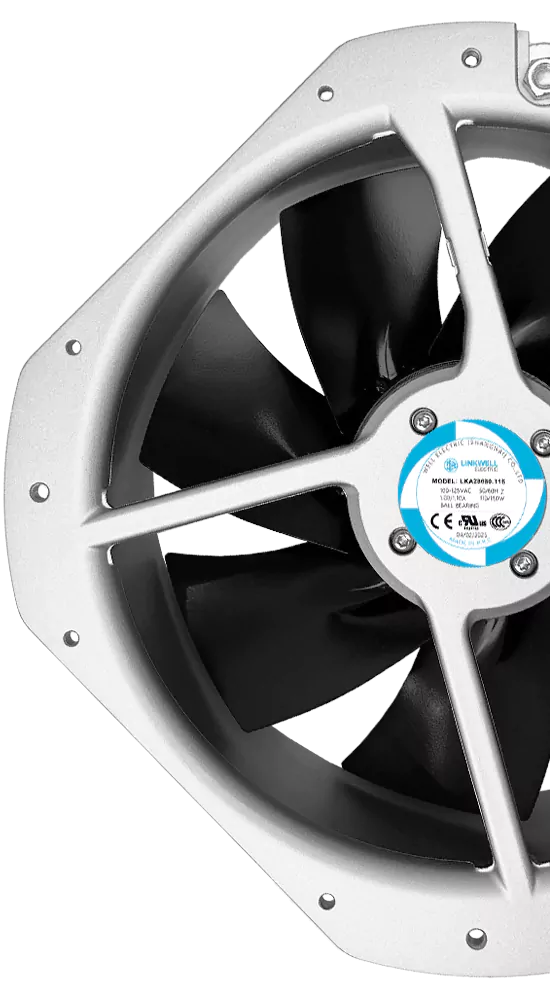
You want to pick the right dc fan size, but it can feel tricky. Start by looking at your space and cooling performance needs. The right dc axial fan size gives you effective cooling without extra noise. Larger dc axial fan sizes often move more air with less noise than smaller ones. This means you get better airflow and a quieter environment. Always match the fan size to your application and space for the best results. When you follow a smart fan selection process, you avoid problems and get the most from your dc axial fan.
Key Takeaways
- Measure your space before picking a DC axial fan. Good measurements help you avoid fitting problems.
- Choose a fan size that fits your cooling needs. Bigger fans often move more air and make less noise.
- Know how much airflow you need in CFM. Figure out your needs so things do not get too hot.
- Think about static pressure when picking a fan. Systems with high resistance need fans that handle more pressure.
- Pick a fan that balances airflow and noise. Bigger fans at lower speeds are usually quieter.
- Check the environmental ratings if your fan will be in harsh places. High IP ratings keep out dust and water.
- Use the 1.5x CFM rule to be safe. Pick a fan that gives at least 1.5 times your airflow needs.
- Follow a checklist before you pick your fan. This helps you remember all the important things for best performance.
Understanding DC Axial Fan Sizes
Size and Dimensions Explained
Diameter and Depth
When you look at dc axial fan sizes, you will notice two main measurements: diameter and depth. The diameter is the distance across the circular face of the fan. The depth is how thick the fan is from front to back. You need to check both size and dimensions because they decide how much air the fan can move and if it will fit in your space. If you pick a fan with the right diameter but the wrong depth, it might not fit in your enclosure. Always measure your available space before you choose a dc axial fan.
Standard Size Ranges
Manufacturers offer many size and dimensions options for dc axial fans. Here is a table showing some common sizes and where you might use them:
| Fan Size | Common Applications | Advantages |
|---|---|---|
| 80mm | Smaller server towers, budget power supplies | Good airflow with low noise |
| 120mm | PC cases, CPU coolers, radiators | Perfect blend of airflow, pressure, and low noise |
| 140mm | PC cases (when supported) | Better cooling at lower RPM for quieter operation |
| 172mm | Industrial cabinets, control panels, ventilation systems | Moves massive amounts of air efficiently |
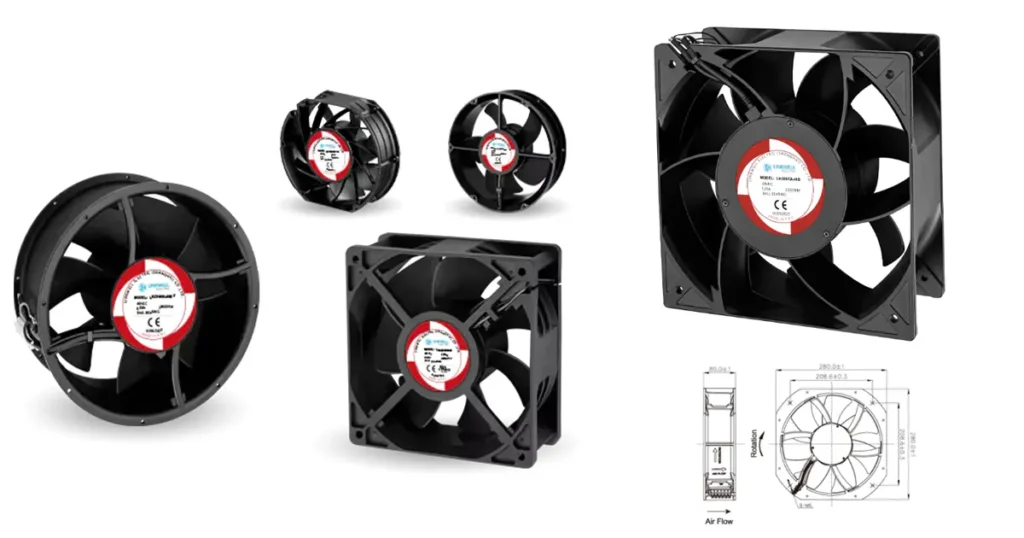
You will find dc axial fan sizes from 25mm up to 200mm. Smaller fans fit tight spaces, while larger fans work best for big enclosures or industrial uses. Some fans also meet special standards, like IP ratings for dust and water resistance, or high-temperature ratings for tough environments.
How Size Affects Airflow and Noise
Airflow Capacity
The size and dimensions of your dc axial fan have a big impact on airflow capacity. Larger fans can move more air at lower speeds. This means you get better cooling without making the fan spin too fast. The amount of air a fan moves is called CFM (cubic feet per minute). If you need more airflow, you can use a bigger fan or run a smaller fan at a higher speed. But remember, increasing speed also increases noise.
Noise Considerations
Noise is another thing you should think about when picking dc axial fan sizes. Bigger fans can move the same amount of air as smaller fans but do it more quietly. When you run a fan at a lower speed, it makes less noise. If you double the speed of a fan, the noise level can jump by 15 decibels, which is a lot. Using a larger fan at a slower speed is the best way to keep things quiet. Some fans also have special blade shapes to help reduce noise even more.
Tip: Always check both the size and dimensions of your fan to make sure it fits your space and meets your airflow needs without making too much noise.
Key Factors in Choosing the Right Size
When you pick dc axial fan sizes, you need to match the fan to your cooling needs. You should check airflow needs, static pressure, and where you will use the fan. Let’s look at each thing so you can choose the best fan for your project.
Airflow Requirements (CFM)
Calculating Needed Airflow
You must know how much air your system needs to stay cool. This is called airflow requirements, and it is measured in CFM (cubic feet per minute). There are a few ways to find the right number. Here is a table with some common ways:
| Method | Formula |
|---|---|
| Duct Velocity Method | CFM = Air Velocity (FPM) × Duct Cross-Section Area (ft²) |
| Room Volume Method | CFM = Room Volume (ft³) × Air Changes per Hour (ACH) ÷ 60 |
| ASHRAE 62.1 Ventilation Rate Procedure | Ventilation CFM = (Occupants CFM/person) + (Floor Area CFM/ft²) |
You can use these formulas to guess the airflow needs for your space. If you have a small box, you might use the room volume method. For a duct or vent, the duct velocity method works well.
1.5x CFM Rule
After you know your airflow needs, you should add a safety margin. A good rule is to pick a dc axial fan that can give at least 1.5 times your airflow number. This helps if there is extra heat or changes in your cooling needs. For example, if your system needs 100 CFM, pick a fan rated for at least 150 CFM. This extra power keeps your equipment safe and working well.
Tip: Always round up your airflow needs to the next standard fan size. This gives you more options and helps your fan run quieter.
Static Pressure Needs
System Resistance
Static pressure shows how hard it is for air to move through your system. If your box has filters, tight spaces, or long ducts, you will need more static pressure. You must match your dc axial fan size to this resistance. Here are some common times when static pressure matters:
- Enclosed control panels and electrical cabinets often have small vents, which make back-pressure.
- Duct systems with bends or long runs make it harder for air to move.
- Heat exchangers and filters add resistance, especially if they are thick or close together.
- Telecom racks and data cabinets have many parts inside, which block airflow.
- Sealed boxes, like those with IP ratings, limit how much air can get in or out.
- Medical and lab equipment with HEPA filters need fans that can handle very high resistance.
- Food processing and chemical plants may have extra pressure from humidity, dust, or special ducting.
If your system has high resistance, you need a fan with strong static pressure. Bigger dc axial fan sizes often do this better and work more efficiently at the same airflow. Always check the fan’s pressure rating before you buy.
Note: If one fan is not enough, you can use two fans in series or parallel to meet your cooling needs.
Application and Environment
Electronics Cooling
When you cool electronics, you need to think about airflow needs and the environment. Dusty places need fans that can handle particles. If you expect humidity, look for fans with special IP ratings. The right dc axial fan size will keep your devices cool and safe, even in tough places.
Industrial Uses
Industrial places often need bigger dc axial fan sizes. You might need to move air through long ducts, past filters, or into sealed boxes. These places usually have higher static pressure needs and tougher cooling jobs. Pick a fan that matches both the size of your space and the challenges of your environment.
Remember: Always match your dc axial fan to your airflow needs, static pressure, and the environment. This helps you avoid overheating and keeps your system working its best.
Matching DC Axial Fan Size to Performance
Comparing Fan Sizes and Output
You want your system to run cool and quiet. The size of your dc axial fan plays a big role in how much air it can move and how well it cools your equipment. If you pick the right size, you get effective cooling and avoid overheating. Take a look at this table to see how different fan sizes compare in airflow and cooling output:
| Fan Size (mm) | Airflow (CFM) | Cooling Output |
|---|---|---|
| 40 | Low | Low |
| 80 | Medium | Medium |
| 120 | High | High |
A small fan, like a 40mm, works for tight spaces but gives you less cooling performance. An 80mm fan fits many standard cases and offers a balance between space and airflow. A 120mm fan moves a lot of air and keeps things cool even under heavy loads. When you match the fan size to your needs, you maintain performance and prevent overheating.
Size vs. Speed Trade-Offs
You might wonder if you should pick a small, fast fan or a large, slow one. Both options have trade-offs. Here’s a quick comparison:
| Factor | Small, High-Speed Fan | Large, Low-Speed Fan |
|---|---|---|
| Space | Great for compact devices | Needs more room |
| Airflow | Can be high, but only at high RPM | High, even at low RPM |
| Noise | Usually louder | Usually quieter |
| Efficiency | Less efficient per watt | More efficient per watt |
A small fan spinning fast can move a lot of air, but it often gets noisy and uses more power. A larger fan can give you effective cooling at lower speeds, which means less noise and better efficiency. If you have the space, a bigger fan helps you reach optimal performance without making your system loud. Always think about where you will install the fan and how much room you have.
Tip: For optimal performance, choose the largest dc axial fan that fits your space. Run it at a lower speed for quiet, effective cooling.
Efficiency and Compatibility
You want your cooling solution to work well and fit your system. Picking the right size helps you get optimal performance and avoid problems. If you choose a fan that is too small, you risk overheating and poor performance. If you go too big, you might face extra noise, wasted energy, or even trouble fitting the fan in your case. Here are some common risks:
- Choosing a fan that is too small can lead to insufficient airflow, resulting in overheating or inadequate cooling.
- A fan that is too large may create excessive noise and energy consumption, leading to inefficiency.
- The mismatch in fan size can cause operational issues, affecting the overall performance of the system.
- Overheating can damage your equipment and shorten its lifespan.
- Too much airflow can stir up dust or disrupt airflow patterns, making cooling less effective.
You should always balance size, speed, and efficiency to get optimal performance. Make sure your dc axial fan matches your system’s needs and fits your available space. This way, you prevent overheating and keep your equipment running smoothly.
Remember: The right fan size gives you effective cooling, saves energy, and helps you maintain performance for the long run.
Assessing Size and Dimensions for Installation
Measuring Available Space
Before you pick a fan, grab a ruler or tape measure. You want to know exactly how much room you have for your dc axial fan. Start by measuring the length, width, and depth of the spot where you plan the fan placement. Write these numbers down. Double-check them. Even a small mistake can cause big problems later.
Think about what sits near the fan. Are there wires, boards, or other parts close by? You need to leave enough space for the fan to fit and for air to move around it. If you have a tight spot, look for a smaller size. If you have more room, you can use a larger size for better cooling.
Tip: Always measure twice before you buy. This helps you avoid returns and keeps your project on track.
Mounting and Orientation
Now, let’s talk about mounting and orientation. You want your fan placement to be secure and steady. Check the mounting holes in your enclosure. Do they match the fan’s holes? If not, you may need an adapter or a different fan size.
Think about which way the air should flow. Most fans have arrows showing airflow direction. Place the fan so it pulls cool air in or pushes hot air out, depending on your needs. Good fan placement means better cooling and less noise.
Here are some quick tips for mounting and orientation:
- Use all the mounting screws to stop vibration.
- Make sure the fan sits flat against the surface.
- Keep wires clear of the blades.
- Check that nothing blocks the intake or exhaust.
A smart fan placement can make your system last longer and run quieter.
Fit and Clearance Issues
Fit and clearance matter a lot. If you squeeze a fan into a tight spot, you might block airflow or cause vibration. Always leave a little extra space around the fan. Most experts suggest keeping 10–20 mm of clearance for the best results.
Watch out for these common fit and clearance issues:
- Airflow gets blocked by wires or case parts.
- Intake or exhaust sits too close to a wall.
- Not enough space for air to move freely.
Here’s a quick list to help you avoid problems:
- Make sure nothing blocks the intake or exhaust.
- Keep the area around the fan free from wires and other parts.
- Leave enough clearance (10–20 mm) for smooth airflow.
You can also check this table for what happens if you ignore clearance:
| Installation Mistake | Aerodynamic Consequence | Mechanical Result |
|---|---|---|
| Blocked or tight intake space | Uneven air velocity, airflow starvation | Vibration, less airflow, more noise |
When you match the fan size and placement to your enclosure, you get better cooling and fewer headaches. Take your time with measurements and fan placement. Your system will thank you!
Additional Considerations for DC Axial Fan Selection
Noise and Power
You want your system to stay cool and quiet. You also want it to use less energy. Noise and power are important when picking a DC axial fan. Some fans move more air but are louder. Other fans use less power but may not cool as well. Look at this table to see how different fans compare:
| Fan Type | Energy Efficiency | Noise Levels |
|---|---|---|
| Axial Fans | Higher airflow rates, lower power usage | Generally produce more noise at high speeds |
| Radial Fans | Lower airflow, higher pressure | Operate more quietly due to centrifugal design |
Axial fans are good for cooling most electronics and machines. They give strong airflow and work well, but can get noisy if they spin fast. If you want less noise, pick a bigger fan and run it slower. This way, you get good cooling and save energy.
Tip: Always check the fan’s noise level in decibels (dB) and its power use in watts. Lower numbers mean the fan is quieter and uses less energy.
Environmental Ratings
Sometimes, your fan needs to work in tough places. Some DC axial fans have special ratings for dust, water, and harsh weather. Here are some things to look for:
- Fans with IP54 or IP68 ratings keep out dust and water.
- Splash-proof fans are good for dusty or wet spots.
- IP68 fans block all dust and can even go underwater.
- Some fans have a coating or sealed motors for extra safety.
- For outdoor or rough places, pick a fan with a high IP rating like IP68.
These features help your fan cool well and last longer, even in hard places. Your equipment stays safe and works better.
Features and Certifications
You want a fan that fits your needs and follows the rules. Look for these features and certifications:
- Make sure the fan gives enough airflow and cooling.
- Pick energy-saving fans to use less power and make less heat.
- Choose fans with low noise for a quieter area.
- Check that the fan size fits your space and is easy to put in.
- Get strong fans made from good materials so they last longer.
- If you need to change speed, look for fans with PWM or speed controls.
- Some companies make custom fans for special jobs.
Certifications are important too. UL and ETL certified fans follow strict safety and performance rules. You find these fans in HVAC, fridges, farms, and data centers. These marks mean your fan is safe and works well in places with rules.
Note: Always look for UL or ETL marks if your fan must meet safety codes or pass checks.
Application Scenarios
Small Enclosures
You might need to cool a small box, a compact control panel, or a tiny electronics case. In these tight spaces, you want a fan that fits without crowding other parts. Small DC axial fans, like 40mm or 60mm sizes, work well here. They move enough air to keep your components safe but do not take up much room.
Here are some tips for picking a fan for small enclosures:
- Measure the space before you buy.
- Look for fans with low noise if the device sits near people.
- Choose a fan with a good balance of airflow and static pressure.
If you have filters or vents, make sure your fan can handle the extra resistance.
High Airflow Needs
Sometimes, you need to move a lot of air. Maybe you have a server rack, a big power supply, or an industrial cabinet. In these cases, you want a larger fan that can push more air and keep things cool.
Check out this table to see how different fan sizes compare in airflow and static pressure:
| Frame Size | Max Air Flow (CFM) | Max Static Pressure (inH2O) |
|---|---|---|
| 1.57 in. (40 mm) | 7.4 | 0.319 |
| 2.05 in. (52 mm) | 14.1 | 0.237 |
| 2.36 / 2.44 in. (60 / 62 mm) | 17.7 ~ 37.4 | 0.16 ~ 0.62 |
| 3.15 in. (80 mm) | 35.3 ~ 42.4 | 0.14 ~ 0.192 |
| 3.62 in. (92 mm) | 45.9 ~ 77.7 | 0.167 ~ 0.421 |
| 4.69 / 4.72 in. (119 / 120 mm) | 95.3 ~ 224 | 0.28 ~ 1.45 |
| 5.51 in. (140 mm) | 205 | 0.52 |
| ø6.77 in. (ø172 mm) | 212 ~ 349 | 0.55 ~ 1.236 |
If you need the most airflow, look at 120mm, 140mm, or even 172mm fans. These sizes can move over 200 CFM and handle higher static pressure. You get strong cooling for demanding jobs.
Tip: Bigger fans can move more air at lower speeds, so you get less noise and better efficiency.
Harsh Environments
Some places are tough on fans. You might work in food processing, outdoor equipment, or dusty factories. Here, you need a fan that can survive heat, water, and dirt.
Look for these features when you choose a fan for harsh environments:
| Feature | Why It Matters |
|---|---|
| IP69K Protection | Blocks water, dust, and high-pressure spray |
| Metal Casing | Stands up to bumps and rough handling |
| Wide Size Options | Fits many jobs, from 40mm to 175mm |
| Multiple Voltages | Works with 12V, 24V, or 48V systems |
| Long Life Bearings | Keeps running for years, even in tough spots |
| High Airflow Range | Handles 10.9 to 346 CFM for many cooling needs |
| 100,000 Hour Lifetime | Gives you peace of mind for long-term use |
You want a fan that lasts and keeps your equipment safe. Pick one with a strong casing, high IP rating, and long-life bearings. These fans work indoors and outdoors, even in the harshest places.
Note: Always check the fan’s ratings and features before you install it in a tough environment. The right choice saves you time and money on repairs.
Common Mistakes and Quick Checklist
Sizing Errors to Avoid
You want your DC axial fan to work right the first time. Many people make the same mistakes when picking a fan. If you know what to watch for, you can avoid problems and keep your equipment safe.
- You might underestimate how much cooling you need. This can cause your system to overheat or even fail.
- Some people ignore the environment. Dust and moisture can make your fan less effective or even damage it.
- Improper installation often leads to poor airflow. If you do not install the fan correctly, your system may not cool down as expected.
- Overlooking the heat load is a common mistake. If you do not consider how much heat your equipment makes, you might pick a fan that is too weak.
- Choosing the wrong voltage or fan type can cause airflow problems or even damage your equipment.
- If you forget about filters in dusty areas, debris can get inside and harm your system.
- Blocked inlets or outlets can stop air from moving. This can lead to overheating and noisy operation.
Tip: Always double-check your cooling needs, environment, and installation before you buy a fan. A little planning now saves you a lot of trouble later.
Final Selection Checklist
You want to feel confident about your fan choice. Use this quick checklist to make sure you have covered all the important points:
| Checklist Item | Description |
|---|---|
| Fit The Available Space | Pick the right frame size, thickness, and mounting holes for your equipment. |
| Balance Airflow And Noise | Match airflow, static pressure, speed, and noise for the best performance. |
| Match Voltage And Power | Choose the correct voltage (5V, 12V, 24V, or 48V) for your device. |
| Simplify Wiring And Assembly | Select the right wire length, polarity, and connector for easy setup. |
| Add Required Control Signals | Include PWM speed control or feedback if you need to monitor or adjust fan speed. |
| Prepare For Harsh Conditions | Look for IP-rated fans if your environment is humid, dusty, or industrial. |
Go through this checklist before you make your final decision. You will save time, avoid mistakes, and get the best cooling for your project.
Conclusion
You want the best cooling performance for your project. Start by checking these key steps:
- Look at airflow needs and pick the right fan size for your space.
- Make sure the fan fits and matches your noise and performance goals.
- Think about where you will use the fan and any tough conditions.
Here’s a quick look at fan sizes and uses:
| Size Range (mm) | Application |
|---|---|
| 133 | Small electronics |
| 910 | Large industrial units |
Use the checklist to boost your confidence and get the right performance. As a DC axial fan manufacturer, we offer expert help and many fan sizes. Reach out for advice that fits your needs.
FAQ
What size DC axial fan should I use for my project?
You should measure your available space first. Check your cooling needs. Pick the largest fan that fits. Bigger fans move more air and stay quieter.
How do I know if my fan is too small?
If your equipment gets hot or shuts down, your fan might be too small. You may also hear the fan running loudly all the time.
Can I use a bigger fan than recommended?
You can use a bigger fan if it fits your space. Bigger fans often run quieter and last longer. Just make sure it does not block other parts.
How do I reduce fan noise?
- Use a larger fan at a lower speed.
- Make sure nothing blocks airflow.
- Choose fans with special low-noise blades.
What does CFM mean?
CFM stands for cubic feet per minute. It shows how much air your fan moves. Higher CFM means more airflow and better cooling.
Do I need a fan with a high IP rating?
If you use your fan in dusty, wet, or outdoor places, pick a fan with a high IP rating. This keeps your fan safe from water and dust.
How do I check if my fan will fit?
Measure the length, width, and depth of your space. Compare these numbers to the fan’s size. Leave extra room for airflow and wires.