
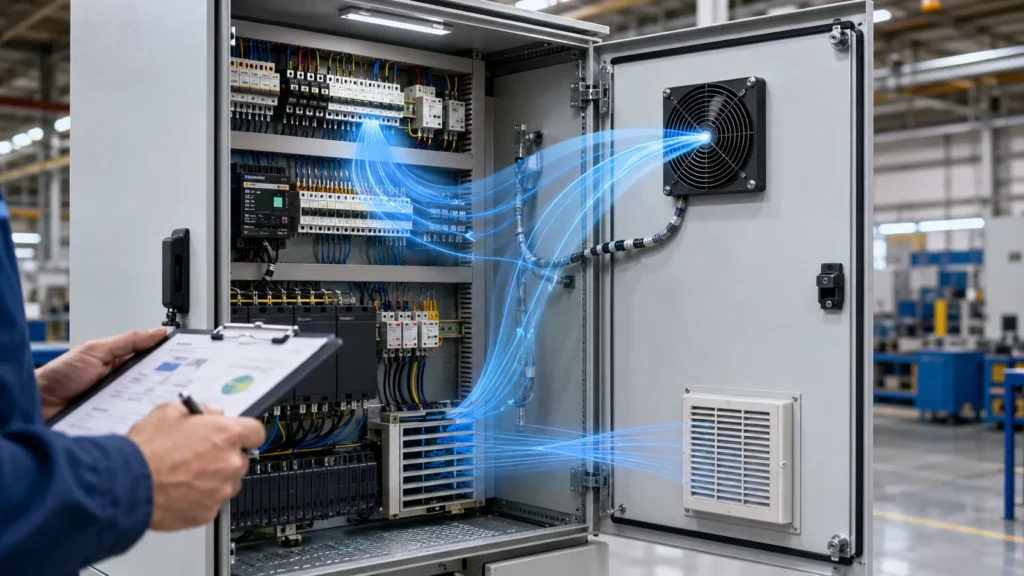
You want your cabinet to last a long time, right? Correct enclosure cooling fan calculations keep electronics safe and working well. About 30% of failures in industrial enclosures happen because of bad cooling or too much heat. If you do not do the right calculations, you could have fires, water drops, rust, or your cabinet breaking early. For every 18°F over the highest safe inside temperature, your cabinet’s life can get cut in half. Enclosure cooling fan calculations help you control heat, airflow, and temperature rise. With thermal management for enclosures, you use forced convection and pick the right enclosure cooling fan. You can also use online cooling calculators or a thermal calculator for your next electrical engineering cabinet project.
Most cabinets need cooling fan calculations to handle heat, keep out water, and stop expensive downtime. Good thermal management for enclosures means fewer problems and safer equipment.
| Consequence | Description |
|---|---|
| Components overheating | Electronics work worse and do not last as long. |
| Thermal events | Too much heat can cause melting, smoke, or even fire. |
| Early Component Failure | Every 10°C higher can make parts last half as long. |
| Performance Throttling | Systems slow down to stay safe, which costs time and money. |
| Condensation and Corrosion | Water inside the enclosure causes rust and electrical trouble. |
Key Takeaways
- Doing cooling fan math is important. It stops electronics from getting too hot. It helps them last longer.
- Add up the heat from all devices in the box. This gives you the total heat load.
- Know the difference between ambient and target temperatures. This tells you how much work your fan must do.
- Pick the right fan type for your box. You can use AC, DC, or EC fans.
- Make sure air can move easily inside the box. This helps cool things better. It stops hot spots from forming.
- Get a fan with the right IP rating. This keeps out dust and water. Pick the rating based on where you use it.
- Clean or change filters often. This keeps air moving well. It stops the fan from working too hard.
- Use more than one fan for big boxes or lots of heat. This makes sure things stay cool enough.
Key Data for Enclosure Cooling Fan Calculations
Enclosure Size and Volume
You need to know how big your enclosure is before picking a fan. If the box is bigger, you have to move more air to keep it cool. Small enclosures get hot quickly. Large ones take longer to heat up. Look at this table to see how size changes how fast things heat up:
| Enclosure Size | Temperature Rise Rate |
|---|---|
| Large enclosure | Slower temperature rise |
| Small enclosure | Rapid heat accumulation |
To find the volume, multiply the length, width, and height of the enclosure. Write down your measurements in inches or centimeters. Then do the math to get the volume. This number tells you how much air needs to move through the box.
Tip: Always measure inside the enclosure, not outside. Insulation and wall thickness can change the space inside a lot.
Internal Heat Load Calculation
Now you need to know how much heat your equipment makes. Every device inside the enclosure gives off heat. Some parts, like PLCs or motor starters, make more heat than others. Here is a table that shows common heat sources:
| Equipment | Heat Contribution |
|---|---|
| PLC System (ControlLogix, etc.) | 100-500 BTU/hr |
| Motor Starters/Contactors | 10-50 BTU/hr per device |
| Terminal Blocks | Negligible (<5 BTU/hr) |
| Enclosure Fans | Heat removal, not generation |
You can use these formulas to figure out how much airflow you need:
| Formula | Description |
|---|---|
| V = Q / (1.08 × ΔT) | Airflow in CFM (cubic feet per minute) based on heat load (watts) and temperature rise (°F). |
| V (L/s) = Q / (1.31 × ΔT) | Metric version for liters per second. |
| About 1 CFM per watt | Quick rule for airflow per watt of heat per °C rise. |
Add up the heat from all your devices. If you have a big VFD or lots of motors, the total heat load can get high fast. Write this number down because you will need it for the next step.
Ambient and Target Temperatures
Ambient temperature is the air around your enclosure. Target temperature is the highest temperature you want inside the box. The difference between these two numbers is called the temperature rise (ΔT). This tells you how hard your fan needs to work.
If the air outside is hot, your fan has to work harder. When the ambient temperature goes up, it is harder to keep things cool. For example, if your enclosure is outside or in a hot factory, a regular fan might not be enough. Sometimes you need extra cooling, like an air conditioner.
| Factor | Impact on Cooling Requirements |
|---|---|
| Maximum Ambient Temperature | Higher temps mean you need more cooling power. |
| Humidity Levels | High humidity can cause condensation inside the box. |
| Desired Internal Temperature | Sensitive electronics may need to stay below 86°F (30°C). |
| Cooling Capacity Calculation | Use BTU/hr or watts to make sure your fan can handle the heat load. |
Note: Always check the highest temperature your equipment can handle. If things get too hot, you could damage your equipment and make it not last as long.
Power Supply and Voltage
You need to check your power supply before you pick a cooling fan. The power supply does more than just run your equipment. It also adds heat to your enclosure. If you use a bigger or less efficient power supply, you will have more heat to remove. That means you might need a stronger fan.
Here are some things you should look at:
- The wattage and efficiency of your power supply affect how much heat builds up inside the enclosure.
- The total wattage from all your devices, including relays and power supplies, adds to your thermal load. This number helps you choose the right fan size.
- You need to know the voltage your fan requires. Fans come in different voltages, like 12V, 24V, or 230V. Using the wrong voltage can cause damage or make your fan run poorly.
- The current draw of your fan matters. Fans that use more current will use more energy and may make your system less efficient.
- Efficient fans make less heat. This helps your system last longer.
Tip: Always match your fan’s voltage to your power supply. Double-check the label before you buy.
Installation and Environment
Where you put your enclosure changes how well your fan works. If you install your enclosure in a hot, dusty, or humid place, you need to plan for extra cooling and protection.
- Dust, oil mist, and humidity can get inside your enclosure. These things can block airflow, cause condensation, or even damage your electronics.
- In dusty or oily places, fans can pull in dirt and spread it over your components. This can cause shorts or overheating.
- High humidity can lead to water drops inside your box. Water and electronics do not mix well.
You should also think about how you install your fans:
- Intake fans at the bottom can push cool air in and help keep dust out if you use filters.
- On tall enclosures, putting fans at the top to blow air in and vents at the bottom helps cool the whole box. This setup stops hot spots at the top.
- If you only use fans to blow hot air out at the top, the equipment near the top can get too hot.
When you lay out your components, keep them away from the fans. This helps air move better and keeps everything cool. Good planning stops hot spots and makes your fans work better.
Airflow Path and Obstructions
Air needs a clear path to move through your enclosure. If something blocks the air, your fan will not work as well.
- Obstructions like wires, filters, or heat sinks make it harder for air to flow. This increases resistance and lowers cooling performance.
- The way you arrange your components can help or hurt airflow. Try to keep big items out of the way of the air path.
- Every filter or grille adds a little resistance. Your fan must be strong enough to push air past these obstacles.
- If you have a lot of obstructions, you may need a fan with higher static pressure.
Note: Check your enclosure for anything that blocks air. Even small things can make a big difference in cooling.
A clear airflow path means your fan can do its job. Take time to plan your layout and check for blockages before you finish your design.
Basic Steps in Cooling Fan Calculations
When you want to keep your enclosure cool, you need to follow a few clear steps. Let’s break down the process so you can get the right cfm and avoid common mistakes.
Calculate Total Heat Load
Before you pick a fan, you need to know how much heat your enclosure creates. This is called calculating heat load. If you skip this step or guess, your cooling might not work well.
Summing Component Heat Dissipation
Start by listing every device inside your enclosure. Each one gives off heat. This is called internal component power dissipation. Look at the datasheets or labels for each device. Write down how many watts each one uses. Add up all the watts. This total is your main heat source.
- PLCs, power supplies, and drives usually make the most heat.
- Small items like relays or terminal blocks add a little, but you should still count them.
- Don’t forget any lights or displays inside the box.
Tip: Always use real numbers from the manufacturer. Don’t guess or use rough rules. If you use shortcuts, you might pick the wrong fan.
Considering External Heat Sources
Sometimes, heat comes from outside your enclosure. Sunlight can hit the box and make it hotter. If your enclosure sits near a furnace or in a hot room, that adds more heat. You need to count these extra sources.
- Sunlight on a metal box can raise the temperature a lot, especially in the afternoon.
- Hot air blowing on the enclosure from nearby machines can also add heat.
If you ignore these, your cooling system might not keep up. Always check where your enclosure sits and what’s around it.
Common Mistakes When Calculating Heat Load:
- Using rough guesses instead of real numbers.
- Forgetting about sunlight or hot rooms.
- Not updating your numbers when you add new devices.
- Ignoring small parts that add up over time.
- Not thinking about changes in the room or building.
Set Desired Temperature Rise (ΔT)
Now, you need to decide how much hotter the inside of your enclosure can get compared to the air outside. This is called delta t, or temperature rise. The target delta t is the difference between your maximum safe inside temperature and the highest temperature outside your enclosure.
- Check the specs for your most sensitive device. What is the highest temperature it can handle?
- Look at the hottest day your enclosure will face. Use that as your outside temperature.
- Subtract the outside temperature from your device’s max temperature. That’s your delta t.
For example, if your device can handle 104°F and the hottest day is 95°F, your delta t is 9°F.
If you pick a small delta t, you need more cfm to keep things cool. If you pick a bigger delta t, you risk overheating your equipment.
Temperature control is important. If you go over the limit, your electronics can fail or wear out faster. Always use the lowest safe delta t for your most important device.
Airflow Calculation Formulas
Once you know your total heat load and your delta t, you can figure out how much cfm you need. This tells you how big your fan should be.
V = Q / (1.08 × ΔT)
This is the classic formula for cfm in enclosure cooling. Here’s what it means:
- V = airflow in cfm (cubic feet per minute)
- Q = total heat load in BTU/hr
- ΔT = temperature rise in °F
Formula:
#### V = Q / (1.08 × ΔT)
If you have your heat load in watts, you can convert it to BTU/hr by multiplying by 3.41.
Required Airflow (CFM) = [3.16 × Heat Load (W)] / ΔT
If you want to skip the conversion, use this formula for watts:
- Required airflow (cfm) = [3.16 × heat load (W)] / delta t (°C)
Example: Let’s say your enclosure has a heat load of 200 watts, and your delta t is 10°C.
Required airflow (cfm) = [3.16 × 200] / 10 = 63.2 cfm
You need a fan that can move at least 63.2 cfm to keep your enclosure cool.
| Formula | When to Use |
|---|---|
| V = Q / (1.08 × ΔT) | Heat load in BTU/hr, ΔT in °F |
| Required airflow (cfm) = [3.16 × W] / ΔT | Heat load in watts, ΔT in °C |
Note: Real-world conditions can change your results. Filters, grilles, and tight spaces can lower actual cfm. Always add a safety margin.
Quick Checklist for Heat Dissipation Airflow
- Did you add up all internal and external heat sources?
- Did you set your delta t based on your most sensitive device?
- Did you use the right formula for your units?
- Did you check for anything that could block airflow?
- Did you pick a fan with enough cfm for your needs?
If you follow these steps, you’ll get the right cooling for your enclosure. You’ll avoid overheating, keep your electronics safe, and make your system last longer.
Fan Performance Curves
You might wonder how to know if a fan will actually work in your enclosure. That’s where fan performance curves come in. These curves, also called PQ curves, show you how much air a fan can move at different pressures. You’ll see two main things on these graphs: airflow (CFM) and static pressure (inches of water or Pascals).
- The PQ curve shows the relationship between airflow and static pressure.
- As static pressure goes up, airflow goes down. The fan has to work harder to push air through filters, grilles, or tight spaces.
- The curve helps you find the “operating point.” This is where your enclosure’s resistance matches the fan’s ability to move air.
You want your fan to run near its Best Efficiency Point (BEP). At this spot, the fan works its best, uses less energy, and lasts longer. If you pick a fan that runs far from its BEP, it can wear out faster and use more power.
Tip: Always check the fan performance curves before you buy. Make sure the fan can handle your enclosure’s resistance and still give you enough airflow.
When you look at fan performance, remember to think about static pressure. Things like filters and how you arrange your parts inside the box can change the pressure. If you ignore this, your fan might not move enough air, even if the label says it can.
Airflow Resistance Factors
You might see a fan rated for a high CFM, but that number comes from perfect lab conditions. Real enclosures have things that block air and make the fan work harder.
- System impedance comes from things like tight PCB spacing, heat sinks, and filters.
- More resistance means less airflow, even if you use a big fan.
- Static pressure is what the fan needs to push against all these obstacles. If the fan can’t handle the pressure, airflow drops a lot.
- Dense layouts, lots of filters, or big heat sinks can really slow down the air.
In the real world, you need to adjust for these factors. Rated airflow is just a starting point. Filters, grilles, and crowded spaces all lower the actual airflow. Hot rooms and dirty air can make things even harder. When you do fan sizing and selection, always add a safety margin. This helps your system stay cool, even if things get dusty or hot.
Note: Always check for airflow resistance in your design. A little planning now can save you a lot of trouble later.
Selecting Fan Size and Type
Now you’re ready to pick the right fan for your enclosure. You need to think about more than just size. Here’s what you should check:
- Add up all the heat your devices make.
- Look at the room temperature and any extra heat from sunlight or nearby machines.
- Check if your enclosure needs to be sealed or meet IP/NEMA standards.
- Think about dust, oil, or humidity that could get inside.
- Decide if you need a simple fan or something stronger, like a heat exchanger or air conditioner.
For example, if you have a clean indoor cabinet with a 250 W heat load and want to keep the temperature rise under 10°C, you can use the formula:V = (3.1 x P) / dT
So, with P = 250 W and dT = 10 K, you need about 77.5 m³/h of airflow.
You should also:
- Check for other cooling paths before you finish your design.
- Use filter fans for clean rooms.
- Pick heat exchangers for sealed boxes.
- Choose air conditioners for big cooling jobs.
- Use condensation control if your area is very humid.
Tip: Always match your fan to your enclosure’s needs and the environment. The right choice keeps your equipment safe and running longer.
Fan sizing and selection is more than just picking a fan that fits. You need to look at heat load, airflow, pressure, and the real-world environment. Take your time, use the right formulas, and check the details. Your electronics will thank you!
Airflow and Static Pressure in Enclosure Ventilation
When you plan enclosure ventilation, you need to know about airflow and static pressure. These two things decide if your cooling system works or not. If you do not get them right, your electronics can get too hot. Let’s look at what you should know about enclosure ventilation.
CFM vs. Static Pressure
Fans are rated by CFM. This means how much air the fan can move. Static pressure is how hard the fan can push air past things in the way. Both are important for enclosure ventilation.
Here is how they work together in enclosure ventilation:
- If your enclosure is open, you get the most airflow. There is no static pressure.
- If your enclosure has a small exhaust hole, static pressure goes up. Airflow goes down.
- If your enclosure is closed, static pressure is high. Airflow drops to zero.
Fan makers test airflow with different static pressure levels. When static pressure goes up, airflow goes down. You can see this on a fan chart. If you want more airflow, keep static pressure low. If you try to push more air, static pressure rises fast. A small change in airflow can make static pressure jump. This makes your fan work harder.
- More airflow means less static pressure.
- More static pressure means less airflow.
You need to balance both for good enclosure ventilation.
System Resistance Impact
System resistance means anything that blocks air inside your enclosure. It is a big deal for enclosure ventilation. Tight spaces between boards make air move faster. This raises static pressure. Filters add resistance, and dust makes it worse. Heat sinks can block air and act like walls. Low-pressure fans have a hard time with these blocks.
Things that add resistance in enclosure ventilation are:
- How close your PCBs are
- How tall your parts are and where you put them
- The shape of heat sink fins
- Filters and grilles
- Where you put cables and brackets
If you try to move more air, resistance goes up even faster. If your fan cannot make enough static pressure, airflow drops. This happens even if the fan label says it moves a lot of air. You need to guess or measure your system’s resistance curve. Then you can see how much pressure you need at different airflow levels.
Matching Fan and System Curves
You want your enclosure ventilation to work well. To do this, match your fan’s curve to your system’s resistance curve. Here is how you do it:
- Guess or measure your system’s resistance curve.
- Put the fan’s pressure–flow (PQ) curve on top.
- Find where the two lines meet. This is where your fan will run.
Check out this table for key ideas about matching fan and system curves in enclosure ventilation:
| Principle | Description |
|---|---|
| Ducted Enclosure Design | Makes sure all parts get cooling by making a clear airflow path. |
| Fan Performance Curves | Show how much airflow you get at different static pressure levels. |
| System Impedance | Adds up all the resistance from parts in the airflow path. |
| Fan Selection Process | Pick a fan that gives you the right airflow at the needed static pressure. |
| Airflow Calculation | Use your heat load and max temperature rise to figure out airflow. |
| Fan Technology Comparison | Choose the right fan type for your static pressure and airflow needs. |
If you want the best enclosure ventilation, always match your fan to your system’s static pressure needs. This helps you get the airflow you want for cooling. When you plan enclosure ventilation, remember every part inside your box changes how air moves. Take time to check your layout, pick the right fan, and keep your system cool and safe.
Real-World Factors Affecting Cooling Performance
Filter and Grille Resistance
Fans do not always move air as you expect. Filters and grilles can change airflow a lot. Filters keep dust out, but they make air harder to move. Grilles can block air, too. If you do not check resistance, your cooling may not work right.
Here is what happens most times:
- Filters get clogged and slow down airflow.
- Grilles with tight patterns block air and raise static pressure.
- Dirty filters make fans work harder and use more energy.
Tip: Clean filters often. Pick grilles that let air pass easily. This helps your cooling system stay strong.
Fan Placement and Airflow Direction
Where you put fans is very important. Intake fans at the bottom pull in cool air. Exhaust fans at the top push out hot air. This setup lets heat rise and leave the enclosure. Air should flow smoothly from bottom to top.
Sometimes, fans blow against each other. This can make hot air go back inside and lower cooling. If you put high-power devices together, you can get hot spots. Spread out your equipment and plan the airflow path.
A positive pressure system pushes air out and keeps dust away. A negative pressure system pulls air in and can bring in unfiltered air. Even air distribution stops overheating and helps equipment last longer.
- Intake at the bottom, exhaust at the top
- Do not put fans facing each other
- Spread out high-power devices
If you ignore fan placement, your cooling system may waste energy. Some parts may get too hot.
Layout, Dust, and Humidity
How you arrange parts changes airflow. Cables and tall parts can block air channels. Dust and humidity are big problems for cooling. Dust builds up on filters and inside the enclosure. This makes fans less effective. Humidity can cause condensation. This leads to rust and electrical trouble.
You can fight dust and moisture with smart ideas. Look at this table for tips:
| Strategy | Description |
|---|---|
| High-quality filters | Put on intake vents and clean often. This keeps airflow strong and reduces dust. |
| Sealed cooling options | Use air-to-air heat exchangers or air conditioners. These stop dust and moisture from entering. |
| Closed-loop systems | Keep contaminants and moisture out. These are good for harsh places. |
| Vortex coolers | Use compressed air for cooling. This does not bring in outside air. |
| NEMA-rated air conditioners | Cool and recirculate internal air. These block outside contaminants and are great for kiosks. |
Keep your enclosure clean and dry. Pick the right cooling method for your environment. If you work in a dusty or humid place, sealed cooling solutions protect your electronics.
You need to think about every real-world factor. Filters, fan placement, layout, dust, and humidity all change how well your cooling system works. If you plan ahead, you keep your equipment safe and avoid costly downtime.
IP Rating and Protection
When you pick a cooling fan for your enclosure, you need to think about more than just airflow. You also need to protect your electronics from dust, water, and other things that can get inside. This is where the IP rating comes in.
What is an IP Rating?
IP stands for “Ingress Protection.” It tells you how well your enclosure and fan keep out solids (like dust) and liquids (like water). You will see IP ratings written as “IP” followed by two numbers, like IP54 or IP65.
Here’s what those numbers mean:
| First Number | Protection Against Solids | Second Number | Protection Against Liquids |
|---|---|---|---|
| 0 | No protection | 0 | No protection |
| 1 | Big objects | 1 | Dripping water |
| 2 | Fingers | 2 | Dripping water (tilted) |
| 3 | Tools, thick wires | 3 | Spraying water |
| 4 | Most wires, screws | 4 | Splashing water |
| 5 | Dust protected | 5 | Water jets |
| 6 | Dust tight | 6 | Powerful water jets |
| 7 | Immersion (short time) | ||
| 8 | Immersion (long time) |
Tip: The higher the number, the better the protection. For example, IP65 means your fan is dust tight and can handle water jets.
Why Does IP Rating Matter for Cooling Fans?
You want your enclosure to last. If dust or water gets inside, your electronics can fail. Fans with a low IP rating might let in dirt or moisture. This can cause short circuits, rust, or even fires.
- If your enclosure sits outside, you need a high IP rating.
- In a dusty factory, dust can clog your fan and cover your parts.
- In places with water spray or cleaning, you need protection from splashes.
How to Choose the Right IP Rating
Ask yourself these questions:
- Will your enclosure face rain, splashes, or hose-down cleaning?
- Is your site dusty, sandy, or full of fibers?
- Do you need to keep out tiny particles or just big objects?
Pick a fan with an IP rating that matches your environment. Here are some common choices:
- IP54: Good for most indoor use. Keeps out dust and splashes.
- IP55: Better for places with more dust or water jets.
- IP65/IP66: Best for outdoor or harsh environments. Stops dust and strong water jets.
Note: Higher IP ratings can lower airflow a bit because of tighter seals and filters. Always check the fan’s airflow after adding protection.
Quick Checklist for IP Protection
- Check your environment for dust and water risks.
- Match the IP rating to your needs.
- Clean filters and seals often.
- Replace damaged gaskets right away.
When you choose the right IP rating, you help your cooling fan do its job and keep your electronics safe. Don’t skip this step. Your equipment will thank you!
Enclosure Cooling Fan Calculations Reference Tables
Calculation Factors Checklist
It is important to get your enclosure cooling right. Use this checklist so you do not forget anything. Each step helps you stop mistakes and keeps your electronics safe.
- Measure the inside of your enclosure.
- List every device and how much heat it makes.
- Add up all the heat from devices and outside sources like sunlight.
- Write down the highest temperature your equipment can handle.
- Check the hottest temperature your enclosure will face.
- Decide how much temperature rise is okay.
- Figure out the airflow you need with the right formula.
- Look at your power supply voltage and current.
- Think about where you will put the enclosure. Is it dusty, wet, or outside?
- Plan the airflow path and make sure nothing blocks it.
- Choose the right fan size and type for your needs.
- Check if you need filters or grilles and how they change airflow.
- Pick the right IP rating to protect from dust and water.
Tip: Use this checklist before you buy a fan. It can save you time and money later.
Enclosure Conditions and Fan Solutions
Every enclosure is different. You need to pick the best cooling for your real conditions. This table gives you quick ideas for what works best in each case.
| Enclosure Condition | Best Fan Solution | Notes |
|---|---|---|
| Clean, indoor, low heat | Standard fan | Simple cooling, easy airflow |
| Dusty or oily environment | Filter fan or sealed fan | Filters keep dust out, clean often |
| High humidity or water risk | High IP-rated fan | Stops water from getting inside |
| Outdoor, direct sunlight | High airflow, UV-protected fan | May need extra cooling or shading |
| High heat load, tight space | High static pressure fan | Pushes air through tight spots |
| Sealed enclosure | Air-to-air heat exchanger | No outside air, keeps dust out |
| Extreme heat or sensitive gear | Air conditioner or vortex cooler | For when fans alone are not enough |
You can use this table as a quick guide. If your enclosure matches one of these rows, you know what cooling to look for. Always check your airflow needs and match the fan to your setup.
Remember: Good cooling keeps your equipment working longer and saves you from expensive repairs.
When Cooling Fans Are Not Enough
Sometimes, fans cannot cool your enclosure enough. You may do everything right, but tough conditions make fans less helpful. Let’s see what you can do when you need more than just fans for electrical enclosure cooling.
High Ambient or Sealed Enclosures
Your enclosure might be in a hot place. If the air outside is warm, fans cannot cool the inside much. Fans only move air; they cannot make it colder than outside. In sealed enclosures, you cannot use fans because you do not want dust or outside air inside. Electrical enclosure cooling gets harder in these cases.
Tip: If your box is sealed or your room is hot, check if your electrical enclosure cooling plan needs something better.
Here are signs you need more than fans:
- The inside stays hot even with fans running.
- You cannot open vents because of dust or water.
- Your equipment gets too hot in summer.
Outdoor, Dusty, or Moist Environments
Outdoor places bring new problems for electrical enclosure cooling. Dust, rain, and humidity can hurt your electronics. Fans can pull in dirt or water. This can cause short circuits or rust. In dusty or wet places, electrical enclosure cooling with fans is risky.
You need to keep your equipment safe from outside. Sometimes, you must seal the enclosure. That means you cannot use regular fans for electrical enclosure cooling. You need a different way to keep things cool and safe.
| Environment | Problem for Fans | Electrical Enclosure Cooling Solution |
|---|---|---|
| Outdoor | Rain, sun, dust | Sealed cooling, heat exchangers |
| Dusty factory | Dust clogs filters | Filtered fans, closed-loop cooling |
| Humid area | Water, condensation | Dehumidifiers, sealed electrical enclosure cooling |
Always check your site before picking a cooling method. The wrong choice can make your equipment fail.
Alternatives: Air Conditioners and Heat Exchangers
When electrical enclosure cooling with fans is not enough, you have other choices. Air conditioners and heat exchangers help control the temperature inside your enclosure.
- Air Conditioners: These cool the air inside the enclosure. They work even if the outside air is hot. You can use them for electrical enclosure cooling in sealed or outdoor boxes. They keep dust and water out.
- Heat Exchangers: These move heat from inside to outside without mixing air. They are good for electrical enclosure cooling in dirty or wet places. You keep the inside clean and dry.
Here’s a quick guide:
If fans cannot cool your enclosure, try:
1. Air conditioners for sealed or outdoor boxes.
2. Heat exchangers for dusty or wet places.
3. Vortex coolers for small enclosures with compressed air.
Remember, electrical enclosure cooling is more than moving air. Sometimes, you need to upgrade to keep your equipment safe.
If you see your fans cannot keep up, do not wait. Look for better electrical enclosure cooling options. Your electronics will last longer, and you will avoid expensive repairs.
Common Mistakes in Cooling Fan Calculations
Ignoring Heat Load
You might think you can guess how much heat your enclosure makes. Many people do this. They just pick a fan and hope for the best. This is a big mistake. If you ignore the real heat load, your cooling will not work. Your electronics can get too hot and stop working.
Always add up the heat from every device inside your enclosure. Look at the labels or datasheets. Write down the watts for each part. Add them together. Do not forget about outside heat, like sunlight or nearby machines. If you skip this step, your cooling system will not keep up.
Tip: Make a list of all your devices. Check the heat each one makes. Use real numbers, not guesses.
Overlooking Static Pressure
Static pressure sounds tricky, but it is simple. It means how hard your fan has to push air through your enclosure. If you forget about static pressure, your fan may not move enough air. Filters, grilles, and tight spaces make it harder for air to flow. The fan has to work against these blocks.
Many people only look at the fan’s airflow rating. They do not check if the fan can handle the pressure in their enclosure. This can lead to poor cooling. Your fan might spin, but not enough air gets to your electronics.
Here is a quick table to help you remember:
| Problem | What Happens |
|---|---|
| Ignore static pressure | Low airflow, hot spots |
| Check static pressure | Good airflow, better cooling |
Note: Always check the fan’s performance curve. Make sure it can handle the resistance in your enclosure.
Poor Fan Placement
Where you put your fan matters a lot. Some people put fans anywhere there is space. This can cause bad airflow and hot spots. If you place a fan at the top and do not have a vent at the bottom, cool air cannot get in. If you put fans too close to walls or wires, air cannot move well.
You want air to flow smoothly from one side of the enclosure to the other. Intake fans should bring in cool air. Exhaust fans should push out hot air. Spread out your high-power devices so one spot does not get too hot.
Here are some tips for better cooling:
- Place intake fans low and exhaust fans high.
- Keep airflow paths clear.
- Do not put fans facing each other.
- Use filters to keep dust out, but clean them often.
Good fan placement makes your cooling system work better and keeps your electronics safe.
Choosing by Size Only
You might think picking a bigger fan means better cooling. Many people make this mistake. They look at the size of the fan and believe it will solve all their problems. But size does not always mean better performance. You need to look at more than just how big the fan is.
Let’s break it down. A large fan can move a lot of air, but only if it matches your enclosure’s needs. If you choose a fan just because it fits the space or looks powerful, you might miss important details. The real secret to good cooling is matching the fan’s airflow and pressure to your setup.
Here’s what can go wrong if you choose by size only:
- The fan may not create enough pressure to push air through filters or tight spaces.
- You might get a fan that is too loud for your work area.
- The fan could use more power than you want, raising your energy bill.
- You may still have hot spots because the airflow does not reach every part.
Tip: Always check the fan’s airflow (CFM) and static pressure ratings. Do not trust size alone.
Check out this table to see why size is not everything:
| Fan Size | Airflow (CFM) | Static Pressure | Good for Cooling? |
|---|---|---|---|
| Large | High | Low | Only in open spaces |
| Small | Low | High | Good for tight spots |
| Medium | Medium | Medium | Balanced option |
You need to match the fan to your enclosure’s cooling needs. Look at the airflow path. Think about filters, grilles, and how crowded your box is. Sometimes, a smaller fan with higher static pressure works better than a big one.
Here are some steps to help you avoid this mistake:
- Write down your heat load and airflow needs.
- Check the fan’s performance curve, not just the size.
- Think about noise, power use, and where you will put the fan.
- Test the fan in your setup if you can.
If you want the best cooling, focus on the numbers, not just the size. Your electronics will thank you for it!
Choosing the Right Enclosure Cooling Fan
AC, DC, and EC Fan Types
You have a few choices when it comes to fan types for enclosure cooling. Each one works best in different situations. Let’s break them down:
- AC Fans: These fans run on alternating current. You usually see them in industrial settings. They are tough and can handle high temperatures. If you need a simple, reliable fan for basic cooling, AC fans are a good pick.
- DC Fans: These use direct current. You find them in places where you want quiet operation and energy savings. DC fans let you control speed easily. If you want more control over your cooling, DC fans are a smart choice.
- EC Fans: EC stands for electronically commutated. These fans mix the best parts of AC and DC fans. They use less energy and last longer. EC fans work well if you want high efficiency and smart control.
Tip: Think about your power supply and how much control you want. Pick the fan type that matches your needs.
Axial vs. Centrifugal Fans
You also need to pick the right fan shape for your enclosure. The two main types are axial and centrifugal.
| Fan Type | How It Moves Air | Best For |
|---|---|---|
| Axial | Moves air straight ahead | Open spaces, low resistance |
| Centrifugal | Pushes air sideways | Tight spots, high resistance |
- Axial Fans: These fans move air in a straight line. They work well when you have a clear path for air to flow. Use them for general cooling in open enclosures.
- Centrifugal Fans: These fans push air out to the sides. They can handle more pressure. If your enclosure has filters or tight spaces, centrifugal fans do a better job.
Note: If you have lots of filters or twists in your airflow path, centrifugal fans keep your cooling strong.
Airflow, Static Pressure, and Voltage
When you choose a fan, you need to check three things: airflow, static pressure, and voltage.
- Airflow (CFM): This tells you how much air the fan moves. More airflow means better cooling. Make sure the fan can move enough air for your heat load.
- Static Pressure: This is how hard the fan can push air through obstacles. If your enclosure has filters or grilles, you need a fan with higher static pressure.
- Voltage: Fans come in different voltages. Common ones are 12V, 24V, and 230V. Match the fan voltage to your power supply.
Here’s a quick checklist for picking the right fan:
- Figure out your cooling needs.
- Check your enclosure for filters or tight spots.
- Match the fan voltage to your system.
- Pick a fan with enough airflow and static pressure.
Remember, the right fan makes your cooling system work better and keeps your electronics safe.
IP Rating, Filters, and Noise
When you pick a cooling fan for your enclosure, you need to think about more than just airflow and size. Three things can make a big difference: IP rating, filters, and noise. Let’s break down why these matter for you.
IP Rating: Keeping Out Dust and Water
IP rating stands for “Ingress Protection.” This rating tells you how well your fan keeps out dust and water. You’ll see numbers like IP54 or IP65 on fan specs. The first number shows how much dust the fan blocks. The second number shows how much water it can handle.
| IP Rating | Dust Protection | Water Protection | Where to Use |
|---|---|---|---|
| IP20 | None | None | Clean, indoor places |
| IP54 | Some dust | Splashing water | Most indoor enclosures |
| IP65 | Dust tight | Water jets | Outdoor or harsh areas |
Tip: If your enclosure sits outside or in a dusty shop, pick a fan with a higher IP rating. This keeps your electronics safe from dirt and rain.
Filters: Clean Air, Happy Electronics
Filters help keep dust, bugs, and fibers out of your enclosure. They sit on the intake or exhaust side of your fan. Clean filters mean your fan can move air easily. Dirty filters block airflow and make your fan work harder.
- Use filters in dusty or oily places.
- Check and clean filters every few months.
- Replace filters if they look clogged or damaged.
If you forget about filters, your fan might not cool your enclosure well. You could get hot spots or even damage your electronics.
Note: Some fans come with washable filters. These save money and are easy to clean.
Noise: Keep It Quiet
Fans can get noisy, especially big ones or high-speed models. Noise matters if your enclosure sits near people. You don’t want a loud fan buzzing all day.
Here’s what you can do:
- Check the fan’s noise rating (measured in dB).
- Pick a larger fan running at lower speed for less noise.
- Use rubber mounts to cut down on vibration.
| Fan Size | Speed | Noise Level | Good For |
|---|---|---|---|
| Small | High | Loud | Tight spaces |
| Large | Low | Quiet | Offices, classrooms |
If you want a quiet workspace, always check the noise level before you buy a fan.
Quick Checklist
- Choose the right IP rating for your environment.
- Add filters if you have dust or bugs.
- Clean or replace filters often.
- Check the noise rating if you care about sound.
When you think about IP rating, filters, and noise, you get a fan that works well and keeps your electronics safe and your workspace comfortable.
Buyer Information for Enclosure Cooling Fan Selection
Enclosure Size and Heat Load
When you start looking for a fan, you need to know how big your enclosure is and how much heat it makes. The size of your box tells you how much air you need to move. If your enclosure is small, it heats up fast. A big enclosure takes longer to get hot, but it can hold more equipment. You should measure the inside of your enclosure. Write down the length, width, and height. Multiply these numbers to get the volume.
Next, think about heat load. Every device inside your enclosure gives off heat. Add up the watts from each device. This total is your heat load. If you have a lot of equipment, your heat load will be high. You need a fan that can handle this. If you skip this step, your cooling might not work well.
Tip: Always use real numbers from your equipment labels. Guessing can lead to overheating.
Temperature and Voltage
You also need to know the temperatures you are dealing with. Check the highest temperature your equipment can handle. Look at the hottest day your enclosure will face. The difference between these two numbers is your temperature rise. This helps you pick the right fan for cooling.
Voltage is important too. Fans come in different voltages like 12V, 24V, or 230V. Check your power supply before you buy a fan. If you use the wrong voltage, your fan might not work or could get damaged. Always match the fan voltage to your system.
Here’s a quick table to help you remember:
| What to Check | Why It Matters |
|---|---|
| Max equipment temp | Stops overheating |
| Ambient temp | Affects cooling needs |
| Fan voltage | Must match your power supply |
Airflow, Static Pressure, and Environment
Airflow is how much air your fan moves. You need enough airflow to keep your equipment cool. If your enclosure has filters or tight spaces, air is harder to push through. This is called static pressure. Some fans move a lot of air but cannot handle high pressure. Others can push air through filters but may move less air overall.
Think about your environment. Is your enclosure in a dusty shop or outside in the rain? You might need a fan with a filter or a high IP rating. If you have lots of obstacles inside your box, pick a fan that can handle higher static pressure. For clean rooms, you can use a standard fan with good airflow.
- Check for filters, grilles, or tight spaces.
- Pick a fan that matches your environment.
- Make sure your fan can handle both airflow and pressure.
Note: The right fan keeps your cooling strong, even in tough places.
Quantity and Special Needs
You might think picking a fan is all about size and airflow. But you also need to know how many fans you need and if your project has any special requirements. Let’s break it down so you can make the best choice for your enclosure.
How Many Fans Do You Need?
One fan works for many small enclosures. If your box is large or has a high heat load, you may need more than one. Here’s how you can decide:
- Single Fan: Use this for small enclosures with low heat. It’s simple and easy to install.
- Multiple Fans: Choose this for big cabinets or when you have lots of hot equipment. Two or more fans can move more air and cool things faster.
- Redundancy: Sometimes, you need backup. If one fan fails, another keeps your equipment safe. This is important for critical systems.
Tip: If your equipment must never overheat, always add a backup fan. Redundant fans give you peace of mind.
Special Needs to Consider
Every project is different. You might have unique needs that change the type of fan you pick. Here are some things to think about:
| Special Need | What to Look For |
|---|---|
| Low Noise | Fans with quiet operation (low dB) |
| Harsh Environments | High IP rating, corrosion-resistant fans |
| Vibration | Fans with rubber mounts or dampers |
| Certifications | UL, CE, or other safety marks |
| Mounting Options | Panel, DIN rail, or custom brackets |
| Speed Control | Fans with variable speed or sensors |
| Smart Monitoring | Fans with alarms or remote monitoring |
- Noise: If your enclosure sits near people, pick a quiet fan. Check the noise rating before you buy.
- Mounting: Some fans fit on panels. Others need special brackets. Make sure your fan fits your enclosure.
- Certifications: Some industries need fans with UL, CE, or other marks. Always check your local rules.
- Smart Features: Some fans come with alarms or sensors. These can warn you if airflow drops or a fan stops working.
Note: Write down any special needs before you shop. This helps you find the right fan the first time.
Quick Checklist for Quantity and Special Needs
- Count how many fans you need for your enclosure size and heat load.
- Decide if you need backup fans for safety.
- List any special requirements (noise, mounting, certifications).
- Ask your supplier if you’re not sure about a feature.
When you think about quantity and special needs, you get a cooling system that fits your project perfectly. You keep your equipment safe, quiet, and running strong.
Conclusion
Enclosure cooling is not just about adding a fan. It starts with understanding your enclosure size, internal heat sources, ambient temperature, airflow path, and working environment. The right calculation can help you choose a cooling fan that supports stable airflow, protects electrical components, and reduces unnecessary operating costs.
At LINKWELL, we manufacture enclosure fans, cabinet fans, filter fans, AC fans, DC cooling fans, EC fans, axial fans, centrifugal fans, and custom cooling fan solutions for industrial applications. Share your enclosure size, heat load, voltage, airflow requirement, installation location, and protection needs with our team. We can help you select a suitable cooling fan solution and provide a quotation based on your project requirements.
FAQ
How do I know what size fan my enclosure needs?
You need to measure your enclosure, add up all the heat from your devices, and use the airflow formula. If you want a quick answer, try an online enclosure cooling calculator.
Can I use any fan for outdoor enclosures?
No, you need a fan with a high IP rating. Outdoor fans must keep out dust and water. Look for IP65 or higher for the best protection.
What happens if I pick a fan that is too small?
Your equipment can overheat. This can cause shutdowns, damage, or even fires. Always check your heat load and airflow needs before you buy a fan.
Do I need to clean enclosure fan filters?
Yes! Dirty filters block airflow and make your fan work harder. Clean or replace filters every few months to keep your cooling system strong.
Can I use more than one fan in my enclosure?
You can use multiple fans. This helps cool large enclosures or high-heat setups. Place intake fans low and exhaust fans high for the best airflow.
What is static pressure, and why does it matter?
Static pressure shows how hard your fan pushes air through obstacles like filters or grilles. If your enclosure has lots of blocks, pick a fan with higher static pressure.
Is a bigger fan always better?
Not always. A bigger fan may not fit your enclosure or handle high resistance. Check both airflow (CFM) and static pressure. Sometimes, a smaller, stronger fan works better.

