
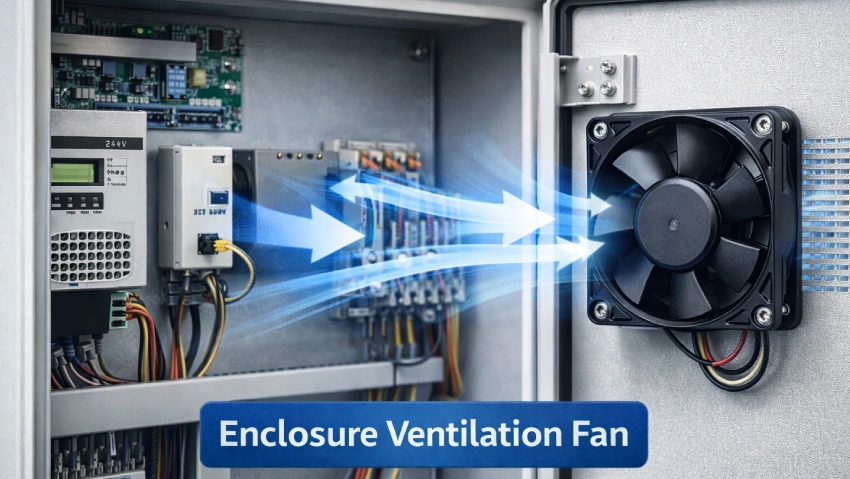
Imagine your electronics shutting down in the middle of a critical task. In 2026, overheating causes up to half of all unexpected electronics failures. You can prevent this with proper enclosure ventilation. Without it, heat builds up and puts your entire system at risk.
Here’s what can happen when ventilation is ignored:
| Consequence | Description |
|---|---|
| Components overheating | Reduced performance and shorter lifespan for your electronics. |
| Thermal events | Melting, smoking, or even fire from unchecked heat buildup. |
| Early Component Failure | Every 10°C rise in temperature can slash component life by 50%. |
| Performance Throttling | Systems slow down to avoid damage, causing costly delays. |
| Condensation and Corrosion | Moisture inside the enclosure leads to corrosion and electrical problems. |
You need reliable enclosure ventilation to balance cooling, keep out dust and moisture, and meet safety standards.
Key Takeaways
- Proper enclosure ventilation prevents overheating, which can lead to equipment failure and costly repairs.
- Calculate your heat load accurately to determine the right ventilation solution for your electronics.
- Choose between passive and active ventilation methods based on your cooling needs and environment.
- Regularly maintain filters and check airflow to ensure your enclosure remains clean and efficient.
- Stay compliant with industry standards to protect your investment and ensure safety in your operations.
Free Request Thermal Design Click Text
Why Enclosure Ventilation Is Essential
Electronics Heat Risks
When you place electronics inside an enclosure, they generate heat as they operate. This heat cannot escape easily, so the temperature inside the enclosure rises. If you do not manage this heat buildup, you risk damaging sensitive components. Many devices, like drives, power supplies, controllers, and server racks, are especially vulnerable. Even a small rise in temperature can have a big impact. For every 18°F increase above room temperature, the life expectancy of your electronics drops by half. High humidity inside the enclosure can also cause condensation, which leads to corrosion and electrical failures. You need to control both temperature and humidity to prevent these problems.
Reliability and Safety Concerns
Ignoring proper enclosure ventilation can lead to serious thermal issues. Excessive heat causes early failures and malfunctions in your equipment. Most electronics are designed to work best between 104°F and 122°F. If you let the temperature go higher, you cut their reliability in half for every 10° increase. This means more downtime, higher repair costs, and unhappy customers. In some cases, overheating can even cause fires or other safety hazards. You want your systems to run smoothly and safely, so keeping them cool is a top priority.
Tip: Always check the temperature range for your components. Staying within these limits helps you avoid costly breakdowns.
Compliance Standards
You also need to think about compliance. Many industries have strict standards for enclosure cooling and ventilation. If you do not meet these standards, you could void warranties or fail safety inspections. Proper enclosure ventilation helps you stay compliant with regulations and protects your investment. Meeting these requirements shows your commitment to quality and safety.
Cooling Needs Assessment for Electronics
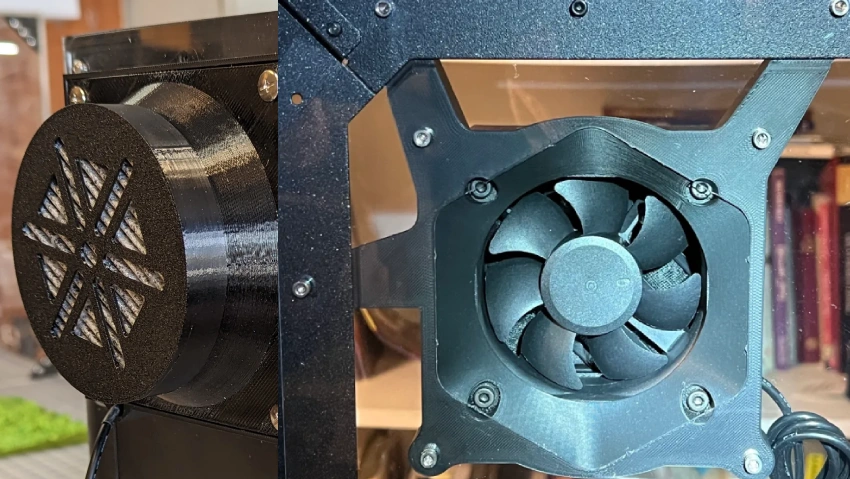
Before you pick a ventilation solution, you need to know exactly how much heat your enclosure must handle. Let’s break down the steps so you can make smart choices for your electronics.
Identifying Heat Sources
Start by figuring out where the heat comes from inside your enclosure. Most of the time, heat-generating electronics like power supplies, drives, and processors are the main culprits. You can use several methods to spot these sources:
| Method | Description |
|---|---|
| Spec Sheets | Check the power consumption or heat output listed for each component. |
| Thermal Imaging | Use an infrared camera to see hotspots inside the enclosure. |
| Temperature Sensors | Place sensors to track temperature changes over time and find heat buildup. |
Knowing your heat sources helps you target your ventilation efforts where they matter most.
Calculating Heat Load
Once you know what’s heating up your enclosure, you need to calculate the total heat load. Here’s a simple way to do it:
- Add up the wattage for all heat-generating electronics inside the enclosure.
- Calculate the surface area of your enclosure:
Surface Area = 2 × ((height × length) + (height × width) + (length × width)) / 144 - Divide the total watts by the surface area to get input power per square foot.
- Use a temperature rise chart or graph to estimate how much the internal temperature will go up.
This step gives you a clear idea of how much ventilation you need for proper temperature regulation.
Ambient and Environmental Factors
Don’t forget the world outside your enclosure. Ambient temperature, humidity, and even dust can change your cooling needs.
- Indoor temperatures can swing a lot, especially near other machines.
- Always measure ambient temperature with a calibrated thermometer.
- High outside temperatures make passive cooling less effective.
- If the air outside is hotter than what your electronics can handle, you’ll need active cooling.
- Watch out for condensation, especially if your enclosure cools below the dew point.
Enclosure Specifications
The size, material, and IP rating of your enclosure all affect thermal management in electronics.
- Aluminum and steel enclosures shed heat well. Aluminum works best for conduction.
- Plastic enclosures protect against moisture but trap heat.
- Large enclosures give you more space for airflow but cost more and take up room.
- A high IP or NEMA rating keeps out dust and water but can trap heat, so you may need extra ventilation.
Think about how you arrange your components, too. Keep hot devices away from sensitive ones and make sure air can move freely.
Allowable Temperature Rise
Finally, decide how much hotter the inside of your enclosure can get compared to the outside. Most experts say a rise of 10°C (about 18°F) can cut the life of your electronics in half. Try to keep the temperature rise as low as possible for better reliability.
Tip: Always base your calculations on the most sensitive component in your system. That way, you protect everything inside.
Now you’re ready to move on to choosing the right enclosure ventilation method for your needs.
Enclosure Ventilation Methods
Free Request Thermal Design Click Text
When you want to keep your electronics cool and reliable, you need to choose the right enclosure ventilation method. Let’s walk through the main options, from simple passive solutions to advanced active systems.
Passive Ventilation Principles
Passive enclosure ventilation uses the natural movement of air to remove heat from your enclosure. Here’s how it works:
- Warm air rises inside the enclosure, creating a natural upward flow.
- Cooler air enters through lower vents, while hot air escapes from higher vents.
- This process, called natural convection or the chimney effect, keeps air moving without any fans or motors.
- Louvres and filtered vents help guide this airflow and block out dust or water.
You don’t need any power for passive cooling. The system relies on smart venting and the laws of physics.
Components and Applications
You’ll find several components that make passive enclosure ventilation work. Here’s a quick look at the most common ones and where you might use them:
| Component | Application Description |
|---|---|
| Heat sinks | Metal fins that boost surface area for better heat dissipation. |
| Thermal interface materials | Pads or pastes that help transfer heat from components to the enclosure. |
| Ventilation | Openings or louvers in the enclosure that let air flow in and out. |
| LED Lighting | Fixtures use passive cooling to extend LED life without noise. |
| Telecommunication Cabinets | Vents and heat sinks keep equipment cool in tough spots, no moving parts needed. |
You’ll see passive cooling in LED lighting, telecom cabinets, and other places where you want quiet, maintenance-free operation.
Pros and Cons
Let’s compare passive and active enclosure ventilation so you can pick the best fit for your project:
| Ventilation Type | Advantages | Limitations |
|---|---|---|
| Passive | Simple, cost- and energy-efficient, minimal maintenance needed | Less effective in high-heat or changing environments |
| Active | Reliable, precise cooling in demanding conditions | Can be noisy; not ideal for remote or hard-to-reach sites |
Passive enclosure ventilation works great when your heat load is low and the environment is clean. If you need more cooling power, you’ll want to look at active solutions.
Active Ventilation with Enclosure Cooling Fans
Active enclosure ventilation uses enclosure cooling fans to move air through your enclosure. These fans create forced convection, which means they push air over your electronics and carry heat away much faster than passive cooling. You get more control over temperature and can handle higher heat loads.
Enclosure cooling fans come in many shapes and sizes. You’ll find fan and filter assemblies, axial fans, centrifugal fans, and more. These fans are easy to install and fit into most enclosure designs. They work well for power supplies, relays, PLCs, and any part that creates heat.
Optimizing airflow with enclosure cooling fans keeps your electronics safe and running smoothly. You’ll see longer equipment life and better performance. Fan trays and filter kits make it easy to upgrade or maintain your system.
fanacdc EC Fans and Industrial Cooling Fan Solutions
If you want the latest in enclosure cooling fans, check out fanacdc’s EC fans and industrial solutions. These fans use advanced technology to deliver powerful, energy-saving performance. Here’s what sets them apart:
| Feature/Benefit | Description |
|---|---|
| Energy Efficiency | Cuts power use by up to 75% compared to old-school AC fans. |
| Quiet Operation | Runs at lower noise levels, even at high speeds. |
| Reliability | High MTBF, with some models lasting up to 1,000,000 hours. |
| Low Maintenance | Brushless design means less wear and fewer repairs. |
| Advanced Protection | IP ratings up to IP68 for dust and water resistance in tough environments. |
You’ll find these fans in HVAC, refrigeration, and industrial enclosures. They help you save on energy bills and reduce downtime. For example, a Swiss hospital swapped out a big AC fan for EC fans and saved over $10,000 a year on energy.
Sizing and Selection Criteria
Choosing the right enclosure cooling fans is key. Here’s what you need to consider:
| Fan Type | How It Works | Flow | Benefit | Cost | Uses |
|---|---|---|---|---|---|
| Axial Fan | Propeller draws air straight through | High | Great for moving lots of air in open spaces | Lower | HVAC, server rooms, industrial setups |
| Centrifugal Fan | Wheel pulls air in, pushes it out at 90° angle | Lower | Handles high static pressure, good for filters | Higher | HVAC, dust collection, long ducts |
You also need to match the fan’s voltage to your power supply and check the current draw for energy efficiency.
How to Calculate Airflow Needs
You can size your enclosure cooling fans with a simple formula:
Required Airflow (CFM) = [3.16 × Heat Load (Watts)] / Allowable Temperature Rise (°C)
Step-by-step:
- Add up the total heat load (in watts) from all your components.
- Decide how much temperature rise you can allow inside the enclosure (in °C).
- Plug the numbers into the formula above.
- Multiply the result by a safety factor (usually 1.2 to 1.5) to cover dust buildup or filter clogging.
Example:
If your heat load is 200 watts and you want no more than a 10°C rise:
Required Airflow = (3.16 × 200) / 10 = 63.2 CFM
With a 1.3 safety factor: 63.2 × 1.3 ≈ 82 CFM
Pick a fan or fan assembly that meets or exceeds this airflow.
Forced Air Exchange Systems
Sometimes, you need even more cooling power. Forced air exchange systems, like vortex coolers or heat exchangers, can boost your enclosure ventilation. These systems use compressed air or special heat transfer methods to cool your enclosure below room temperature. They work well when ambient temperatures are high or when you need to keep dust and moisture out.
Forced convection fan cooling can deliver heat transfer rates up to ten times greater than passive cooling. You’ll see these systems in factories, outdoor cabinets, and places where regular fans just aren’t enough.
Tip: If your enclosure sits in a hot or dirty spot, consider a sealed system with a heat exchanger or air conditioner as your cooling option.
Enclosure Thermal Design and Airflow Optimization
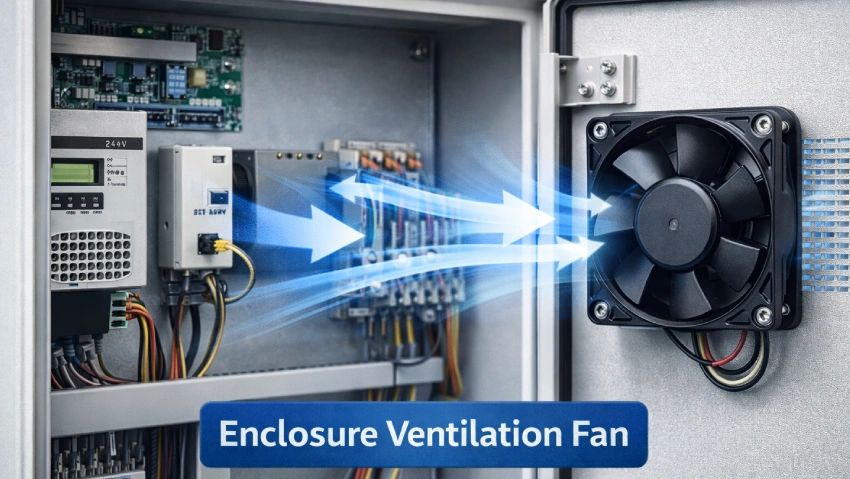
Designing an effective enclosure ventilation system means more than just picking a fan. You need to understand airflow and heat transfer, calculate your needs, and plan your layout for the best results. Let’s break down the process so you can keep your electronics cool and reliable.
Airflow Calculation Formula
You want to start with the numbers. Calculating the right airflow is the foundation of good enclosure thermal design. Here’s a simple way to figure out how much ventilation your enclosure needs:
- Add up the total heat generated by all the equipment inside your enclosure (in watts).
- Decide on the maximum temperature rise you’ll allow inside the enclosure compared to the outside air.
- Use this formula to find the required airflow:
Required Airflow (m³/h) = 3.1 × (Total Heat Load in Watts) / Temperature Rise (°C)For example, if your electronics generate 2100 watts and you want to keep the temperature rise under 15°C, you’ll need:Required Airflow = 3.1 × 2100 / 15 = 434 m³/hThis calculation gives you a clear target for selecting fans or ventilation systems.
Tip: Always use the highest possible heat load and the lowest allowable temperature rise for your calculations. This keeps your system safe even on the hottest days.
Safety Margins
Don’t stop at the basic calculation. Real-world conditions can change fast. Dust, filter clogging, or higher-than-expected heat loads can all reduce your cooling power. That’s why you should add a safety margin to your airflow calculation.
- Most experts recommend a safety margin of 25%.
- If your calculation says you need 400 m³/h, aim for at least 500 m³/h.
- This extra capacity helps you handle surprises like blocked filters or sudden heat spikes.
- Typical temperature rise values are 10°C (18°F), but with a safety margin, design for 12.5°C (23°F).
You’ll sleep better knowing your enclosure ventilation can handle the unexpected.
Airflow Path Design
Now, let’s talk about how air actually moves inside your enclosure. Good airflow path design makes sure every hot spot gets cooled and nothing gets left behind.
Here’s how you can design an effective airflow path:
- Figure out your total heat load and required airflow first.
- Plan where air will enter and exit. Cool air should come in at the bottom or front. Warm air should exit at the top or rear.
- Avoid short circuits in airflow. Don’t let air move straight from intake to exhaust without passing over your electronics.
- Use baffles or guides to direct air over the hottest components.
- In harsh environments, add filters to intake vents to keep out dust and contaminants.
Note: If your enclosure sits in a dirty or humid area, consider sealed cooling solutions or higher IP-rated fans to protect your electronics.
A well-designed airflow path means your ventilation works efficiently and your electronics stay safe.
Fan and Vent Placement
Where you put your fans and vents can make or break your enclosure ventilation system. Here are some practical tips:
- Place intake vents low and on the cooler side of the enclosure. This brings in fresh air.
- Put exhaust vents high and on the opposite side. Hot air rises, so this helps it escape naturally.
- For active cooling, mount fans near the intake or exhaust to boost airflow.
- Space fans and vents so air flows across all heat-generating components, not just around the edges.
- Avoid placing fans near sources of dust or moisture unless you use filters.
- In large enclosures, use multiple fans to create even airflow and prevent hot spots.
| Placement Tip | Why It Matters |
|---|---|
| Intake low, exhaust high | Uses natural convection to help airflow |
| Fans near heat sources | Targets cooling where it’s needed most |
| Avoid airflow short-circuit | Ensures all components get cooled |
| Use filters on intakes | Keeps dust and debris out of your enclosure |
Pro Tip: Test your design with smoke or airflow meters to see how air moves inside your enclosure. Adjust fan speed or placement as needed for the best results.
With these design considerations, you can create an enclosure ventilation system that keeps your electronics cool, safe, and running at their best.
Thermal Management for Enclosures: Advanced Cooling Solutions
Limitations of Ventilation
Sometimes, ventilation alone cannot keep your electronics safe. You might run into these problems:
- Performance throttling happens when processors slow down to avoid overheating. Your system may lag or freeze.
- Condensation and corrosion can develop if moisture builds up inside. This leads to short circuits and rust, especially in outdoor or humid places.
- Imbalance of pressure occurs when temperature changes cause pressure differences. This can strain seals and let dust or water sneak in, lowering your enclosure’s protection.
If you notice any of these issues, it’s time to look at other thermal management for enclosures.
Sealed Cooling Options
When you need more than just airflow, sealed cooling options step in. Air-to-air heat exchangers use heat pipes to move heat out without mixing inside and outside air. This keeps dust and moisture away from your electronics. For bigger heat loads, enclosure air conditioners work well. They can handle capacities from 1,000 to 20,000 BTU/hr. These solutions protect your equipment in harsh or dirty environments.
fanacdc AC Fans and DC Fan Applications
You can boost thermal management for enclosures with fanacdc AC fans and DC fans. These fans fit a wide range of advanced applications:
- Energy storage cabinets
- Photovoltaic power conversion systems
- EV charging stations
- Data centers and 5G base stations
- Telecom cabinets and control panels
- Industrial machinery, HVAC, and refrigeration
- Power electronics, UPS systems, and medical units
You get reliable cooling for both industrial and commercial setups.
Decision Framework for Cooling Strategy
Choosing the right cooling options can feel tricky. Here’s a simple step-by-step guide:
- Figure out your heat load. How much heat do your devices make?
- Check your space and weight limits. Will your solution fit?
- Think about your environment. Is it dusty, hot, or humid?
- Decide how much reliability and easy maintenance matter to you.
- Set your budget for cost and power use.
Follow these steps to pick the best thermal management for enclosures and keep your electronics running strong.
Installation and Maintenance Best Practices
Filter Maintenance
You want your enclosure to stay clean and your electronics to last. Regular filter maintenance is key. Different filters tackle different problems:
- HEPA filters trap tiny dust particles that can damage sensitive electronics.
- Activated carbon filters absorb gases and vapors, especially those from soldering.
- Electrostatic precipitators catch dust and fumes and need less frequent replacement.
- Local exhaust ventilation works well at soldering stations to capture fumes right at the source.
- Enclosed cleaning systems help minimize vapor release during solvent cleaning.
- Spray booths manage overspray and VOCs when you apply conformal coatings.
- Real-time air quality monitoring lets you adjust ventilation based on sensor data.
Check filters often. Replace or clean them before they clog. This keeps airflow strong and protects your equipment.
IP Rating and Sealing
You need to balance airflow and protection. The IP rating tells you how well your enclosure keeps out dust and moisture. Higher IP ratings mean better sealing, but they can limit airflow. You should choose venting solutions that protect against moisture while still allowing enough air to move. Find the sweet spot between protection and cooling. Always install gaskets and seals correctly to maintain the IP rating. This helps your enclosure ventilation work as intended.
Noise and Vibration Control
No one likes a noisy workspace. You can keep things quiet and stable with a few smart moves:
- Use vibration isolation pads under motors and pumps.
- Add damping systems like dual-layer isolation structures or spring housings to cut down on vibration.
- Try micro-perforated materials or acoustic shrouds to reduce noise without blocking airflow.
- Sound attenuators and diffuser cavities help control turbulence and keep airflow balanced.
- Make sure fan assemblies include damping components to manage vibration.
These steps help you create a quieter, more comfortable environment.
Common Mistakes to Avoid
Avoid these pitfalls to get the most from your enclosure:
- Underestimating heat load or picking fans with low airflow.
- Placing ventilation cutouts in the wrong spots.
- Ignoring natural convection.
- Letting cables or other objects block airflow.
- Skipping filters in dusty areas.
- Forgetting to consider ambient temperature.
- Relying only on fans for cooling.
- Not sealing the enclosure properly.
- Overlooking noise levels.
- Failing to test the system under real conditions.
You can follow these thermal management best practices to keep your electronics safe and your system running smoothly.
Conclusion
You’ve made it to the end of this one-stop guide. Let’s wrap things up with the essentials you need to remember.
- Start with the basics. Ventilation is usually your most cost-effective and reliable way to keep electronics cool. But don’t just guess—always calculate your heat load and check your environment before you choose a solution.
- If you work in a harsh or dirty setting, or if the outside air is hotter than your electronics can handle, you’ll need sealed cooling options. These include air conditioners or heat exchangers. They protect your equipment when regular airflow isn’t enough.
Remember: The right approach depends on your actual needs. Take time to measure, calculate, and plan.
Here’s what you can do next:
- If you’re a DIYer or working on a small project, use the formulas in this guide to size your fans. Try out a fan selection tool or CFM calculator to make things easier.
- If you’re handling a complex or critical system, reach out to an expert team for advice. Download a detailed white paper on enclosure cooling for deeper insights.
- Looking for a place to start? Check out the Enclosure Fan & Filter product series. You’ll find solutions that fit a wide range of applications and environments.
You now have the tools and knowledge to make smart choices about cooling your electronics. Good planning and the right products will help you avoid downtime, extend equipment life, and stay compliant with industry standards.
Ready to get started? Take action today and keep your electronics running cool and safe!
You now know why getting your cooling strategy right matters. When you plan carefully, you get:
- Enhanced performance for your electronics
- Improved reliability in every application
- Extended lifespan for your equipment
- Less downtime and fewer headaches
- Better energy efficiency
Use the formulas and tips from this guide to size your system. Explore fanacdc’s product pages or reach out for expert help if your project is complex. Whether you’re a DIYer or a pro, you can keep your electronics running cool and safe.
FAQ
How do I calculate the heat load for my enclosure?
Add up the wattage of all devices inside your enclosure. This total gives you the heat load in watts. Use this number to size your cooling fans or other solutions.
What’s the difference between IP54 and IP65 for fan filters?
IP54 protects against limited dust and water spray. IP65 offers stronger protection, blocking almost all dust and low-pressure water jets. Choose IP65 for harsher or outdoor environments.
Can I use ventilation in a dusty environment?
Yes, you can use ventilation in dusty areas. Always install high-quality filters on intake vents. Check and clean these filters often to keep dust out and maintain airflow.
How often should I change or clean air filters?
Check filters every month. Replace or clean them when you see dust buildup or reduced airflow. In very dusty places, you may need to do this more often.
