
Fan overheating happens when your cooling fan can’t move heat away fast enough. This matters a lot for control cabinets, panels, computers, and any enclosure cooling system. If dust collects, bearings dry out, airflow gets blocked, motors age, or electrical faults pop up, your equipment can run too hot. You might see a shorter lifespan for capacitors and circuit boards, especially if temperatures rise by 10°C or more. Routine cleaning and simple checks fix most problems. Choosing reliable fans from fanacdc means you protect your gear and avoid downtime.
| Evidence Type | Description |
|---|---|
| Excessive Heat | Leading cause of reduced equipment life. |
| Temperature Control | Maintains optimal operating conditions, preventing degradation. |
| 10°C Increase | Can reduce life expectancy of aluminum electrolytic capacitors. |
Key Takeaways
- Regularly clean your cooling fans to prevent dust buildup. This helps maintain airflow and keeps your equipment running efficiently.
- Check and lubricate fan bearings to reduce friction. Well-lubricated bearings prevent overheating and extend the life of your fan.
- Ensure proper ventilation by keeping vents clear and avoiding blockages. Good airflow is essential for effective cooling.
- Inspect electrical connections frequently. Loose wires or overloaded circuits can lead to overheating and equipment failure.
- Choose high-quality fans from fanacdc for reliable performance. Quality fans help protect your equipment and reduce downtime.
What Is Fan Overheating?
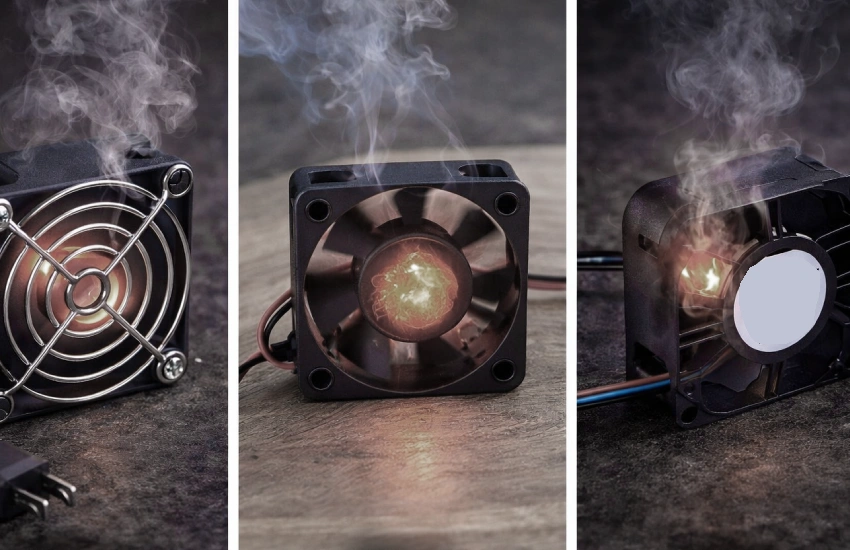
What causes a fan motor to overheat? Fan overheating happens when your cooling fan can’t keep up with the heat inside your equipment. You might notice the fan running louder, blowing less air, or even giving off a burning smell. These signs mean the fan is struggling to move enough heat out, and the temperature inside your control cabinet, panel, or computer starts to climb. When this happens, your electronics can get damaged or even fail.
Ac Fan Motor Overheating and Air Conditioner Fan Motor Overheating. Theoretically, there are many similarities.
How Fan Overheating Damages Equipment
You rely on your cooling fan to keep everything inside your enclosure at a safe temperature. If fan overheating occurs, the heat builds up fast. Sensitive parts like circuit boards, power supplies, and connectors can break down. You might see your system slow down, shut off, or even lose data. Here’s a quick look at what you might notice and what causes it:
| Symptoms | Possible Causes | Suggested Solutions |
|---|---|---|
| Reduced airflow | Bearings are not well lubricated | Check and add the lubricant |
| Unusual noises | Dust on fan blades, damaged bearings | Clean the fan’s blades, change bearings |
| Burning smell | Motor windings overheating | Stop power, check motor, replace if needed |
| Fan vibration | Unleveled or loose fixing | Reinstall and fix fan |
| Decreased efficiency | Clogged filters, poor ventilation | Clean filters, improve ventilation |
If you ignore these symptoms, the temperature keeps rising. Over time, this can shorten the life of your equipment and lead to expensive repairs.
Engine Overheating vs. Fan Overheating
You might wonder how engine overheating compares to fan overheating. Both problems involve too much heat, but they happen in different places. Engine overheating means the engine in your car or machine gets too hot, often because of coolant leaks or blocked radiators. Fan overheating, on the other hand, happens in your cooling system—like in control cabinets or computers—when the fan can’t move enough air to keep things cool.
Engine overheating can stop your car or generator from working. Fan overheating can shut down your electronics or cause them to fail. Both issues can lead to big problems if you don’t fix them. If you’ve ever dealt with engine heating issues, you know how important it is to keep things cool. The same goes for your cooling fans. Watch for changes in noise, airflow, or temperature, and take action before things get worse.
Common Causes of Fan Overheating
When you look at why fans inside control cabinets, panels, computers, and enclosures get too hot, you’ll notice a few patterns. Let’s break down the most common causes of fan overheating so you can spot trouble before it leads to equipment failure.
Dust and Dirt Buildup
Dust and dirt are sneaky. They settle on fan blades, motors, and inside vents. Over time, this buildup blocks airflow and makes your fan work harder. If you let dust collect, your cooling system loses efficiency and the temperature inside your enclosure rises. Here’s what happens:
- Dust and moisture can block ventilation and make cooling less effective.
- Dust and debris block airflow, making ventilation less effective.
- When air in a sealed enclosure expands and contracts with temperature changes, pressure imbalances can strain seals and let in even more dust and dirt.
You can fight this by sticking to a regular cleaning schedule. Take a look at some best practices for keeping AC, DC, and EC fans clean:
| Maintenance Practice | Description |
|---|---|
| Regular Cleaning Regimen | Conduct bi-monthly inspections and use soft brushes or compressed air to remove dust buildup. |
| Operational Health Checks | Monitor for unusual noises or sluggish rotation; address any motor or bearing issues promptly. |
| Environmental Optimization | Install in shaded, well-ventilated areas and consider auxiliary cooling for enclosed spaces. |
| Load Management | Avoid prolonged overloading in high temperatures to reduce thermal stress. |
| Electrical System Inspections | Regularly check for loose or worn power cables and secure connections. |
| Environment-Specific Protective Measures | Use fine-mesh filters at air inlets and deploy protective covers in high-dust areas. |
If you ignore dust, you’ll see fan overheating become a real problem fast.
Poor Lubrication and Bearing Issues
Bearings help your fan spin smoothly. When they dry out or lose lubrication, friction increases. This friction creates heat inside the bearing, which then spreads to the rest of the fan. Here’s what can go wrong:
- Hot inner and outer races in the bearing lose internal clearance, reducing oil film thickness.
- Metal-to-metal contact happens, causing even more heat.
- Poor lubrication, especially with grease, can lead to ineffective lubrication in cold conditions, causing increased friction and heat.
- As bearings heat up, the shaft and inner ring expand, transferring heat to the outer ring and housing.
If you hear grinding or notice your fan spinning slower than usual, check the bearings. Keeping them lubricated helps prevent one of the most common causes of fan overheating.
Blocked Ventilation and Airflow
Fans need space to move air. If vents get blocked or cabinets sit too close to walls, airflow drops. This leads to hot spots and uneven cooling. Here’s what you might see:
| Evidence Type | Description |
|---|---|
| Temperature Difference | Cabinets with poor ventilation can have temperature differences of up to 4.9°C, causing uneven wear. |
| Internal Temperature | Telecom cabinets without fans reached internal temperatures as high as 44°C, exceeding safe limits. |
| Airflow Measurement | Air velocities inside closed cabinets often stay between 0 and 0.7 meters per second, not enough for cooling. |
- Blocked vents or cabinets pushed against walls make overheating worse.
- Enclosed cabinets trap warm air, leading to device overheating and possible failure.
- Adding a cabinet fan improves air movement, prevents hot spots, and extends the life of electronics.
You can improve airflow by adding ventilation slots, using perforated panels, or installing heat sinks. Make sure nothing blocks the fan’s path.
Electrical Faults and Overloading
Electrical issues can sneak up on you. If your fan’s motor gets overloaded or the circuit draws too much power, temperatures rise quickly. Here’s what happens:
- High temperatures speed up insulation aging, which can cause cooling fan motors to fail.
- Thermal overload happens when motors run beyond their limits, hurting reliability.
- Heat breaks down lubrication, making bearings wear out faster or seize.
- Overloaded circuits during high demand can trip breakers, shutting down your cooling fans.
- Strain on electrical systems can cause equipment failures, which directly impacts fan reliability.
Check your wiring and avoid plugging too many devices into one circuit. This simple step helps you avoid one of the most common causes of fan overheating.
Aging Motors and Failing Cooling Fan
Motors don’t last forever. As they age, they become more likely to overheat and fail. Every 10°C increase in temperature can cut the lifespan of electronic components, including fan motors, in half. Here’s what you need to know:
- Overheating can halve the lifespan of electronic components, including motors in cooling fans, for every 10°C increase in temperature.
- Aging components are at a higher risk of overheating, which can lead to premature failures and unexpected shutdowns.
The most common failure modes for older fans include:
| Failure Mode | Percentage of Failures |
|---|---|
| Bearing failures | 35 – 45% |
| Imbalance | 15 – 20% |
| Motor failures | 10 – 12% |
Other issues like inadequate maintenance, improper installation, and harsh environments (dust, humidity, extreme temperatures) also play a role. If your fan is old or you notice it running less smoothly, consider replacing it before it becomes a source of fan overheating.
Tip: Regular maintenance and timely replacement of aging fans can save you from unexpected downtime and costly repairs.
By understanding these common causes, you can take action to keep your cooling fans running smoothly and your equipment safe.
Signs of a Failing Cooling Fan
When your cooling fan starts to fail, your equipment often gives you warning signs. If you catch these early, you can prevent bigger problems and keep your control cabinets, panels, or computers running smoothly. Here’s what you should watch for:
Unusual Noises and Vibrations
You might notice your fan making odd sounds or shaking more than usual. These noises are more than just annoying—they can be early warnings of trouble. Listen for:
- Excessive noise from the fan, which can mean overheating inside the unit.
- Squealing or grinding sounds, often caused by bearings that are getting too hot or wearing out.
- Rattling or humming, which could point to loose or damaged parts in the fan.
If you hear any of these, your fan may be struggling. Ignoring these sounds can lead to a failing cooling fan and even damage your equipment.
Reduced Airflow and Overheating
Sometimes, you’ll feel less air coming from your fan or notice your enclosure getting warmer. Inadequate airflow inside electronic enclosures lets heat build up, which raises the risk of overheating. This can cause your system to malfunction and shorten the life of important parts. Smaller enclosures make air circulation harder, which adds thermal stress and speeds up aging. In telecom cabinets, for example, poor cooling can cut the lifespan of key components by up to 50%. If you see these signs, your fan may not be moving enough air to keep things cool.
Tip: If your system overheats, don’t just look for a lack of coolant like you would in a car. In electronics, the real problem is often poor airflow.
Frequent Shutdowns or Electrical Issues
Frequent shutdowns or strange electrical problems can also signal fan trouble. Watch for:
- The fan motor failing, which can cause your system to overheat and shut down.
- The fan not removing heat, forcing other parts to work harder and wear out faster.
- Random on-off cycles or blown fuses, which often point to overheating issues.
- Sudden stops, tripped circuits, or odd power patterns, all signs that your fan needs attention.
If you notice these problems, act quickly. Regular checks and maintenance can help you avoid costly repairs and downtime.
How to Prevent Fan Overheating
Keeping your fans in top shape is the best way to avoid overheating in control cabinets, panels, computers, and enclosures. Let’s look at some practical steps you can take to keep your cooling systems running smoothly.
Regular Cleaning and Maintenance
Dust and dirt can sneak into your fans and block airflow. When you clean your fans regularly, you help them work better and last longer. Regular cleaning and maintenance of cooling fans are crucial for preventing overheating, which directly enhances their operational efficiency. By ensuring consistent cooling performance, these practices help prolong the lifespan of the fans and reduce the risk of mechanical failure. Additionally, maintaining clean fans contributes to energy efficiency, leading to cost savings by minimizing the need for early replacements or repairs.
You can also use advanced techniques to spot problems early:
| Technique | Description |
|---|---|
| Thermal Imaging | Utilizes infrared cameras to detect temperature anomalies, indicating potential overheating issues. |
| Vibration Analysis | Analyzes vibration signatures to diagnose mechanical faults, crucial for maintaining fan health. |
Lubrication and Bearing Care
Bearings need attention to keep your fans spinning smoothly. Here’s what you should do:
- Regular Inspection: Set a schedule to check for noise, vibration, temperature, and signs of wear.
- Lubrication Requirements: Use high-quality lithium-based grease. Apply until it oozes from the seal. Maintain lubrication every 800-1200 hours under normal conditions.
- Prevention Strategies: Use predictive maintenance with vibration analysis and temperature monitoring to anticipate needs.
If you keep bearings in good shape, you reduce friction and heat, which means your fans won’t overheat or wear out early. This is just as important as checking your coolant in other systems.
Improving Ventilation and Airflow
Fans need space to move air. Make sure nothing blocks the vents or airflow paths. You can add ventilation slots or use perforated panels. If you notice hot spots, try rearranging equipment or adding extra fans. Good airflow helps your fans move heat out, just like a steady flow of coolant keeps engines from overheating.
Electrical Safety Checks
Electrical issues can cause fans to overheat fast. Here are some tips:
- Monitor system temperatures with real-time data and alerts.
- Clean dust from vents and consider extra fans for better ventilation.
- Check air conditioning for critical systems.
- Watch for condensation and use anticondensation heaters if needed.
- Schedule regular maintenance, especially in summer.
- Lubricate moving parts to cut friction and heat.
- Inspect cooling systems for wear and check refrigerant levels.
- Train staff to spot overheating signs.
- Keep spare parts handy for quick repairs.
Choosing Quality Fans from fanacdc
When you pick fans for your control cabinets, panels, computers, or enclosures, quality matters. Our AC, DC, and EC fans stand out for their reliability and long service life. We test every product to meet strict ISO 9001 and ISO 22716 standards, so you know you’re getting the best.
| Certification/Standard | Description |
|---|---|
| ISO 9001 | Quality systems ensuring reliability and long service life. |
| ISO 22716 | Quality systems ensuring reliability and long service life. |
You can also customize your fan to fit your exact needs. We offer options like anti-corrosion coatings, IP68 waterproof sealing, heat-resistant plastics, custom voltage, airflow ratings, and control interfaces.
| Customization Option | Description |
|---|---|
| Requirement Evaluation | Assessing specific cooling needs for different environments. |
| Product Selection & Technical Recommendation | Choosing the right products based on application requirements. |
| Design & Engineering Optimization | Tailoring designs to enhance cooling efficiency and performance. |
| Project Management & Implementation Support | Providing assistance throughout the project lifecycle to ensure successful implementation. |
| Anti-corrosion coatings | For outdoor or high-humidity conditions to protect against corrosion. |
| IP68 waterproof sealing | Ensures protection against water ingress in harsh environments. |
| Heat-resistant plastics | Used in fans for high-temperature areas to maintain performance. |
| Custom voltage options | Tailoring voltage specifications to meet specific project needs. |
| Airflow ratings | Customizing airflow to match the cooling requirements of the enclosure. |
| Control interfaces | Adapting control systems to fit specific operational needs. |
With fanacdc, you get fans that deliver stable performance, energy efficiency, and peace of mind. Our products help you avoid overheating, just like a reliable coolant keeps your systems safe.
Conclusion
You’ve learned how fan overheating happens and what you can do about it. Now, let’s wrap things up with some practical advice you can use right away.
First, keep your cooling fans clean. Dust and dirt block airflow and make your fan work harder. If you set a regular cleaning schedule, you’ll help your equipment stay cool and last longer.
Second, pay attention to the bearings. If you hear grinding or squealing, check the lubrication. Well-lubricated bearings keep your fan spinning smoothly and prevent heat buildup.
Third, make sure nothing blocks the airflow. Move cabinets away from walls and keep vents clear. Good ventilation helps your fan do its job and keeps your electronics safe.
Fourth, check your electrical connections. Loose wires or overloaded circuits can cause your fan to overheat. Inspect cables and connections often to catch problems early.
Fifth, choose quality fans for your control cabinets, panels, computers, and enclosures. Fans from fanacdc offer reliable performance, long service life, and customization options. You get peace of mind knowing your equipment is protected.
Tip: If you’re not sure which fan fits your needs, reach out to fanacdc for expert advice. Their team can help you pick the right solution for your application.
Here’s a quick checklist to keep your cooling system running smoothly:
| Step | Action |
|---|---|
| Clean regularly | Remove dust and debris |
| Lubricate bearings | Use high-quality grease |
| Improve ventilation | Clear vents and airflow paths |
| Check wiring | Inspect for faults |
| Choose quality fans | Pick fanacdc products |
If you follow these steps, you’ll prevent overheating and avoid costly downtime. Proactive care and quality products keep your systems safe and efficient. Stay ahead of problems, and your equipment will thank you!
You can keep your equipment cool and safe by following a few simple steps:
- Stick to a regular maintenance schedule.
- Clean dust and debris from intake and exhaust areas.
- Inspect fans for problems and listen for odd noises.
- Make sure airflow direction is correct.
Choosing high-quality fans from fanacdc helps your electronics run safely and efficiently. If you need expert advice, fanacdc offers tailored solutions, energy-efficient options, and fast support. Proactive care and quality products give you peace of mind and reliable operation.
FAQ
How often should you clean your cooling fan?
You should clean your fan every two to three months. Dust and dirt build up quickly in control cabinets and computers. Regular cleaning helps your fan work better and keeps your equipment safe.
What signs show your fan needs replacement?
Look for loud noises, weak airflow, or frequent shutdowns. If your fan vibrates or smells burnt, it may be time to replace it. These signs mean your fan cannot cool your system properly.
Can you use any fan for enclosure cooling?
No, you need a fan designed for your enclosure. AC, DC, and EC fans have different strengths. Pick a fan that matches your size, airflow, and voltage needs. Custom options help you get the best fit.
Why does fanacdc recommend regular maintenance?
Regular maintenance keeps your fan running smoothly. You avoid overheating, save money on repairs, and extend your equipment’s life. Fanacdc fans are built for reliability, but care helps them last even longer.
What makes EC fans a good choice for control panels?
EC fans use less energy and offer smart speed control. You get quiet operation and lower costs. These fans work well in control panels and computers where efficiency matters.
