
I actually wrote this because a customer asked me the same question three times last month.
Let me tell you about something that happens more often than you’d think.
A company called PowerDrive Solutions spent eight months developing a new motor drive for industrial robots. They tested everything in their lab. Temperatures looked fine.
The product shipped. Three months later, calls started coming in. Their drives were shutting down on hot summer afternoons inside factory floors. No airflow. No air conditioning. Just heat and dust.
The lab had perfect 23°C ambient. The factory floor? 48°C near the machines.
They had used a decent heatsink. Big extruded aluminum thing. But no fan. They thought passive cooling would be enough. That mistake cost them nearly $400,000 in recalls, replacements, and lost customer trust.
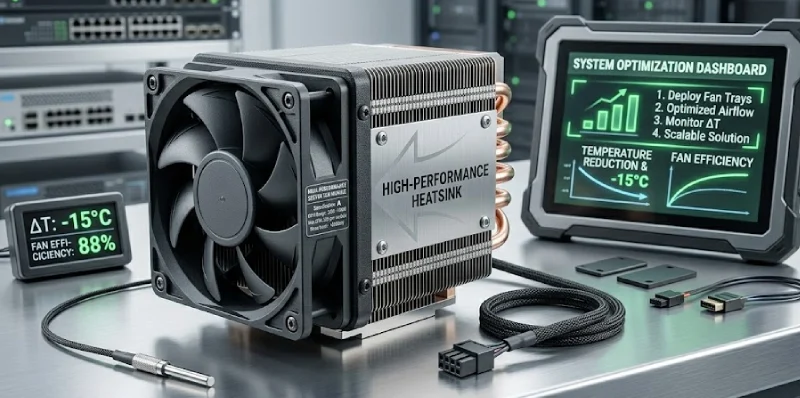
Here’s what you should remember: a fan paired with a heatsink is the highest‑ROI thermal upgrade you can make. It costs maybe ten to twenty bucks. It can triple or even quadruple how much heat you can get rid of. And most engineers overlook it until something fails in the field.
So let’s talk about when you actually need a fan, how to match it with the right heatsink, and how to avoid the same mistake PowerDrive made.
First, let’s see if you’re at risk
I put together a quick checklist. Grab a pen or just think through each question honestly.
| Question | Yes | No |
|---|---|---|
| Your device sees ambient temperatures above 40°C (104°F) in real use | □ | □ |
| Any single chip on your board dissipates more than 5 watts | □ | □ |
| The enclosure is mostly sealed or has tiny ventilation slots | □ | □ |
| Your product will live inside a non‑air‑conditioned industrial space | □ | □ |
| A competitor’s similar product includes a fan | □ | □ |
| Someone has already told you “your equipment feels really hot” | □ | □ |
How to read your score:
0–1 “yes” → you’re probably fine with just a heatsink.
2–3 “yes” → you should seriously consider adding a fan.
4 or more “yes” → not adding a fan is a genuine risk. You might end up like PowerDrive.
I’m not saying this to scare you. I’m saying it because I’ve seen the same pattern repeat across dozens of industries. Engineers design for perfect conditions. Real life is never perfect.
Why a fan changes the game completely
A heatsink works by giving heat a bigger surface to escape from. But without a fan, that heat just sits near the fins. It creates a warm blanket of air around the metal. The hotter that blanket gets, the less heat can move from the heatsink into the air.
That’s why natural convection heatsinks have such high thermal resistance. You might see numbers like 4 or 5 °C per watt. For a 20‑watt chip, that means an 80–100°C rise above ambient. In a 50°C factory, your chip is now at 130–150°C. Most silicon doesn’t like that.
Add a fan, and everything changes.
Air moves across the fins. That warm blanket gets blown away. Fresh, cooler air keeps coming in. The heat transfer coefficient jumps from roughly 10 W/(m²·K) in still air to 50 or even 100 with forced airflow. That’s a five‑to‑ten‑fold improvement.
Let me show you what that looks like in real numbers.
| Cooling method | Typical thermal resistance | Max heat (with 50°C rise) | Relative cost |
|---|---|---|---|
| Passive heatsink (no fan) | 3–8 °C/W | 6–15 watts | $ |
| Heatsink + low‑speed fan | 1–2 °C/W | 25–50 watts | $$ |
| Heatsink + high‑speed fan | 0.5–1 °C/W | 50–100 watts | $$ |
| Heatpipe heatsink + fan | 0.2–0.5 °C/W | 100–250 watts | $$$ |
| Liquid cooling | 0.05–0.2 °C/W | 250–1000+ watts | $$$$ |
For less than double the cost, you can handle three or four times more heat. That’s the kind of leverage you almost never get in engineering.
A quick note on why a fan alone won’t save you
I’ve seen people try this. They think, “Why not just point a fan at the bare chip and call it done?”
It doesn’t work well.
A bare chip has maybe one or two square centimeters of surface area. Even with a strong fan, the heat transfer rate is limited by how small that area is. You might get rid of 5 or 10 watts at best. Most power chips these days run 20, 50, even 100 watts. You need surface area. That’s what the heatsink gives you.
The fan and the heatsink work together. The heatsink creates area. The fan keeps that area useful. Take one away and the whole thing falls apart.
How to match a fan with a heatsink without losing your mind
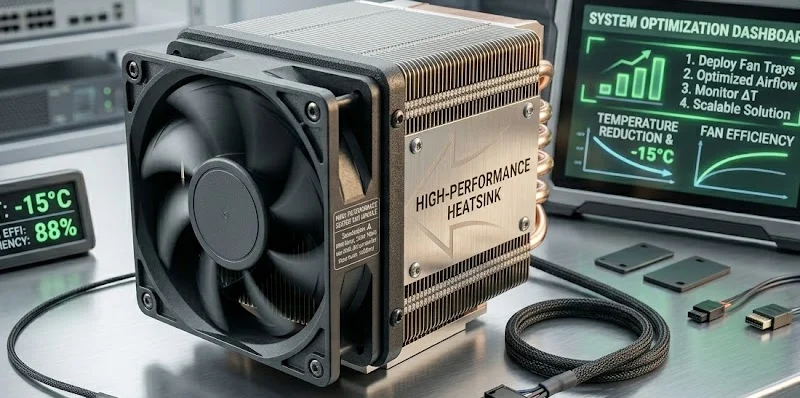
I’m going to give you a simple process.This isn’t academic theory. This is what we use at LinkWell when customers ask us to design thermal solutions for them.
First, figure out your target thermal resistance.
Here’s the formula you actually need:
Target thermal resistance (°C/W) = (T_junction_max – T_ambient_max) / Power
Let’s walk through an example.
You have a MOSFET that dissipates 30 watts. The datasheet says its junction should stay below 125°C. Your worst‑case ambient is 55°C (inside a sealed cabinet on a hot day).
125 – 55 = 70°C of allowed temperature rise.
70°C / 30 watts = 2.33 °C/W.
That’s your target. You need the entire cooling path — heatsink, thermal interface material, everything — to stay under 2.33 °C/W.
Check that table again. A passive heatsink typically gives you 3–8 °C/W. That won’t work. You’re already in the “heatsink plus fan” zone.
Once you have that number, pick a heatsink family.
Here’s a rough guide I’ve used across hundreds of projects.
| If your target thermal resistance is… | Start with this heatsink type |
|---|---|
| Above 4 °C/W | Extruded aluminum, sparse fins |
| 2 – 4 °C/W | Extruded or folded fin, moderate density |
| 1 – 2 °C/W | Dense extruded or bonded fin |
| 0.5 – 1 °C/W | Copper base + dense aluminum fins, or heatpipe |
| Below 0.5 °C/W | Heatpipe array or liquid cooling |
For our MOSFET example, target is 2.33 °C/W. That puts you in the “dense extruded or bonded fin” range. You need a heatsink that’s already pretty aggressive even before you add the fan.
Then comes the part where most people mess up — choosing a fan that can actually push air through those fins.
This is where most people mess up.
A dense heatsink with narrow fin gaps — say, 2 to 3 millimeters between fins — creates a lot of airflow resistance. A cheap, low‑pressure fan will barely move air through it. You’ll hear the fan spinning, but almost no air comes out the other side.
| Heatsink fin spacing | What the fan needs | Fan type to look for |
|---|---|---|
| More than 5 mm (wide) | High airflow, low pressure | Standard axial fan, any blade design |
| 3 – 5 mm (medium) | Balanced airflow and pressure | Axial fan with curved blades |
| Less than 3 mm (dense) | High static pressure | Axial fan with tight blade tip clearance, or centrifugal fan |
For that MOSFET example with a dense heatsink, I’d recommend an axial fan with a high‑pressure blade design. Think of fans like the Delta AFB series or Sunon Vapo bearing lines. They’re designed to push air through tight spaces.
And here’s a tip most people don’t know: leave a small gap — about 5 to 10 millimeters — between the fan and the heatsink. If you mount the fan directly against the fins, you create a dead zone right in the middle where air barely moves. A small gap lets the airflow spread out and hit more of the fin surface.
Three real customers who fixed their overheating problems
I’m not going to give you fake examples. These are real companies we’ve worked with.
Case one: WattDrive Systems
WattDrive makes variable frequency drives for conveyor belts. Their 7.5 kW drive kept overheating in textile factories. You know, the kind of places full of cotton dust and high humidity. They had a decent extruded heatsink but no fan.
We ran a thermal simulation for them. Turns out their IGBTs were hitting 108°C on summer afternoons. The silicon was rated for 125°C, but that’s absolute maximum. Long‑term reliability drops fast above 100°C.
We designed a copper‑base heatsink with dense aluminum fins, paired with two 120mm high‑pressure fans running in a push‑pull configuration. We also added a simple thermostat — the fans only run when the heatsink passes 50°C.
Result: IGBT temperature dropped to 72°C. The drives stopped throwing thermal faults. WattDrive’s failure rate in the field fell by over 80%. Their purchasing manager told us they saved roughly $200,000 in warranty costs the next year.
Case two: LuminaGrid (not their real name, but they asked us to keep it quiet)
LuminaGrid builds LED streetlights. Their 150‑watt fixture was failing after about two years instead of the promised seven. Customers were angry. Replacement costs were killing their margins.
The problem was simple. They had a big, beautiful cast‑aluminum heatsink. But no fan. In the southern US summer, nighttime temperatures stay around 30°C, but the fixture’s own heat pushed junction temperatures past 105°C. That’s way too hot for LEDs. They degrade fast above 85°C.
We added two IP67 waterproof fans — the kind you can hose down — mounted to pull air through the heatsink. We also installed a humidity sensor because the real risk wasn’t just heat; it was condensation forming when the fixture cooled down at dawn.
Result: Junction temperature dropped to 82°C. LuminaGrid extended their warranty confidently to seven years. They told us their return rate dropped by 90% in the first two years after the redesign.
Case three: Medical Imaging Dynamics
This one’s different. They make a portable X‑ray generator. Low volume, high value. Their problem wasn’t constant overheating. It was intermittent. The generator worked fine for five minutes, but after ten minutes of continuous use, the high‑voltage transformer would shut down.
We looked at their design. They had a custom‑machined copper heatsink — beautiful piece of work. But it was buried inside a sealed enclosure with no airflow. The heat just accumulated.
We didn’t redesign the heatsink. Instead, we added a small 60mm centrifugal fan that pulled air through a duct we designed to direct flow across the copper fins. We used a PWM fan controlled by a thermistor right on the transformer core.
Result: The transformer ran 25°C cooler. The generator could run continuously without thermal shutdown. The lead engineer, a guy named Tom, said they’d been struggling with that issue for two years and had almost given up on a fix.
Why engineers come to LinkWell instead of piecing it together themselves
Look, you could buy a heatsink from one supplier and a fan from another and try to make them work together. People do it all the time.
But here’s what usually happens.
You spend weeks matching mechanical drawings. You realize the fan mounting holes don’t line up with the heatsink. The airflow direction is wrong. The fan you picked is too loud, so you try another one, but that one has lower pressure and the air barely moves through the dense fins. You end up testing three or four combinations.
That’s time. That’s engineering hours. That’s delayed shipping dates.
We do something simpler. We give you a complete, tested module — heatsink, fan, shroud, and sometimes even the temperature controller. Everything is matched. The fan curve aligns with the heatsink’s impedance. The mounting holes line up. We’ve already run the thermal simulation.
| What you get with separate suppliers | What you get from LinkWell |
|---|---|
| Multiple purchase orders | One order, one delivery |
| You do the matching | We do the matching |
| You guess at performance | We give you simulation data |
| Unknown reliability | Proven MTBF data (70,000+ hours) |
| No warranty on the combination | Full system warranty |
A few months ago, a customer named Aaron from a robotics startup told me something that stuck. He said, “I didn’t realize how much time I was wasting just trying to get a fan and a heatsink to play nice together. Having you send me a ready‑to‑bolt‑on module cut my development time by three weeks.”
Three weeks. For a startup, that’s huge.
Let me answer the questions you’re probably thinking
“Won’t a fan just break after a year?”
Not if you pick the right one. Our fans use dual‑ball bearings. They’re rated for 70,000 hours of continuous operation. That’s eight years. We also offer fans with tachometer output — your system can monitor fan speed and warn you before anything fails. Most failures are gradual, not sudden.
“I can’t have loud fans. My equipment goes in offices.”
I get it. Noise is a real constraint. Use a PWM fan and a temperature sensor. At low loads, the fan barely spins — maybe 500 to 800 RPM. You can’t hear it. Only when things get hot does it ramp up. And with a good heatsink, “hot” happens less often. We also carry fan blades designed for low noise — swept, curved shapes that cut down on whoosh.
“Can you really customize a heatsink for my weird board layout?”
Yes. We do extrusion, bonding, skiving, and heatpipe assemblies. Send us a 3D step file and tell us your component locations and height restrictions. We’ll come back with a drawing in a few days. We’ve made heatsinks that wrap around capacitors, that fit under odd‑shaped enclosures, that double as structural members. Unusual layouts are normal to us.
“How much more expensive is a custom solution compared to off‑the‑shelf?”
Sometimes it’s cheaper. Off‑the‑shelf parts often force you to buy extra features you don’t need or live with a size that’s not quite right. With a custom heatsink, you pay only for the material and process you actually use. Most of our custom jobs come in within 20% of a standard catalog part. And you get exactly what you need.
“What’s your typical lead time?”
Stock fan‑heatsink modules ship in 7 to 10 days. Custom designs take 20 to 30 days for first samples. If you’re in a real rush, we’ve done emergency jobs in two weeks. Just ask.
Here’s what I want you to do next
You’ve got three options, depending on where you are in your project.
If you’re just gathering information right now, download our heatsink and fan selection guide. It’s a PDF with more detailed formulas, common fan curves, and a checklist for your mechanical team. No forms, no email required — just click and read.
If you have a specific board or enclosure in mind, send us a rough sketch or a STEP file. We’ll run a quick thermal simulation at no charge and send you back a recommendation. We’ve done this for over 300 companies. Most of them end up saving at least one prototyping cycle.
If you already know what you need, contact our engineering team directly. Tell them what power level, what space constraints, and what ambient temperature you’re dealing with. They’ll reply within one business day with a quote and a preliminary design sketch.
FAQ
1. Will a fan really make that much difference on my existing heatsink?
Yes. A customer named Aaron from a robotics startup added a fan to his existing heatsink and saw temperatures drop by 28°C. No redesign. No new heatsink. Just a $12 fan and a simple mounting bracket.
2. I’m worried about fan reliability. What if it fails in the field?
That’s fair. That’s why we use dual‑ball bearing fans rated for 70,000 hours — about eight years of continuous running. We also offer fans with tachometer output. Your system can monitor fan speed and alert you before anything fails.
3. My product goes into offices. Won’t a fan be too loud?
Not if you do it right. Use a PWM fan with a temperature sensor. At low loads, the fan spins at maybe 500 RPM. You literally cannot hear it. Only when things get hot does it ramp up. And with a good heatsink, “hot” doesn’t happen often.
4. Can you really customize a heatsink for my weird board layout?
Send us a STEP file. Seriously. We’ve made heatsinks that wrap around capacitors, fit under curved enclosures, and double as structural brackets. If you can draw it, we can probably make it.
5. How much does a custom heatsink‑fan combo cost compared to off‑the‑shelf?
Most of our custom jobs come in within 20% of a standard catalog part. Sometimes less. And you get exactly what you need — no extra machining, no wasted space, no compromise. Plus you save weeks of engineering time trying to make mismatched parts work together.
Conclusion
Look, you can keep using oversized heatsinks and hoping for the best. Or you can spend a few extra dollars on a properly matched fan and actually solve your overheating problem. WattDrive and LuminaGrid learned this the hard way. You don’t have to. A fan paired with the right heatsink is the cheapest insurance you’ll ever buy. Don’t wait until your customer’s equipment is failing on a hot factory floor. Fix it now. It costs less than you think.
