When a VFD trips on temperature, the first useful question is where the heat problem begins. Is the cabinet feeding the drive air that is already too hot, or is the drive unable to transfer heat into otherwise acceptable cooling air?
VFD overheating can come from restricted filters, dirty heat sinks, failed fans, poor spacing, hot-air recirculation or operating conditions that exceed the drive’s derated capacity. Replacing a fan may help when that fan is defective, but it will not correct every overtemperature fault.
Identify the Actual Temperature Alarm
Record the fault code, affected sensor, output current, operating speed, switching-frequency setting and time since startup. A heat-sink alarm, control-board temperature alarm and motor thermal alarm refer to different thermal paths.
Compare the code with the exact drive manual. Do not apply another model’s trip threshold or reset procedure. A drive may display measured temperature, estimated semiconductor temperature or a calculated thermal condition. These readings should not be treated as interchangeable.
Keep the event history before resetting. A fault that appears during acceleration suggests a different investigation from one that develops after hours at steady duty or during the afternoon temperature peak.
Note: Internal inspection and electrical measurements require qualified personnel following the drive’s isolation and stored-energy discharge procedure. A dark display does not prove the DC bus is discharged.
Check the Air Entering the Drive
Measure temperature at the drive’s specified cooling-air inlet. The room thermostat or a sensor on the cabinet door may not describe the air reaching the drive. Nearby power supplies, reactors and drives can preheat it.
Record room ambient, cabinet intake and drive-inlet temperatures at the same load. If room air is acceptable but the drive inlet is too hot, investigate cabinet heat rejection and internal recirculation. If all three rise together, the ambient condition may exceed the original cooling design.
Compare the result with the drive’s installation and derating conditions. There is no universal VFD ambient limit applicable to every frame, enclosure option and switching frequency.
Separate Cabinet Cooling From Drive Cooling
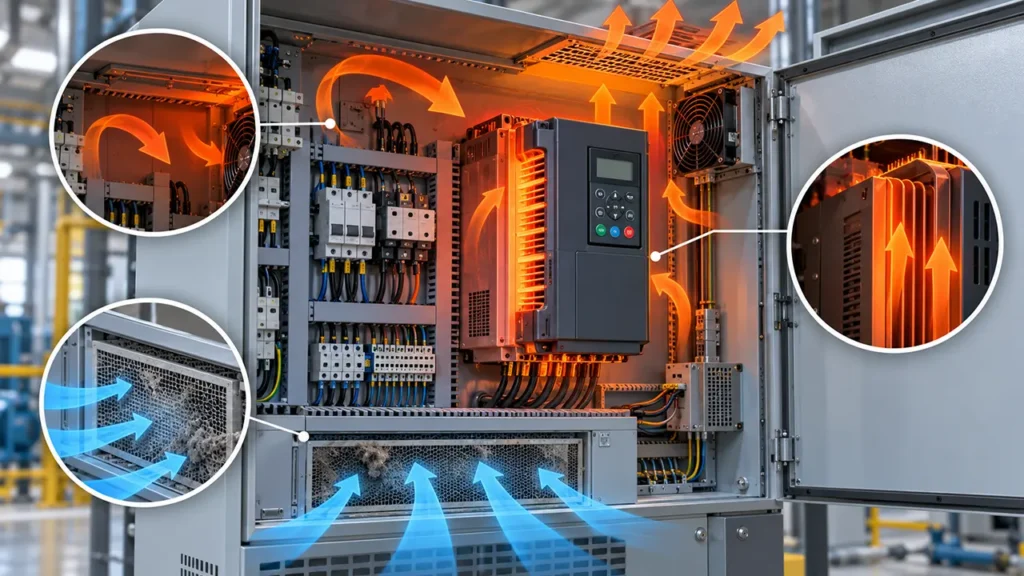
The cabinet fan moves air through the enclosure. The drive’s internal or heat-sink fan moves air through a particular cooling passage. Both paths must work.
A cabinet can have strong exhaust airflow while the drive heat sink remains blocked. Conversely, the drive fan may operate normally while continuously drawing hot cabinet air. Some drives also separate the electronics compartment from a heat-sink back channel, so the installation drawing determines which air stream needs attention.
| Evidence | Likely investigation |
|---|---|
| Several components become hot together | Cabinet intake, total heat load and enclosure cooling capacity |
| One drive overheats with acceptable inlet air | Its heat sink, internal fan, load and thermal sensing |
| Problem improves after filter service | Filter pressure drop, maintenance trigger and fan pressure margin |
| Fault follows increased process demand | Current, overload duration, switching settings and derated rating |
Inspect Filters, Heat Sinks and Exhaust Openings
Look beyond whether the filter appears dirty. Fine dust or oil can raise resistance without producing an obvious surface layer. Check the specified filter grade, installed area, loading and whether a replacement medium is denser than the original.
Inspect heat-sink passages using the approved service procedure. Deposits reduce flow and can also interfere with heat transfer at the fin surface. Follow the equipment cleaning method; uncontrolled compressed air can overspeed fans, spread conductive contamination or damage electronics.
Check the outlet as carefully as the inlet. A small discharge opening, added guard or blocked roof vent can restrict the whole cabinet. Changing the filter without checking the exhaust can leave the real bottleneck untouched.
Confirm Fan Operation Under a Valid Command
A stopped fan at low load does not automatically mean failure. Drives may control fans by temperature, load, operating state or a diagnostic command. Establish the expected behavior for that model before deciding whether the fan is defective.
When cooling is demanded, check actual rotation, speed where available, airflow direction, noise and feedback. Visible rotation alone does not establish adequate airflow through the installed restriction. A worn fan, wrong replacement or low supply can rotate while providing insufficient cooling.
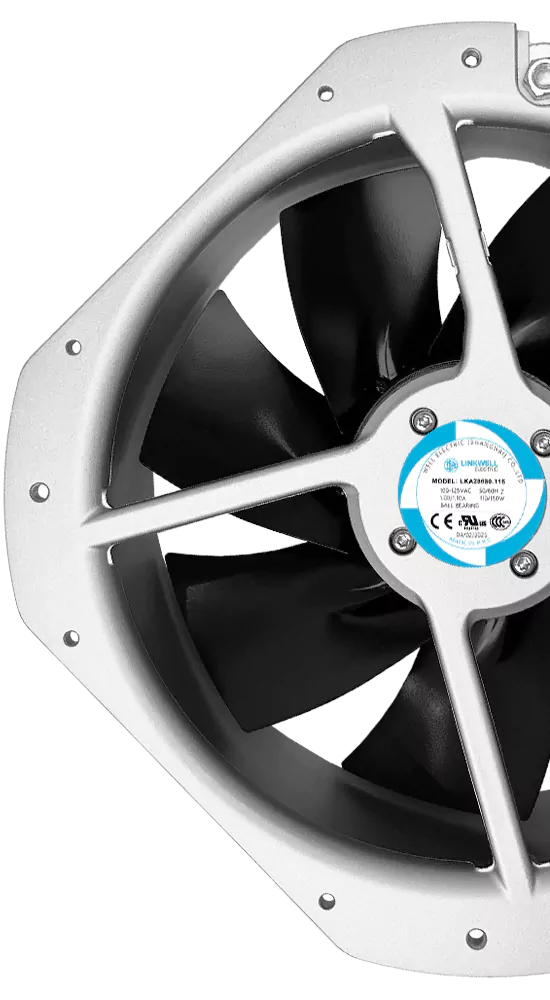
For electrical diagnosis and replacement compatibility, use a controlled service process. The Replacement Cooling Fan guide covers the interface checks needed before approving an alternative.
Check Clearance and Hot-Air Recirculation
Use the manufacturer’s top, bottom and side clearances for the exact mounting arrangement. A wiring duct, panel roof or another drive may obstruct the required path even when the main cabinet looks spacious.
Exhaust from one drive should not return directly to its own inlet or feed an adjacent drive without an accounted temperature rise. Baffles can help direct air, but they also add resistance and must not obstruct maintenance or protection functions.
Closing the door can change the flow pattern substantially. Investigate and validate with the final covers and barriers installed rather than relying on an open-door demonstration.
Review Load and Settings After the Air Path
Record actual current over the duty cycle, including acceleration, repeated braking and sustained torque demand. Check for a process change, mechanical load increase, unsuitable drive sizing or operation beyond the permitted overload duty.
Switching frequency, altitude and enclosure configuration can affect available drive current. Use the manufacturer’s applicable derating method. Reducing switching frequency may reduce drive losses in some applications, but parameter changes must also meet motor, acoustic and process requirements.
Motor overheating at low speed can involve inadequate motor ventilation even when the VFD itself is cool. Keep drive cooling and motor cooling as separate checks.
Why a Larger Cabinet Fan Sometimes Fails to Help
A fan’s free-air CFM does not describe flow through a loaded filter, louver and dense cabinet. Select the fan where its pressure-flow curve intersects the system curve, then confirm that the resulting flow reaches the drive.
If ambient air is hotter than the permitted cabinet temperature, ventilation cannot provide the required condition. A sealed enclosure may need a heat exchanger or active cooling. Internal circulation can improve temperature distribution, but it cannot reject heat outside the cabinet by itself.
See How to Choose a Cooling Fan for VFD Cabinets for product selection and Sealed Enclosure Cooling for closed-loop options.
A Repeatable Diagnostic Sequence
- Save the alarm and operating data before resetting.
- Identify whether the alarm concerns the drive, cabinet electronics or motor.
- Measure the actual cooling-air inlet temperature.
- Inspect filters, heat-sink passages, outlets and installation clearance.
- Verify fan command, operation and feedback using the approved method.
- Compare current and settings with the applicable derated capacity.
- Correct the identified cause and repeat the original duty with the cabinet closed.
Document before-and-after inlet temperature, load, fan condition and critical temperatures. If the original failure occurred after prolonged operation, allow the retest to reach a representative thermal state. A short restart without a fault is not sufficient evidence.
Preventing Repeat Overtemperature Faults
Base filter and fan maintenance on site contamination, operating hours and recorded condition. Retain a clean-system temperature baseline so gradual deterioration is visible. Review cooling again after adding equipment, changing a filter grade or increasing process demand.
For new OEM designs, LINKWELL’s industrial equipment cooling applications provide a starting point for reviewing fan requirements. Supply voltage, installed pressure, airflow, temperature and alarm or speed-control interfaces must be confirmed for the individual model.
Frequently Asked Questions
What causes a VFD to overheat?
Common causes include hot inlet air, restricted filters or heat sinks, fan failure, poor clearance, recirculation and load beyond the drive’s permitted capacity under the actual conditions.
Can a VFD overheat with its fan running?
Yes. The fan may be moving too little air, the heat sink may be blocked, the inlet may be too hot or the load may exceed the applicable derated rating.
Should I reset a VFD overtemperature fault?
Follow the device procedure after recording the fault and investigating the cause. Repeated resetting without correction can conceal a persistent cooling or loading problem.
Will opening the cabinet door solve overheating?
It can change temperatures temporarily, but it changes the designed airflow and environmental protection. The permanent correction must work with the equipment in its intended closed configuration.