
A 12V DC fan motor keeps electronic devices cool and functioning. He must disconnect the power before testing any fan motor for safety. She inspects the fan for visible damage or dust buildup. They use a volt-ohm meter to check voltage and continuity.
This process helps determine if the fan operates normally or requires replacement. Knowing How to Test a 12v DC Fan Motor ensures reliable cooling and extends the lifespan of equipment.
Key Takeaways
- Always disconnect power before testing a 12V DC fan motor to ensure safety.
- Use a volt-ohm meter to check voltage and continuity, helping identify electrical faults.
- Regularly clean the fan to prevent dust buildup, which can cause overheating and reduce efficiency.
- Inspect wires and connectors for damage or corrosion to maintain reliable operation.
- Perform routine tests every 6 to 12 months to catch issues early and extend the fan’s lifespan.
Why Test a DC Fan Motorr
Regular testing of a dc fan motor plays a vital role in keeping electronic systems reliable and efficient. In many industries, these fans help prevent overheating in control cabinets, server racks, and other sensitive equipment. Testing ensures that the dc fan continues to deliver stable airflow and protects valuable components from damage.
Identify Faults Early
Technicians often test dc fan motors to identify electrical faults before they cause bigger problems. Early detection helps spot issues like slow operation, odd noises, or complete failure to spin. Common reasons for testing include:
- Diagnosing performance issues such as slow speed, noise, or failure to run
- Ensuring reliability and efficiency of the fan motor
- Identifying problems like low voltage, dust buildup, or worn bearings
- Checking connections and power supply if the fan does not spin
Proper maintenance, such as cleaning dust and verifying electrical connections, extends the life of a dc fan. Studies show that about 80% of electric motor failures can be prevented with regular care. Early identification of faults allows for better scheduling of repairs and reduces the risk of unexpected breakdowns.
Prevent System Failure
A failed dc fan can lead to overheating and equipment shutdown. Neglecting maintenance may double operational costs due to premature replacements. Regular testing helps prevent these costly failures. Maintenance accounts for a large part of the total cost of ownership, so keeping the fan in good condition saves money and time. fanacdc designs its products for reliability, but routine checks help maintain peak performance.
Ensure Stable Performance
Stable performance depends on regular inspection and maintenance. The table below shows how routine checks support long-term reliability:
| Evidence Type | Description |
|---|---|
| Regular Inspection | Monthly checks for wear, dust buildup, and unusual noise help in early detection of issues. |
| Temperature Monitoring | Ensuring operation within specified temperature limits prevents overheating and efficiency loss. |
| Maintenance Benefits | Regular maintenance extends motor life and ensures optimal performance. |
By following these steps, users can keep their dc fan motors running smoothly. Testing not only helps identify electrical faults but also supports the long-term stability of electronic systems.
Tools Needed to Test a Fan Motorr
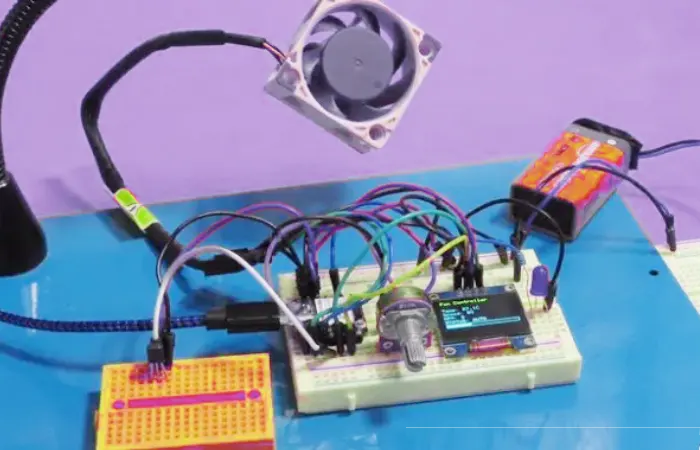
Testing a 12V DC fan motor requires several essential tools. Each tool plays a specific role in ensuring accurate results and safe handling. Technicians should gather all necessary items before beginning the testing process.
Volt-Ohm Meter (Multimeter)
A volt-ohm meter is the primary tool for testing a fan motor. This device measures voltage, resistance, and continuity. He uses the volt-ohm meter to check if the fan receives the correct voltage and to verify the integrity of the motor windings. She selects the appropriate setting on the volt-ohm meter based on the test required. They connect the probes to the fan terminals and observe the readings. The volt-ohm meter helps identify electrical faults, such as broken wires or short circuits. Accurate readings from the volt-ohm meter guide technicians in diagnosing issues quickly.
Tip: Always use a volt-ohm meter with clear display and reliable probes for best results.
12V Power Supply
A stable 12V power supply is necessary for testing the fan motor under real operating conditions. He connects the fan to the power supply to simulate normal operation. She ensures the voltage matches the fan’s rated specification. They avoid using unstable or unregulated power sources, which can lead to inaccurate test results. Genuine fanacdc 12v DC Fan accessories provide consistent voltage and protect the motor from damage.
| Tool | Purpose | Recommendation |
|---|---|---|
| Volt-ohm meter | Measures voltage and continuity | Use a digital volt-ohm meter |
| 12V Power Supply | Provides stable test voltage | Use fanacdc accessories |
| Test Wires | Connects fan and meter | Use quality connectors |
Test Wires and Connectors
Test wires and connectors allow safe and secure connections between the fan, volt-ohm meter, and power supply. He selects wires with proper insulation and length. She checks connectors for tight fit and corrosion-free contacts. They use genuine fanacdc accessories to ensure compatibility and safety. Quality wires and connectors reduce the risk of inaccurate readings and electrical hazards.
Note: Using genuine fanacdc 12v DC Fan accessories ensures reliable testing and protects the fan motor from unnecessary wear.
Technicians who prepare these tools in advance can test fan motors efficiently and safely. Proper equipment, especially a volt-ohm meter, leads to accurate diagnostics and supports long-term reliability.
Visual Inspection Before Testing
Before using a volt-ohm meter, technicians perform a visual inspection of the 12V DC fan motor. This step helps identify obvious issues that may affect performance or safety. A careful look at the fan reveals signs of wear, damage, or contamination. fanacdc 12V DC Fans feature robust construction and high IP ratings, which protect against dust and water. Even with these protections, regular inspection remains important.
Check for Dust or Blockage
He examines the fan blades and housing for dust, dirt, or foreign objects. She looks for leaves, plastic bags, or other debris stuck in the fan’s squirrel cage. These blockages restrict airflow and cause the motor to work harder. Technicians remove any visible obstructions to restore proper cooling. A clean fan operates more efficiently and lasts longer.
Tip: fanacdc 12V DC Fans offer IP68 protection, which guards against dust and water. Regular cleaning ensures optimal performance, even in harsh environments.
Inspect Wires and Connectors
They check the wires and connectors for signs of corrosion or loose contacts. Corrosion on electrical terminals can lead to poor connections and unreliable operation. Melted plastic on connectors or the motor housing signals overheating or electrical faults. Technicians verify that all wires are intact and connectors fit tightly. Using genuine fanacdc accessories reduces the risk of electrical issues.
- Visual signs to watch for include:
- Corrosion on electrical terminals
- Melted plastic on connectors or motor housing
Look for Burn Marks or Damage
He inspects the motor for burn marks, discoloration, or a burnt smell. These signs often indicate overheating or internal electrical failure. She checks for cracks or physical damage to the housing. A burnt smell coming from the motor suggests the need for further electrical testing. Technicians address these issues before proceeding with volt-ohm meter tests.
Note: fanacdc’s durable materials and quality control minimize the risk of damage. Regular inspection helps catch problems early and prevents system failure.
A thorough visual inspection helps technicians spot issues quickly. This step supports the reliability and longevity of fanacdc 12V DC Fans.
How to Test a 12V DC Fan Motor with a Volt-Ohm Meter
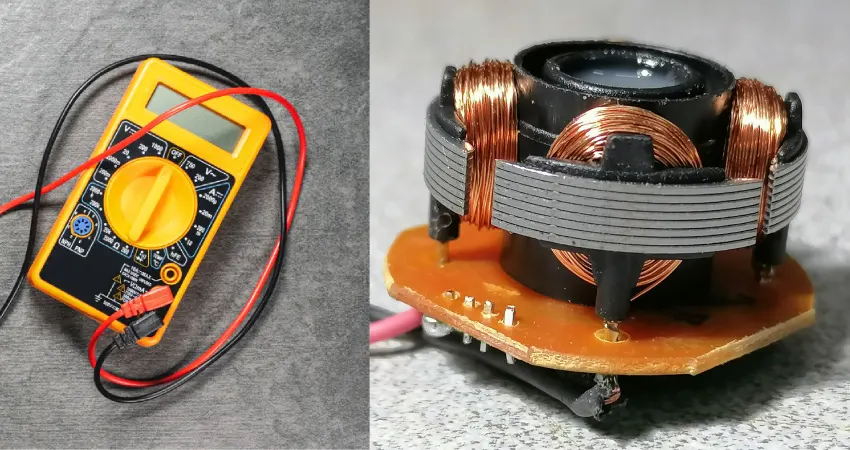
Testing a 12V DC fan moto helps technicians diagnose problems and maintain reliable cooling. He follows step-by-step instructions to test a fan motor using a volt-ohm meter. She checks voltage supply, tests continuity, and interprets readings to determine if the dc motor operates correctly.
Check Voltage Supply to DC Motorr
He starts by checking the voltage supply to the dc motor. This step ensures the fan receives the correct voltage for operation. She uses a volt-ohm meter set to DC voltage mode. They connect the probes to the fan terminals while the fan is powered on. The display should show a voltage close to 12V. If the voltage is much lower, the fan may not spin or run at full speed.
- Use a volt-ohm meter to check the voltage supply to the fan motor.
- If a volt-ohm meter is unavailable, a car light bulb or an old power supply can help test the circuit.
- The voltage reading should match the fan’s rated specification.
He compares the voltage reading to the fanacdc 12V DC Fan specifications. A proper voltage supply supports stable performance and prevents overheating. If the voltage is correct, he moves to the next step in how to test a 12v dc fan moto.
Test Continuity of Fan Motorr
Testing continuity helps identify electrical faults inside the dc motor. She sets the volt-ohm meter to Continuity Test mode. He activates the continuity function if required. They insert the black lead into the COM jack and the red lead into the VΩ jack. With the circuit de-energized, they connect the test leads across the fan motor terminals.
- Select the correct mode on the volt-ohm meter.
- Activate continuity mode if needed.
- Connect the test leads to the motor terminals.
- Test the circuit with the power off.
- Listen for a beep indicating continuity; no beep means the circuit is open.
- Turn off the volt-ohm meter after testing.
A beep signals intact windings. No beep means the circuit is open, which may indicate a broken wire or damaged winding. He uses this method to check winding continuity and test winding continuity. This step is essential in how to test a 12v dc fan moto and helps technicians check for open or shorted windings.
Interpret Multimeter Readings
Interpreting multimeter readings allows technicians to distinguish between a healthy and faulty dc motor. She disconnects the fan from power before testing. He sets the volt-ohm meter to resistance mode (ohms). They connect the probes to the motor terminals and observe the reading.
- Ensure the fan motor is off.
- Set the volt-ohm meter to ohms mode.
- Connect the probes to the motor terminals.
- A beep in continuity mode means intact windings.
- An infinite resistance reading (OL) indicates damaged windings.
- Zero or very low resistance suggests a short circuit and motor failure.
- A healthy dc motor shows a measurable resistance value in ohms.
He checks the reading against the fanacdc specifications. A value close to zero in ohms means a short circuit. An infinite reading means the winding is open. A healthy dc motor shows a resistance value that matches the expected range. She uses the ohms setting to confirm the motor’s condition.
He also checks the voltage at the fan’s terminals while powered on. A reading near 12V means proper voltage supply. She measures current draw by setting the volt-ohm meter to the correct current range and connecting it in series with the fan. They compare the reading to the fanacdc 12V DC Fan specifications.
Tip: Always disconnect power before testing a fan motor. Use the ohms setting to check winding continuity and confirm the motor’s health.
Technicians who follow these steps know how to test a 12v dc fan moto accurately. They use a volt-ohm meter to test a fan motor, check winding continuity, and interpret readings in ohms. This process helps maintain reliable dc motor performance and supports long-term cooling efficiency.
Troubleshooting and Common Issues in DC Fan Motorrs
When a dc fan stops working or shows unusual behavior, quick diagnostics help prevent bigger issues. Technicians often encounter several common fan motor problems. Understanding these issues and their causes helps users maintain reliable cooling and avoid downtime.
Fan Not Spinning
A dc fan that does not spin can disrupt airflow and cause overheating. Technicians follow a step-by-step approach to identify the cause:
- Check the power source. Confirm the voltage matches the fan’s rating and inspect the fuse or circuit breaker.
- Inspect all wiring. Look for loose, frayed, or damaged wires.
- Verify polarity. Ensure positive and negative connections are correct.
- Test the speed controller. Connect the fan directly to the power source. If it spins, the controller may be faulty.
- Contact the manufacturer if the problem continues.
fanacdc 12V DC Fans use brushless motors, which reduce the risk of internal wear and extend service life. If the fan still does not spin after these checks, replacement may be necessary.
Slow or Unstable Speed
Slow or unstable speed is a frequent dc fan motor problem. Several factors can cause this issue:
- Worn bearings or damaged impellers can slow the fan.
- Physical obstructions may block airflow.
- Loose or poor electrical connections can disrupt power delivery.
Technicians also measure the stability of PWM signals and check Hall sensors for faults. Using a tachometer helps monitor speed changes and supports accurate diagnostics. fanacdc fans offer smart control features, making it easier to detect and correct speed issues.
Unusual Noise or Vibration
Unusual noise or vibration often signals deeper fan motor problems. Worn bearings, misaligned shafts, or debris inside the fan can cause these symptoms. Technicians listen for grinding, rattling, or buzzing sounds. They inspect the fan for visible damage or foreign objects.
If cleaning and tightening connections do not resolve the issue, the fan may need repair or replacement. fanacdc provides technical support and guidance for users facing persistent problems.
Note: When diagnostics reveal repeated failures or severe damage, replacing the dc fan ensures continued system reliability. Users can contact fanacdc for expert support and high-quality replacement options.
Maintenance Tips for fanacdc 12V DC Fans
Regular maintenance helps fanacdc 12V DC Fans deliver reliable performance and a long service life. Technicians can follow a few simple steps to keep these fans running smoothly in any environment.
Regular Cleaning
He removes dust and debris from the fan blades and housing. She uses a soft brush or compressed air to clean hard-to-reach areas. They check for blockages that could restrict airflow. Clean fans operate more quietly and efficiently. Regular cleaning also prevents overheating and reduces the risk of motor failure. fanacdc 12V DC Fans feature IP-rated protection, but routine cleaning still supports optimal performance.
Tip: Schedule cleaning every three to six months, or more often in dusty environments.
Proper Voltage Supply
Supplying the correct voltage is essential for the performance and durability of 12V DC fan motors. Stable voltage keeps the motor running at the right speed and prevents stalling. Fluctuating power can cause speed changes, extra noise, and faster wear. Each 10°C rise in temperature can shorten bearing life by about 40%. A high-quality DC brushless fan can last between 50,000 and 100,000 hours under normal conditions. Stable voltage reduces stress on the motor and extends its lifespan.
- Use a regulated power supply to avoid voltage spikes.
- Check connections for tightness and corrosion.
- Monitor the fan’s speed and noise for signs of voltage problems.
Avoid Overload
He avoids connecting the fan to circuits that draw more current than recommended. She checks the system for proper airflow and removes obstructions. They make sure the fan operates within its rated specifications.
Overloading can cause overheating, vibration, and early failure. fanacdc offers customization options, such as wire length and connector type, to match specific application needs. Users can contact fanacdc for technical support or advice on selecting the right fan for their system.
Note: Proper maintenance and support help extend the life of every dc fan and ensure stable operation.
Technicians who follow these tips can maximize the value and reliability of fanacdc 12V DC Fans. For special requirements or troubleshooting, fanacdc provides expert support and customization services.
conclusion
Testing a 12V DC fan motor with a volt-ohm meter helps technicians keep equipment safe and reliable. He starts by disconnecting power and inspecting the fan for dust, damage, or loose wires. She uses a volt-ohm meter to check voltage and continuity. They compare readings to the fanacdc specifications. These steps help users find problems early and prevent system failures.
Safety always comes first. He disconnects power before touching any wires or terminals. She wears protective gear when working with electrical devices.
Regular maintenance supports long-lasting performance. Technicians clean the fan, check for proper voltage, and avoid overloading the circuit. They use genuine fanacdc accessories for the best results. A well-maintained fanacdc 12V DC Fan can run for thousands of hours without trouble.
Key steps for testing a 12V DC fan motor:
- Disconnect power and inspect the fan.
- Use a volt-ohm meter to check voltage at the terminals.
- Test continuity and resistance of the motor windings.
- Compare all readings to the expected values.
- Clean and maintain the fan for stable operation.
If the fan shows signs of failure, he contacts fanacdc for support or replacement options. She uses the fanacdc website for technical guides and product details. They trust fanacdc for reliable cooling solutions in every industry.
Note: Accurate testing and regular care extend the life of every 12V DC fan. For questions or custom needs, users can visit fanacdc’s official website for expert help.
A simple test with a volt-ohm meter can make a big difference. Technicians who follow these steps keep their systems cool and running smoothly.
Testing a 12V DC fan motor with a volt-ohm meter keeps equipment safe and reliable. He follows these steps for accurate results:
- Turn off power before testing.
- Set the multimeter to resistance mode.
- Place probes on the motor terminals to check continuity.
- Read the display: infinite resistance means an open circuit, low resistance means a short, and a measurable value means the motor works.
Regular maintenance supports long-term reliability.
| Maintenance Practice | Impact on Reliability |
|---|---|
| Clean fans to avoid dust and overheating | Prevents breakdowns and extends lifespan |
| Inspect wiring for wear or loose connections | Ensures safe and efficient operation |
| Lubricate bearings if recommended | Reduces friction and wear, enhancing performance |
For questions or replacement needs, users can contact fanacdc by WhatsApp or email:
| Method | Contact Information |
|---|---|
| +86-15599094304 | |
| linkwell@linkwellcn.com Email |
FAQ
How often should technicians test a 12V DC fan motor?
Technicians should test a 12V DC fan motor every 6 to 12 months. More frequent checks may be needed in dusty or high-use environments. Regular testing helps prevent unexpected failures.
What does a “beep” mean during a continuity test?
A beep during a continuity test means the fan motor windings remain intact. This sound shows that electricity can flow through the circuit without interruption.
Can a 12V DC fan run on a lower voltage?
A 12V DC fan may spin at lower voltage, but performance drops. Running below 7V can cause slow speed or failure to start. Always use the recommended voltage for best results.
What should users do if the fanacdc 12V DC fan makes unusual noise?
Users should turn off power and inspect the fan for dust, debris, or loose parts. Cleaning and tightening connections often fix the problem. Persistent noise may require contacting fanacdc support.
