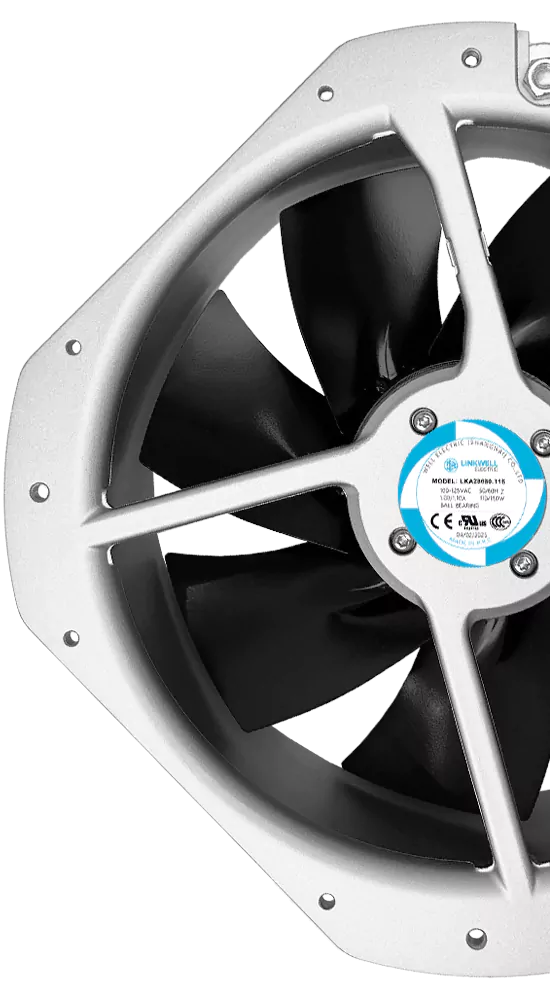
You know how critical reliable cooling is for your equipment. A single fan failure can put your whole system at risk. Even the best compact axial fans need regular maintenance to keep running strong. Dust, vibration, and electrical issues can sneak up on any fan. If you want your fan to last, you need to spot problems early and take action. Choose fanacdc for advanced fan solutions you can trust.
Key Takeaways
- Overheating is a major cause of fan failure. Regularly check for dust buildup and ensure proper ventilation to keep your fan cool.
- Airflow blockage from dust and debris can lead to reduced performance. Clean your fan blades and vents frequently to maintain optimal airflow.
- Imbalanced blades cause vibration and stress on the motor. Inspect blades for wear and ensure correct installation to prevent imbalance.
- Electrical issues can lead to unexpected fan failures. Regularly check wiring and power supply to catch problems early.
- Corrosion from environmental factors can damage your fan. Use corrosion-resistant materials and apply protective coatings to extend its life.
Overheating in Compact Axial Fans
Causes of Motor Overheating
You might wonder why your fan gets too hot. Overheating is one of the top causes of failure in compact axial fans. When airflow drops, the motor works harder and heats up fast. Blocked vents, dust, or even poor lubrication can trap heat inside your fan. Sometimes, excessive load or a mechanical issue puts extra stress on the motor. If you use your fan in a tight space with little ventilation, the temperature rises quickly.
Here’s a quick look at the most common causes of overheating in industrial cooling fans:
| Cause | Explanation |
|---|---|
| Poor lubrication | Metal parts rub together, creating heat and wearing out the motor. |
| Dust and debris accumulation | Blocks airflow, forcing the motor to work harder and overheat. |
| Insufficient ventilation | Hot air gets trapped, so the fan can’t cool itself down. |
| Mechanical/electrical issues | Problems inside the fan or motor can block airflow and raise the temperature. |
Signs of Overheating Issues
You can spot overheating before it leads to failure. If your cooling fan not working as usual, check for these warning signs:
- The fan feels hot to the touch.
- You hear strange noises or vibration.
- The fan slows down or stops suddenly.
- You notice a burning smell near the motor.
- The system’s performance drops, or you see error codes.
Catching these signs early helps you fix problems before they damage your equipment.
Cooling and Preventive Maintenance Tips
You can prevent overheating with smart maintenance and the right solutions. Clean dust and debris from your fan regularly. Make sure nothing blocks the airflow. Use thermal imaging or acoustic analysis to check for hot spots or early motor trouble. If you want even more reliability, choose compact axial fans with smart controls. These fans adjust speed automatically to keep the temperature safe and energy use low.
fanacdc’s advanced design gives you wide temperature operation and real-time monitoring. Their EC fans use brushless motors and electronic controls for precise speed and quiet performance. This means less stress on the motor and longer life for your fan. With these features, you get better cooling, fewer failures, and less need for industrial fan repair. If you want easy cooling fan troubleshooting, fanacdc offers solutions that keep your equipment running strong.
Airflow Blockage and Debris Build-Up

How Blocked Airflow Causes Failure
You might not notice dust and debris at first, but they can quickly become a big problem for your cooling system. When particles settle on the blades of compact axial fans, they disrupt the smooth shape of the blades. This change creates turbulent airflow, which forces the fan to work harder and use more energy. You see reduced airflow, and your motor faces extra stress. Over time, this leads to failure and poor performance.
Uneven dust buildup can throw your fan out of balance. You may hear vibration or feel shaking during operation. This vibration puts mechanical stress on the blades and bearings, which can cause fatigue and damage. If you ignore these signs, you risk needing industrial fan repair sooner than expected.
Dust often contains corrosive substances. These can eat away at steel blades, causing corrosion and erosion. The structural integrity of your fan drops, and cooling efficiency suffers. Improper installation can also block airflow, making your cooling fan not working as it should.
Detecting Airflow Problems
You can spot airflow issues before they cause failure. Look for signs like reduced airflow, strange noises, or vibration. If your cooling fan troubleshooting reveals dust buildup or blocked vents, you need to act fast. Sometimes, the motor slows down or overheats because airflow drops. You may notice your cooling system’s performance slipping, or the motor feels hot to the touch.
Tip: Use a flashlight to check for dust and debris inside your fan. If you see buildup, clean it right away to keep your cooling system running strong.
Maintenance for Optimal Airflow
Regular maintenance keeps your fan reliable and extends its lifespan. Clean the blades and vents often. Make sure nothing blocks the airflow path. If you want easy cleaning, fanacdc Compact Axial Fans feature a smart design that allows quick access for maintenance. Their design makes it simple to remove dust and debris, so you can fix problems before they lead to failure.
You get better cooling and performance when you follow preventive maintenance routines. fanacdc solutions help you maintain reliability with features like easy-to-clean frames and accessible motor housings. If you need industrial cooling fans that last, choose a fan with a design built for easy maintenance.
Imbalanced Blades and Vibration
Causes of Blade Imbalance
You might not realize how quickly a small problem with your fan blades can turn into a big issue for your cooling system. Blade imbalance is one of the main causes of vibration and early failure in compact axial fans. When the blades lose their balance, your fan works harder, and the motor faces extra stress. Here are some common causes you should watch for:
- Accumulation of dust and debris on the blades can throw off the balance and disrupt airflow.
- Uneven wear or damage to the blades changes their weight and shape, making the fan wobble.
- Incorrect installation can leave the blades misaligned, which affects both airflow and cooling performance.
If you ignore these issues, your fan’s motor will have to work overtime, which can lead to more frequent industrial fan repair.
Vibration Warning Signs
Vibration is more than just an annoying sound. It signals that your fan or motor is under stress and could soon fail. You might notice rattling, shaking, or even a humming noise coming from your cooling system. These warning signs often show up before a complete shutdown. Here’s a quick look at how vibration affects your fan’s reliability and performance:
| Issue | Effect on Operational Reliability |
|---|---|
| Imbalanced blades | Leads to excessive vibration and mechanical stress |
| Excessive vibration | Causes fatigue failure of components, leading to shutdowns |
| Noise generation | May violate regulations and create nuisance |
If you spot these signs early, you can fix the problem before it damages your equipment.
Preventive Maintenance for Blade Balance
You can keep your cooling system running smoothly with regular maintenance. Clean your fan blades often to prevent dust buildup. Inspect the blades for signs of wear or damage. Make sure you install the fan correctly to avoid misalignment. If you want a long-lasting solution, choose industrial cooling fans with advanced design features. fanacdc Compact Axial Fans use dynamic balancing to reduce vibration and extend the lifespan of your motor.
This design keeps airflow steady and cooling performance high, even in tough environments. With these solutions, you get better reliability and fewer failures. Regular maintenance and smart design choices help you avoid costly industrial fan repair and keep your equipment cool.
Electrical Issues in Cooling Fans
Common Electrical Failures
Electrical problems can sneak up on your fan and cause unexpected failure. You might think the motor is broken, but simple wiring issues or a faulty power supply are often the real causes. Here are some common electrical failures you should watch for:
- Power supply issues can stop your fan from starting.
- Wiring problems, like loose or disconnected wires, prevent the motor from running.
- Motor faults can lead to overheating and poor cooling performance.
- Voltage fluctuations stress the motor and reduce reliability.
- Incorrect wire sizes cause the fan to work harder, risking burnout.
- Fusing issues can shut down your cooling system.
- Loosened pulleys may affect motor performance and create vibration.
If you use industrial cooling fans in demanding environments, these electrical causes can lead to early failure and costly industrial fan repair.
Identifying Electrical Problems
You can spot electrical issues before they damage your cooling system. If your fan fails to start, check the wiring first. Loose or damaged wires are a common cause. Overloads can make the motor overheat, which leads to burnout. You might notice the fan slowing down, stopping suddenly, or producing less airflow. Sometimes, the motor feels hot or you hear unusual noises. These signs mean your cooling fan needs attention.
Tip: Always inspect the wiring and power supply before you try to fix a fan. Many problems are simple and easy to solve.
Safe Operation and Preventive Maintenance
You can keep your cooling system reliable with smart maintenance and safe operation. Make sure you install your fan correctly and use the right wire sizes. Regularly check for loose connections and signs of wear. If you want peace of mind, choose compact axial fans with rigorous quality control and certifications. fanacdc solutions meet global standards like UL, CE, RoHS, and ISO 9001, ensuring safe and reliable cooling performance.
| Certification/Standard | Purpose | Region/Market |
|---|---|---|
| UL/CSA | Safety approval | US/Canada |
| CE Marking | Market compliance | Europe |
| ISO 9001 | Quality management | Global |
| RoHS / REACH | Environmental protection | Global |
With the right design and regular maintenance, you reduce stress on the motor and improve reliability. fanacdc Compact Axial Fans offer advanced features and strong design, helping you avoid electrical causes of failure and keep your cooling system running smoothly.
Corrosion and Material Degradation

Environmental Causes of Corrosion
You might not think about it, but the environment around your fan can cause a lot of trouble. Corrosion and material degradation are big reasons for failure in compact axial fans. If you use your fan in places with high humidity, you risk rust and corrosion on metal parts.
Chemical exposure is another problem. Some facilities, like chemical plants or wastewater treatment sites, have gases or liquids that can eat away at your fan’s housing and blades. Airborne particles, like dust or metal shavings, can wear down the fan’s surface and make the motor work harder.
Here are some common causes of corrosion in industrial cooling fans:
- High humidity leads to rust and weakens metal parts.
- Chemical exposure breaks down materials and shortens the fan’s life.
- Airborne particles cause abrasion and wear on the motor and blades.
Signs of Material Failure
You can spot material failure before it stops your cooling system. Look for these warning signs:
- Rust or discoloration on the fan housing or blades.
- Pitting, flaking, or rough spots on the surface.
- The motor sounds louder or vibrates more than usual.
- The fan’s performance drops, or you notice uneven airflow.
Corrosive environments can weaken the housing and impellers. This makes your fan less efficient and means you need more maintenance. If you ignore these signs, you risk more stress on the motor and a shorter lifespan for your equipment.
Preventive Maintenance and Protection
You can protect your cooling system with smart maintenance and the right design choices. Regular cleaning and inspection help you catch problems early. Focus on the blades, housing, and ducts. Make sure you dry all parts well after cleaning to prevent corrosion and electrical issues.
Here’s a quick table of effective preventive measures:
| Preventive Measure | Description |
|---|---|
| Choose the Right Materials | Use corrosion-resistant materials like stainless steel or coated aluminum for your fan. |
| Protective Coatings | Apply anti-corrosion coatings to extend the life of fan components. |
| Regular Cleaning | Remove debris and buildup to keep the motor and blades in top shape. |
If you want the best protection, look for IP-rated compact axial fans. An IPX5 rating gives you basic moisture resistance for humid areas. IPX7 and IPX8 ratings offer even more waterproofing for tough environments. High-temperature-resistant materials also help your fan handle heat without warping or wearing out.
This means your motor runs longer and needs less maintenance. fanacdc Compact Axial Fans combine smart design, IP protection, and heat-resistant materials to give you reliable cooling solutions for any industrial setting.
Quick Reference Table: Causes & Prevention

Summary of Failure Causes and Maintenance Tips
You want your fan to last as long as possible. Early failure can disrupt your cooling system and cause stress for your equipment. If you know the main causes and how to prevent them, you can keep your compact axial fans running strong. Here’s a handy table that shows you the most common issues and the best maintenance strategies:
| Cause | What Happens | How You Prevent It |
|---|---|---|
| Overheating from Poor Ventilation | Airflow drops, temperature rises, cooling suffers | Improve ventilation, monitor ambient conditions, use external cooling |
| Electrical Overload and Surges | Power supply issues, fan stops or burns out | Install surge protectors, use circuit breakers, check wiring regularly |
| Improper Lubrication and Bearing Issues | Noise, vibration, overheating, cooling drops | Apply lubricants, schedule maintenance, avoid over-lubrication |
| Dust and Debris Accumulation | Vents clog, blades wear, motor faces extra stress | Clean regularly, install filters, keep motor enclosed |
| High Humidity Leading to Corrosion | Rust forms, insulation breaks down, cooling efficiency drops | Use anti-corrosion coatings, control humidity, seal the motor |
Tip: If you notice your fan running at high speed all the time, you might see more wear and tear. Lowering the speed can reduce mechanical stress and extend the life of your cooling system. Variable Frequency Drives help you control fan speed, so you get better performance and less maintenance.
You can choose cooling solutions that fit your needs. When you follow these maintenance tips, you keep your fan reliable and your equipment safe. Regular care and smart design choices make a big difference for cooling performance.
You’ve seen how overheating, vibration, noise, electrical problems, and improper installation can lead to early failure in compact axial fans. Regular maintenance keeps your cooling system strong and reduces stress on your equipment.
When you choose a trusted brand like fanacdc, you get fans with global certifications, robust construction, and up to 70,000 hours of maintenance-free operation. Explore fanacdc’s advanced cooling solutions for reliable performance and long-lasting protection.
- The average lifespan of compact axial fans reaches 10 to 15 years with preventive care.
- Fanacdc’s cooling fans support major industries and deliver consistent results.
| Maintenance Mistake | Description |
|---|---|
| Overheating | Inadequate ventilation or bearing failure can cause stress and reduce cooling efficiency. |
FAQ
How often should you clean your compact axial fan?
You should clean your fan every three to six months. If you work in a dusty environment, check it more often. Regular cleaning keeps airflow strong and prevents early failure.
What signs show your fan needs maintenance?
Look for strange noises, vibration, slow speed, or a hot motor. If you see dust buildup or notice reduced airflow, your fan needs attention.
Tip: Catch these signs early to avoid bigger problems.
Can you use fanacdc Compact Axial Fans outdoors?
Yes, you can use fanacdc fans outdoors. Choose models with IP ratings for moisture and dust protection. These fans handle tough environments and keep your equipment cool.